
Ohm
Restore uBlock Origin cosmetic filters to Chrome with a minimal permissions extension
Gallery
About Ohm
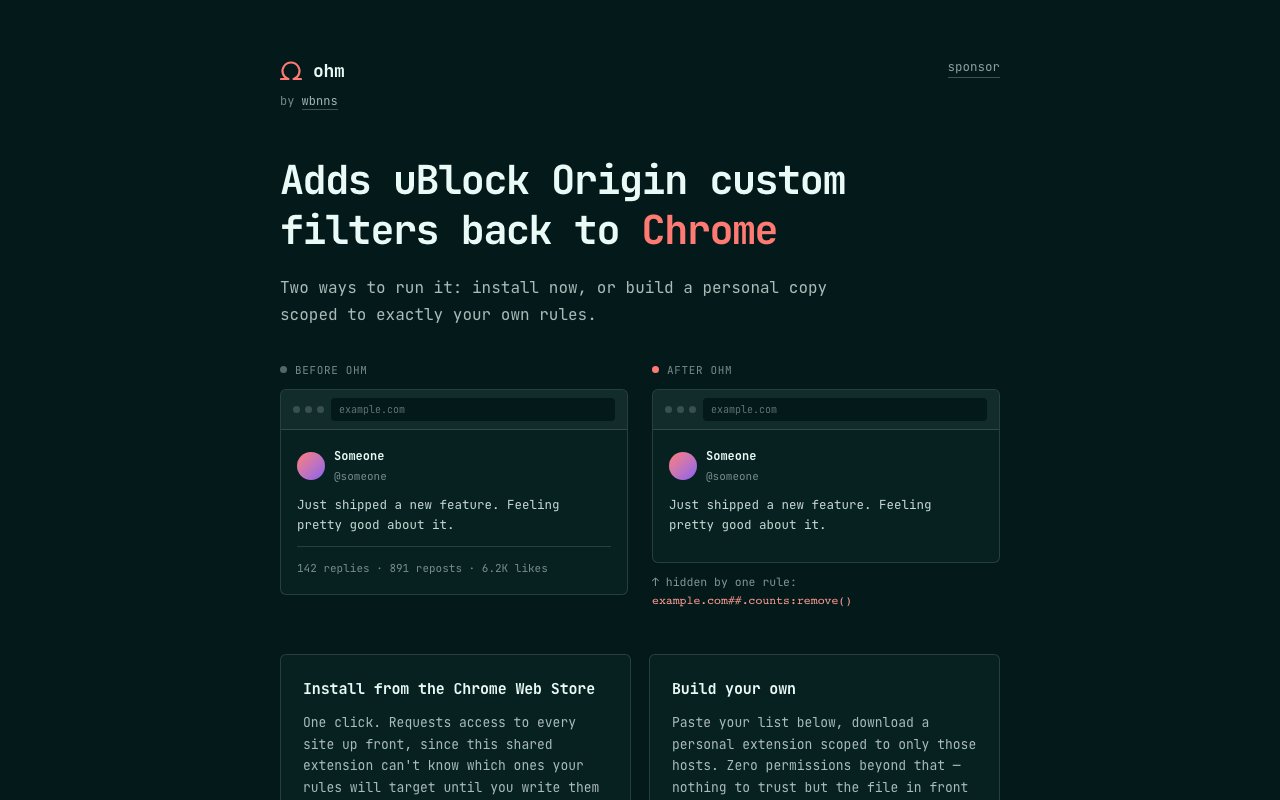
Ohm is a Chrome extension that brings back the cosmetic filtering capabilities that uBlock Origin users lost when Google's Manifest V3 restrictions rolled out. If you relied on custom rules to hide engagement metrics, promoted posts, comment sections, follower counts, or other visual annoyances on websites, and you found those rules suddenly stopped working in Chrome, Ohm is built to fill that gap. It converts uBlock Origin format filter rules into a minimal Chrome extension that only requests permissions for the specific hosts you target, not blanket access to every site you visit. The approach keeps the extension lightweight and avoids the permission creep that larger content blockers have accumulated over time.
The project offers two paths depending on how much control you want. There's a prebuilt extension you can install directly from the Chrome Web Store, which ships with a curated set of common filters for popular sites that most users find annoying. And there's a build your own option where you paste in your own filter list, pick which domains it applies to, and Ohm generates a personal extension scoped to exactly those domains. The build your own flow runs entirely in your browser tab. You paste the rules, click a button, and download a ZIP file containing a complete Chrome extension ready to side load via Developer Mode. No server involved, no account required, no data ever leaving your machine. You could do the entire process offline once the page is loaded.
Under the hood, Ohm supports procedural cosmetic filters that go beyond simple CSS selectors. You can use operations like remove to delete elements entirely rather than just hiding them, remove class to strip specific CSS classes that trigger unwanted behavior, has text to target elements containing certain words regardless of their HTML structure, and upward to select ancestor elements based on child matches when the element you want to hide is nested inside a container you need to target. These procedural filters let you target page elements by their content or structure rather than relying on fragile class names that websites change frequently during redesigns and A/B tests. If you've ever written a filter rule that broke a week later because the site renamed a CSS class or restructured their markup, you understand why procedural selectors matter for long term maintainability.
All processing happens locally in the browser. The extension doesn't phone home, doesn't collect analytics, and doesn't report what filters you're running or which sites you're modifying. This is relevant if your filter list reveals sensitive preferences about what kind of content you find objectionable or distracting. If you're hiding certain types of content or blocking specific UI elements, that information stays on your machine rather than being logged by a third party service that might sell behavioral data or get subpoenaed. The privacy model is simple because there's nothing to exfiltrate in the first place.
The build your own tool generates a complete extension package including manifest.json, content scripts, and icons. The output is a standard Chrome extension folder structure that you can load via Developer Mode for personal use or zip up and distribute to others if you want to share your filter set. Each generated extension only requests host permissions for the domains specified in your filter rules, which keeps the permission footprint minimal. You're not granting access to all URLs or all your browsing data, just the sites you explicitly want to filter. This is a meaningful improvement over extensions that request blanket permissions upfront and then promise not to abuse them.
This is clearly aimed at power users who were already comfortable writing or importing uBlock cosmetic filter syntax. It's not trying to be a general purpose ad blocker for people who just want to click install and forget about it. If you don't know what a cosmetic filter is, why you'd want one, or what the host##selector syntax means, you're probably not the target audience. But if you've been frustrated watching your carefully tuned filter list stop working in Chrome after the Manifest V3 transition, and you don't want to switch browsers entirely or use a full content blocker that demands deep permissions you're not comfortable granting, Ohm solves the narrow problem it claims to solve without expanding scope into features you didn't ask for.
The tool is MIT licensed and fully open source. You can read every line of code on GitHub before you install anything, which matters if you're security conscious about what runs in your browser. There's no pricing because there's nothing to pay for. The prebuilt extension and the build tool are both free, there's no premium tier that unlocks extra features, and no account or registration is required to use any of it. The tradeoff is that you're on your own for support. There's no company behind this, just an open source project maintained by a solo developer in their spare time. If something breaks or you need help writing filter rules, the GitHub issues page is your only recourse. That's acceptable for a free tool, but worth knowing upfront.
Key Features
- Prebuilt extension with curated filters
- Build your own extension from custom rules
- Zero permissions beyond targeted hosts
- Procedural cosmetic filter support
- Local only processing in browser
- MIT licensed open source codebase
Pros & Cons
What we like
- Restores uBlock style filtering to Chrome without broad permissions
- Fully open source and auditable before you install
- Build your own flow runs entirely in browser with no server
- Supports advanced procedural selectors like remove and has text
Room for improvement
- Assumes familiarity with uBlock filter syntax
- Solo maintainer project with limited support
- Not a full ad blocker, cosmetic filtering only
- Prebuilt extension may not cover niche sites
Frequently Asked Questions
What is Ohm?
Is Ohm free?
Who is Ohm for?
Does Ohm work like a full ad blocker?
Best For
Featured in
Alternatives to Ohm

Kevin Gabeci
Solo developer building web apps, cozy browser games, and AI creator toolkits.

SoloDevStack
A solo developer blog built on head-to-head tool comparisons, 580+ posts deep.

Codedex
A gamified, story-driven platform that teaches Python, web dev, and more like an RPG quest

Vibe Built
Building real apps with agentic AI. What worked, what broke, what shipped.
Our take
Tool Index Editorial · Oct 2026· 4.0/5
Ohm restores custom uBlock Origin style cosmetic filters in Chrome, either through a store extension or a locally generated personal build. We found the distinction honest and useful. The store version auto-updates but requests access to every site, while the generated extension is manually installed and limited to the hosts named in its rules. The generator runs locally, and the MIT-licensed source is inspectable.
Ohm is not an ad blocker and does not implement all uBlock syntax. It hides or removes page elements, assumes the user can write filter rules, and a personal build must be regenerated for engine fixes or rule changes. The narrow scope and solo-maintainer support won't suit casual users. For Chrome power users preserving a carefully tuned cosmetic list, though, it solves the exact problem with unusually clear permissions.
Editorial opinion from the Tool Index team, written from the public product pages. Not a user review.
Reviews (0)
Badge builder
Add Ohm to your website
Choose a badge style and size, preview it here, then copy the generated HTML. Badge images are self-contained SVGs and do not require an external script.

<a href="https://toolindex.net/tools/ohm?ref=badge" target="_blank" rel="noopener">
  <img src="https://toolindex.net/badge/ohm/medium.svg" alt="Ohm - Listed on Tool Index" width="180" height="50" />
</a>How to use the badge
- 1. Pick the style, size, and theme that fit your layout.
- 2. Copy the generated HTML from the code block.
- 3. Paste it into your footer, homepage, or press page.
Standard badge available
The standard listing badge is available now. Score and circle badges are limited to tools currently ranked in the top 10 of a category.
Badge clicks return visitors to this profile with a referral tag so the source remains identifiable.
Related Tools
Kevin Gabeci
Solo developer building web apps, cozy browser games, and AI creator toolkits.

Coolify
Self-hostable, open source alternative to Heroku and Netlify

Warp
The modern terminal reimagined with AI and collaboration

Bolt.new
Prompt-to-deployed full-stack app inside the browser
Work on Ohm? Request listing access or correction