
onemcp
One portal endpoint for all your MCP servers, with three meta-tools instead of hundreds
Gallery
About onemcp
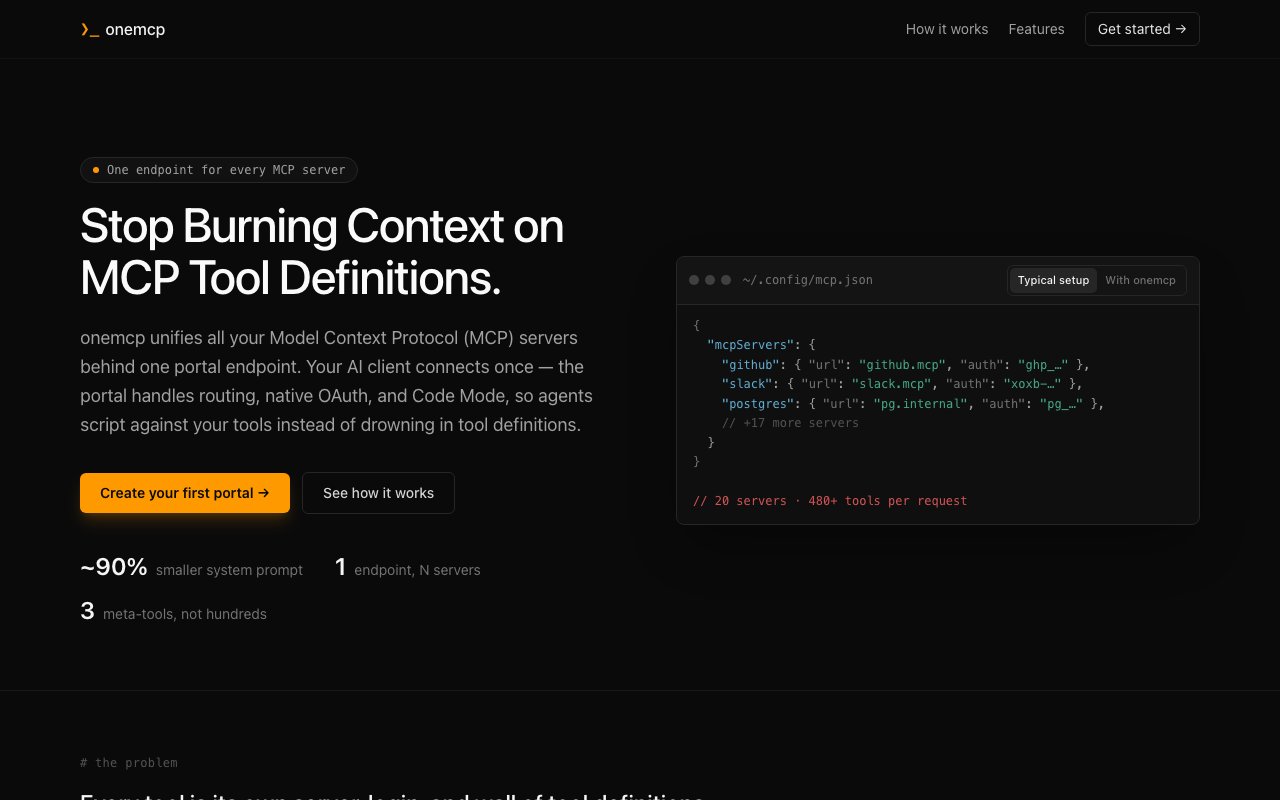
onemcp is a portal for Model Context Protocol servers. Instead of wiring every MCP server into every AI client separately, you group your servers behind a single portal endpoint, and your client connects to that one endpoint to reach all of them. The problem it solves shows up fast for anyone building with MCP today. Each server you add means more connection config to copy between clients, more credentials scattered around, and a pile of tool definitions loaded into the model's context whether it needs them or not. Multiply that by every client you use, a desktop app here, an IDE there, a couple of custom agents, and MCP configuration becomes its own small ops burden. The portal model collapses it, since servers get added once at the portal and every connected client inherits the full set.
The context problem is the one onemcp attacks most directly. A typical MCP setup exposes every tool definition from every server upfront, and with a stack like GitHub, Slack, Postgres, Linear, Notion, Jira, Stripe, and Sentry connected at once, those definitions eat a serious share of the context window before the conversation even starts. Every one of those definitions costs tokens on every single request, whether or not the task at hand touches Stripe or Sentry at all. onemcp replaces that with three meta-tools, search, describe, and execute. The agent searches for tools relevant to the task at hand, requests the detailed specification only for the ones it actually needs, then executes. The site puts the resulting system prompt reduction at roughly 90 percent, which is the difference between an agent that spends its context on your problem and one that spends it reading a tool catalog. It also scales differently. Adding a twentieth server to a conventional setup makes the upfront context cost worse, while adding it to a portal changes almost nothing until an agent actually searches for and uses one of its tools.
Authentication is handled at the portal rather than in each client. onemcp does native upstream OAuth, so credentials stay host-side instead of being pasted into every client config. Auth is also scoped per portal, meaning the same server can carry different credentials in different portals, which is how you keep a personal portal and a work portal from sharing a GitHub identity. Portals can be imported and exported, and there is request logging and debugging so you can see what your agents are actually calling instead of inferring it from behavior. For anyone who has debugged an agent by staring at its output and guessing which tool call went sideways, having the actual request log is a real quality-of-life jump.
There is also a Cloudflare Code Mode integration, which lets agents script their tool calls rather than issuing them one at a time. The site is upfront that the MCP portal pattern was pioneered by Cloudflare, and onemcp positions itself as that pattern made available without an enterprise arrangement. You spin up a portal in minutes at app.onemcp.dev, add your servers, and point your clients at the portal. Code Mode is worth a second look for heavier workflows, since letting an agent write a small script that chains several tool calls is often faster and cheaper than a long back-and-forth of individual invocations.
It fits AI developers and agent builders who have crossed the threshold where MCP stops being one or two servers and starts being a stack. If you run a handful of MCP servers across multiple clients, or you build agents whose tool lists keep growing, the portal model turns an N-times-M configuration problem into a single connection per client. Teams get the additional benefit of one place where server access and credentials are managed rather than living in individual developer configs. The import and export support helps here too, because a working portal definition can be shared or versioned rather than reconstructed by hand every time.
Access is simply free. There is no pricing page, no paid tier, and no trial clock, just the hosted app and a buy-me-a-coffee link if you want to support it. The tradeoff for that posture is the usual one for free developer tools, you are depending on a small project rather than a vendor with an SLA, and the site does not publish who is behind it or whether the code is open source. For what it costs, though, consolidating your MCP sprawl behind one endpoint and reclaiming most of your system prompt is an easy experiment to run. Since clients talk to the portal over standard MCP, backing out is as simple as pointing them at your servers directly again.
Key Features
- Single portal endpoint for many MCP servers
- Search, describe, and execute meta-tools
- Roughly 90 percent smaller system prompts
- Native upstream OAuth with host-side credentials
- Per-portal credential scoping
- Request logging and portal import export
Pros & Cons
What we like
- Cuts MCP tool definitions out of the context window
- One endpoint per client instead of per-server wiring
- Credentials stay in the portal, not scattered across clients
- Completely free with no tier gymnastics
Room for improvement
- No published maker identity or open source repository
- No paid plan means no support commitment or SLA
- Adds a hosted hop between your client and your servers
- Young product around a fast-moving protocol
Frequently Asked Questions
What is onemcp?
Is onemcp free?
Who is onemcp for?
How does onemcp handle authentication?
Best For
Featured in
Alternatives to onemcp
View all
Kevin Gabeci
Solo developer building web apps, cozy browser games, and AI creator toolkits.

SoloDevStack
A solo developer blog built on head-to-head tool comparisons, 580+ posts deep.

Codedex
A gamified, story-driven platform that teaches Python, web dev, and more like an RPG quest

Vibe Built
Building real apps with agentic AI. What worked, what broke, what shipped.
Our take
Tool Index Editorial · Oct 2026· 3.0/5
onemcp puts multiple MCP servers behind one portal endpoint and exposes three meta-tools for finding, describing, and executing tools on demand. It is for agent builders whose clients are carrying large tool catalogs and duplicated connection settings. The site shows Free and Pro options, but the captured page does not expose a Pro price.
The architecture is sensible. Loading only the relevant schema can reduce prompt overhead, while portal-level OAuth, scoped credentials, imports, exports, and request logs address real MCP administration pain. The risk is centralization. A hosted portal becomes a credential holder and an extra hop for every downstream tool, yet the public page gives little detail about operators, security review, retention, uptime, or self-hosting. We would use it first with low-risk servers and verify the claimed context savings against actual workloads.
Editorial opinion from the Tool Index team, written from the public product pages. Not a user review.
Reviews (0)
Badge builder
Add onemcp to your website
Choose a badge style and size, preview it here, then copy the generated HTML. Badge images are self-contained SVGs and do not require an external script.

<a href="https://toolindex.net/tools/onemcp?ref=badge" target="_blank" rel="noopener">
  <img src="https://toolindex.net/badge/onemcp/medium.svg" alt="onemcp - Listed on Tool Index" width="180" height="50" />
</a>How to use the badge
- 1. Pick the style, size, and theme that fit your layout.
- 2. Copy the generated HTML from the code block.
- 3. Paste it into your footer, homepage, or press page.
Standard badge available
The standard listing badge is available now. Score and circle badges are limited to tools currently ranked in the top 10 of a category.
Badge clicks return visitors to this profile with a referral tag so the source remains identifiable.
Related Tools
Kevin Gabeci
Solo developer building web apps, cozy browser games, and AI creator toolkits.

Coolify
Self-hostable, open source alternative to Heroku and Netlify

Warp
The modern terminal reimagined with AI and collaboration

Bolt.new
Prompt-to-deployed full-stack app inside the browser
Work on onemcp? Request listing access or correction