p0rt
See and control every dev server, port, and Docker container from the macOS menu bar
Gallery
About p0rt
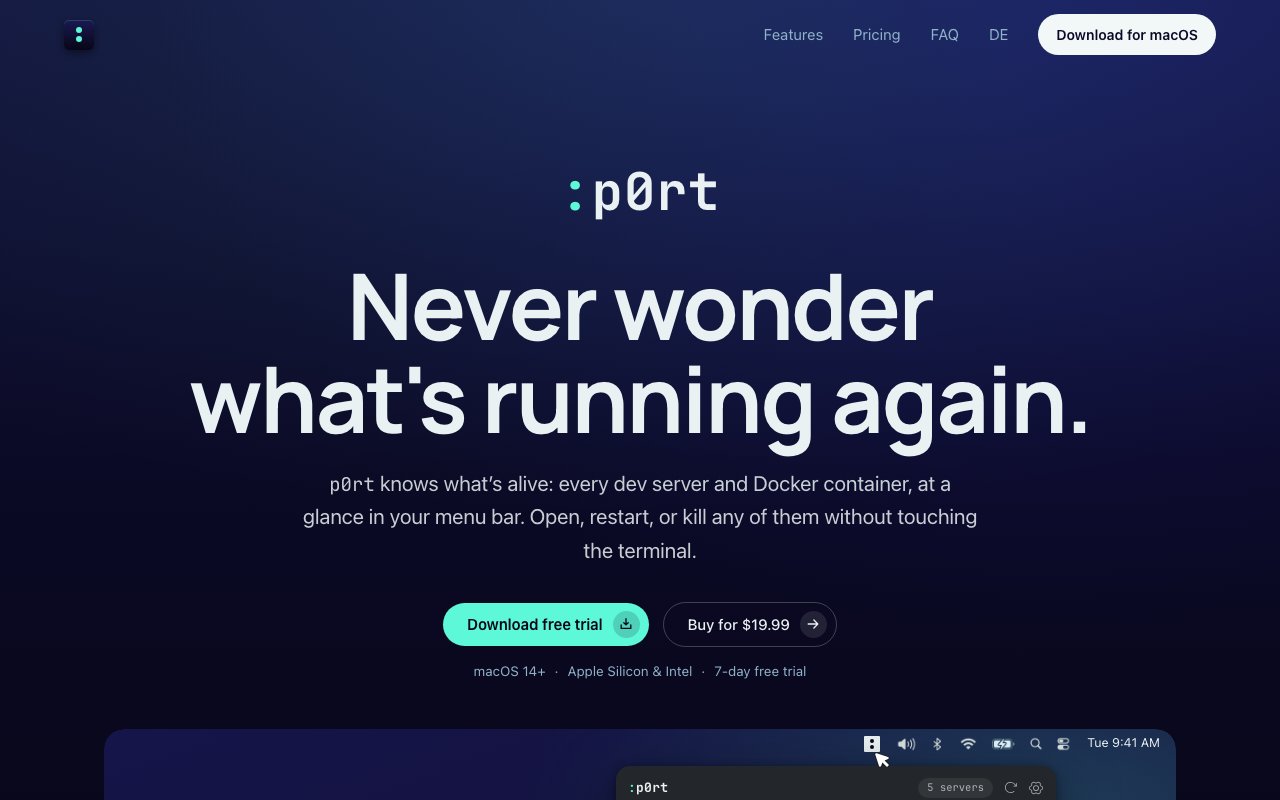
p0rt is a native macOS menu bar app that shows every development server, listening port, and Docker container running on your machine, and lets you open, restart, or kill any of them without touching the terminal. Every developer knows the ritual it replaces. A build fails with address already in use, you hunt through lsof or a half-remembered kill command, discover an orphaned Node process from Tuesday still squatting on port 3000, and lose five minutes of focus to a problem that should take one click. p0rt turns that whole category of interruption into a glance at the menu bar. It's the kind of utility that sounds minor until you count how often local port chaos actually interrupts you in a normal week.
The way it works is straightforward. The app detects processes listening on ports that were started from your project folders and groups them by project, so instead of a raw list of PIDs you see your actual work, this app's frontend on one port, its API on another, the database container underneath. Docker containers show up alongside native processes in the same view. From the dropdown you can open a server in the browser, restart it, or kill it outright, and a global keyboard shortcut summons the whole panel from anywhere, so checking what's running never means leaving your editor. Because detection is tied to your project folders, the list stays meaningful even with half a dozen repos in flight, each with its own frontend, backend, and supporting services.
It goes further than a process list. Each entry shows real-time CPU and memory usage, which makes it easy to spot the dev server that's quietly eating a core or the container that ballooned overnight. Port conflicts are highlighted so you can see at a glance when two things are fighting over the same port, which is exactly the failure that usually sends you spelunking through terminal output. There's also a Notification Center widget, so the state of your local stack is visible without even opening the menu. None of this needs configuration, the point is that the information is simply there when a build fails instead of being something you go and gather.
The audience is macOS developers who run local servers all day, whether that's Node, Python, Rails, or anything else that listens on a port, plus anyone juggling Docker containers alongside them. The more projects you switch between, the more value it has, since abandoned processes from the last project are precisely what pile up and cause the mystery conflicts. It requires macOS 14 or later and runs on both Apple Silicon and Intel Macs.
The interaction model is deliberately keyboard-friendly. The global shortcut brings up the panel from inside any app, so the check-and-kill loop happens without reaching for the mouse or switching windows. The widget covers the passive case, a glance at what's running while you're doing something else entirely. Between the two, the app serves both modes developers actually operate in, actively debugging a port problem and quietly keeping an eye on a stack that's supposed to be behaving.
What distinguishes p0rt from just keeping htop open is that it understands the developer's frame. Grouping by project folder means the tool speaks in terms of your repos rather than raw process names, and the actions it offers, open in browser, restart, kill, are the three things you actually do to a dev server. It's also a native menu bar citizen rather than another dashboard tab, which fits the whole point of reducing context switching. And unlike most developer utilities lately, it's a one-time purchase rather than another subscription line item. That model matches how a tool like this is used, sitting in the menu bar for years, where paying monthly rent would sting.
The pricing is honest and simple. A license costs $19.99 as a launch price, with a stated regular price of $39, and covers up to 2 Macs. There's a 7-day free trial so you can find out whether it earns its menu bar slot before paying, and a 14-day money-back guarantee after that, with checkout handled through Polar. If the trial week convinces you, the purchase is a single decision rather than a recurring one, and if it doesn't, the guarantee window gives you a second exit. For a tool that removes a small daily annoyance rather than transforming your workflow, the one-time price under twenty dollars is well judged. If you kill stray processes more than once a week, it'll pay for itself in recovered focus fairly quickly, and the trial makes finding that out free.
Key Features
- Dev servers and ports in the menu bar
- Docker container monitoring and control
- Open, restart, or kill without the terminal
- Real-time CPU and memory usage
- Port conflict highlighting
- Global shortcut and Notification Center widget
Pros & Cons
What we like
- Groups processes by project folder instead of raw PIDs
- One-time purchase, not another subscription
- 7-day trial plus a 14-day money-back guarantee
- Native app that runs on Apple Silicon and Intel
Room for improvement
- macOS only, and it requires macOS 14 or later
- No free tier beyond the 7-day trial
- License covers 2 Macs, larger teams pay more
- Narrow focus on local process management
Frequently Asked Questions
What is p0rt?
Is p0rt free?
What are the system requirements?
Who is p0rt for?
Best For
Featured in
Alternatives to p0rt

Kevin Gabeci
Solo developer building web apps, cozy browser games, and AI creator toolkits.

SoloDevStack
A solo developer blog built on head-to-head tool comparisons, 580+ posts deep.

Codedex
A gamified, story-driven platform that teaches Python, web dev, and more like an RPG quest

Vibe Built
Building real apps with agentic AI. What worked, what broke, what shipped.
Reviews (0)
Badge builder
Add p0rt to your website
Choose a badge style and size, preview it here, then copy the generated HTML. Badge images are self-contained SVGs and do not require an external script.

<a href="https://toolindex.net/tools/p0rt?ref=badge" target="_blank" rel="noopener">
  <img src="https://toolindex.net/badge/p0rt/medium.svg" alt="p0rt - Listed on Tool Index" width="180" height="50" />
</a>How to use the badge
- 1. Pick the style, size, and theme that fit your layout.
- 2. Copy the generated HTML from the code block.
- 3. Paste it into your footer, homepage, or press page.
Standard badge available
The standard listing badge is available now. Score and circle badges are limited to tools currently ranked in the top 10 of a category.
Badge clicks return visitors to this profile with a referral tag so the source remains identifiable.
Related Tools
Kevin Gabeci
Solo developer building web apps, cozy browser games, and AI creator toolkits.

Coolify
Self-hostable, open source alternative to Heroku and Netlify

Warp
The modern terminal reimagined with AI and collaboration

Bolt.new
Prompt-to-deployed full-stack app inside the browser
Work on p0rt? Request listing access or correction