
PDF Measure
Measure, mark up, and export scaled PDF plans entirely in your browser
Gallery
About PDF Measure
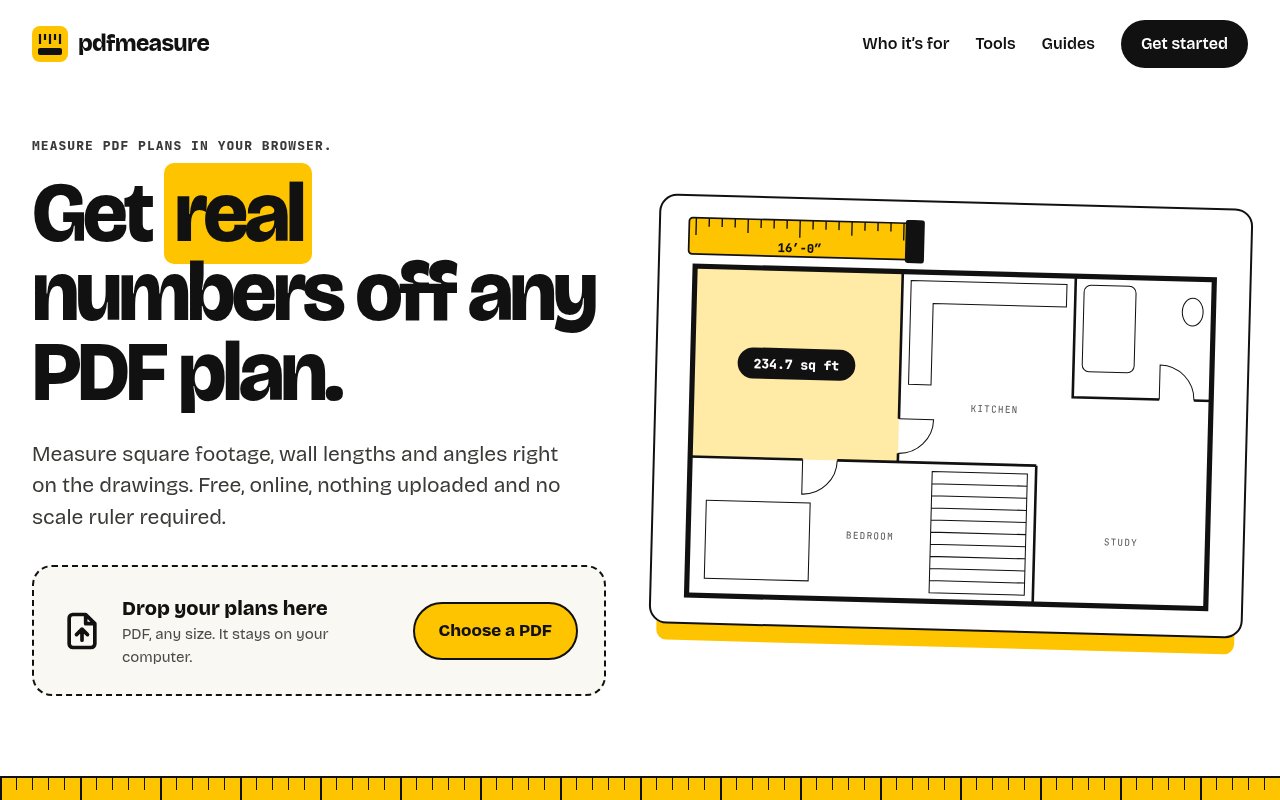
PDF Measure is a free browser app for taking scaled measurements from drawings stored as PDFs. It turns floor plans, site plans, elevations, shop drawings, and scanned sheets into a practical measuring surface without asking you to upload a file or create an account. Once a sheet has the right scale, you can measure lengths, areas, perimeters, and angles directly on the drawing. That makes it useful when the dimensions you need are visible in a plan but aren't written out, or when you want to check a quantity before ordering material or accepting a quote.
The basic workflow is deliberately short. You drop in a PDF, choose the architectural, engineering, or metric scale printed on the sheet, and start placing points. If the printed scale is missing or unreliable, you can calibrate the drawing from a dimension you already know. The app then applies that calibration to later measurements. It stores points in the PDF's own coordinate space instead of treating the screen as the measuring surface, so zooming in helps you click more precisely. Accuracy still depends on the source drawing, the scale setting, and where you place each point, which is why the site recommends calibrating against a long known dimension. Measurements can be shown in feet and inches or in metres and centimetres, and the unit system can be changed while working.
The toolbox goes beyond simple distance checks. Area tracing returns both area and perimeter, including for rooms or shapes with irregular corners. Angle measurement covers corners, stair pitch, and roof slope. Count tools let you mark fixtures, outlets, columns, or other repeated symbols, while takeoff tools total named quantities across sheets and can add a waste percentage. Length runs can cover materials such as pipe or conduit. A beta find-similar function can suggest matching symbols on drawings exported from CAD, with review before they are added. Scanned sheets still work, though their scale usually needs calibration and symbol counting remains manual. Numbered count markers can be removed with a click, and sheet thumbnails show the count on each page.
PDF Measure also handles the annotations that often sit beside measurement work. You can place callouts, text boxes, sticky notes, arrows, revision clouds, dimension lines, pen marks, and highlights. An overlay comparison lays one sheet over another with tinting so changes between revisions are easier to spot. Work is saved in the browser and tied to the file, which lets the same drawing reopen with its measurements and markups on that device. Finished work can leave the app as an annotated PDF, a JSON file of markups that a colleague can import, a CSV takeoff, or a quick picture of the visible sheet and its measurements.
The app fits several audiences without pretending to be a full construction management system. Homeowners can check square footage before buying flooring or reviewing a contractor's number. Contractors and trades can do quick takeoffs for drywall, tile, trim, fixtures, pipe, or conduit from a laptop or tablet. Designers and architects can return a marked-up set with notes and dimensions. It works in current Safari, Chrome, Firefox, and Edge on macOS, Windows, Linux, iPad, Android tablets, and phones. Multi-page sets and multiple open PDFs are supported, which matters when the needed quantities span more than one sheet. The touch interface moves its tools into a bottom dock with larger targets on smaller screens.
Its clearest difference is the local browser model. The PDF stays on the device, and measurements and markups live in browser storage rather than being sent with the drawing to a server. The site says it records anonymous feature usage but not the file, its name, or the values measured, and records nothing when a browser sends a Do Not Track or Global Privacy Control signal. That posture can be appealing for plans that shouldn't be casually uploaded. It also means the product is not built around server-side document libraries, shared project spaces, or live multiuser review. Collaboration happens through exported files rather than a managed cloud workspace.
Every tool is currently free, with no account, trial period, watermark, or installation. That makes PDF Measure unusually easy to try for a one-off plan as well as to keep around for regular takeoffs. The tradeoff is scope. It measures and marks up drawings, but it doesn't include cost databases, unit pricing, estimating workflows, or the broader document management found in large construction suites. For people who mainly need trustworthy scaled numbers and clean redlines from a PDF, that narrower focus is likely the point rather than a missing layer.
Key Features
- Scaled length and area measurements
- Counts and multi-sheet takeoffs
- Drawing calibration from known dimensions
- Redlines, callouts, and revision clouds
- Overlay comparison between drawing revisions
- PDF, JSON, and CSV exports
Pros & Cons
What we like
- Runs locally without uploading plan files
- Needs no account, payment, or installation
- Covers measurement, takeoff, and markup work
- Supports desktop and mobile browsers
Room for improvement
- Doesn't include cost databases or unit pricing
- Accuracy depends on scale and point placement
- Cloud project management isn't part of the product
- Scanned drawings need careful manual calibration
Frequently Asked Questions
What is PDF Measure?
Is PDF Measure free?
Does PDF Measure upload my drawings?
Can PDF Measure replace estimating software?
Best For
Featured in
Alternatives to PDF Measure
View all
CalendHub
Smart scheduling and calendar management for teams
Kevin Gabeci Toolkits
Seven AI toolkits for writing books, making music, cutting video, and building agents.

Eased Into AI
Learn AI from zero. No jargon, no hype, just steps that work.

Zielor
German exam preparation for DTZ, Leben in Deutschland, Goethe and telc. Waitlist open.
Reviews (0)
Badge builder
Add PDF Measure to your website
Choose a badge style and size, preview it here, then copy the generated HTML. Badge images are self-contained SVGs and do not require an external script.

<a href="https://toolindex.net/tools/pdfmeasure?ref=badge" target="_blank" rel="noopener">
  <img src="https://toolindex.net/badge/pdfmeasure/medium.svg" alt="PDF Measure - Listed on Tool Index" width="180" height="50" />
</a>How to use the badge
- 1. Pick the style, size, and theme that fit your layout.
- 2. Copy the generated HTML from the code block.
- 3. Paste it into your footer, homepage, or press page.
Standard badge available
The standard listing badge is available now. Score and circle badges are limited to tools currently ranked in the top 10 of a category.
Badge clicks return visitors to this profile with a referral tag so the source remains identifiable.
Related Tools

Confluence
Atlassian's long-running team wiki that anchors many enterprise knowledge stacks
Asana
Project management for teams that live in projects, tasks and dependencies
Kevin Gabeci Toolkits
Seven AI toolkits for writing books, making music, cutting video, and building agents.

Logseq
An open-source outliner notes app where every bullet is a first-class block
Work on PDF Measure? Request listing access or correction