PingChange
Monitor web pages and OpenAPI specs for changes with readable diffs and multi-channel alerts
Gallery
About PingChange
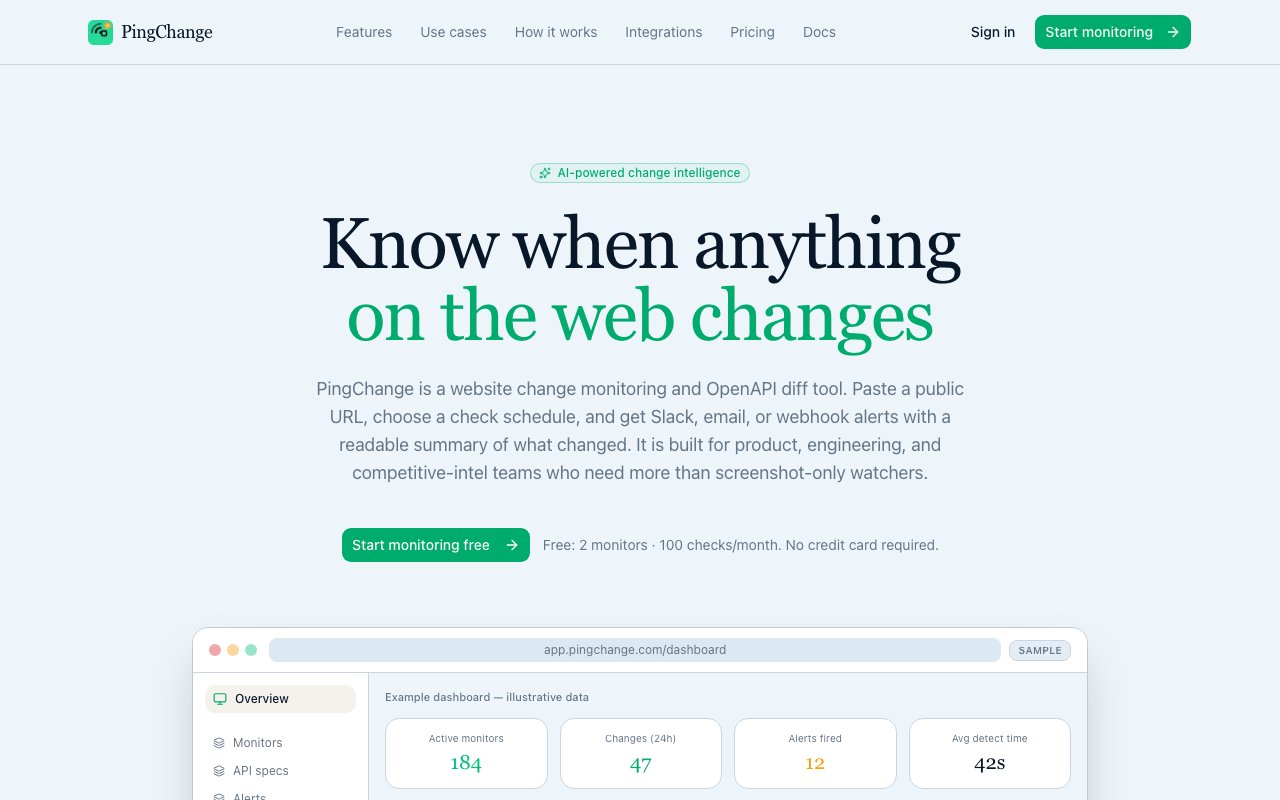
PingChange is a monitoring tool that watches web pages and OpenAPI specifications for changes and sends you readable diffs when something shifts. Instead of manually checking competitor pricing pages or API documentation, you set up a monitor and let it tell you exactly what changed, whether that's a new endpoint in a Swagger file or a price increase buried in a landing page. The core value is awareness without effort. You define what you care about, and the tool handles the tedious work of checking over and over again.
The problem it solves is the tedium of staying current. If you're tracking a competitor's features, a vendor's terms of service, or an API you depend on, you either check manually or miss the update until it breaks something. Most people learn about API changes when their integration fails, and most teams learn about competitor pricing changes when a customer mentions it. PingChange automates that vigilance and delivers the differences in a format you can actually read, not just a raw dump of HTML or JSON. The diffs are designed to be scannable, so you can tell at a glance whether the change matters or not.
For web pages, it captures snapshots on a schedule and compares them with side-by-side or inline diffs. You can see changes to copy, layout, images, and pricing in context. The visual comparison makes it easy to spot what moved, what was added, and what was removed. For OpenAPI and Swagger specs, it goes further with semantic diffs that highlight new endpoints, field changes, deprecations, and authentication updates. This is particularly useful for engineering teams that integrate with third-party APIs and need to know when something breaks before their users do. Instead of scrolling through a thousand-line JSON file trying to spot what's different, you get a summary that shows exactly which endpoints changed and how.
There's an AI filtering layer that lets you ignore noise. You write plain-English instructions, something like "skip banners and timestamps," and it filters out the churn that would otherwise flood your alerts. This is critical for pages that update constantly with non-essential content. A news site might change a headline every hour, but you only care about the product page beneath it. Without filtering, you'd get dozens of false positives a day. With it, you only hear about the changes that actually matter. You can also run checks from multiple regions, including the US, EU, Middle East, and Africa, which matters if you're monitoring localized content or geo-specific pricing. Some companies show different prices to different regions, and this lets you track that without setting up VPNs or proxy servers.
Alerts go where you want them. Slack, email, Telegram, webhooks, PagerDuty, and integrations with Zapier, Make, and n8n are all supported. If you want a daily digest instead of real-time pings, you can bundle everything into one summary email. This flexibility matters because different changes have different urgency levels. A competitor price drop might need an immediate Slack alert, but a quarterly terms of service update can wait for the weekly digest. There's also a REST API for programmatic access, so you can wire it into CI pipelines or internal tooling. If you want to run an audit before every deploy that checks whether any of your third-party APIs have changed, the API makes that possible.
The history feature keeps a record of every change, so you can look back and see how a page or spec evolved over time. This is useful for post-mortems when something breaks and you need to figure out when the upstream change happened. It's also useful for competitive analysis, where tracking pricing over months can reveal patterns that aren't obvious from a single snapshot. The retention period depends on your plan, but even the free tier keeps some history.
Pricing is freemium with a generous free tier. Two monitors and 100 checks per month cost nothing. Paid plans start at $4.99 a month for more monitors, team sharing, and faster check intervals, and scale up to an enterprise tier with unlimited everything and five-minute checks. The free tier is limited to email and Telegram alerts, so if you need Slack or webhook integrations, you'll need to upgrade. It's built by Epigos Ltd out of London, and the support channel is hello@pingchange.com if you need help. The readable diffs and semantic API tracking make it particularly useful for teams who want early warning on upstream changes before they cause production issues.
Key Features
- Web page monitoring with side-by-side HTML diffs
- Semantic OpenAPI and Swagger spec change tracking
- AI-powered filtering to ignore banners and timestamps
- Multi-region checks from US, EU, Middle East, and Africa
- Alerts via Slack, email, Telegram, webhooks, and PagerDuty
- REST API for programmatic access and CI integration
Pros & Cons
What we like
- Readable diffs instead of raw HTML or JSON dumps
- Semantic API change detection catches breaking updates early
- AI filtering cuts out the noise without manual rules
- Generous free tier with two monitors and 100 checks
Room for improvement
- Free tier limited to email and Telegram alerts only
- Fastest check interval requires enterprise plan
- History retention limited on lower tiers
- Focused on web and API monitoring, not broader observability
Frequently Asked Questions
What is PingChange?
Is PingChange free?
How does the AI filtering work?
Can PingChange monitor APIs?
Best For
Featured in
Alternatives to PingChange
View all
Kevin Gabeci
Solo developer building web apps, cozy browser games, and AI creator toolkits.

SoloDevStack
A solo developer blog built on head-to-head tool comparisons, 580+ posts deep.

Codedex
A gamified, story-driven platform that teaches Python, web dev, and more like an RPG quest

Vibe Built
Building real apps with agentic AI. What worked, what broke, what shipped.
Reviews (0)
Badge builder
Add PingChange to your website
Choose a badge style and size, preview it here, then copy the generated HTML. Badge images are self-contained SVGs and do not require an external script.

<a href="https://toolindex.net/tools/pingchange?ref=badge" target="_blank" rel="noopener">
  <img src="https://toolindex.net/badge/pingchange/medium.svg" alt="PingChange - Listed on Tool Index" width="180" height="50" />
</a>How to use the badge
- 1. Pick the style, size, and theme that fit your layout.
- 2. Copy the generated HTML from the code block.
- 3. Paste it into your footer, homepage, or press page.
Standard badge available
The standard listing badge is available now. Score and circle badges are limited to tools currently ranked in the top 10 of a category.
Badge clicks return visitors to this profile with a referral tag so the source remains identifiable.
Related Tools
Kevin Gabeci
Solo developer building web apps, cozy browser games, and AI creator toolkits.

Coolify
Self-hostable, open source alternative to Heroku and Netlify

Warp
The modern terminal reimagined with AI and collaboration

Bolt.new
Prompt-to-deployed full-stack app inside the browser
Work on PingChange? Request listing access or correction