
Pipe
Build and run statically typed programs as live visual diagrams
Gallery
About Pipe
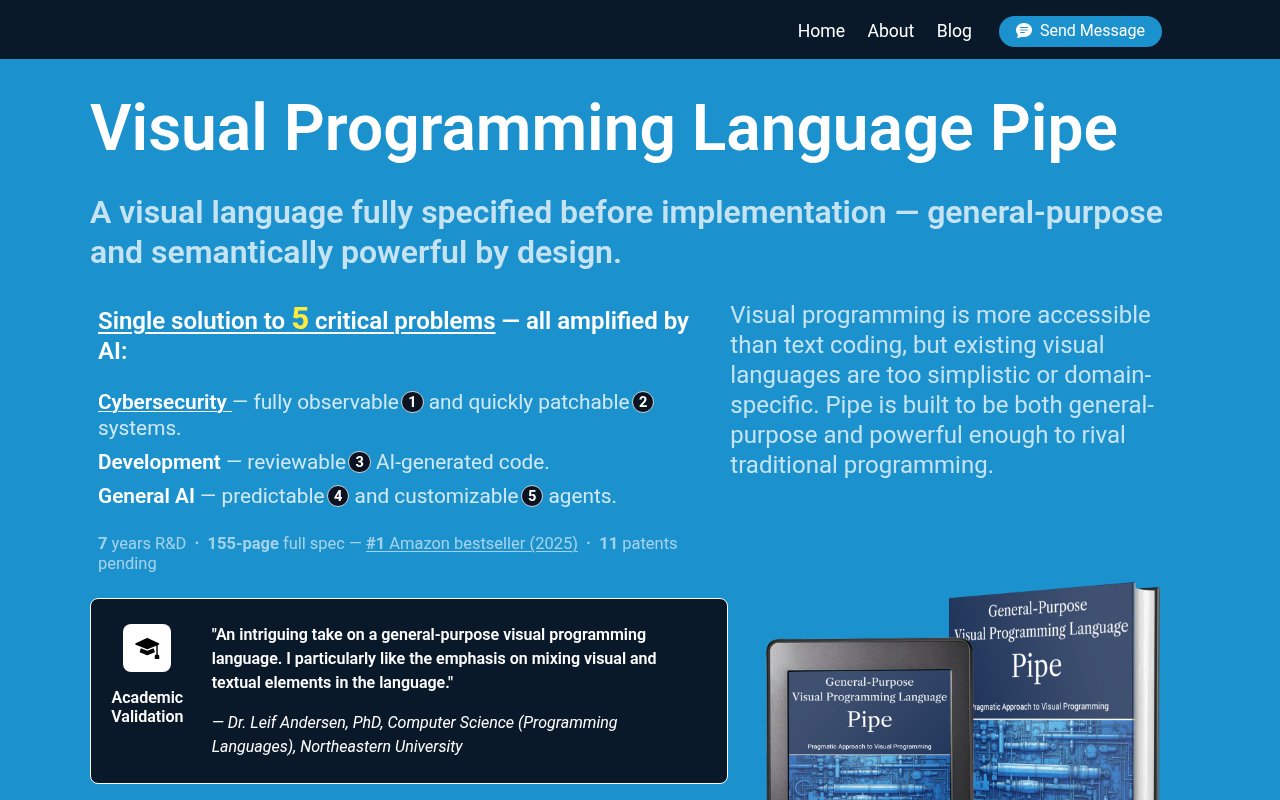
Pipe is a general-purpose visual programming language with a browser-based IDE for building, running, and debugging programs as diagrams. It tackles a hard problem that many visual tools avoid. Most node editors work well within one narrow field, but they become awkward when a program needs real state, reusable components, complex types, or precise execution rules. Pipe is designed to cover those concerns while still letting developers see the structure of a program. The IDE runs in a browser with no installation or account required, so someone can explore the language before committing to a new local toolchain.
Programs are assembled from connected visual components rather than written as one long body of text. Pipe gives processing blocks, called runlets, explicit inputs and outputs, while dedicated memory blocks called memlets keep state visible on the diagram. A memlet can read, write, or combine those actions in a defined order. When several values must arrive together, mergers collect them before passing a signal onward. That makes data movement and stored state part of the visible design instead of hiding them in variables and control flow scattered across files. The full specification also covers exception handling, startup and shutdown behavior, shared memory, component state, and connections between projects.
Its execution model aims to keep visual behavior predictable. Inputs can receive signals independently, but a block finishes one signal before accepting the next. This sequential rule makes the path of an operation easier to trace and avoids some of the timing ambiguity common in dataflow editors. Pipe also has a static type system based on tree-shaped structures called domains. Connected domains don't have to match perfectly. The language calculates their overlap and transfers the compatible fields, which lets a component accept the part of a larger structure that it understands. These rules give the diagrams more formal meaning than a conventional flowchart while keeping the wiring flexible enough for reusable blocks.
Pipe is aimed at developers and software teams who want visual structure without giving up text code. Its component API is specified for object-oriented languages, including Python, Java, and C++, so custom logic can live inside visual blocks rather than being limited to a fixed catalog. That model also fits AI-assisted development. Generated code can be wrapped in components, arranged into a visible workflow, and reviewed at the level of system logic. Teams evaluating an unfamiliar code path may find the diagram easier to discuss than a large generated diff. Adopting Pipe still means learning its own vocabulary and semantics, and existing applications need at least some restructuring to take advantage of the visual model.
The most distinctive part of the design is that a Pipe diagram is intended to remain the executable structure at runtime. It isn't merely documentation that later becomes a separate generated program. Components stay individually addressable, so the language design can support observing a block's inputs and outputs or changing a block without rebuilding an unrelated whole. The project presents this as useful for live debugging, operational visibility, and focused patches. That is an ambitious direction, particularly for security and long-running systems, but prospective production users should separate the breadth of the published specification from the maturity of the current browser implementation. Pipe is still a young ecosystem compared with established languages and IDEs.
The public site currently offers the browser IDE without an account and provides the full language book as a free PDF. It doesn't publish a paid subscription or commercial pricing schedule, so the current access posture is best treated as free. New users can begin with examples covering Hello World, iteration, callbacks, and recursion before moving into the formal rules. The documentation goes deeper into notation, domain inheritance, signal distribution, and a standard library, so evaluation isn't limited to a short marketing demo. That depth is useful for serious assessment, though it can feel dense to someone who only wants a simple drag and drop automation builder. Pipe makes the most sense for technically curious developers, language designers, and teams testing visual orchestration alongside conventional code. It is less suited to someone who expects a mature package ecosystem, broad deployment support, or instant compatibility with an existing codebase.
Key Features
- Browser-based visual IDE
- Statically typed visual workflows
- Explicit memory blocks
- Sequential signal processing
- Custom component API
- Direct diagram execution
Pros & Cons
What we like
- Runs in a browser without an account
- Makes state and execution paths visible
- Combines visual structure with text code
- Provides a detailed language specification
Room for improvement
- Young language with a small ecosystem
- Requires learning unfamiliar visual concepts
- Existing systems need some restructuring
- Production maturity is still developing
Frequently Asked Questions
What is Pipe?
Can Pipe work with regular code?
Is Pipe free?
Who is Pipe for?
Best For
Featured in
Alternatives to Pipe
View all
Kevin Gabeci
Solo developer building web apps, cozy browser games, and AI creator toolkits.

SoloDevStack
A solo developer blog built on head-to-head tool comparisons, 580+ posts deep.

Codedex
A gamified, story-driven platform that teaches Python, web dev, and more like an RPG quest

Vibe Built
Building real apps with agentic AI. What worked, what broke, what shipped.
Reviews (0)
Badge builder
Add Pipe to your website
Choose a badge style and size, preview it here, then copy the generated HTML. Badge images are self-contained SVGs and do not require an external script.

<a href="https://toolindex.net/tools/pipelang?ref=badge" target="_blank" rel="noopener">
  <img src="https://toolindex.net/badge/pipelang/medium.svg" alt="Pipe - Listed on Tool Index" width="180" height="50" />
</a>How to use the badge
- 1. Pick the style, size, and theme that fit your layout.
- 2. Copy the generated HTML from the code block.
- 3. Paste it into your footer, homepage, or press page.
Standard badge available
The standard listing badge is available now. Score and circle badges are limited to tools currently ranked in the top 10 of a category.
Badge clicks return visitors to this profile with a referral tag so the source remains identifiable.
Related Tools
Kevin Gabeci
Solo developer building web apps, cozy browser games, and AI creator toolkits.

Coolify
Self-hostable, open source alternative to Heroku and Netlify

Warp
The modern terminal reimagined with AI and collaboration

Bolt.new
Prompt-to-deployed full-stack app inside the browser
Work on Pipe? Request listing access or correction