
pkg.bot
Search and filter Linux packages across distributions and repositories
Gallery
About pkg.bot
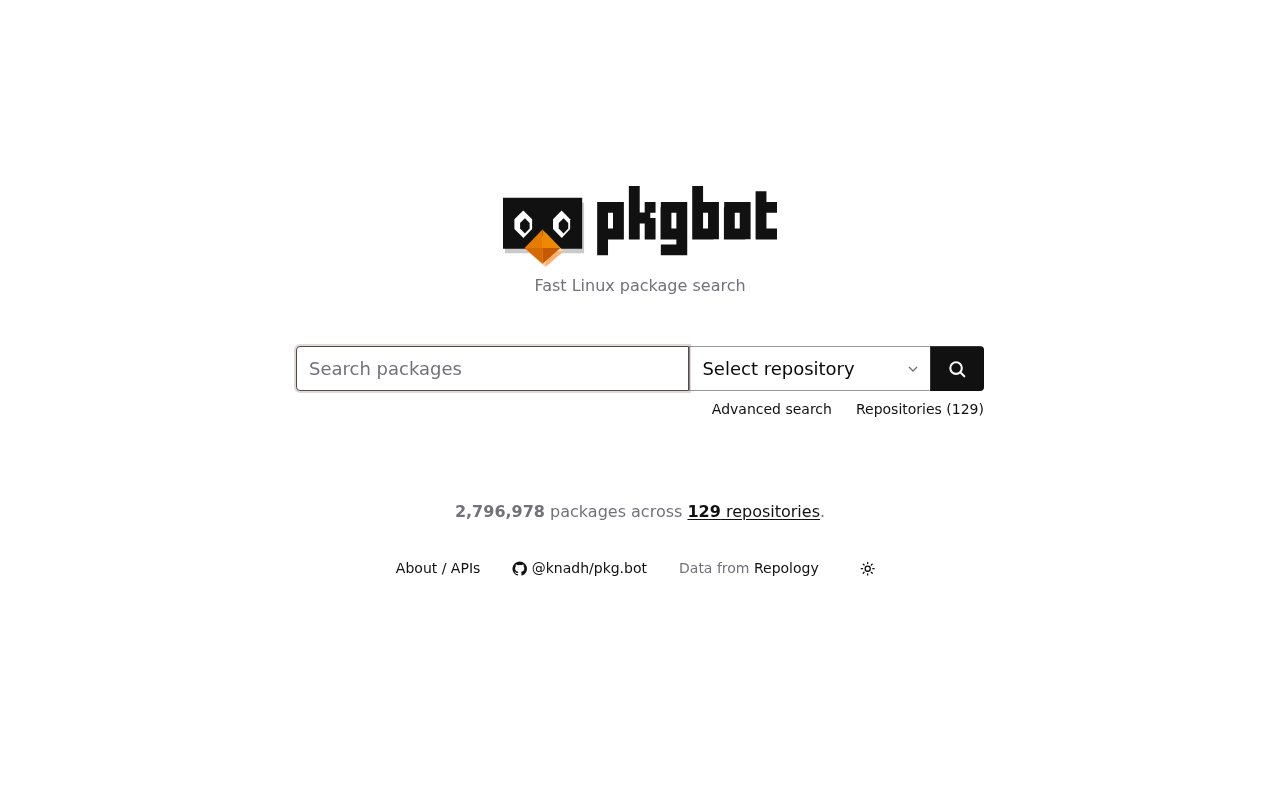
pkg.bot is a search engine for finding Linux packages across distributions and repositories from one fast interface. Instead of making a developer visit a different package site for each operating system, it gathers repository metadata into a single searchable index. At the time of review, the public service reported 2,796,978 packages across 129 repositories. That coverage includes multiple releases and channels from NixOS, Ubuntu, Debian, Fedora, Arch, Alpine, Gentoo, openSUSE, and other systems. It also covers sources such as AUR, EPEL, FreeBSD Ports, OpenBSD Ports, MacPorts, and SlackBuilds. The result is a practical reference for checking whether software exists in a target ecosystem and which version a particular repository currently carries.
The service is designed around a familiar package problem. A project name may be packaged under different names, split into several components, current in one distribution, and several releases behind in another. Official repository pages are useful once someone knows where to look, but their search and filtering tools vary widely. pkg.bot provides one place to query package names, descriptions, and keywords, then narrow the result to the repository that matters. Repository pages also show package counts, maintainer counts when the source data provides them, and the latest update represented in the index. Package pages have stable URLs, which makes a result easier to save or share with a teammate than a temporary search screen.
Advanced search is the core of the web interface. A user can filter by version with exact or greater-than and less-than comparisons, and can apply the same comparison style to the package's last updated date. Other published filters cover maintainer, tag, license, group, platform, and repository-derived status. Search results can also be sized for a longer or shorter page. These controls are helpful when the question is narrower than whether a package exists. Someone can look for a sufficiently recent build, check which repository has a particular major version, focus on a hardware platform, or distinguish current packages from entries that Repology marks as outdated, legacy, development, rolling, or untrusted.
pkg.bot also exposes its data through a documented HTTP API. Endpoints list repositories, return details for one repository, search and filter that repository's packages, and fetch an individual package. Repository listings can be narrowed by family, distribution, or package manager. Package queries support full-text search or name-only search along with license, tag, maintainer, group, platform, nonfree status, version, update date, and the status values supplied by Repology. JSON is the default response format. The same endpoints can return pipe-separated CSV when a client sends the documented Accept header, which keeps responses easy to inspect in a terminal or pass into another program without scraping the website.
Terminal users get a small Bash client in the project's repository. It can list repositories and run searches against a chosen source, giving developers a quick route to the public index without opening a browser. Search and package feeds are also available through RSS, so a user can follow changes to a query or an individual package instead of repeating the same lookup manually. The CSV output is explicitly presented as suitable for language model ingestion as well as terminal formatting. Together, the browser, API, script, and feeds make the project more than a single search box. They offer several lightweight ways to reuse the same aggregated package metadata in research, scripts, dashboards, or automated checks.
The hosted service is backed by Repology's package data dump and says its data is refreshed once a week. The application itself is open source under the AGPL license. Its server is a statically compiled Rust program that uses one SQLite database, and the repository includes an importer for the Repology PostgreSQL dump. People who need their own instance can download a compiled release or build the project, create a configuration file, generate the local database, import the needed data, and run the web interface with its site theme. That self-hosting path is technical and requires obtaining and processing the upstream dump, but it provides a concrete option for organizations that don't want to depend only on the public host.
pkg.bot is most useful to Linux users, package maintainers, release engineers, support teams, and developers who need a quick cross-distribution answer. It is a discovery and metadata tool, not a package manager, vulnerability scanner, or substitute for a distribution's installation instructions. Weekly refreshes also mean it may trail a repository immediately after a release, and all results inherit the strengths and gaps of Repology's source data. Within that scope, the product is focused and easy to approach. The public site exposes its search, repository directory, API, feeds, and source code without presenting an account system or paid plan, so it is best classified as a free hosted tool with an open-source self-hosting option.
Key Features
- Cross-distribution package search
- Advanced version and date filters
- Repository and package APIs
- JSON and CSV responses
- Package and search RSS feeds
- Self-hosted Rust server
Pros & Cons
What we like
- Searches millions of packages from one interface
- Supports detailed repository metadata filters
- Offers browser, API, CLI, and RSS access
- Publishes the server under the AGPL
Room for improvement
- Weekly updates can lag newly published packages
- Results depend on Repology's source coverage
- Search operates within a selected repository
- Self-hosting requires processing a large upstream dump
Frequently Asked Questions
What is pkg.bot?
Which package repositories does pkg.bot cover?
Is pkg.bot free and open source?
How current is the package data?
Best For
Featured in
Alternatives to pkg.bot
View all
Kevin Gabeci
Solo developer building web apps, cozy browser games, and AI creator toolkits.

SoloDevStack
A solo developer blog built on head-to-head tool comparisons, 580+ posts deep.

Codedex
A gamified, story-driven platform that teaches Python, web dev, and more like an RPG quest

Vibe Built
Building real apps with agentic AI. What worked, what broke, what shipped.
Our take
Tool Index Editorial · Sep 2026· 4.0/5
pkg.bot is a focused search engine for checking Linux packages across 129 repositories, with useful filters for versions and update dates. We found the public site quick to understand, and the API, RSS feeds, stable package pages, and linked source make it more useful than a one-off search box. No paid plan is presented, so the hosted search appears free.
It holds up best for developers, maintainers, and support teams comparing what different distributions actually carry. The main limitation is freshness. The site says its Repology-backed index updates weekly, so it can trail a new release, and results inherit gaps in the upstream data. It is a reference tool, not an installer or vulnerability scanner, but it does that narrower job well.
Editorial opinion from the Tool Index team, written from the public product pages. Not a user review.
Reviews (0)
Badge builder
Add pkg.bot to your website
Choose a badge style and size, preview it here, then copy the generated HTML. Badge images are self-contained SVGs and do not require an external script.

<a href="https://toolindex.net/tools/pkg-bot?ref=badge" target="_blank" rel="noopener">
  <img src="https://toolindex.net/badge/pkg-bot/medium.svg" alt="pkg.bot - Listed on Tool Index" width="180" height="50" />
</a>How to use the badge
- 1. Pick the style, size, and theme that fit your layout.
- 2. Copy the generated HTML from the code block.
- 3. Paste it into your footer, homepage, or press page.
Standard badge available
The standard listing badge is available now. Score and circle badges are limited to tools currently ranked in the top 10 of a category.
Badge clicks return visitors to this profile with a referral tag so the source remains identifiable.
Related Tools
Kevin Gabeci
Solo developer building web apps, cozy browser games, and AI creator toolkits.

Coolify
Self-hostable, open source alternative to Heroku and Netlify

Warp
The modern terminal reimagined with AI and collaboration

Bolt.new
Prompt-to-deployed full-stack app inside the browser
Work on pkg.bot? Request listing access or correction