
PNGine
Declarative WebGPU graphics in S-expressions that compile to tiny, embeddable PNG files
Gallery
About PNGine
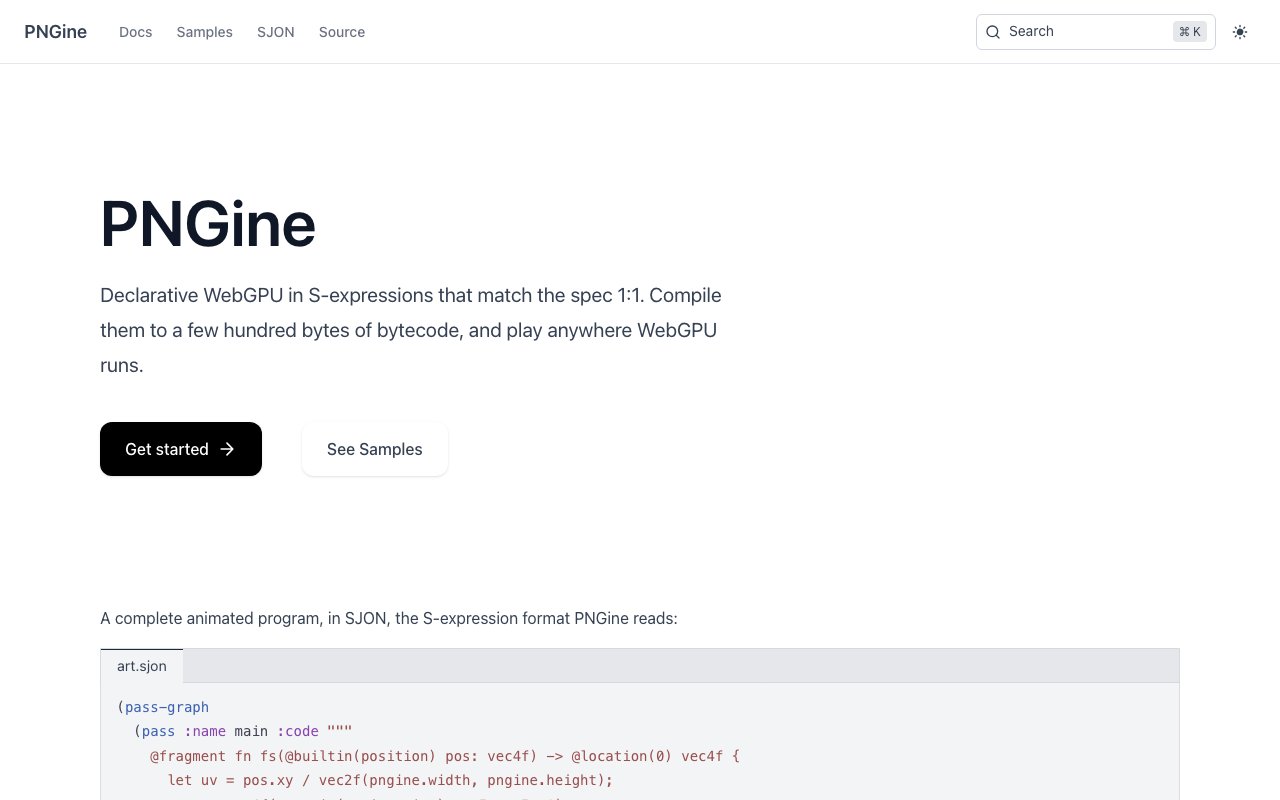
PNGine is an open source toolchain for writing WebGPU graphics programs in a declarative syntax that compiles down to remarkably small bytecode. Instead of hand-coding verbose WebGPU boilerplate in JavaScript, you describe your buffers, textures, pipelines, and render passes in S-expressions, and the compiler produces a binary you can embed directly inside a PNG file. That file loads in a browser with a runtime small enough that even complex animated shaders clock in under 5 KB gzipped. For developers who care about page weight and load times, this approach offers something JavaScript bundles simply cannot match.
The problem it solves is the mismatch between how the WebGPU spec is structured and how most developers actually write graphics code. WebGPU is powerful, but getting a triangle on the screen requires dozens of lines of setup across multiple objects. You need to configure device adapters, create buffer layouts, write shader modules, define bind groups, set up render pipelines, and orchestrate render passes. Each piece references others, and a single typo can produce cryptic errors. PNGine's format, called SJON, maps one-to-one with the WebGPU spec, so you are still learning the real API, but in a more compact form that makes the relationships explicit. The compiler validates your code against the spec schema, catching errors before anything hits the GPU. That alone saves hours of debugging when you are iterating on shader code.
Under the hood, there is a single CLI that handles validation, compilation, rendering, inspection, and diffing. You can run your compiled program against a mock GPU to trace every call and debug frame by frame without opening a browser. This mock execution logs exactly what the runtime would do, which is invaluable when you need to understand why a particular frame looks wrong. When you are ready to ship, you have options. You can generate a standalone PNG that contains both the bytecode and a tiny runtime, a minimal HTML page with no dependencies, or just the bytecode for use with a JavaScript API that ranges from 3 KB to 17 KB depending on how much of the runtime you need. The PNG embedding is clever because the bytecode hides in the image data itself, so CDNs and browsers cache it like any other image asset. You can even set a fallback image that displays before the runtime kicks in.
The audience is frontend developers and creative coders who want tiny, cacheable graphics assets. If you build landing pages with animated backgrounds, shader toys, data visualizations, or any WebGPU-powered visuals, the file size alone is a compelling reason to look at PNGine. A typical animated shader that would weigh 50 KB or more as a JavaScript bundle ships as a 4 KB PNG. The PNG-as-container approach also makes distribution simple because browsers already know how to cache and serve images. You can host the files on any static CDN without worrying about CORS policies or script loading order. For agencies and freelancers shipping dozens of sites, that cumulative weight reduction adds up quickly.
What sets PNGine apart from other WebGPU wrappers is the declarative model and the bytecode target. You are not writing a thin abstraction over the API. You are writing a description that gets compiled, optimized, and packaged in a way that JavaScript wrappers cannot match. The bytecode is dense, the runtime is minimal, and the result is files that load faster than most images on the same page. The trade-off is that you adopt a new syntax, but since that syntax mirrors the spec, the knowledge transfers if you ever drop down to raw WebGPU. Developers who learn SJON will recognize every concept when they read the official WebGPU documentation.
PNGine also supports compute shaders, not just rendering. That means you can offload parallel calculations to the GPU, encode the logic in the same declarative format, and ship it in a PNG. For creative coders experimenting with simulations, procedural generation, or machine learning inference on the web, this opens up use cases that would otherwise require heavyweight JavaScript dependencies.
PNGine is open source, hosted on GitHub, with no pricing tiers or accounts required. You install the CLI, write SJON, and ship PNGs. The documentation includes worked examples, including animated shaders and compute programs, so you can see the output before committing to the workflow. Since the project is MIT licensed, you can use it in commercial work without attribution requirements. For teams evaluating the next generation of web graphics, PNGine offers a glimpse of what shipping truly lightweight GPU code can look like.
Key Features
- S-expression syntax matching WebGPU spec
- Bytecode compilation under 1 KB
- PNG file embedding with tiny runtime
- CLI for validation and debugging
- Mock GPU replay for call tracing
- Standalone HTML export option
Pros & Cons
What we like
- Output files are dramatically smaller than JavaScript equivalents
- Syntax maps to WebGPU spec so knowledge transfers
- Debugging without a browser through mock GPU replay
- Open source with no accounts or pricing
Room for improvement
- Requires learning a new S-expression syntax
- Only targets WebGPU, not older WebGL
- Niche tool for a specific workflow
- Smaller community than mainstream GPU libraries
Frequently Asked Questions
What is PNGine?
Is PNGine free?
Who is PNGine for?
Does PNGine work with WebGL?
Best For
Featured in
Alternatives to PNGine
View all
Kevin Gabeci
Solo developer building web apps, cozy browser games, and AI creator toolkits.

SoloDevStack
A solo developer blog built on head-to-head tool comparisons, 580+ posts deep.

Codedex
A gamified, story-driven platform that teaches Python, web dev, and more like an RPG quest

Vibe Built
Building real apps with agentic AI. What worked, what broke, what shipped.
Reviews (0)
Badge builder
Add PNGine to your website
Choose a badge style and size, preview it here, then copy the generated HTML. Badge images are self-contained SVGs and do not require an external script.

<a href="https://toolindex.net/tools/pngine?ref=badge" target="_blank" rel="noopener">
  <img src="https://toolindex.net/badge/pngine/medium.svg" alt="PNGine - Listed on Tool Index" width="180" height="50" />
</a>How to use the badge
- 1. Pick the style, size, and theme that fit your layout.
- 2. Copy the generated HTML from the code block.
- 3. Paste it into your footer, homepage, or press page.
Standard badge available
The standard listing badge is available now. Score and circle badges are limited to tools currently ranked in the top 10 of a category.
Badge clicks return visitors to this profile with a referral tag so the source remains identifiable.
Related Tools
Kevin Gabeci
Solo developer building web apps, cozy browser games, and AI creator toolkits.

Coolify
Self-hostable, open source alternative to Heroku and Netlify

Warp
The modern terminal reimagined with AI and collaboration

Bolt.new
Prompt-to-deployed full-stack app inside the browser
Work on PNGine? Request listing access or correction