Prompt Area
The shadcn chat input for React with mentions, commands, tags, and attachments
Gallery
About Prompt Area
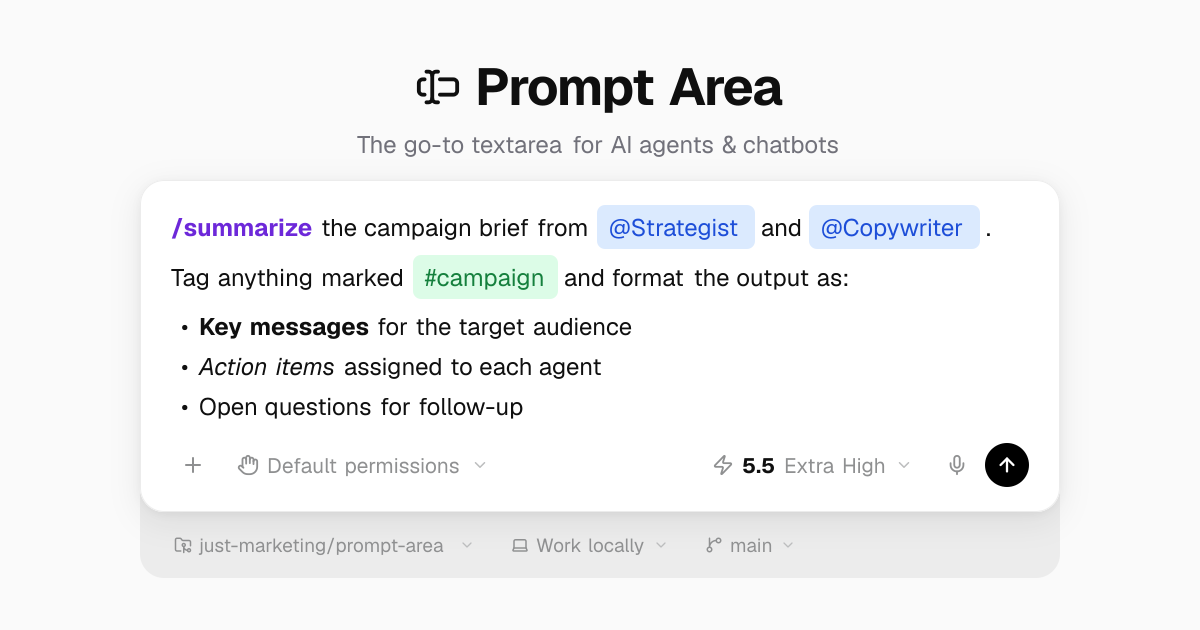
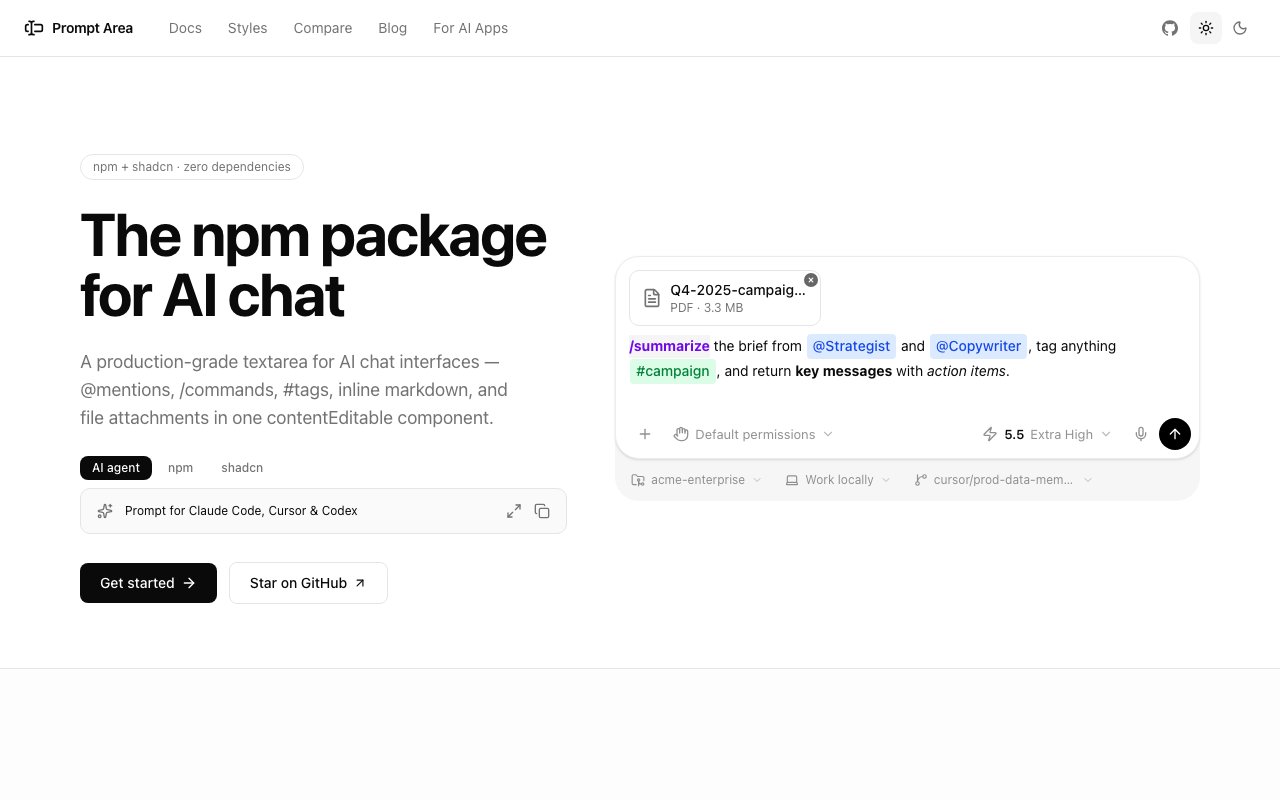
Prompt Area is a React component that gives an AI application a production-grade chat input without the usual pile of libraries stacked behind it. The project describes itself as the shadcn chat input for React, and at its center is a single contentEditable component that already handles @mentions, /commands, #tags, and file attachments out of the box, with zero extra dependencies to install alongside it.
Anyone who has built a chat interface knows the input box is deceptively hard to get right. You start with a plain textarea, then realize you need mention chips, slash commands, tag resolution, inline markdown, undo and redo, file attachments, and careful keyboard handling, and before long you have stitched several npm packages together and spend your time refereeing the ways they conflict. Prompt Area replaces that fragile patchwork with one component built specifically for the chat use case.
The behavior inside is what you would want from a modern assistant composer. It renders inline markdown as you type, so bold, italics, lists, and auto-linked URLs appear live rather than only after the message is sent. It resolves @mentions, /commands, and #tags into interactive chips, supports full undo and redo, and handles file and image attachments complete with thumbnails. Dark mode is included, and accessibility is handled properly with ARIA labels and full keyboard navigation instead of being treated as a later cleanup task.
The reason all of this matters is maintainability. A contentEditable surface is one of the trickiest things to build well in a browser, with a long tail of edge cases around selection, pasting, caret position, and mobile input, and rolling your own tends to become a permanent source of bugs. By consolidating the whole surface into one purpose-built component, Prompt Area turns that liability into a dependency you can reason about, update in one place, and trust across the app.
The piece that saves the most time is the styles gallery. Prompt Area ships ready-made compositions modeled on the input boxes of ChatGPT, Claude, Claude Code, Codex, Gemini, and Perplexity, each built from the base component plus companion pieces like an Action Bar for attach, mic, and send controls and a Status Bar for contextual detail. You toggle between a live preview and the underlying code, then copy the composition straight into your own app and adjust it from there rather than reverse-engineering the look yourself.
Beyond the prebuilt styles there are additional building blocks worth knowing about, including a compact expandable pill-shaped input, a full-height chat layout, and an Inspector that acts as a live playground for the component events and API. That Inspector lets you poke at exactly how the component behaves, watch the events it emits, and understand its API surface before you commit to wiring it into a real product.
Installation follows the shadcn pattern that many developers already prefer. You can add it from the shadcn registry with a single command, pull it in through npm, or simply copy and paste the source directly into your project, which works precisely because the component carries no dependencies of its own. However you bring it in, you end up with the actual source in your codebase rather than an opaque package you cannot change.
The natural fit is developers building any kind of AI or agent interface who want a polished composer without reinventing the hard parts every time. Whether you are cloning the feel of a well-known assistant to make users instantly comfortable or designing something of your own, starting from a style that already matches the pattern gets you to a working, accessible input in minutes instead of days, and you keep full control over the markup and behavior.
What makes it stand out is the combination of breadth and ownership. Other options either give you a bare textarea and leave the hard features to you, or hand you a heavy widget you cannot easily change. Prompt Area sits in between, shipping the rich behavior and the polished styles while still handing you plain source you control, which is the whole appeal of the shadcn approach it follows.
Prompt Area is open source under the MIT license and built by Juma, the team behind juma.ai, with the source available on GitHub. There is no pricing to weigh, no seat to buy, and no tier to unlock, you install it, own the code outright, and remain free to modify it however your project needs. That makes it an unusually low-risk starting point for a core piece of UI, since nothing about it ties you to a vendor, a subscription, or a future price change.
Key Features
- @mentions, /commands, and #tags
- File and image attachments with thumbnails
- Inline markdown rendering as you type
- Pre-styled agent-inspired templates
- Undo and redo support
- Dark mode and accessibility built in
Pros & Cons
What we like
- Copy-paste install with zero dependencies
- MIT licensed and fully open source
- Ready-made styles mirror popular AI apps
- One component replaces several libraries
Room for improvement
- React only, no other frameworks
- Built around shadcn conventions
- Younger project with a smaller community
- You wire up the backend and logic yourself
Frequently Asked Questions
What is Prompt Area?
Is Prompt Area free?
How do I install it?
Who is Prompt Area for?
Best For
Featured in
Alternatives to Prompt Area

1Lookup
Real-time data verification API for phone, email, IP, and domain validation to fight fraud

Codedex
A gamified, story-driven platform that teaches Python, web dev, and more like an RPG quest
Hack2hire
Practice real SDE interview questions from top tech companies with expert worked solutions
Cloudflare Pages
Free Jamstack hosting on Cloudflares edge with unlimited bandwidth and tight integration with Workers.
Reviews (8)
It just works
Picked Prompt Area for the price, stayed for the quality. Where it really wins is ready-made styles mirror popular ai apps. Glad I made the switch.
Recommended without reservation
Started using Prompt Area casually, now it is pinned in my dock. The ready-made styles mirror popular ai apps is more useful than I expected. Recommending it to people in a similar spot.
Recommended without reservation
Prompt Area has quietly become part of my daily flow. What stands out is how it handles undo and redo support. It fits well for prototyping an agent interface quickly. No regrets so far.
Finally something that fits
Came to Prompt Area after getting frustrated with what I had before. Their take on @mentions, /commands, and #tags is genuinely good. Performance has been steady even when I lean on it hard. Easy yes for anyone weighing the same trade offs.
Finally something that fits
Picked Prompt Area for the price, stayed for the quality. The defaults are sensible, so I was not fighting settings on day one. Performance has been steady even when I lean on it hard. Easy yes for anyone weighing the same trade offs.
Solid daily driver
Hadn't planned on switching, but Prompt Area was hard to ignore. Their take on mit licensed and fully open source is genuinely good. The output quality holds up better than I expected. Mostly using it for matching a chatgpt-style composer. Would sign up again without thinking twice.
Genuinely impressed
Found Prompt Area on a Show HN thread and I am glad I clicked. Their take on one component replaces several libraries is genuinely good. It just works, day after day, without surprises. Worth it for what I get out of it.
Does the job, a few gripes
Prompt Area solves a real problem for me without making a fuss about it. What stands out is how it handles ready-made styles mirror popular ai apps. One thing that bugs me is you wire up the backend and logic yourself. Worth it for what I get out of it.
Badge builder
Add Prompt Area to your website
Choose a badge style and size, preview it here, then copy the generated HTML. Badge images are self-contained SVGs and do not require an external script.

<a href="https://toolindex.net/tools/prompt-area?ref=badge" target="_blank" rel="noopener">
  <img src="https://toolindex.net/badge/prompt-area/medium.svg" alt="Prompt Area - Listed on Tool Index" width="180" height="50" />
</a>How to use the badge
- 1. Pick the style, size, and theme that fit your layout.
- 2. Copy the generated HTML from the code block.
- 3. Paste it into your footer, homepage, or press page.
Standard badge available
The standard listing badge is available now. Score and circle badges are limited to tools currently ranked in the top 10 of a category.
Badge clicks return visitors to this profile with a referral tag so the source remains identifiable.
Related Tools

Kevin Gabeci
Solo developer building web apps, cozy browser games, and AI creator toolkits.

Coolify
Self-hostable, open source alternative to Heroku and Netlify

Warp
The modern terminal reimagined with AI and collaboration

Bolt.new
Prompt-to-deployed full-stack app inside the browser
Work on Prompt Area? Request listing access or correction