
QLCodePreview
Preview syntax-highlighted source files directly in macOS Finder
Gallery
About QLCodePreview
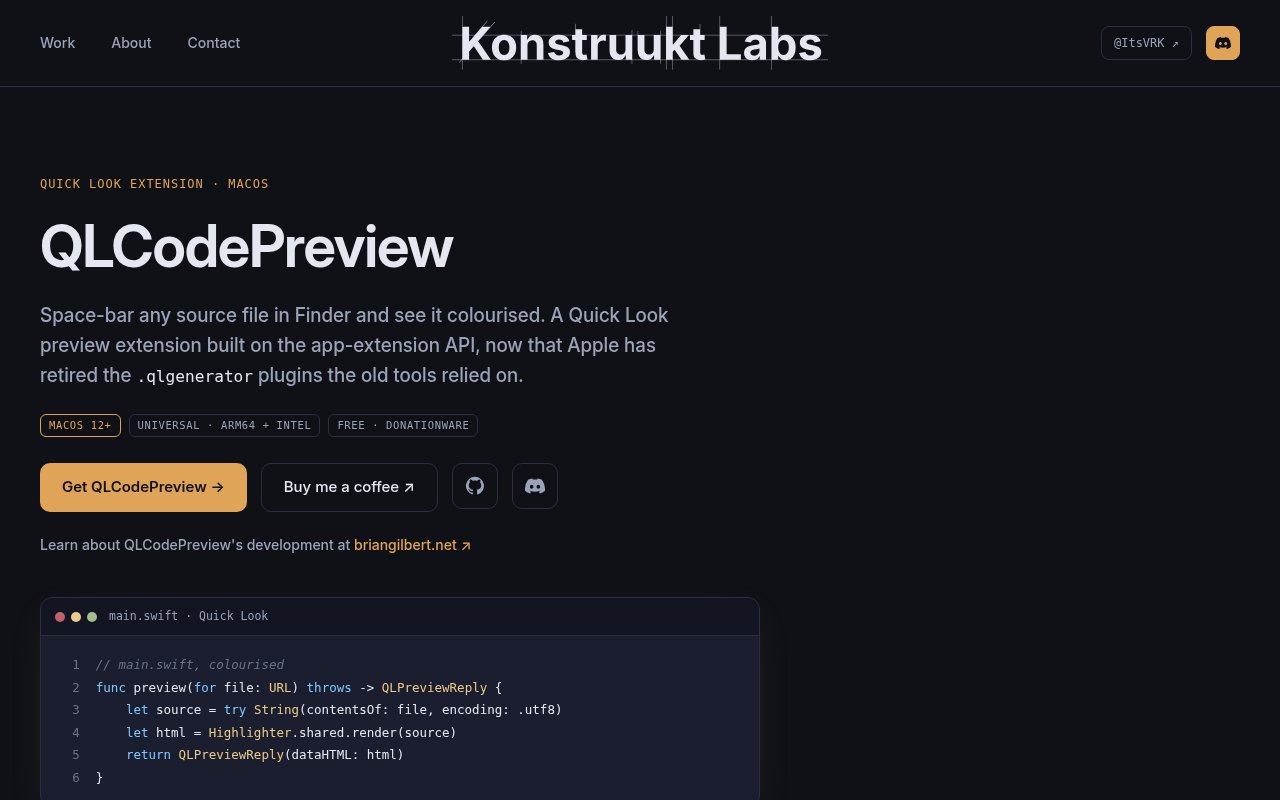
QLCodePreview is an open-source Quick Look extension that adds syntax-highlighted previews for source code, configuration files, markup, and plain text in macOS Finder. After installation, a developer can select a supported file and press the Space bar to inspect readable, colored code without launching an editor. It targets the small but frequent interruption of opening files just to identify their contents. The extension uses Apple's modern Quick Look app extension API, which makes it a current replacement for older qlgenerator plugins that no longer load on recent versions of macOS.
The highlighter is self-contained and has no external dependencies. It runs inside the sandboxed Quick Look extension without starting shell commands or calling a separate command line highlighting tool. The extension creates an HTML and CSS preview that Quick Look renders through its WebKit view, and the preview contains no JavaScript interaction. That architecture fits the restrictions of the current app extension model while keeping the action inside Finder. The project reports that a 2 MB source file previews in roughly 130 milliseconds in its own example, so the intended experience remains close to the instant feel of Quick Look.
Language coverage spans dozens of development and text formats. It includes C, C++, Objective-C, Swift, Rust, Go, Java, Kotlin, C#, JavaScript, TypeScript, PHP, CSS preprocessors, XML, Python, Ruby, shell scripts, PowerShell, JSON, YAML, TOML, Make, CMake, GraphQL, Terraform, SQL, Markdown, LaTeX, and many others. Common configuration and diff formats are covered as well. Unknown extensions fall back to plain text instead of producing no preview. A Custom File Types panel lets the user associate any extension with one of the supported languages, which is helpful for project-specific files and less common naming conventions.
A small host app provides preview preferences. Users can choose the font and font size, switch between light and dark themes, show line numbers, adjust gutter width, enable soft wrapping, set tab width, and limit the maximum file size. New previews use preference changes immediately, without rebuilding the extension. Installation is available through the project's Homebrew cask or as a signed and notarized universal build from GitHub. Developers can also build it from source with the supplied script and Apple's Command Line Tools, with no full Xcode installation required. It supports macOS 12 and later, and the user must enable the extension once in System Settings.
Some filename extensions remain outside the project's control because macOS assigns them to built-in system types before third-party Quick Look providers can respond. HTML, HTM, and XHTML files are rendered as web pages by the system rather than shown as highlighted source. The TS extension is treated as an MPEG transport stream, so TypeScript files with that suffix do not reach QLCodePreview, while TSX works normally. The repository documents these limitations and explains that a third-party extension cannot outrank Apple's public file type handler. Those edge cases are important for web developers, but they do not affect the broad set of other supported extensions.
The available installation routes serve both people who want a ready build and developers who prefer to inspect the source. Homebrew users can install the cask from the Konstruukt Labs tap. The GitHub releases page provides the official signed and notarized universal archive for Apple Silicon and Intel Macs. Building locally creates the host app and embedded extension, copies it into the user's Applications folder, and registers it with LaunchServices, PlugInKit, and Quick Look. If a preview does not appear, the documented checks cover the System Settings toggle, plugin registration, and resetting Quick Look. Stable releases come from the main branch.
QLCodePreview is donationware and free to use, and its source is available under the MIT license. Official support is tied to the signed and notarized builds published on the project's GitHub releases page. It is a focused local utility rather than a code editor, repository browser, or collaboration platform. There is no editing, execution, symbol navigation, or remote workspace layer inside a preview. Its value comes from doing one Finder task quickly and with configurable presentation. For macOS developers who regularly inspect unfamiliar files, downloads, build artifacts, or configuration folders, that narrow job can save many unnecessary editor launches.
Key Features
- Finder syntax-highlighted previews
- Dozens of supported languages
- Custom file type mapping
- Configurable fonts and themes
- Line numbers and soft wrapping
- Dependency-free sandboxed highlighter
Pros & Cons
What we like
- Previews code without opening an editor
- Runs locally inside the Quick Look sandbox
- Supports custom extensions and plain-text fallback
- Free donationware under the MIT license
Room for improvement
- Available only for macOS 12 or later
- System handlers block TS source previews
- HTML files render instead of showing source
- Requires manual extension enablement after install
Frequently Asked Questions
What is QLCodePreview?
Is QLCodePreview free?
Can QLCodePreview handle custom file extensions?
Why can't it preview TS and HTML as source?
Best For
Featured in
Alternatives to QLCodePreview

Kevin Gabeci
Solo developer building web apps, cozy browser games, and AI creator toolkits.

SoloDevStack
A solo developer blog built on head-to-head tool comparisons, 580+ posts deep.

Codedex
A gamified, story-driven platform that teaches Python, web dev, and more like an RPG quest

Vibe Built
Building real apps with agentic AI. What worked, what broke, what shipped.
Our take
Tool Index Editorial · Oct 2026· 4.0/5
QLCodePreview is a free Quick Look extension that adds syntax-highlighted source and configuration previews directly to macOS Finder. We found broad language coverage, custom extension mapping, plain-text fallback, configurable fonts and themes, line numbers, wrapping, and a maximum file-size control. The universal build supports Intel and Apple Silicon on macOS 12 or later, and the project is donationware with source available.
This is a focused utility that can save frequent editor launches without pretending to edit, execute, or navigate code. It is self-contained and runs inside the sandboxed extension, which is the right architecture for the job. Apple's type handling imposes real gaps. HTML opens as a web page, and the .ts suffix is treated as video rather than TypeScript. Users must also enable the extension manually after installation.
Editorial opinion from the Tool Index team, written from the public product pages. Not a user review.
Reviews (0)
Badge builder
Add QLCodePreview to your website
Choose a badge style and size, preview it here, then copy the generated HTML. Badge images are self-contained SVGs and do not require an external script.

<a href="https://toolindex.net/tools/qlcodepreview?ref=badge" target="_blank" rel="noopener">
  <img src="https://toolindex.net/badge/qlcodepreview/medium.svg" alt="QLCodePreview - Listed on Tool Index" width="180" height="50" />
</a>How to use the badge
- 1. Pick the style, size, and theme that fit your layout.
- 2. Copy the generated HTML from the code block.
- 3. Paste it into your footer, homepage, or press page.
Standard badge available
The standard listing badge is available now. Score and circle badges are limited to tools currently ranked in the top 10 of a category.
Badge clicks return visitors to this profile with a referral tag so the source remains identifiable.
Related Tools
Kevin Gabeci
Solo developer building web apps, cozy browser games, and AI creator toolkits.

Coolify
Self-hostable, open source alternative to Heroku and Netlify

Warp
The modern terminal reimagined with AI and collaboration

Bolt.new
Prompt-to-deployed full-stack app inside the browser
Work on QLCodePreview? Request listing access or correction