
QueueForge
Self-hosted dead letter queue monitoring, alerting, and replay for RabbitMQ and Kafka
Gallery
About QueueForge
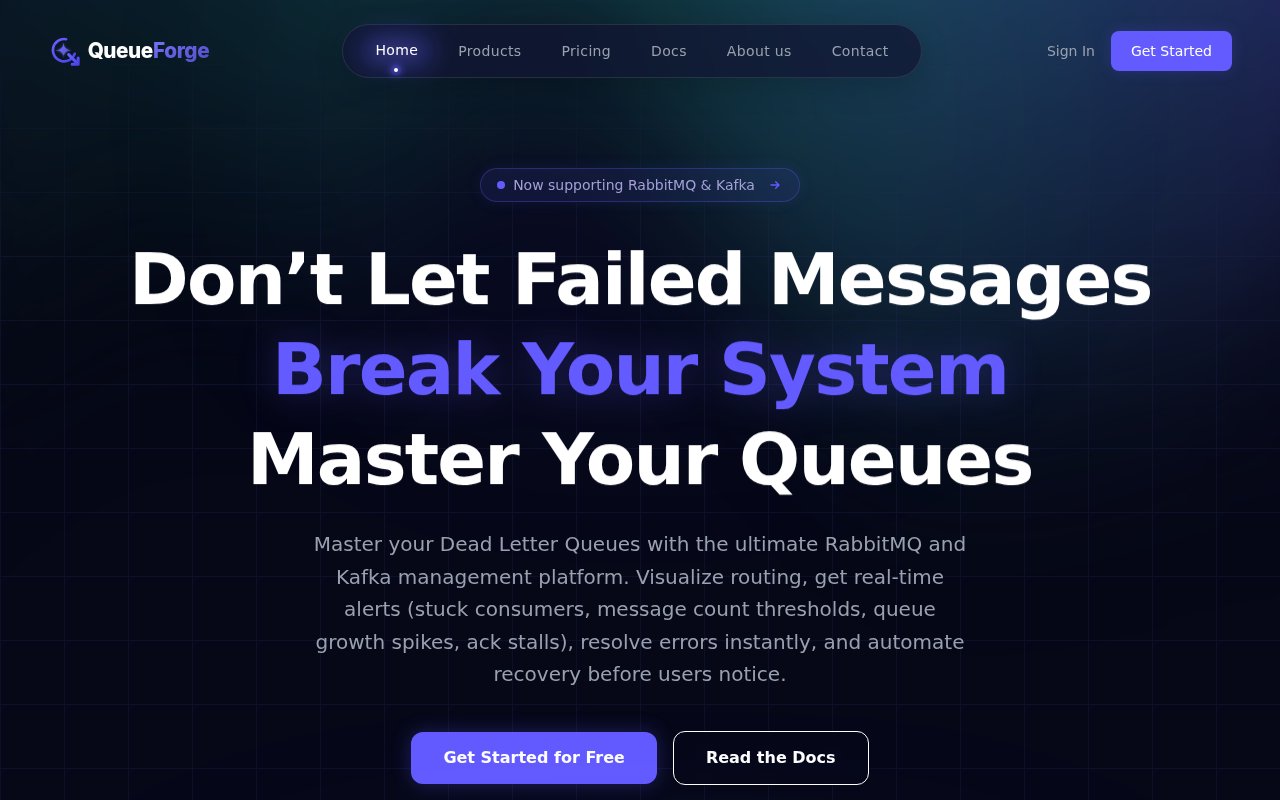
QueueForge is a self-hosted platform for watching, inspecting and recovering failed messages in RabbitMQ and Kafka. It ships as two products, DLQ Manager for RabbitMQ dead letter queues and Kafka DLT Manager for Kafka dead letter topics, and each gives you a dashboard that shows where a failed message came from, why it landed where it did, and what to do with it next. Dead letter queues are where RabbitMQ parks messages that were rejected, expired or exceeded their retries, and Kafka dead letter topics play the same role for records that failed processing, schema validation or deserialization. The problem QueueForge goes after is the black box those queues tend to become. A message fails, then sits somewhere nobody looks until a customer notices something missing. Its position is that you shouldn't have to tail logs and guess routing keys to find out what happened.
You connect a RabbitMQ cluster or a Kafka broker by providing a connection string, and the dashboard fills with live metrics and the routing journey of each message. From there you open a failed message, inspect its payload, headers, routing details and retry metadata, and either send it back to its original destination, reroute it somewhere else, or delete it if the data really is dead. The alerting covers the signals that usually come before an incident, including a queue passing a message count you define, a queue growing too fast inside a short window, consumers that are connected but not acknowledging, messages that stay unacknowledged for too long, and retries that keep failing. Notifications go out through Slack, Telegram and Discord.
The part the team calls its killer feature is a rule engine that turns those signals into automation. You build a scenario per queue, for example if the error count reaches three within five minutes then reroute the message to an alternative exchange, and QueueForge runs it without anyone watching the screen. It also monitors ordinary queues, not only dead letter ones, so the same size and growth alerts apply across the broker. The Kafka product adds consumer group lag monitoring and topic-to-topic replay of records once the underlying bug is fixed, and roughly the last two weeks of system logs can be downloaded as a zip for post-incident review.
It's built for backend engineers, DevOps teams, SREs and platform teams who run RabbitMQ or Kafka in production and are tired of recovering messages by hand. Microservice estates are the obvious fit, since a failure in one service tends to surface as a dead letter in another, and the product gives one central place to inspect failures and spot growth patterns across services. The two founders, Nurlan Amrahov and Anar Karimov, come from banking and enterprise systems work and build the product from Baku, Azerbaijan, on a Java and Spring Boot core with a React and Next.js front end. Support goes straight to the engineers who wrote the code, which is a real advantage for a small team and a fair question for a large organisation that expects tiered support.
What sets it apart from a broker's own management UI is the focus on recovery rather than visibility alone. A management plugin will show you a queue depth. QueueForge shows you the message, lets you edit and replay it, and can do that on its own under a rule you wrote. Being self-hosted matters too. The FAQ is explicit that the platform runs inside your own infrastructure and security boundary, and licences are activated per instance from inside the app, with a trial licence requested by email and a paid key entered after purchase.
The limits are worth knowing before you sign up. It covers RabbitMQ and Kafka and nothing else, so teams on other brokers are out of scope. There's no permanent free tier, only the six-day trial, which is enough to connect a real cluster and see the routing view but not to leave it running for a month. And because it's a young product from a two-person team, the documentation is still filling in, with the installation guide noticeably shorter than the FAQ at the time of writing. Against that, the flat price is low enough that it competes with the cost of a single afternoon of debugging, which is exactly the comparison the pricing page makes.
Pricing is flat rather than per message or per queue. A six-day trial unlocks every feature with no credit card, and when it ends the account pauses with settings, rules and connection configs kept until you upgrade. Premium costs $9 a month or $90 a year, which works out to two months free, and the price is the same whether you connect one cluster or fifty. The RabbitMQ and Kafka managers are separate products with independent subscriptions, so a team running both pays for each. Docs cover installation, licence activation, configuration, troubleshooting and a long FAQ, and the site describes a small engineering team answering support directly rather than a ticket queue.
Key Features
- Dead letter dashboards for RabbitMQ and Kafka
- Message inspection with payload and headers
- Retry, reroute, and delete actions
- Alerts for queue growth and stuck consumers
- Per-queue automation rule engine
- Slack, Telegram, and Discord notifications
Pros & Cons
What we like
- Flat price covers unlimited clusters and messages
- Replay and reroute from the dashboard instead of scripts
- Rule engine automates recovery while nobody is watching
- Runs inside your own infrastructure
Room for improvement
- RabbitMQ and Kafka managers are separate subscriptions
- Six-day trial only, no permanent free tier
- Small two-person team behind it
- Installation docs were still thin at curation time
Frequently Asked Questions
What is QueueForge?
Is QueueForge free?
Is QueueForge self-hosted?
Does QueueForge support Kafka?
Best For
Featured in
Alternatives to QueueForge
View all
Kevin Gabeci
Solo developer building web apps, cozy browser games, and AI creator toolkits.

SoloDevStack
A solo developer blog built on head-to-head tool comparisons, 580+ posts deep.

Codedex
A gamified, story-driven platform that teaches Python, web dev, and more like an RPG quest

Vibe Built
Building real apps with agentic AI. What worked, what broke, what shipped.
Our take
Tool Index Editorial · Sep 2026· 3.5/5
QueueForge is a self-hosted recovery console for teams operating RabbitMQ dead letter queues or Kafka dead letter topics. It exposes payloads, headers, routes, retry history, queue growth, and stuck consumers, then lets an operator retry, reroute, delete, or automate a response through rules. A six-day trial includes all features, and each RabbitMQ or Kafka product costs $9 monthly or $90 yearly with unlimited clusters and team members.
We found the focus on recovery stronger than another generic broker dashboard, especially the audit trail and retry verification. The low flat price is attractive for a small backend team. Coverage stops at RabbitMQ and Kafka, the two managers require separate subscriptions, and a six-day trial is short for observing intermittent production failures. The young product also asks buyers to trust a small support operation with a sensitive part of their message infrastructure.
Editorial opinion from the Tool Index team, written from the public product pages. Not a user review.
Reviews (0)
Badge builder
Add QueueForge to your website
Choose a badge style and size, preview it here, then copy the generated HTML. Badge images are self-contained SVGs and do not require an external script.

<a href="https://toolindex.net/tools/queueforge?ref=badge" target="_blank" rel="noopener">
  <img src="https://toolindex.net/badge/queueforge/medium.svg" alt="QueueForge - Listed on Tool Index" width="180" height="50" />
</a>How to use the badge
- 1. Pick the style, size, and theme that fit your layout.
- 2. Copy the generated HTML from the code block.
- 3. Paste it into your footer, homepage, or press page.
Standard badge available
The standard listing badge is available now. Score and circle badges are limited to tools currently ranked in the top 10 of a category.
Badge clicks return visitors to this profile with a referral tag so the source remains identifiable.
Related Tools
Kevin Gabeci
Solo developer building web apps, cozy browser games, and AI creator toolkits.

Coolify
Self-hostable, open source alternative to Heroku and Netlify

Warp
The modern terminal reimagined with AI and collaboration

Bolt.new
Prompt-to-deployed full-stack app inside the browser
Work on QueueForge? Request listing access or correction