
QuickLook Pro
Preview code, Markdown, databases, archives, and more from macOS Finder
Gallery
About QuickLook Pro
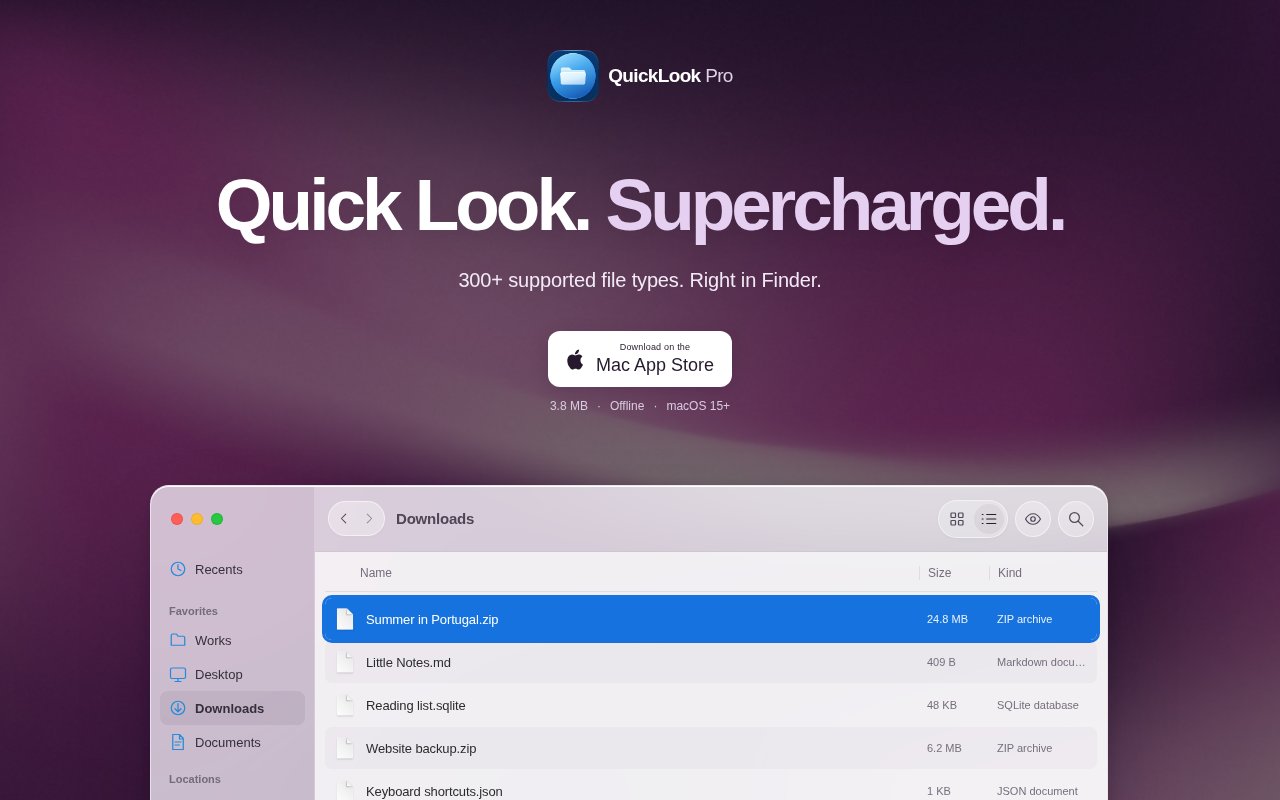
QuickLook Pro is a native macOS extension that makes Finder's Space bar useful for files the built-in previewer often leaves unreadable. It handles developer-oriented text, structured data, databases, folders, archives, and MIDI without asking the user to launch a full editor or extraction utility. The experience stays inside the familiar Quick Look panel. Select a supported item in Finder, press Space, and inspect its contents in place. It is a focused utility rather than a file editor, which keeps the interaction quick and easy to understand.
The app is especially helpful around source repositories and downloaded project folders. Markdown and source code appear with selectable text, syntax highlighting, and line numbers. JSON can be explored as a tree, while JSONL records, YAML, TOML, environment files, plain text, logs, dotfiles, and supported extensionless files get readable views. package.json receives a project overview instead of a raw wall of text. Environment previews hide likely secrets by default, a thoughtful choice for anyone sharing a screen or glancing through a configuration file in a public setting. The combination favors quick reading and navigation rather than modification, so there is less temptation to open a heavy editor just to answer a small question.
QuickLook Pro goes beyond text. SQLite files open into a read-only view of tables, schema, and indexes, which is useful when the question is simply what a database contains. Folder previews let users inspect a directory without opening another Finder window. ZIP, ZIP64, XIP, tar listings, and supported GZIP content can be examined without first extracting the archive. MIDI files include playback, pause, and scrubbing controls through the macOS sound bank. Standard MIDI File formats 0 and 1 are supported. Those capabilities make the app useful to developers, technical writers, data practitioners, and anyone who regularly receives unfamiliar files.
Setup uses Apple's current extension system. After installing, the user opens the app once and enables its preview and thumbnail extensions in System Settings under Login Items and Extensions, then Quick Look continues to work even when the setup app has quit. All processing happens locally on the Mac. The product requires no account, sends no files to a server, and has no subscription. Apple's App Store privacy disclosure says the developer doesn't collect data, which fits a utility designed to examine local project material and potentially sensitive configuration files. Version 1.1 added MIDI, XIP, ZIP64, and dotfile previews, faster switching between tree and raw views, and improved SQLite layouts.
Its limits are stated clearly. QuickLook Pro requires macOS 15 or later, so it isn't an option for older Macs or other operating systems. macOS decides which preview provider receives each file, meaning unfamiliar extensions are not guaranteed to reach this extension. Standard CSV files currently go to Apple's built-in preview. Large inputs use bounded previews rather than trying to render everything, advanced YAML and TOML syntax can fall back to highlighted text, and split ZIP archives and sparse tar files aren't supported. XIP views list contents without verifying the archive signature. These aren't hidden edge cases, and the App Store description publishes them directly so buyers can check their own file mix.
That specificity is part of the product's appeal. It doesn't claim to replace a database client, archive manager, code editor, or security scanner. Instead, it shortens the inspection step between seeing a file and deciding what to do with it. A developer can check an SQLite schema, scan a JSON payload, confirm an archive's contents, or read a README without disturbing the current workspace. Local processing also avoids the awkwardness of uploading proprietary source, customer data, or secret-bearing configuration to a web converter merely to see what is inside. Since database access is described as read-only and archives are inspected without extraction, the app suits cautious first looks.
QuickLook Pro is paid as a one-time App Store purchase, listed at $3.99 in the US store at the time of review. Family Sharing supports up to six family members, and there is no account or recurring plan. The low purchase price makes it an easy fit for Mac users who routinely inspect technical files, but the operating system requirement and Quick Look routing behavior should be checked first. For those within its supported setup, it offers a compact, privacy-conscious way to make Finder a much better first stop for file inspection. Its value is highest when unsupported previews interrupt work repeatedly, not when a user only encounters these formats occasionally.
Key Features
- Markdown and source previews
- JSON and JSONL exploration
- Read-only SQLite browsing
- Folder and archive inspection
- Local secret-aware processing
- MIDI playback and scrubbing
Pros & Cons
What we like
- Works directly through Finder's Space bar
- Processes files locally without an account
- Covers text, databases, archives, and MIDI
- Uses a one-time purchase instead of a subscription
Room for improvement
- Requires macOS 15 or later
- macOS may route some extensions elsewhere
- Split ZIP and sparse tar files aren't supported
- Large files receive bounded previews
Frequently Asked Questions
What is QuickLook Pro?
Does QuickLook Pro upload my files?
How much does QuickLook Pro cost?
What does QuickLook Pro require?
Best For
Featured in
Alternatives to QuickLook Pro

Kevin Gabeci
Solo developer building web apps, cozy browser games, and AI creator toolkits.

SoloDevStack
A solo developer blog built on head-to-head tool comparisons, 580+ posts deep.

Codedex
A gamified, story-driven platform that teaches Python, web dev, and more like an RPG quest

Vibe Built
Building real apps with agentic AI. What worked, what broke, what shipped.
Reviews (0)
Badge builder
Add QuickLook Pro to your website
Choose a badge style and size, preview it here, then copy the generated HTML. Badge images are self-contained SVGs and do not require an external script.

<a href="https://toolindex.net/tools/quicklookpro?ref=badge" target="_blank" rel="noopener">
  <img src="https://toolindex.net/badge/quicklookpro/medium.svg" alt="QuickLook Pro - Listed on Tool Index" width="180" height="50" />
</a>How to use the badge
- 1. Pick the style, size, and theme that fit your layout.
- 2. Copy the generated HTML from the code block.
- 3. Paste it into your footer, homepage, or press page.
Standard badge available
The standard listing badge is available now. Score and circle badges are limited to tools currently ranked in the top 10 of a category.
Badge clicks return visitors to this profile with a referral tag so the source remains identifiable.
Related Tools
Kevin Gabeci
Solo developer building web apps, cozy browser games, and AI creator toolkits.

Coolify
Self-hostable, open source alternative to Heroku and Netlify

Warp
The modern terminal reimagined with AI and collaboration

Bolt.new
Prompt-to-deployed full-stack app inside the browser
Work on QuickLook Pro? Request listing access or correction