
Radix
Give coding agents a persistent visual workspace for interactive tools and diagrams
Gallery
About Radix
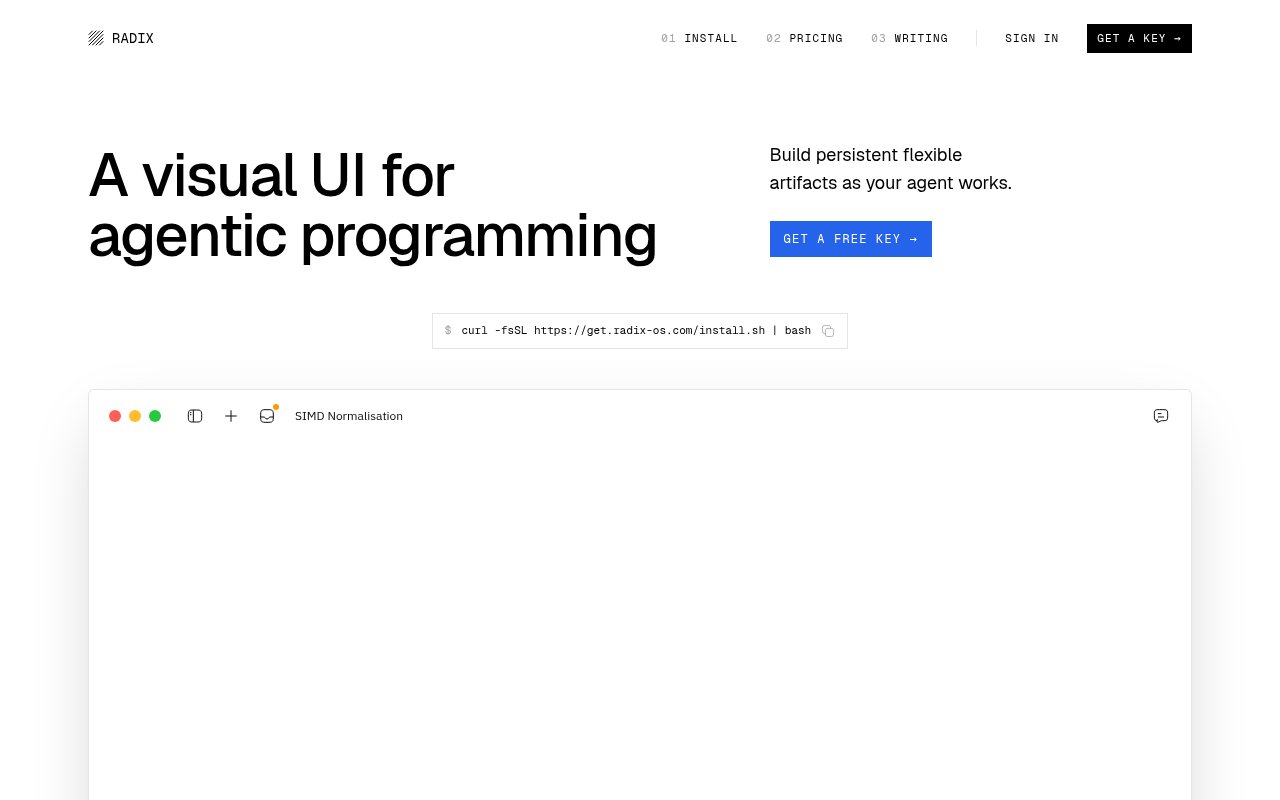
Radix is a macOS app that gives programming agents a visual workspace beside the usual chat or terminal conversation. Instead of asking an agent for another block of prose, a developer can ask it to build an interactive page for the task at hand. That page stays on disk and can continue evolving as the work changes. The result is closer to a small task specific tool than a disposable answer, which makes Radix useful when code, controls, diagrams, or live output would communicate more clearly than markdown. It is built around the belief that some programming questions are easier to answer by manipulating a working interface than by reading another explanation.
The basic workflow starts with the coding agent a developer already uses. A prompt asks that agent to create a workspace for an experiment, investigation, or implementation task. Radix displays the generated interface and keeps it available in a sidebar with the other tools made for the repository. The developer can interact with the page, inspect what it shows, and leave comments on the interface instead of describing every requested change vaguely in chat. The agent can then adapt the workspace while retaining the visual context that prompted the change. That makes iteration more specific because feedback can refer to the thing on screen rather than reconstructing it in words.
These workspaces are local React apps, so they aren't trapped in a proprietary document format. A developer can open and edit the files directly when that is faster, and the workspace can remain next to the code it helps explain. Radix presents examples that span diagrams, plots, debugging views, test coverage, state machines, schemas, flame graphs, import cycles, and other engineering artifacts. The exact output depends on what the connected agent builds. Radix supplies the durable surface and interaction model, while the agent supplies the implementation for each task. A workspace can therefore be as small as one useful control or as involved as a multi-panel view into a problem.
That distinction is important for understanding what the product does and doesn't do. Radix isn't another coding model, and it doesn't replace the agent that writes the code. Messages continue to run through the developer's own agent. The maker says the current beta captures no telemetry or user data, and that generated workspaces remain local. A free key is still required to use the app, primarily so the maker can understand how many people are trying it. Developers should expect to install a native app and connect it to their existing workflow rather than sign into a complete browser IDE.
Radix fits developers who regularly create temporary scripts, small dashboards, diagrams, or one purpose React pages just to understand a problem. It can turn a color picker into a control that updates code, give an algorithm a more approachable diagram, or keep a debugging view available while an investigation continues. It also suits people who find agent chat histories difficult to navigate once a project contains several parallel lines of thought. A persistent library of task focused interfaces makes the useful result easier to return to than a message buried in a transcript. It may also reduce the urge to build and abandon a separate mini app for every experiment.
The interesting part is its attempt to make the artifact, rather than the stream of agent messages, the primary interface. A developer can act on a control or comment on a specific visual element, which gives the next agent turn more concrete context. Because each workspace is an ordinary local app, it can be inspected and changed without waiting for Radix to add a dedicated template. That flexibility is also a limitation. Artifact quality depends on the connected agent and the prompt, and the public product material doesn't yet define a polished workflow for every example it names.
Radix is currently an early beta for macOS. The present version is free, requires a free access key, and installs through a command provided on the site. The maker has said a Pro version is planned, but the live beta doesn't yet present a paid tier with established limits. That makes it inexpensive to explore, though buyers should approach it as a young developer tool with rough edges, a narrow platform target, and relatively sparse documentation. It is most compelling for an individual developer willing to shape a new agent workflow, not for a team that needs mature administration and support promises today.
Key Features
- Persistent agent-built workspaces
- Local React app artifacts
- Interactive code-linked controls
- Workspace sidebar organization
- Visual element commenting
- Existing agent compatibility
Pros & Cons
What we like
- Keeps useful agent output available beyond one chat
- Stores workspaces locally as editable React apps
- Turns visual feedback into more concrete agent context
- Current beta is free to explore
Room for improvement
- Available only for macOS
- Early beta may still have rough edges
- Public documentation remains fairly sparse
- Artifact quality depends on the connected agent
Frequently Asked Questions
What is Radix?
Does Radix include its own coding agent?
Where does Radix store its workspaces?
Is Radix free?
Best For
Featured in
Alternatives to Radix

Kevin Gabeci
Solo developer building web apps, cozy browser games, and AI creator toolkits.

SoloDevStack
A solo developer blog built on head-to-head tool comparisons, 580+ posts deep.

Codedex
A gamified, story-driven platform that teaches Python, web dev, and more like an RPG quest

Vibe Built
Building real apps with agentic AI. What worked, what broke, what shipped.
Our take
Tool Index Editorial · Oct 2026· 3.5/5
Radix gives coding agents a persistent visual workspace where they can build interactive pages, diagrams, and small tools beside a repository. We like that the artifacts are ordinary local React apps stored under .radix, so developers can inspect or edit them instead of leaving useful work buried in chat. The current macOS beta is free and works alongside an existing coding agent.
This is still an early product with a very sparse public site. It says Claude Code is the best fit today, the quality of every workspace depends heavily on the connected agent, and no Pro plan details are available yet. Radix is appealing for exploratory developers, but teams needing mature documentation, administration, or cross-platform support should wait.
Editorial opinion from the Tool Index team, written from the public product pages. Not a user review.
Reviews (0)
Badge builder
Add Radix to your website
Choose a badge style and size, preview it here, then copy the generated HTML. Badge images are self-contained SVGs and do not require an external script.

<a href="https://toolindex.net/tools/radix?ref=badge" target="_blank" rel="noopener">
  <img src="https://toolindex.net/badge/radix/medium.svg" alt="Radix - Listed on Tool Index" width="180" height="50" />
</a>How to use the badge
- 1. Pick the style, size, and theme that fit your layout.
- 2. Copy the generated HTML from the code block.
- 3. Paste it into your footer, homepage, or press page.
Standard badge available
The standard listing badge is available now. Score and circle badges are limited to tools currently ranked in the top 10 of a category.
Badge clicks return visitors to this profile with a referral tag so the source remains identifiable.
Related Tools
Kevin Gabeci
Solo developer building web apps, cozy browser games, and AI creator toolkits.

Coolify
Self-hostable, open source alternative to Heroku and Netlify

Warp
The modern terminal reimagined with AI and collaboration

Bolt.new
Prompt-to-deployed full-stack app inside the browser
Work on Radix? Request listing access or correction