Raycast
A blazingly fast productivity launcher for macOS power users
Gallery
About Raycast
Raycast is the keyboard-first launcher for macOS that ate Alfred's lunch. It's a Spotlight replacement, a clipboard manager, a window manager, an AI chat client, and an extension platform in one tight package.
You hit a hotkey, type a few characters, and run almost anything. Open apps, search files, run scripts, control your music, hit your task manager, generate text with AI. All from one input.
Founders, devs, and designers obsessed with keyboard productivity adopted Raycast in droves. It's free for individuals on the core experience.
What Raycast actually does
Raycast is a launcher with extensions. Out of the box: app launching, file search, calculator, system commands, clipboard history, snippets, window management, and quicklinks.
The store hosts thousands of community extensions. GitHub, Linear, Notion, Slack, Spotify, Figma, Vercel, AWS, Hue, and many more. You install with one click.
Raycast AI bolts on chat, command translations, and contextual AI commands inside the launcher. Pro and Advanced AI plans include access to GPT, Claude, and other models without leaving the keyboard.
Who Raycast is for
Keyboard-first power users on macOS. Engineers, designers, and writers who shave seconds with hotkeys end up loving it within a week.
Teams use Raycast for shared snippets, internal tooling extensions, and Linear or Jira lookups. The shared workspace features keep onboarding fast for new hires.
Mouse-first users on Windows or Linux can't really use Raycast yet. The Windows version is in active development. Linux remains unsupported.
Pricing breakdown
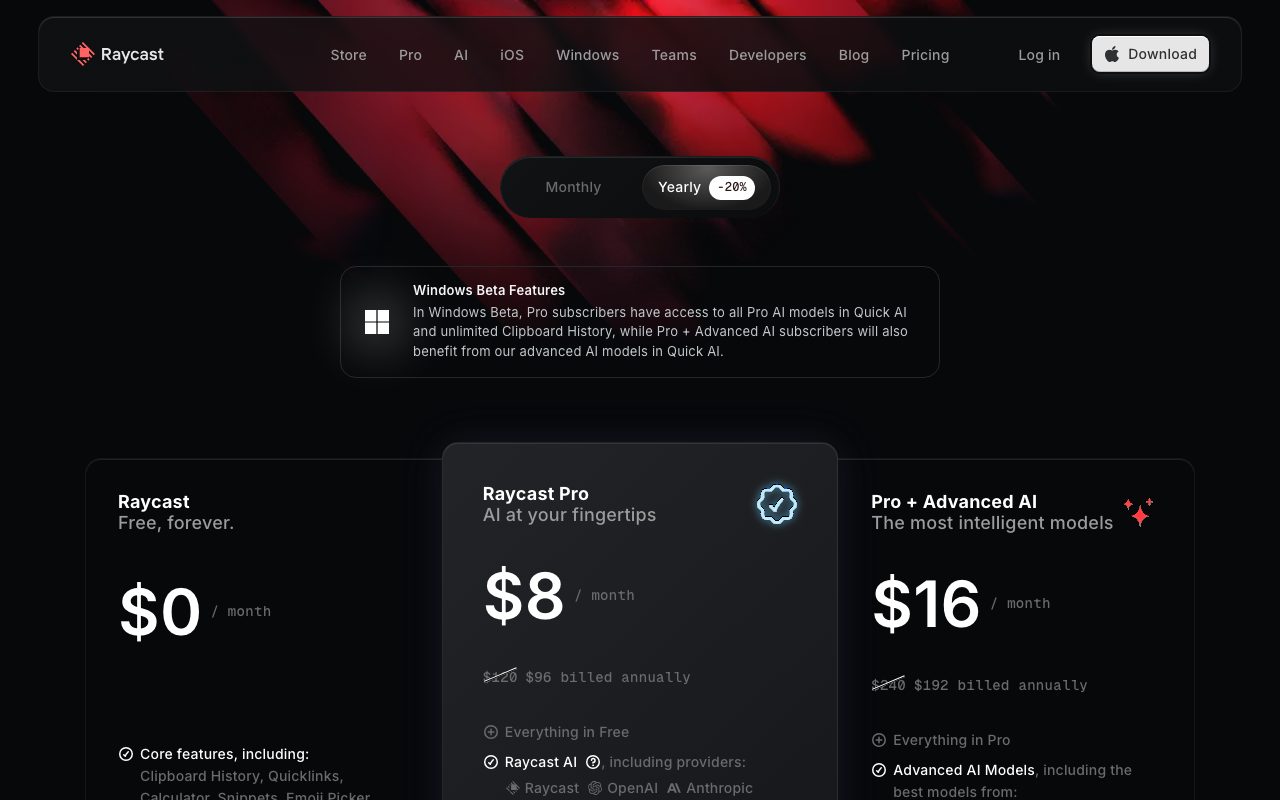
Raycast Free covers the launcher, extensions, snippets, clipboard, and window management. It's complete enough that many users never upgrade.
Raycast Pro is around $8/month and adds Raycast AI, custom themes, cloud sync, and unlimited Pro AI with mid-tier models.
Raycast Advanced AI is around $16/month and unlocks frontier models like GPT-5, Claude, and others with more generous limits. Teams plans bundle pro features for shared workspaces.
Standout features
Quicklinks let you build parameterized URLs that auto-fill. Type "gh kevin/repo" and Raycast jumps you to that GitHub page. Tiny, addictive, productivity gold.
The clipboard manager remembers everything you copy with smart filters and search. Snippets fire on text triggers system-wide.
Window management replaces Magnet, Rectangle, and similar tools. Tile to halves, thirds, quarters, or custom layouts via hotkey.
Honest tradeoffs
Mac-only is a real limitation in 2026. Cross-platform Alfred competitors don't exist with this polish, but if you're on Windows you're waiting.
The AI plans are valuable but stack with whatever else you pay (ChatGPT, Claude, Cursor). Some users skip Raycast AI and use a separate AI tool.
Extension quality varies. Most are great. A few are abandoned. The rating system helps but isn't perfect.
Raycast made Spotlight obsolete for me in one afternoon. I haven't gone back. The extension ecosystem is the lock-in.
Raycast vs Alfred vs Spotlight
Alfred is the original Mac power user launcher with a paid PowerPack. Spotlight is Apple's built-in option, fine for basic searches. Raycast is the modern default with the deepest extension story and built-in AI.
See best productivity launchers and Raycast alternatives. Our Raycast vs Alfred page covers the migration story.
Other Raycast alternatives: LaunchBar, Cerebro, Flow Launcher, and PowerToys Run on Windows. Each one targets a different platform or aesthetic.
Bottom line on Raycast
Raycast is the macOS launcher I'd recommend to anyone who types fast. The free tier alone justifies installing it today.
Browse tools for macOS power users and the Alfred profile. The ROI on a great launcher compounds across thousands of daily interactions.
Install it, set your hotkey, and use it for a week. You'll wonder how you managed without it.
Raycast extensions for developers
The developer extension catalog is huge. Linear, GitHub, Jira, Vercel, AWS, Docker, kubectl, and countless smaller dev tools have polished Raycast extensions.
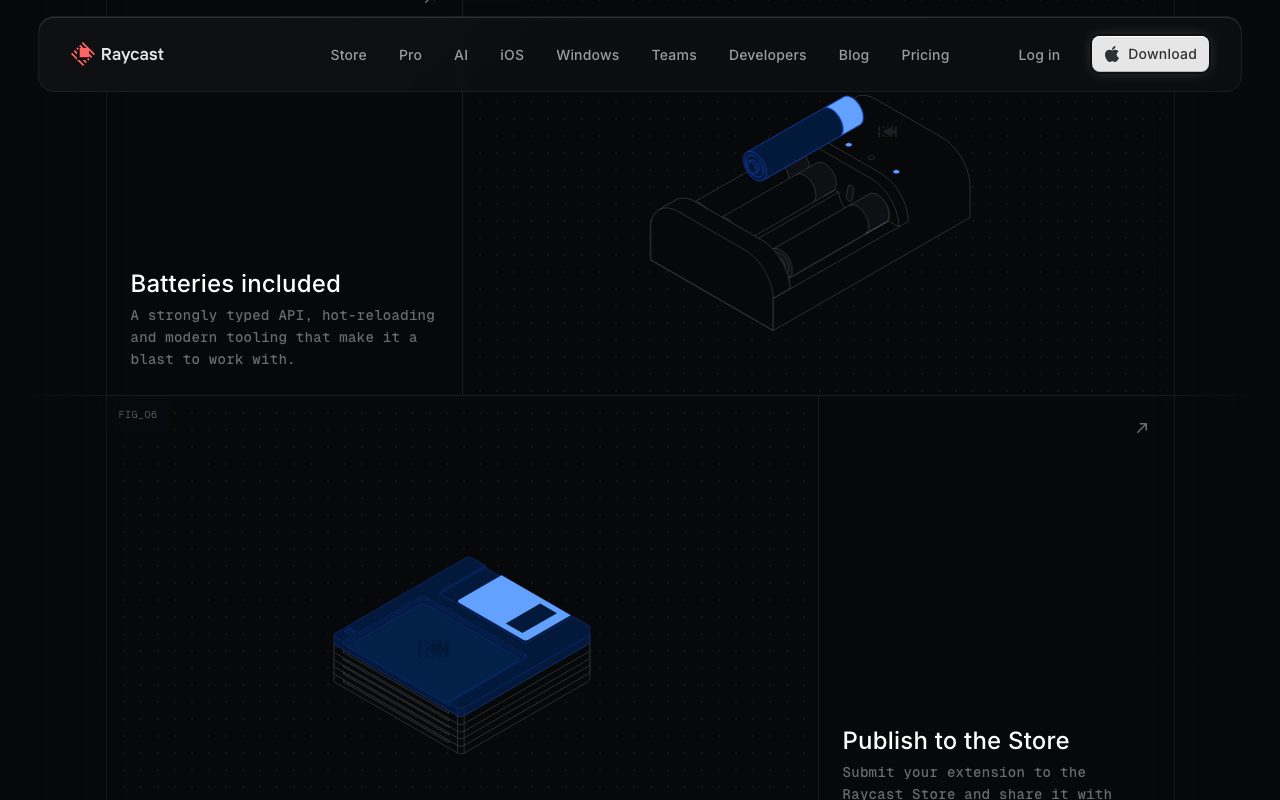
Building your own extension is genuinely fun. The TypeScript-based extension API uses React for UI. You can ship a private extension to your team in an afternoon.
Internal tooling teams use Raycast extensions for company-specific lookups: customer search, support tickets, runbooks, and on-call schedules. Distributing internal extensions is one click.
Raycast AI vs standalone AI tools
Raycast AI integrates GPT, Claude, and other models into the launcher. You can chat, generate code, summarize selections, or run AI Commands without switching apps.
For users who already pay for ChatGPT Plus or Claude Pro, Raycast AI feels redundant. For users who don't, the bundled access is convenient and well-priced.
The AI Commands feature is the unique value. Predefined prompts (translate, fix grammar, explain code) run on selected text instantly. It's faster than copy-pasting into a chat window.
Window management as a daily driver
Raycast's window management is good enough to replace dedicated tools like Magnet, Rectangle, and Moom for most users. Tiling shortcuts, custom layouts, and per-app rules all work.
Power users with multi-monitor setups appreciate the flexibility. You can pin specific apps to specific displays and have Raycast restore your layout after a sleep cycle.
For users on Apple's built-in Stage Manager, Raycast plays nicely alongside it. The two cover different use cases.
Final word on Raycast
Raycast is the macOS productivity multiplier I recommend without reservation. The free tier is enough for 80% of users. The Pro AI is genuinely useful if you don't already pay for AI elsewhere.
Install it today. Bind your hotkey. The week-one ROI is the easiest sell in the entire productivity tools category.
Building Raycast extensions in TypeScript
The extension API is React-based with TypeScript. You write components that render Raycast UI elements (List, Detail, Form) and call APIs to fetch data.
The local development workflow is fast. Run `npm run dev` and your extension hot-reloads inside Raycast as you edit. The feedback loop feels like web development.
Publishing to the Raycast store requires a code review by the Raycast team. The bar is high for quality and security, which keeps the store healthy.
Internal tooling teams often distribute extensions privately to their org. Sharing a folder on internal storage is enough. No store submission required.
The extension API supports keyboard shortcuts, inline forms, search filters, OAuth flows, and rich previews. Most internal tools you'd build in a web app translate cleanly to Raycast.
Raycast Pro for Teams unlocks shared workspaces, shared snippets, and centralized billing. For companies standardizing on Raycast, the team plan saves on individual subscriptions.
Browse our tools for macOS power users and Alfred profile for related options.
Raycast FAQ
Is Raycast really free? The core launcher is genuinely free with no time limits. You only pay for AI features, custom themes, cloud sync, and team workspaces. Most users never need to upgrade.
Does Raycast work on Windows? Not yet. The Windows version is in active development as of 2026. Linux users have no official option, though community alternatives exist.
How does Raycast compare to Alfred? Raycast has more polish, better extension architecture, and built-in AI features. Alfred has a longer history and a loyal user base. Both are strong picks for Mac power users.
Can I trust Raycast extensions? The Raycast team reviews public store extensions for quality and security. Private extensions you build for your team aren't reviewed but stay within your control.
Does Raycast slow down my Mac? No. The launcher is well-optimized and uses minimal memory and CPU when idle. The performance overhead is genuinely negligible.
For Mac power users, Raycast is the productivity multiplier I recommend without reservation. The week-one ROI is one of the easiest sells in the entire developer tools category.
Setting up a productive Raycast workflow
Bind your launcher hotkey to something easy. Cmd+Space if you've remapped Spotlight away. Otherwise Option+Space or Cmd+Shift+Space work well.
Set up Quicklinks for your most-visited URLs. GitHub repos, internal dashboards, and project management tools all benefit from instant access.
Configure snippets for common text. Email signatures, support responses, and code boilerplate fire instantly with snippet triggers.
Install extensions selectively. The store has thousands. Pick the ten you'll use daily and skip the rest. Bloat hurts the launcher's speed.
Use the clipboard history aggressively. Once you trust it's always available, you'll copy more freely and recover lost text constantly.
Set up Raycast AI Commands for repeated AI tasks. Translate, summarize, and rewrite are obvious. Custom commands for your specific workflows are where the magic happens.
For more macOS productivity tools, see our tools for macOS power users and Alfred profile.
Closing thoughts on Raycast in 2026
Raycast has earned a permanent spot on every Mac power user's machine. The launcher is fast. The extensions are deep. The pricing is fair. The team ships consistently.
Raycast AI brings useful AI assistance into the launcher itself. For users who don't already pay for ChatGPT or Claude, the bundled access is convenient. For users who do, the standalone AI tools are still the better fit.
The Windows version, currently in active development, will broaden the audience considerably. Many cross-platform users have been waiting for it. Linux remains an open question.
The extension store has grown into a real ecosystem. Public extensions cover most popular SaaS tools. Private internal extensions let companies build keyboard-driven access to proprietary systems.
For Mac users in 2026, Raycast is the productivity multiplier I recommend without hesitation. The week-one ROI is unmatched in the developer tools category.
Browse our best productivity launchers roundup, our Raycast alternatives page, and the Raycast vs Alfred guide.
Install Raycast today. Bind your hotkey. Use it for a week. You'll wonder how you managed productivity without a proper launcher in the first place.
Tutorial / Demo
Key Features
- Extensible command palette with thousands of extensions
- Built-in clipboard history and snippet manager
- Window management and app switching
- AI-powered chat and commands
- Script commands for custom workflows
- Floating notes and quicklinks
- Confetti celebration for completed tasks
Pros & Cons
What we like
- Incredibly fast and responsive native Mac app
- Huge extension ecosystem built by the community
- Replaces multiple utilities in one tool
- Beautiful UI with dark and light themes
- Free tier is extremely generous
Room for improvement
- macOS only, no Windows or Linux support
- Pro plan required for AI features
- Can be overwhelming with too many extensions installed
- Some extensions are community-maintained and vary in quality
Frequently Asked Questions
Is Raycast really free?
Raycast vs Alfred, which is better?
Is Raycast Mac only?
Can I write my own Raycast extensions?
What can Raycast actually do?
Best For
Featured in
Tags
Alternatives to Raycast
Linear
Streamline software projects, sprints, and bug tracking
Akiflow
A keyboard-first daily planner that pulls every notification into one inbox

CalendHub
Smart scheduling and calendar management for teams

1Lookup
Real-time data verification API for phone, email, IP, and domain validation to fight fraud
Our take
Tool Index Editorial · May 2026· 4.4/5
Raycast positions itself as a blazingly fast productivity launcher for macos power users, and on the whole it earns the framing.
On the strengths side: Incredibly fast and responsive native Mac app, Huge extension ecosystem built by the community, and Replaces multiple utilities in one tool. What to watch for: macOS only, no Windows or Linux support and Pro plan required for AI features.
Verdict: Raycast cleanly earns its spot in the category — a smart default when you need replacing Spotlight and Alfred for daily Mac workflows.
Editorial opinion from the Tool Index team, written from the public product pages. Not a user review.
Reviews (6)
Worth the price of admission
Have been using Raycast for a while, here's where I land. Where it really wins is free tier is extremely generous. Extensible command palette with thousands of extensions works the way you'd hope. It fits well for running developer scripts and API calls from a launcher. Still recommending it to people in similar setups.
Pros
- Free tier is extremely generous
- Huge extension ecosystem built by the community
Solid daily driver
Raycast is one of those tools you stop noticing because it just works. The biggest win has been incredibly fast and responsive native Mac app. Main use case: managing clipboard history across apps.
Trade offs worth knowing about
Picked Raycast for the lower price, stayed for the actual quality. Real selling point: huge extension ecosystem built by the community. Worth calling out the extensible command palette with thousands of extensions too. Worth a trial if you're in the same boat.
Wanted to love it, couldn't
Adopted Raycast for one project, ended up using it for more. Honestly impressed by how incredibly fast and responsive native Mac app. The extensible command palette with thousands of extensions is more useful than I expected. Not perfect: can be overwhelming with too many extensions installed. Probably better for someone with different needs.
Two months in, no regrets
Have been using Raycast for a while, here's where I land. The thing I keep coming back to: huge extension ecosystem built by the community.
Pros
- Free tier is extremely generous
Quietly excellent
Honest take: Raycast delivers most of what the marketing promises. The biggest win has been huge extension ecosystem built by the community. Would buy again without thinking twice.
Pros
- Incredibly fast and responsive native Mac app
- Beautiful UI with dark and light themes
Badge builder
Add Raycast to your website
Choose a badge style and size, preview it here, then copy the generated HTML. Badge images are self-contained SVGs and do not require an external script.

<a href="https://toolindex.net/tools/raycast?ref=badge" target="_blank" rel="noopener">
  <img src="https://toolindex.net/badge/raycast/medium.svg" alt="Raycast - Listed on Tool Index" width="180" height="50" />
</a>How to use the badge
- 1. Pick the style, size, and theme that fit your layout.
- 2. Copy the generated HTML from the code block.
- 3. Paste it into your footer, homepage, or press page.
Standard badge available
The standard listing badge is available now. Score and circle badges are limited to tools currently ranked in the top 10 of a category.
Badge clicks return visitors to this profile with a referral tag so the source remains identifiable.
Related Tools

Kevin Gabeci
Solo developer building web apps, cozy browser games, and AI creator toolkits.

Coolify
Self-hostable, open source alternative to Heroku and Netlify

Confluence
Atlassian's long-running team wiki that anchors many enterprise knowledge stacks
Asana
Project management for teams that live in projects, tasks and dependencies
Work on Raycast? Request listing access or correction