
Rayrun
Put hosted and connected MCP tools behind one governed endpoint
Gallery
About Rayrun
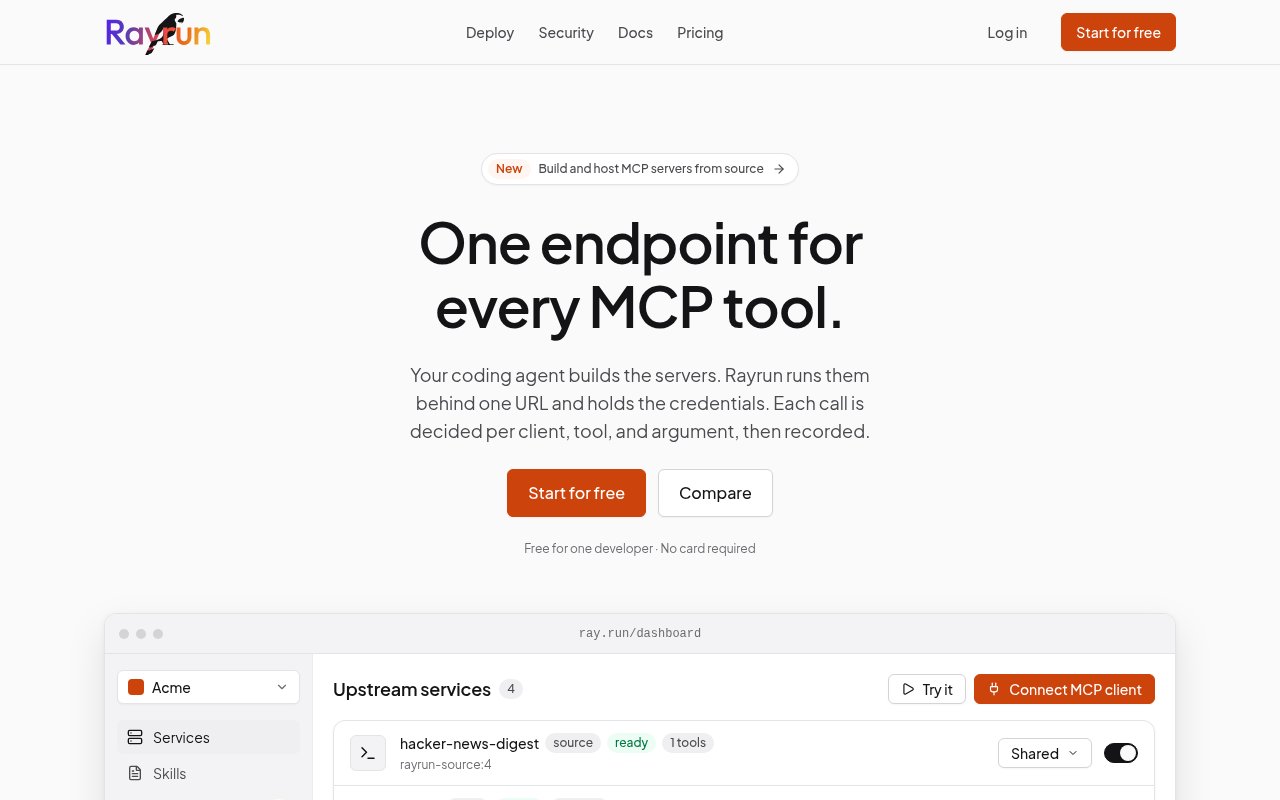
Rayrun is a hosted gateway for bringing multiple Model Context Protocol tools and services behind one endpoint for coding agents. Instead of placing every server URL and credential in each client configuration, a workspace connects the services once and gives clients a single Rayrun URL. The platform holds credentials, discovers tool definitions, applies access policy to calls, and records activity. It works with clients named on the site including Claude, Codex, Cursor, VS Code, Windsurf, and OpenCode. The result is a central control layer for developers or teams that want agents to use external systems without scattering secrets and policy across every local setup.
A workspace can connect a remote MCP server, import an OpenAPI document, host an npm package or container image, or deploy a custom MCP server from source. Rayrun turns supported OpenAPI operations into typed tools and completes OAuth when a remote service needs authorization. For a service that does not yet exist, its command-line workflow scaffolds a TypeScript or Python project for a coding agent to extend. Deployment uploads the source, runs validation and an isolated build, verifies a candidate release, and only then moves traffic. If the build fails, the current release remains live. This gives teams a route from an agent-written server to a managed endpoint without assembling separate hosting infrastructure. Hosted package and image services can use optional persistent data storage, and inactive source images remain available long enough to support rollback.
Governance is central to the product rather than an optional reporting layer. Administrators can choose allow, ask, or block behavior per service and override the setting for an individual tool. Rayrun can make a decision using the client, tool, and arguments, while exact calls that require a person wait for approval. Newly discovered definitions are recorded, and later definition changes can be held for review before agents see them. The site also describes content scanning in both directions for secrets, personal data, and prompt injection. Every invocation leaves an activity record with details such as the user, client, service, policy decision, duration, and result, making agent actions easier to inspect after the fact. A workspace-wide daily safety budget can stop new upstream calls at a chosen limit independently of the monthly billing allowance.
Credential handling follows the same centralized model. Stored credentials remain with Rayrun or can be kept in the customer's own AWS account, while clients receive a token and upstream services receive the needed credential. The homepage says stored secrets are not sent back to a browser, even to the administrator who entered them. Team features add a shared credential vault, roles, client-specific access, and pooled call usage. Enterprise options include single sign-on through OIDC or SAML, SCIM provisioning, role-based access, and signed batched audit streaming to a SIEM. Rayrun publishes a security overview that describes its controls and the certification areas that are not yet claimed, which gives security reviewers concrete material to examine. Each workspace also has its own data-encryption key according to the published overview.
The platform is aimed at developers building agent workflows and teams responsible for governing them. A solo developer can use it to avoid repeating MCP configuration across several coding clients. A platform or security team can use the shared endpoint to control which agent may call which service, review definition changes, and trace activity across tools. Teams can also publish versioned workspace Skills through MCP, add hosted TypeScript hooks, or automate management through the public API, SDKs, and webhooks listed in the documentation. Code mode reduces the need to load every upstream tool definition at once by retrieving a definition when the model needs it.
Rayrun uses a freemium model. The free tier is for one developer and includes the core gateway, hosting, governance, credential, hook, and audit features. It allows up to 25 source-built services, 50 isolated builds in a 24-hour period, 5 GiB of retained images, and 50,000 tool calls per month. The Team plan costs $25 per developer each month and adds the shared vault, roles, client-specific access, and 100,000 pooled calls per developer. Usage above the allowance costs $0.20 per thousand calls, while refused calls and tool discovery do not count. Enterprise service starts at $1,500 monthly. This structure makes the free plan substantial for individual use, but shared governance and identity controls move teams into paid tiers.
Key Features
- Unified MCP tool endpoint
- Source-built server hosting
- Per-tool access policies
- Centralized credential vault
- Definition change review
- Searchable activity audit trail
Pros & Cons
What we like
- Replaces repeated client configuration with one endpoint
- Supports MCP, OpenAPI, packages, images, and source
- Keeps credentials out of connected agent clients
- Includes meaningful governance in the free tier
Room for improvement
- Free access is limited to one developer
- Team pricing scales per developer
- Each upstream service still needs initial configuration
- MCP focus limits use outside agent workflows
Frequently Asked Questions
What is Rayrun?
What kinds of services can Rayrun connect?
Is Rayrun free?
How does Rayrun control tool access?
Best For
Featured in
Alternatives to Rayrun
View all
Kevin Gabeci
Solo developer building web apps, cozy browser games, and AI creator toolkits.

SoloDevStack
A solo developer blog built on head-to-head tool comparisons, 580+ posts deep.

Codedex
A gamified, story-driven platform that teaches Python, web dev, and more like an RPG quest

Vibe Built
Building real apps with agentic AI. What worked, what broke, what shipped.
Our take
Tool Index Editorial · Sep 2026· 4.0/5
Rayrun puts remote MCP servers, OpenAPI services, packages, containers, and source-built tools behind one governed endpoint. We found a substantial control layer with centralized credentials, per-tool allow, ask, or block rules, definition review, activity records, and isolated builds. One developer gets 50,000 monthly calls free. Team costs $25 per developer per month, with overage at $0.20 per thousand calls.
It is strongest for developers and platform teams tired of copying secrets and server definitions into every agent client. The free tier is unusually capable, but shared roles and vault features require the paid plan, and every upstream service still needs setup and ongoing trust review. Its value is tightly tied to MCP adoption, so teams without several agent clients or sensitive external tools may be adding a gateway before they need one.
Editorial opinion from the Tool Index team, written from the public product pages. Not a user review.
Reviews (0)
Badge builder
Add Rayrun to your website
Choose a badge style and size, preview it here, then copy the generated HTML. Badge images are self-contained SVGs and do not require an external script.

<a href="https://toolindex.net/tools/rayrun?ref=badge" target="_blank" rel="noopener">
  <img src="https://toolindex.net/badge/rayrun/medium.svg" alt="Rayrun - Listed on Tool Index" width="180" height="50" />
</a>How to use the badge
- 1. Pick the style, size, and theme that fit your layout.
- 2. Copy the generated HTML from the code block.
- 3. Paste it into your footer, homepage, or press page.
Standard badge available
The standard listing badge is available now. Score and circle badges are limited to tools currently ranked in the top 10 of a category.
Badge clicks return visitors to this profile with a referral tag so the source remains identifiable.
Related Tools
Kevin Gabeci
Solo developer building web apps, cozy browser games, and AI creator toolkits.

Coolify
Self-hostable, open source alternative to Heroku and Netlify

Warp
The modern terminal reimagined with AI and collaboration

Bolt.new
Prompt-to-deployed full-stack app inside the browser
Work on Rayrun? Request listing access or correction