
Renderfy
REST API that converts HTML, Tailwind, Markdown, and code into PNG, PDF, or WebP
Gallery
About Renderfy
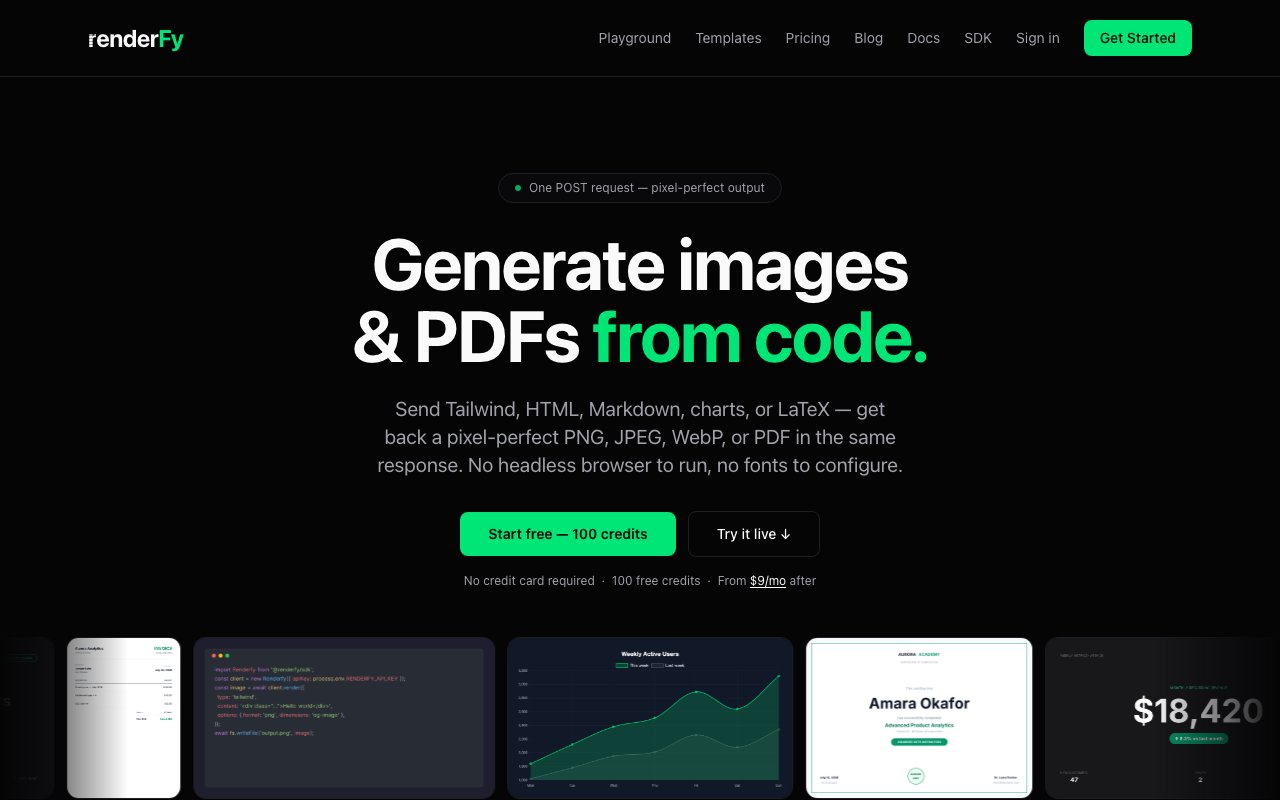
Renderfy is a stateless rendering API that takes HTML, Tailwind CSS, Markdown, code snippets, Chart.js payloads, diagrams, or LaTeX as input and returns a high-quality PNG, JPEG, WebP, or PDF as output in the same HTTP response. It handles the headless browser work so you do not have to run Puppeteer or Playwright on your own servers, and it bundles font loading, retina scaling, and batch processing into a single service that responds in sub-second time for most renders.
The workflow is a single POST request. You send your design code in the request body, specify the output format and dimensions, and Renderfy responds with the rendered image or document. There is no queue to poll and no webhook to wait for if you are doing simple renders, though webhooks are available when you want async notifications for batch jobs. The stateless design means every request is independent, which keeps integrations simple and makes the service behave predictably regardless of what you rendered before. This matters for applications where you need deterministic output, meaning the same template plus the same data produces the same pixels every time.
One feature that stands out is server-side template storage. You can save a layout once, then call it by ID with different data on each render. That pattern fits when you are generating thousands of variations of the same design, like personalized certificates, dynamic OG images for blog posts, or invoices that share a common structure but different line items. Templates cut the payload size down to just the variable data, move the layout logic off your application code, and make it easier to update a design without touching your codebase. You just update the template on Renderfy and every subsequent render reflects the change.
Batch rendering lets you process up to twenty documents in a single API call, which reduces network overhead when you have a queue of renders to run. The batch endpoint uses partial-success semantics, so if one render fails the others still complete, and you only pay credits for the successful ones. This is useful for bulk operations like generating all the social cards for a new blog post queue or producing a set of invoices at month end. Webhooks fire after each render in a batch completes, signed with HMAC-SHA256, so your application can process results as they come in without polling.
Typography is handled through built-in Google Fonts support. You can specify up to four font families per render and Renderfy loads them server-side, which means you do not have to host font files or worry about CORS issues. For teams that want exact brand typography, this is cleaner than embedding base64 fonts in every request. Idempotency keys are also supported. If your application retries a failed request due to network issues and includes the same idempotency key, Renderfy returns the cached result instead of billing you twice. Replays are encrypted at rest, so sensitive content does not persist unprotected.
The target audience is developers and teams who need to generate images or PDFs programmatically but do not want to manage headless browsers or build rendering pipelines from scratch. Common use cases include marketing teams generating OG images for hundreds of landing pages, SaaS products building invoice or receipt PDFs from payment webhooks, growth teams creating personalized certificates or referral badges, and analytics dashboards rendering charts from JSON metrics into email-compatible images. The official TypeScript SDK ships with zero dependencies and runs on Node.js, Next.js Edge, Cloudflare Workers, and Bun, so it fits most JavaScript backend environments.
Pricing is credit-based and freemium. You get one hundred credits free on signup with no card required, which is enough to try the API and see how it fits your use case. The Developer plan at nine dollars a month includes five thousand credits. Startup is twenty-nine dollars for twenty-five thousand, and Business is seventy-nine dollars for one hundred thousand. Credits reset monthly, and overage rates apply if you exceed your allocation. The credit model can be harder to forecast for bursty workloads compared to flat-rate pricing, so teams with unpredictable render volume may want to monitor usage closely during the first few months to pick the right tier.
Where Renderfy differentiates from generative AI image tools is the emphasis on deterministic, pixel-perfect output. You are not prompting a model and hoping the result matches your brand. You are sending exact markup and getting exact pixels back, with control over colors, dimensions, and every other detail. For teams that need brand compliance and repeatability, this predictability is the point.
Key Features
- HTML and Tailwind to image conversion
- Batch rendering up to 20 documents per call
- Server-side template storage
- PNG, JPEG, WebP, and PDF output formats
- Google Fonts support without uploads
- Idempotency keys for safe retries
Pros & Cons
What we like
- No headless browser to manage on your own servers
- Templates reduce payload size and centralize layout logic
- Free tier lets you test before adding a card
- Deterministic output ensures exact pixels every time
Room for improvement
- Credit-based pricing can be hard to forecast for bursty workloads
- Limited to four Google Font families per render
- No self-hosted option if you need to keep data off third-party servers
- Documentation does not cover every edge case for complex layouts
Frequently Asked Questions
What is Renderfy?
Is Renderfy free?
Who is Renderfy for?
Can I store templates on Renderfy?
Best For
Featured in
Alternatives to Renderfy

Kevin Gabeci
Solo developer building web apps, cozy browser games, and AI creator toolkits.

SoloDevStack
A solo developer blog built on head-to-head tool comparisons, 580+ posts deep.

Codedex
A gamified, story-driven platform that teaches Python, web dev, and more like an RPG quest

Vibe Built
Building real apps with agentic AI. What worked, what broke, what shipped.
Reviews (0)
Badge builder
Add Renderfy to your website
Choose a badge style and size, preview it here, then copy the generated HTML. Badge images are self-contained SVGs and do not require an external script.

<a href="https://toolindex.net/tools/renderfy?ref=badge" target="_blank" rel="noopener">
  <img src="https://toolindex.net/badge/renderfy/medium.svg" alt="Renderfy - Listed on Tool Index" width="180" height="50" />
</a>How to use the badge
- 1. Pick the style, size, and theme that fit your layout.
- 2. Copy the generated HTML from the code block.
- 3. Paste it into your footer, homepage, or press page.
Standard badge available
The standard listing badge is available now. Score and circle badges are limited to tools currently ranked in the top 10 of a category.
Badge clicks return visitors to this profile with a referral tag so the source remains identifiable.
Related Tools
Kevin Gabeci
Solo developer building web apps, cozy browser games, and AI creator toolkits.

Coolify
Self-hostable, open source alternative to Heroku and Netlify

Warp
The modern terminal reimagined with AI and collaboration

Bolt.new
Prompt-to-deployed full-stack app inside the browser
Work on Renderfy? Request listing access or correction