
reqlan
Keep linked, machine-readable software requirements beside the code
Gallery
About reqlan
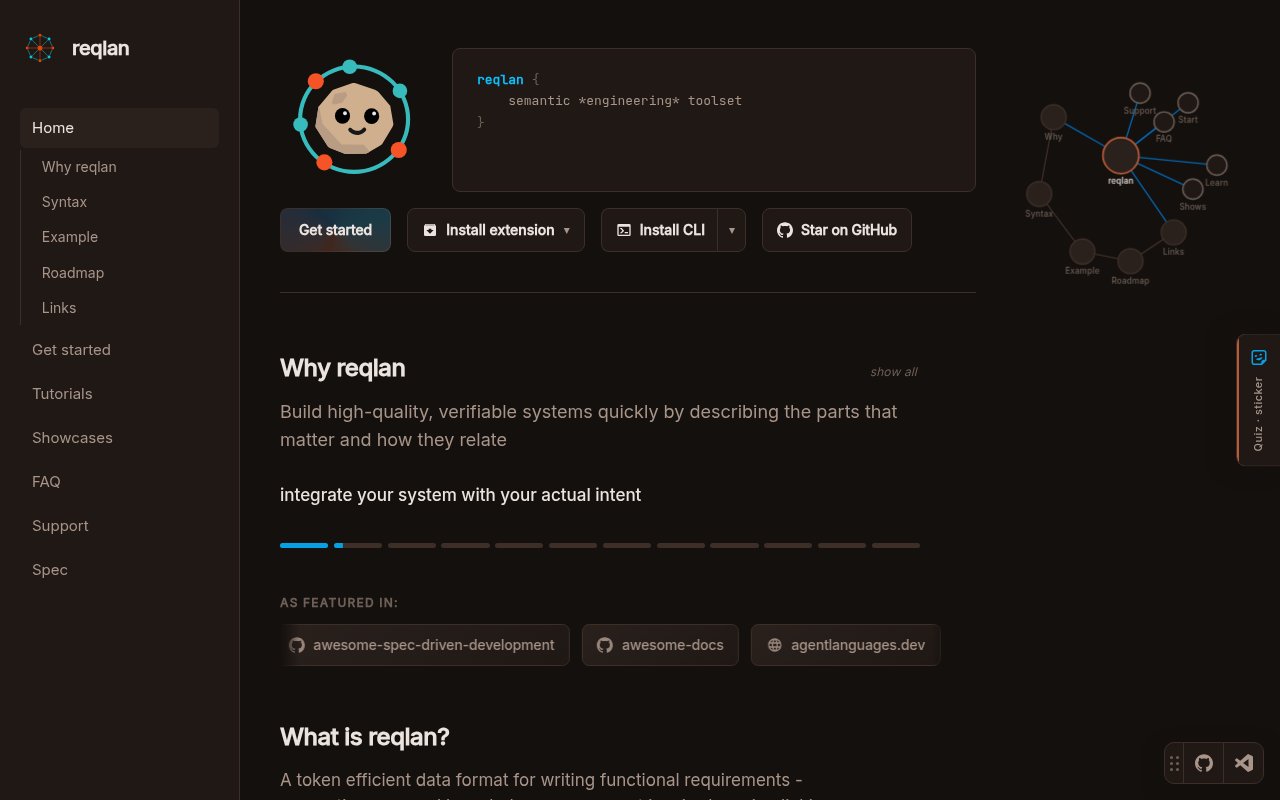
reqlan is an open-source language and developer toolset for keeping software requirements next to the code they describe. It stores requirements as named ideas in plain `.rq` files, then connects those ideas to other requirements, source files, symbols, and tests. The result is a graph that both engineers and coding agents can search without treating a long document or an old chat as the only source of truth. It is designed for projects where intent gets scattered across tickets, wikis, comments, and prompts, especially when a team wants requirements to remain inspectable and versioned with the implementation.
The language starts with a small unit. An idea has a stable name and either a short line or a longer body inside braces. Bracket references link one idea to another, while attributes can record a status, tags, or a to do item. Imports organize requirements across files and folders. References can also point at an entire file, a named symbol, or a specific test, and wildcard references can connect one idea to a matching set of files or ideas. Regular code and Markdown can link back through `rq` comments. These mechanics make the graph explicit enough for tooling while leaving the actual requirement text in natural language. The readable text format also keeps a requirement understandable in a diff or code review without opening a separate database interface.
The same project index is shared by several interfaces. The VS Code extension provides syntax highlighting, language server support, navigation, semantic search, an Ideas Summary view, and graph and status views. The CLI can initialize a base, search the graph, analyze a file or idea, check references, and export the result. An MCP server exposes requirement search, file context, local graph, and subtree summary tools to compatible AI clients without requiring a running VS Code host. The project also offers Cursor skills and an `@reqlan` chat participant. Because these surfaces use the same `.rq` files and `.reqlan` index, a team doesn't need a separate format for editor work and agent context. A workspace becomes a reqlan base when it contains a `.reqlan` directory, giving the shared index a defined home. The `reqlan` and `rq` commands offer the same CLI, and an index path override supports projects that need a different storage location. Headless access makes the graph practical for scripts and automated checks as well as interactive editor work.
reqlan fits engineers managing complex products, internal platforms, compliance constraints, or systems where tests must trace back to intent. It can help a solo developer preserve the important decisions behind a fast moving codebase, but its structure becomes more useful as relationships multiply. Teams can use it to state a functional rule once, link the relevant implementation and proof, and let readers navigate outward only when they need more context. For AI assisted development, that scoped graph offers a smaller set of linked ideas instead of dumping an entire repository into a prompt. It still requires people to write clear requirements and keep links current, so it doesn't automate product judgment.
The distinctive choice is to treat requirements as a compilable graph rather than a prose document with a table of contents. Stable names act as handles that survive moves between conversations and files. Static checks can catch broken requirement references, code anchors, and test targets, while statuses and tags make the same graph useful for review. HTML, Markdown, JSON, and CSV exports make it possible to share the material outside the editor. This approach is narrower than a general project management system. It doesn't replace issue tracking, roadmaps, or team communication, but it gives those workflows a precise layer for intent and traceability that lives in the repository.
reqlan is available through the Visual Studio Marketplace and Open VSX, with its CLI and MCP packages distributed through npm. The source repository is public under the AGPL 3.0 license and includes the language, extension, site, CLI, MCP server, and core analysis components. The official site presents installation commands and doesn't advertise a paid product tier, so open source is the clearest access model. The project is young and its public GitHub community is still small, which matters for teams that want a large plugin ecosystem or extensive third party guidance. For engineers comfortable adopting a new file format and repository convention, it offers a concrete way to connect requirements, code, tests, and agent context.
Key Features
- Named requirement graph language
- VS Code language support
- Semantic graph search
- Code and test traceability
- CLI analysis and export
- MCP tools for agents
Pros & Cons
What we like
- Keeps intent versioned beside source code
- Shares one index across editor and CLI
- Links requirements directly to tests and symbols
- Provides scoped context for coding agents
Room for improvement
- Teams must learn the `.rq` syntax
- Editor workflow centers on VS Code
- The public community is still small
- Maintaining useful links requires ongoing discipline
Frequently Asked Questions
What is reqlan?
Is reqlan open source?
Does reqlan work without VS Code?
How does reqlan help coding agents?
Best For
Featured in
Alternatives to reqlan
View all
Kevin Gabeci
Solo developer building web apps, cozy browser games, and AI creator toolkits.

SoloDevStack
A solo developer blog built on head-to-head tool comparisons, 580+ posts deep.

Codedex
A gamified, story-driven platform that teaches Python, web dev, and more like an RPG quest

Vibe Built
Building real apps with agentic AI. What worked, what broke, what shipped.
Our take
Tool Index Editorial · Sep 2026· 3.5/5
reqlan is an open source requirements language that stores named ideas in .rq files and links them to other requirements, code, symbols, and tests. We found a concrete ecosystem around the format, including a VS Code extension, CLI, MCP tools, graph search, static analysis, and exports. The site offers direct installation and a public repository, with no paid plan shown.
The approach makes sense for teams that want product intent versioned beside implementation and available as scoped context to coding agents. Stable names and checked links are more durable than relying on old chats or a giant specification document. The real limitation is maintenance. Teams must learn a new syntax, agree on naming, and keep relationships current. The project is young, centered on VS Code, and won't replace issue tracking or the human work of writing good requirements.
Editorial opinion from the Tool Index team, written from the public product pages. Not a user review.
Reviews (0)
Badge builder
Add reqlan to your website
Choose a badge style and size, preview it here, then copy the generated HTML. Badge images are self-contained SVGs and do not require an external script.

<a href="https://toolindex.net/tools/reqlan?ref=badge" target="_blank" rel="noopener">
  <img src="https://toolindex.net/badge/reqlan/medium.svg" alt="reqlan - Listed on Tool Index" width="180" height="50" />
</a>How to use the badge
- 1. Pick the style, size, and theme that fit your layout.
- 2. Copy the generated HTML from the code block.
- 3. Paste it into your footer, homepage, or press page.
Standard badge available
The standard listing badge is available now. Score and circle badges are limited to tools currently ranked in the top 10 of a category.
Badge clicks return visitors to this profile with a referral tag so the source remains identifiable.
Related Tools
Kevin Gabeci
Solo developer building web apps, cozy browser games, and AI creator toolkits.

Coolify
Self-hostable, open source alternative to Heroku and Netlify

Warp
The modern terminal reimagined with AI and collaboration

Bolt.new
Prompt-to-deployed full-stack app inside the browser
Work on reqlan? Request listing access or correction