
Resterm
Build, inspect, automate, and test API flows from plain request files in the terminal
Gallery
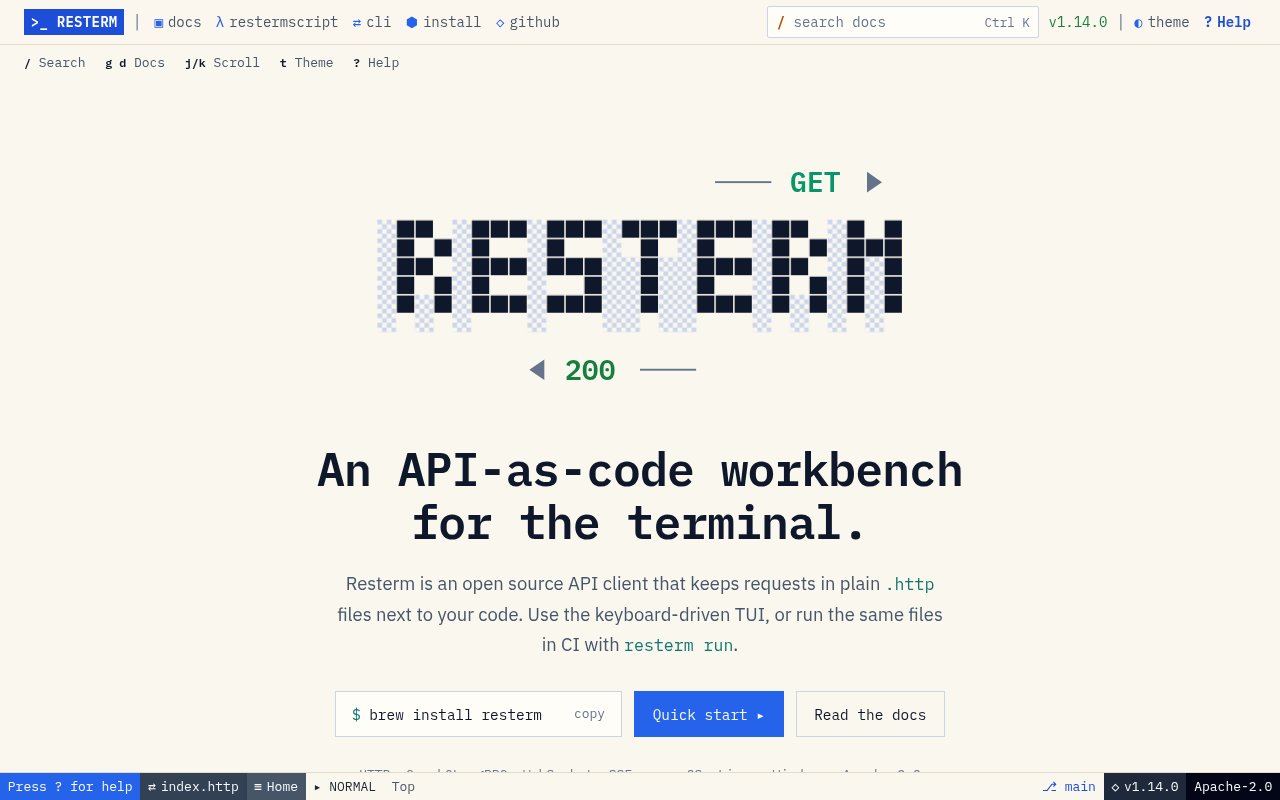
About Resterm
Resterm is an open-source API workbench that runs in a terminal and treats plain request files as the source of truth. Instead of storing requests inside an online account or a private workspace format, it reads .http and .rest files that can live beside application code. Developers can review those files in Git, compare changes in a pull request, and use the same definitions during interactive work and automated checks. It supports HTTP, GraphQL, and gRPC requests along with WebSocket and server sent event streams. The result is closer to an API as code workflow than a conventional form based desktop client.
The terminal interface is built for keyboard driven exploration. A user can start with an existing request file, type a URL, or paste a curl command, then send the selected request and inspect the response without leaving the terminal. Resterm extends the familiar .http format with directives for variables, captures, assertions, conditions, loops, retries, settings, and scripts. A setting placed before the first request can apply to the whole file, while request level directives can repeat, skip, or check individual calls. Multi-step workflows can log in, capture a token, create a resource, and verify the result in sequence. Its own expression language handles common automation, while JavaScript hooks are available when a workflow needs more control. Vim style commands, searchable offline help, help under the cursor, and contextual hints reduce the need to keep a browser open while working.
Resterm goes beyond sending a single request. It can record real HTTP traffic and save exchanges as runnable requests or local mock definitions, which helps when an upstream service is unavailable or a team needs a repeatable reproduction. Recorded material can therefore become either an inspection artifact or a working stand-in for a remote dependency. Response comparison can show changes between environments or against an earlier result. Tracing and timelines expose where time was spent, while profiling repeats a request to make performance patterns easier to inspect. OpenAPI import helps bring an existing API description into the file based workflow. Built-in SSH tunnels and Kubernetes port forwards can reach services behind a bastion or inside a cluster without making a separate networking tool the center of the session.
The same request files work outside the full screen interface. The run command executes selected requests or workflows in scripts and continuous integration, with JSON and JUnit report output for machines and test systems. A mock command starts the local mock server from definitions kept with the requests. Named environments can combine independent groups for API addresses, application values, or credentials, helping one request set move between local and remote targets. That pairing means a developer can explore an API interactively, refine assertions in the same file, and then hand the exact artifact to CI. There is also a Go headless package for applications that want to execute Resterm request definitions directly. No account, cloud synchronization, telemetry, or embedded AI feature is required, so request data and environment material stay under the user's control.
It is a strong fit for backend developers, platform teams, and API testers who are comfortable in a terminal and want their API checks to be versioned like code. It is particularly useful for chained flows, protocol mixtures, infrastructure reachable only through tunnels, and local mocks that need to remain close to their consumers. The tradeoff is a steeper learning curve than a point and click API client, especially once files use Resterm specific workflow directives. Teams looking for hosted collections, shared cloud history, browser based reviews, or managed user permissions will not find those collaboration layers here. Its value comes from files, local execution, and normal source control rather than a service account.
Resterm is free and published under the Apache License 2.0. Prebuilt releases are available for macOS, Linux, and Windows, with Homebrew and Go installation paths also documented. The published Linux binaries require a sufficiently recent glibc version, so older distributions may need another installation route or a local build. The project includes sample requests and mocks, and its initialization command creates a small working example that can be explored before pointing the client at a real service. Users do not have to initialize a project first, since the terminal interface can also begin directly from a URL or pasted curl command. For teams that want API testing artifacts to remain readable, diffable, and useful in both a terminal session and CI, Resterm provides a broad toolkit without introducing a hosted workspace or paid tier.
Key Features
- Versioned HTTP request files
- Multi-protocol terminal client
- Scriptable API workflow directives
- Traffic recording and local mocks
- Tracing, comparison, and profiling
- Headless CI report generation
Pros & Cons
What we like
- Keeps API definitions readable in source control
- Runs the same checks locally and in CI
- Covers HTTP, GraphQL, gRPC, and streaming protocols
- Works locally without accounts or telemetry
Room for improvement
- Terminal workflows have a learning curve
- Advanced automation uses product-specific directives
- No hosted workspace or cloud collaboration layer
- Prebuilt Linux binaries require recent glibc
Frequently Asked Questions
What is Resterm?
Which API protocols does Resterm support?
Can Resterm run in continuous integration?
Is Resterm free?
Best For
Featured in
Alternatives to Resterm

Kevin Gabeci
Solo developer building web apps, cozy browser games, and AI creator toolkits.

SoloDevStack
A solo developer blog built on head-to-head tool comparisons, 580+ posts deep.

Codedex
A gamified, story-driven platform that teaches Python, web dev, and more like an RPG quest

Vibe Built
Building real apps with agentic AI. What worked, what broke, what shipped.
Reviews (0)
Badge builder
Add Resterm to your website
Choose a badge style and size, preview it here, then copy the generated HTML. Badge images are self-contained SVGs and do not require an external script.

<a href="https://toolindex.net/tools/resterm?ref=badge" target="_blank" rel="noopener">
  <img src="https://toolindex.net/badge/resterm/medium.svg" alt="Resterm - Listed on Tool Index" width="180" height="50" />
</a>How to use the badge
- 1. Pick the style, size, and theme that fit your layout.
- 2. Copy the generated HTML from the code block.
- 3. Paste it into your footer, homepage, or press page.
Standard badge available
The standard listing badge is available now. Score and circle badges are limited to tools currently ranked in the top 10 of a category.
Badge clicks return visitors to this profile with a referral tag so the source remains identifiable.
Related Tools
Kevin Gabeci
Solo developer building web apps, cozy browser games, and AI creator toolkits.

Coolify
Self-hostable, open source alternative to Heroku and Netlify

Warp
The modern terminal reimagined with AI and collaboration

Bolt.new
Prompt-to-deployed full-stack app inside the browser
Work on Resterm? Request listing access or correction