
Rubrol
Generate fast, deterministic PDF and PDF/A documents without Headless Chrome
Gallery
About Rubrol
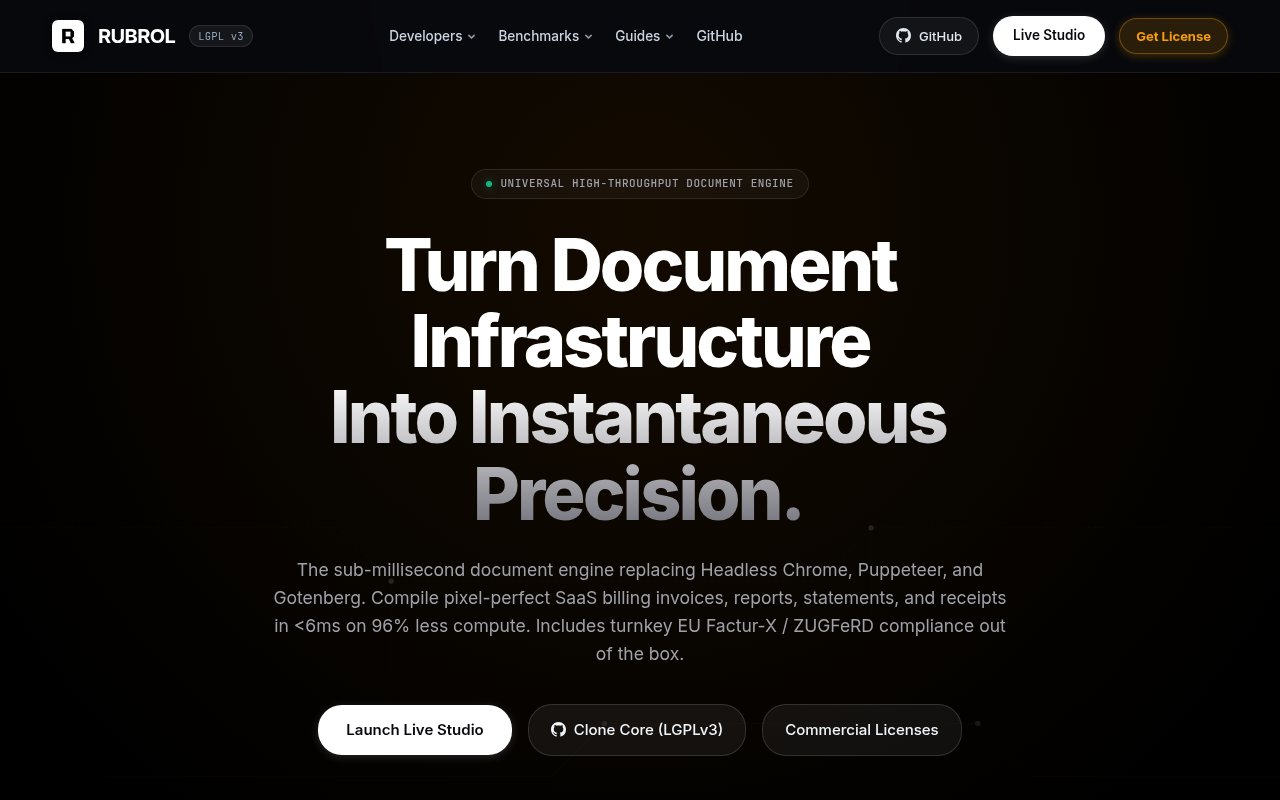
Rubrol is an open-core document engine for applications that need to generate PDFs without running Headless Chrome, Puppeteer, or a large conversion service. It takes Typst templates plus structured JSON data and returns PDF, PDF/A, SVG, or PNG output through a command line interface or a local HTTP sidecar. The project is aimed at billing systems, reporting products, and other backends that produce many documents from predictable layouts. Its central proposition is that document rendering can happen synchronously inside a request instead of being pushed through a queue while a browser process starts.
A typical integration runs Rubrol beside an application in Docker, Kubernetes, or a private server. The application sends data to the local render endpoint, selects a registered template and output standard, then receives the binary document in the response. A raw endpoint can compile Typst source supplied with the request, and health and template endpoints support deployment checks. Rubrol is stateless and performs compilation in memory, with no database or Redis dependency. The public documentation includes examples for Python, Node.js, Go, and Rust workflows, plus a Docker image and an interactive studio for editing JSON while previewing the resulting vector document.
Performance is the most visible reason to consider it. Rubrol publishes a 5.8 millisecond mean compile figure for its sample invoice and reports a resident memory footprint below 28 MB. Its repository includes a benchmark command so teams can test those claims on their own hardware rather than rely only on a marketing chart. The exact result will vary with templates, assets, fonts, and host resources, but the architecture avoids booting a browser engine for every job. That can make immediate invoice downloads and large batch runs more practical while reducing the worker, object storage, and polling infrastructure often placed around HTML to PDF generation.
The engine also focuses on archival and European invoice formats. Core rendering supports PDF/A-2b and PDF/A-3b, while the commercial compliance suite adds hybrid Factur-X and ZUGFeRD invoices under EN 16931. It can generate the visual document, embed the associated CII XML, validate a payload, and extract embedded invoice XML through dedicated endpoints. Enterprise access includes Schematron validation, XRechnung support, French and German templates, and compliance updates. Those capabilities matter to SaaS billing and finance teams that need machine readable invoice data inside a human readable PDF, though buyers should still validate legal and accounting requirements for their own markets.
Template authors work in Typst rather than HTML and print CSS. Dynamic values arrive through JSON, and Typst handles tables, loops, conditionals, headers, footers, fonts, and multipage layout. That offers deterministic composition and avoids browser differences, but it also means an existing library of HTML invoice templates won't drop in unchanged. Teams must learn or generate Typst markup and test their assets against the chosen PDF standard. Rubrol provides sample templates for invoices and receipts, along with agent skills and editor rules intended to help coding assistants add the container, write a template, and connect the endpoint.
Rubrol fits backend engineers and infrastructure teams more than designers looking for a hosted drag and drop editor. It runs locally inside the buyer's environment, so document contents and personal data don't need to leave the network for a third-party PDF API. That posture can simplify data residency decisions and supports private or air-gapped deployments at the higher tier. It also places deployment, updates, template management, and observability in the customer's hands. The project is young, and its community is much smaller than the ecosystems around mature HTML renderers, so production teams should benchmark representative documents and review the license carefully before migrating critical billing workloads.
The Community edition is free and open source under LGPLv3, with local CLI and Docker evaluation plus a stated limit of 100 documents per month for the evaluation build. Commercial production use is sold as an annual license. Pro is listed at $1,800 per year and includes unlimited local nodes, commercial rights, private templates, PDF/A-2b output, an offline key, and direct email support. Enterprise is $4,800 per year and adds the European compliance suite, private registry access, regulatory updates, and priority support. There is no separate trial key, but the Community build is available for evaluation and paid purchases have a 14 day refund window.
Key Features
- Typst template compilation
- Local HTTP rendering sidecar
- PDF/A archival output
- Factur-X invoice generation
- Docker and Kubernetes deployment
- Built-in benchmark runner
Pros & Cons
What we like
- Avoids the overhead of a browser renderer
- Processes documents inside your own infrastructure
- Supports synchronous binary document responses
- Includes an LGPLv3 community core
Room for improvement
- Requires learning Typst for custom templates
- Existing HTML templates need to be rewritten
- Commercial production licenses are billed annually
- Younger ecosystem than established PDF renderers
Frequently Asked Questions
What is Rubrol?
Is Rubrol open source?
Does Rubrol send documents to the cloud?
How much does Rubrol cost?
Best For
Featured in
Alternatives to Rubrol
View all
Kevin Gabeci
Solo developer building web apps, cozy browser games, and AI creator toolkits.

SoloDevStack
A solo developer blog built on head-to-head tool comparisons, 580+ posts deep.

Codedex
A gamified, story-driven platform that teaches Python, web dev, and more like an RPG quest

Vibe Built
Building real apps with agentic AI. What worked, what broke, what shipped.
Our take
Tool Index Editorial · Sep 2026· 3.5/5
Rubrol is an open-core PDF engine that compiles Typst templates and JSON through a CLI or local HTTP sidecar, avoiding a Headless Chrome process. We found the in-memory, stateless design compelling for invoices and reports that must return synchronously, and the built-in benchmark makes its performance claims testable. Community is LGPLv3 with a 100-document monthly evaluation limit, while Pro is $1,800 yearly and Enterprise is $4,800 yearly.
PDF/A support and the paid Factur-X and ZUGFeRD tooling give Rubrol a clear backend niche, particularly for private deployments. It isn't a drop-in replacement for an existing HTML template library. Teams must learn Typst, rewrite layouts, operate the service, and validate compliance for their jurisdiction. The published speed figures come from the vendor's sample, and the young ecosystem calls for benchmarks on representative documents before migration.
Editorial opinion from the Tool Index team, written from the public product pages. Not a user review.
Reviews (0)
Badge builder
Add Rubrol to your website
Choose a badge style and size, preview it here, then copy the generated HTML. Badge images are self-contained SVGs and do not require an external script.

<a href="https://toolindex.net/tools/rubrol?ref=badge" target="_blank" rel="noopener">
  <img src="https://toolindex.net/badge/rubrol/medium.svg" alt="Rubrol - Listed on Tool Index" width="180" height="50" />
</a>How to use the badge
- 1. Pick the style, size, and theme that fit your layout.
- 2. Copy the generated HTML from the code block.
- 3. Paste it into your footer, homepage, or press page.
Standard badge available
The standard listing badge is available now. Score and circle badges are limited to tools currently ranked in the top 10 of a category.
Badge clicks return visitors to this profile with a referral tag so the source remains identifiable.
Related Tools
Kevin Gabeci
Solo developer building web apps, cozy browser games, and AI creator toolkits.

Coolify
Self-hostable, open source alternative to Heroku and Netlify

Warp
The modern terminal reimagined with AI and collaboration

Bolt.new
Prompt-to-deployed full-stack app inside the browser
Work on Rubrol? Request listing access or correction