
SayIt
Private, local text-to-speech for macOS using open-source AI models
Gallery
About SayIt
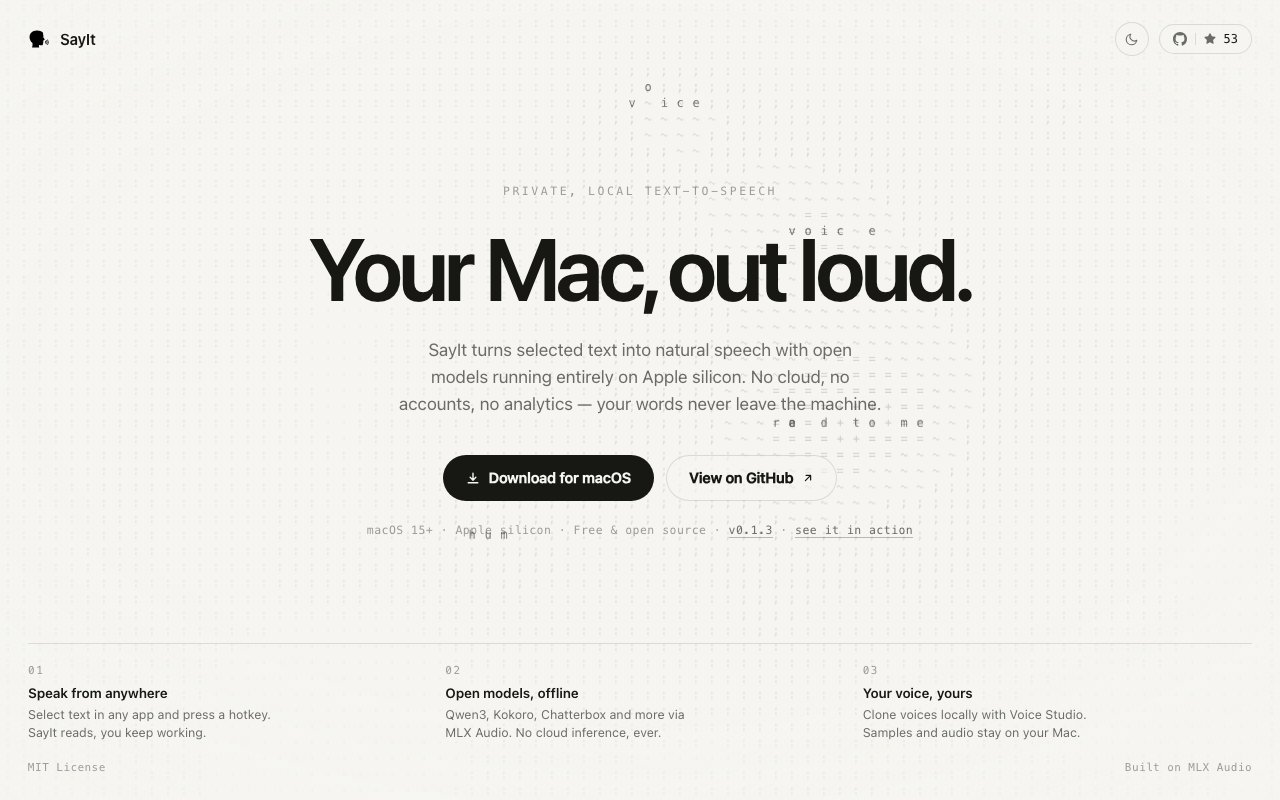
SayIt is a macOS application that converts text to speech using AI models running entirely on your machine. There's no cloud service, no account to create, no analytics, and no data leaving your device. You select text in any app, press a hotkey, and hear it read aloud using open source models like Qwen3, Kokoro, and Chatterbox that run locally via the MLX Audio framework. Everything happens on your Mac. The text you read never travels over a network, never gets logged by a third party, and never becomes training data for someone else's model. For anyone who cares about privacy while still wanting modern AI voice quality, SayIt offers something that most TTS tools simply don't.
The privacy angle is central to what SayIt offers. Most text to speech tools, whether they're built into your browser, your phone, or available as web apps, send your text to a server for processing. That's how they access capable voices without requiring local compute. But it also means whatever you're reading gets transmitted somewhere. If you're using TTS for proofreading sensitive documents, listening to private emails, or processing confidential research, that round trip to a server is a problem. You don't know who's logging what, how long it's retained, or whether it's being fed into model training. SayIt eliminates it entirely. The models download once from Hugging Face and then run locally without any network dependency. After the initial download, you can disconnect from the internet entirely and the app still works. You can use it on an air gapped machine if your security requirements demand it.
The interface is designed to stay out of your way. SayIt lives in your menu bar rather than opening as a full window, which means it doesn't clutter your screen or compete for space with the content you're reading. When you invoke it, a floating player appears with waveform visualization, playback controls, and speed adjustment. You can pause, rewind, skip forward, or change the pace without navigating away from whatever you were reading. The waveform gives you a visual sense of where you are in the audio, which is useful for longer passages. The universal hotkey means you can trigger SayIt from any application. Select text in Safari, Mail, Pages, VS Code, Terminal, or anywhere else, tap the shortcut, and playback starts immediately. There's no copying and pasting into a separate app, no navigating to a website, no waiting for a server response.
Beyond basic text to speech, SayIt includes a Voice Studio feature for creating custom voices locally. If the default voices don't match your preferences or you want something specific to your use case, you can train a new voice using audio samples you provide. This voice cloning also happens entirely on device, so your audio recordings stay private. The custom voice becomes another option in your local model library, available for future use without any upload or external processing. This is particularly useful if you want a specific voice character for accessibility reasons, personal preference, or creative projects. The cloned voice stays on your machine and belongs to you.
The technical foundation is the MLX Audio framework, Apple's machine learning framework optimized for Apple silicon. This is why SayIt requires an M series chip and won't run on Intel Macs. MLX is designed to take advantage of the unified memory architecture and neural engine in Apple's custom processors, which means the models run faster and more efficiently than they would using generic compute. The tradeoff is significant performance benefits. Local speech synthesis on capable hardware is fast enough to feel natural, with playback starting almost immediately after you trigger the hotkey. There's no latency waiting for a network round trip. Model downloads happen the first time you use each voice, then stay cached locally for instant access afterward. You can have multiple voices downloaded and switch between them without any additional wait.
SayIt is open source under the MIT license with the code available on GitHub. This matters beyond principle. You can inspect exactly what the application does, verify that it isn't phoning home, and confirm that your data stays local. If you're the kind of person who reads the source before installing software, the option is there. If you want to contribute improvements, fix bugs, or fork the project for your own use case, the source is available. There's no paid tier, no freemium upsell, no subscription, and no account creation. It's genuinely free software that you download, install, and use without ongoing obligations or hidden costs. The MIT license means you can even build commercial products on top of it if you want.
System requirements are strict. You need macOS 15 or later running on an Apple silicon Mac. Intel machines, older macOS versions, and non Apple platforms aren't supported. If you're still on an Intel Mac or haven't updated to macOS 15, you won't be able to run SayIt. That's a meaningful limitation, but it's the price of the performance benefits that MLX provides. The current release is version 1.0.0, which the project describes as a complete, functional product rather than a beta or early access build. You download a DMG, drag the app to Applications, and start using it. If you value privacy, want TTS without cloud dependencies, and have the right hardware, SayIt is a clean solution that does exactly what it promises.
Key Features
- Fully local speech synthesis on Apple silicon
- Hotkey activation from any application
- Menu bar player with waveform and speed controls
- Local voice cloning via Voice Studio
- No cloud processing or accounts required
- Open source under MIT license
Pros & Cons
What we like
- Complete privacy with no data leaving your Mac
- Works offline without any network dependency
- Genuinely free and open source with no paid tier
- Voice cloning happens locally too
Room for improvement
- Requires macOS 15 and Apple silicon only
- Voice quality depends on open-source model capabilities
- No Windows or Linux version
- Newer project with limited community documentation
Frequently Asked Questions
What is SayIt?
Is SayIt free?
What Macs can run SayIt?
Does SayIt send my text to the cloud?
Best For
Featured in
Alternatives to SayIt

Cartesia
Ultra-low-latency real-time text-to-speech powered by the Sonic model, built for live voice AI agents
ElevenLabs
The voice cloning and text-to-speech service everyone benchmarks against

Listnr
Ultra-realistic AI text-to-speech and voiceover platform with 1,000+ voices across 142+ languages

Resemble AI
Secure voice cloning, real-time text-to-speech, and speech-to-speech paired with deepfake detection and watermarking
Reviews (0)
Badge builder
Add SayIt to your website
Choose a badge style and size, preview it here, then copy the generated HTML. Badge images are self-contained SVGs and do not require an external script.

<a href="https://toolindex.net/tools/sayit?ref=badge" target="_blank" rel="noopener">
  <img src="https://toolindex.net/badge/sayit/medium.svg" alt="SayIt - Listed on Tool Index" width="180" height="50" />
</a>How to use the badge
- 1. Pick the style, size, and theme that fit your layout.
- 2. Copy the generated HTML from the code block.
- 3. Paste it into your footer, homepage, or press page.
Standard badge available
The standard listing badge is available now. Score and circle badges are limited to tools currently ranked in the top 10 of a category.
Badge clicks return visitors to this profile with a referral tag so the source remains identifiable.
Related Tools

NexSub
Offline real time subtitle translation using local Whisper models for any video source
Listnr
Ultra-realistic AI text-to-speech and voiceover platform with 1,000+ voices across 142+ languages

List55
Voice transcription app that converts audio recordings into formatted text lists

WellSaid Labs
Enterprise text-to-speech with studio-quality AI voice avatars trained on consenting voice actors
Work on SayIt? Request listing access or correction