
Scalebrowser
Run persistent, locally hosted browser profiles for AI agents
Gallery
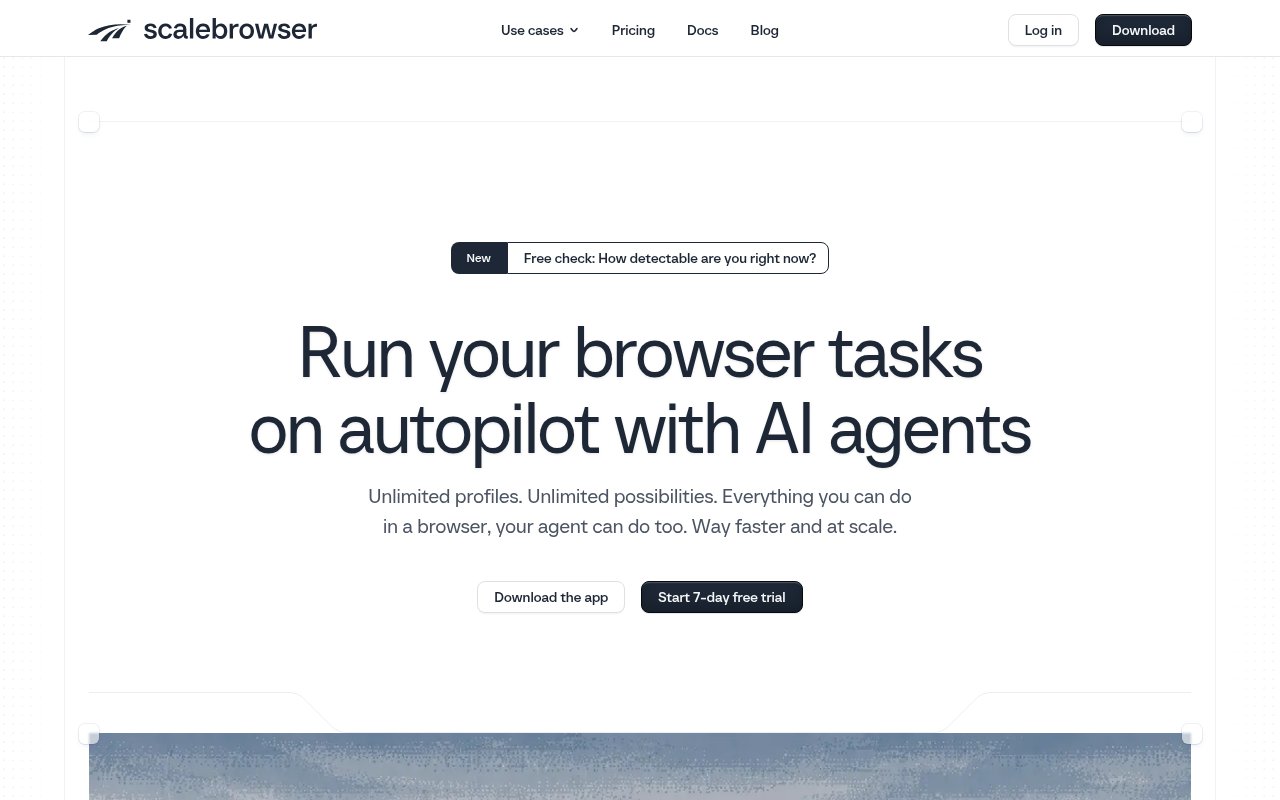
About Scalebrowser
Scalebrowser is browser infrastructure for AI agents that need to operate real websites while staying signed in between runs. Instead of renting a remote browser from a cloud service, a team installs Scalebrowser on its own Windows machine and lets an agent drive persistent profiles there. Each profile keeps its own cookies, storage, logins, device identity, and proxy settings, so recurring work can resume as the same browser identity rather than starting from a blank session every time.
The product has two main pieces. A local daemon creates profiles, starts and stops browsers, enforces launch checks, and exposes the interfaces that agents and automation code use. A separately delivered Chromium fork is the browser engine. Scalebrowser builds and signs that engine, and the daemon verifies its signature before launch. Profiles are headless by default but can open visibly when an operator needs to watch or intervene. All profile data, installed engines, and the local database stay on the machine running the daemon, and there is no hosted mode. A bundled management app gives the operator a visual place to create profiles and inspect one before handing it to an agent. The whole data directory can be backed up to preserve profiles, while uninstalling the desktop app leaves that data in place for a later reinstall.
Persistence goes further than keeping a cookie jar. A deterministic seed gives each profile a consistent set of browser and device values across restarts, while isolated storage keeps one profile's sessions away from another. Stored passwords are encrypted on disk and entered into the relevant site without exposing the value to the agent. Profiles can also retain passkeys and receive email confirmation codes through an inbox assigned to that profile. Sensitive values discovered on a page can reach the agent as placeholders instead of raw secrets. A human input layer produces clicks and keystrokes, and the product includes handling for several kinds of verification challenge. Detailed run trails record tool calls, results, and screenshots so an operator can review what happened.
Teams can connect an agent through MCP, use the Python or Node SDK, manage profiles through a REST API, or attach existing automation over the Chrome DevTools Protocol. Those paths all talk to the same local daemon and the same profiles. Direct CDP is useful when a team already owns the browser logic, while MCP gives a coding or chat agent a smaller browser tool set. In the documented MCP flow, the agent takes a lease on a profile, opens a page, receives a structured text map, and releases the profile when the work is done. The REST API is aimed at profile and fleet management rather than page interaction. Documented client setups include Claude, Cursor, Codex, ChatGPT, GitHub Copilot, and other MCP capable tools.
Scalebrowser fits developers and automation teams whose agents must work inside authenticated web products, tools without APIs, or many separate account identities. It can support repeated research, marketplace operations, account administration, and other browser work where losing a session would break the workflow. Groups, presets, bulk actions, profile synchronization, extension support, and proxy controls cover the move from one browser to a larger fleet. The local design is especially relevant when credentials and profile state shouldn't live in a browser vendor's cloud. Operators still need to decide which sites and accounts an agent is permitted to use, and the product doesn't remove the need to follow each site's policies.
Its most distinctive choice is to treat the browser identity as durable infrastructure on hardware the operator controls. That offers more continuity than launching stock Chromium with a fresh profile, but it also creates setup responsibilities. Scalebrowser currently ships for 64-bit Windows 10 and 11, requires a real GPU to launch profiles, and recommends a suitable residential or mobile proxy for identities that shouldn't leave through the machine's normal address. A profile may run on only one machine at a time, which protects state but matters when scheduling work across a fleet. There is no managed cloud fallback, and the installer currently triggers a Windows SmartScreen warning because it doesn't yet have a Windows publisher certificate.
Access is paid, with a seven-day trial that requires a card. The Start plan is listed at €19 per month for one concurrent browser on one machine, while higher plans raise browser concurrency and machine limits. Every plan includes unlimited profiles and the same core product, so pricing is based mainly on how much can run at once. Solo is listed at €39 for five browsers, Studio at €99 for twenty, and Fleet at €249 for fifty across ten machines. Published add-ons can extend Fleet without a sales call. That makes the entry plan practical for testing a single persistent workflow, while larger fleets become a meaningful monthly infrastructure cost.
Key Features
- Persistent isolated browser profiles
- Locally hosted browser daemon
- MCP, SDK, REST, and CDP
- Encrypted credential entry
- Human input and challenge handling
- Run trails with screenshots
Pros & Cons
What we like
- Keeps sessions and identities stable across agent runs
- Stores browser state on hardware the operator controls
- Supports agents and existing browser automation code
- Includes detailed activity trails for review
Room for improvement
- Currently limited to 64-bit Windows machines
- Requires a real GPU for browser profile launches
- No hosted mode for teams avoiding local infrastructure
- Trial requires a card and paid plans start at €19
Frequently Asked Questions
What is Scalebrowser?
Does Scalebrowser run in the cloud?
Which agent interfaces does Scalebrowser support?
Is Scalebrowser free?
Best For
Featured in
Alternatives to Scalebrowser

Kevin Gabeci
Solo developer building web apps, cozy browser games, and AI creator toolkits.

SoloDevStack
A solo developer blog built on head-to-head tool comparisons, 580+ posts deep.

Codedex
A gamified, story-driven platform that teaches Python, web dev, and more like an RPG quest

Vibe Built
Building real apps with agentic AI. What worked, what broke, what shipped.
Reviews (0)
Badge builder
Add Scalebrowser to your website
Choose a badge style and size, preview it here, then copy the generated HTML. Badge images are self-contained SVGs and do not require an external script.

<a href="https://toolindex.net/tools/scalebrowser?ref=badge" target="_blank" rel="noopener">
  <img src="https://toolindex.net/badge/scalebrowser/medium.svg" alt="Scalebrowser - Listed on Tool Index" width="180" height="50" />
</a>How to use the badge
- 1. Pick the style, size, and theme that fit your layout.
- 2. Copy the generated HTML from the code block.
- 3. Paste it into your footer, homepage, or press page.
Standard badge available
The standard listing badge is available now. Score and circle badges are limited to tools currently ranked in the top 10 of a category.
Badge clicks return visitors to this profile with a referral tag so the source remains identifiable.
Related Tools
Kevin Gabeci
Solo developer building web apps, cozy browser games, and AI creator toolkits.

Coolify
Self-hostable, open source alternative to Heroku and Netlify

Warp
The modern terminal reimagined with AI and collaboration

Bolt.new
Prompt-to-deployed full-stack app inside the browser
Work on Scalebrowser? Request listing access or correction