
Sched
On-call rotations that update Slack user groups automatically at every handoff
Gallery
About Sched
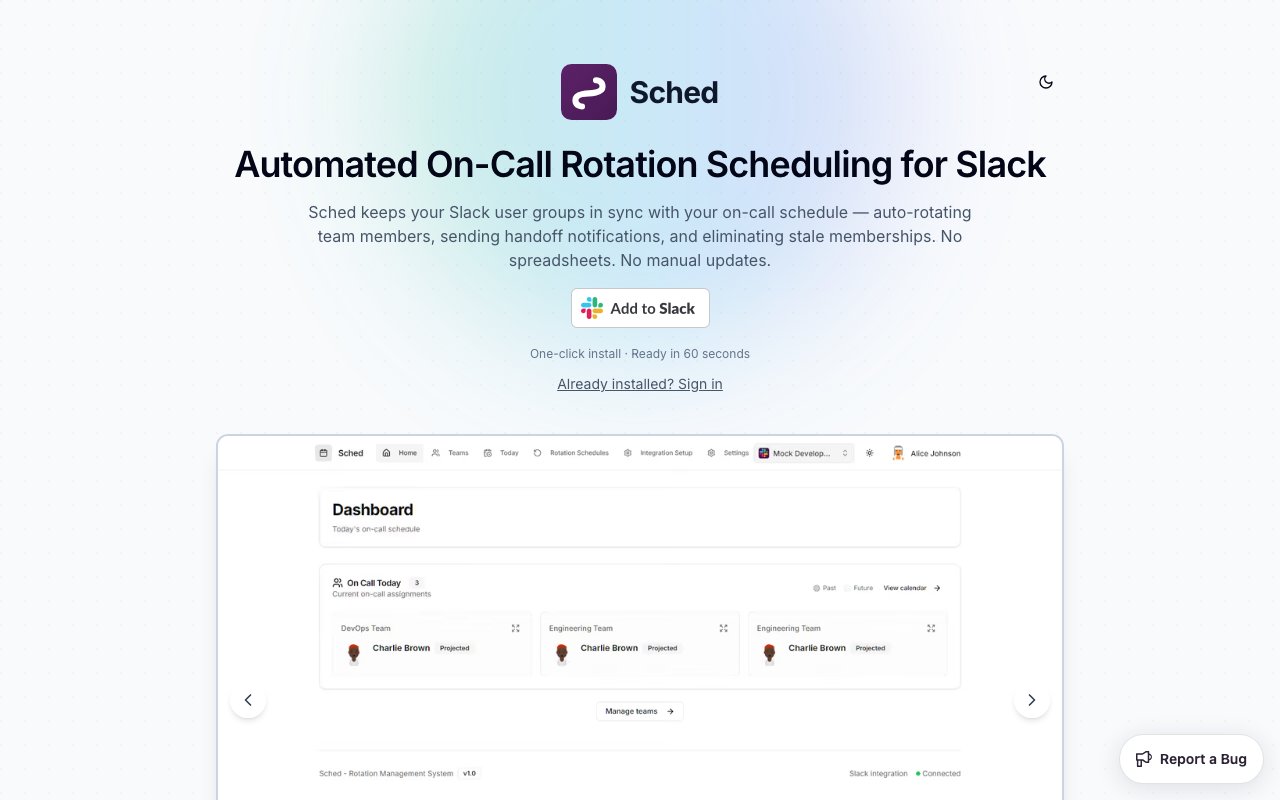
Sched is a Slack app that automates on-call rotations for teams that route work through Slack user groups. The problem it solves is small but relentless. Somebody on the team owns a spreadsheet of who's on call this week, and every Monday somebody has to remember to update the @oncall user group in Slack so that pings actually reach the right person. When they forget, alerts land on whoever was on call last week, usually at the worst possible time. Sched removes the human from that loop entirely.
The mechanics are straightforward. You define rotation schedules inside the app, and when a shift changes hands Sched automatically updates the membership of the corresponding Slack user group. Anyone who mentions @oncall from that moment on reaches the current person, not the previous one. Handoff notifications go out in Slack when the rotation turns over, you can point announcements at a custom channel so the whole team sees who just picked up the pager, and a full rotation history is kept so you can look back at who was covering when something happened.
That history deserves its own mention. Because every handoff is recorded, you get an accurate answer to the question of who was actually covering on the night something broke, without archaeology through a spreadsheet's edit history. The record matters for post-incident reviews, and it matters for fairness too, since it makes visible whether the same two people have quietly absorbed every holiday shift for a year.
Setup is deliberately light. Installation is one click into your Slack workspace and the site claims a 60 second setup, which is plausible because there's no infrastructure to connect and no agents to install. It works with both standard Slack workspaces and Enterprise Grid org-wide installs, and the interface is a mobile-friendly progressive web app, so checking a rotation from a phone doesn't require installing anything. For the rest of the team there's nothing new to learn at all, since mentioning the group works exactly the way it always did, it just reaches the right person now.
The audience is engineering teams, DevOps engineers, SREs, incident responders, and customer support teams, in other words anyone who already uses Slack user groups as the routing layer for urgent work. It also covers quieter patterns like weekend coverage rotations or a weekly triage duty, where a full incident management platform would be absurd overkill but a shared calendar quietly fails every third week.
The same mechanism stretches well beyond classic on-call. Support teams can rotate who owns the inbound queue, platform teams can rotate a weekly triage duty, and distributed teams can run weekend coverage without anyone maintaining a wiki page that's wrong half the time. Anywhere the pattern is a group of people taking turns and a Slack group that should reflect whose turn it is, the tool applies unchanged.
That framing is really the point of the product. PagerDuty and its competitors are built around paging, escalation policies, and integrations with a monitoring stack, and they're priced accordingly, per seat, every month. Plenty of teams don't need any of that. Their alerting already happens in Slack, their escalation policy is a human saying the words, and the only thing genuinely missing is that the user group never reflects the schedule. Sched does exactly that one thing and stops. If your incident process genuinely needs phone-call escalation chains and SLA tracking, this isn't trying to replace it. If your incident process is a Slack mention, this makes the mention reliable. There's an honest flip side to that scoping. Sched doesn't page phones, doesn't escalate when nobody answers, and doesn't hook into your monitoring stack, so teams with hard response-time obligations will still want a real incident platform sitting above it.
Pricing follows the same modest shape. The free plan costs nothing and covers up to three active rotation schedules with unlimited team members, which is enough for a single team to run on-call, triage, and a support rotation without paying. The Pro plan is 9.99 dollars a month per workspace, not per user, and lifts the limit to unlimited schedules. Enterprise plans with custom pricing exist for larger organizations. Per-workspace pricing is worth underlining because it makes the math trivial, a whole company on Pro pays roughly what one seat costs on the big incident platforms. For a team that just wants @oncall to always mean the person actually on call, it's a very easy tool to justify trying, and the free tier means trying it costs nothing but the minute it takes to install.
Key Features
- Automatic Slack user group updates
- Handoff notifications at shift changes
- Custom announcement channels
- Full rotation history tracking
- Enterprise Grid org-wide install support
- Mobile-friendly progressive web app
Pros & Cons
What we like
- Removes manual user group updates entirely
- Free plan covers three rotations with unlimited members
- Pro is priced per workspace, not per user
- One-click install with roughly a minute of setup
Room for improvement
- Only useful for teams that live in Slack
- No paging or escalation policies of its own
- Free tier caps at three active schedules
- Younger product with a smaller community
Frequently Asked Questions
What is Sched?
Is Sched free?
How is Sched different from PagerDuty?
Who is Sched for?
Best For
Featured in
Alternatives to Sched

Kevin Gabeci
Solo developer building web apps, cozy browser games, and AI creator toolkits.

SoloDevStack
A solo developer blog built on head-to-head tool comparisons, 580+ posts deep.

Codedex
A gamified, story-driven platform that teaches Python, web dev, and more like an RPG quest

Vibe Built
Building real apps with agentic AI. What worked, what broke, what shipped.
Reviews (0)
Badge builder
Add Sched to your website
Choose a badge style and size, preview it here, then copy the generated HTML. Badge images are self-contained SVGs and do not require an external script.

<a href="https://toolindex.net/tools/sched?ref=badge" target="_blank" rel="noopener">
  <img src="https://toolindex.net/badge/sched/medium.svg" alt="Sched - Listed on Tool Index" width="180" height="50" />
</a>How to use the badge
- 1. Pick the style, size, and theme that fit your layout.
- 2. Copy the generated HTML from the code block.
- 3. Paste it into your footer, homepage, or press page.
Standard badge available
The standard listing badge is available now. Score and circle badges are limited to tools currently ranked in the top 10 of a category.
Badge clicks return visitors to this profile with a referral tag so the source remains identifiable.
Related Tools
Kevin Gabeci
Solo developer building web apps, cozy browser games, and AI creator toolkits.

Coolify
Self-hostable, open source alternative to Heroku and Netlify

Warp
The modern terminal reimagined with AI and collaboration

Bolt.new
Prompt-to-deployed full-stack app inside the browser
Work on Sched? Request listing access or correction