
Scrinly
A screenshot API that returns page regions and visual diffs, built for AI agents
Gallery
About Scrinly
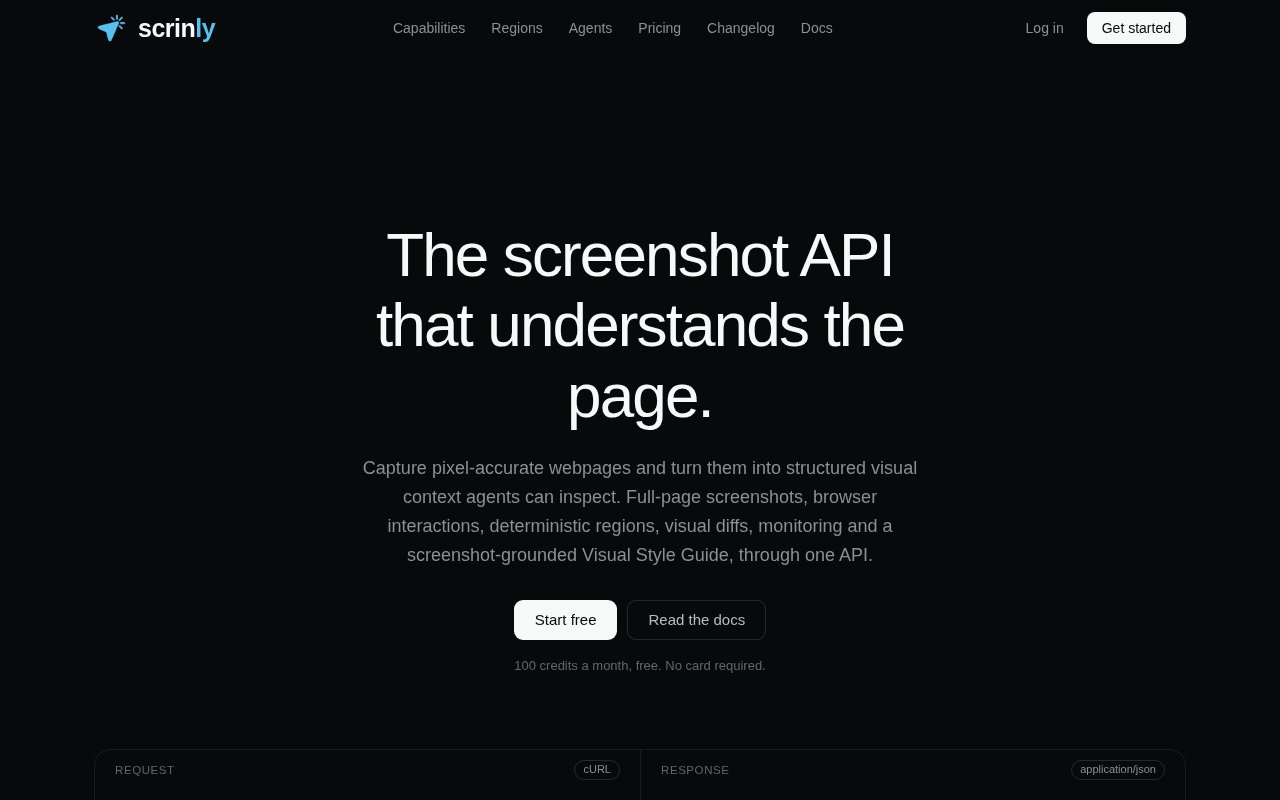
Scrinly is a screenshot API that captures pixel-accurate web pages and turns them into structured visual context for software, and increasingly for AI agents. One API covers full-page captures, deterministic page regions, visual diffs between captures, monitoring, and visual style guides, so you don't have to stitch three services together to answer the question of what a page looks like right now and what changed since last time.
The gap it fills is that most screenshot services stop at the image. That's fine for a thumbnail or a link preview, but an agent or a test suite usually needs more than a picture. It needs the part of the page that matters, addressed the same way every time, or a clear answer to whether anything moved since yesterday. Scrinly returns regions you can address deterministically and diffs you can act on, which is the difference between a screenshot and something a program can reason about without a human squinting at two images.
It works over a single POST endpoint at /render/screenshot. You choose a device preset such as iPhone 15, iPad Air or a MacBook Pro 14, ask for a full page or for specific regions, and get the result synchronously by default. When a job is heavier or you'd rather not wait, setting async to true queues it and a webhook tells you when it's done. Output can land in Scrinly's own storage or go straight into your S3, Cloudflare R2 or Backblaze B2 bucket. Billing is credit based and charged before the work starts, refunded when a capture fails, at one credit per screenshot with two more for regions and three for a style guide.
The agent side is where it's leaning hardest. There's an MCP integration with OAuth scoping for Claude Code, Codex, Gemini and Cursor, and an agent skill published on npm, so an agent can take and compare screenshots without you handing it a raw API key. That matters for developers building agents that browse, verify or monitor sites, because a scoped credential that can only take screenshots is a much smaller thing to trust than a full key.
It suits teams who want visual regression checks without adopting a full browser testing framework, developers who need previews on real device sizes for a design review, and anyone monitoring a set of pages for unexpected changes. The public changelog and dashboard behind the docs make it easy to see the pace of the product before you build on it.
What sets it apart is the structure around the image rather than the image itself. Regions, diffs and style guides through one endpoint, plus first-class agent access with scoped credentials, is a narrower but far more useful shape than a generic capture service. The trade-offs are the credit surcharges on the richer outputs, a focus that never widens beyond screenshots, and the reality that heavy monitoring workloads push you up the tiers.
A first call is a single POST with a URL and, optionally, a device preset and a list of regions. The synchronous default returns the capture directly, which is convenient for a test suite or a script, and switching to async with a webhook is the path for larger jobs or batches. Because results can be written straight into your own S3, R2 or B2 bucket, the images never have to pass through your application server, which keeps the integration to a few lines and keeps storage costs where you already pay them.
Against a plain screenshot service, the difference shows up the second time you capture the same page. A generic API gives you two images and leaves the comparison to you. Scrinly gives you a diff, and because regions are deterministic, the comparison is of the same slice of the page each time rather than a full-page image that shifts when a banner appears. For agents the scoped MCP access is the other separator. An agent that can only take screenshots through an OAuth-scoped connection is a narrower thing to trust than one holding a general API key, and the npm skill makes that setup a package install rather than a custom integration. The 20 percent yearly discount and monthly credit refresh make the cost predictable once you know your capture volume.
Access is freemium. The free tier gives 100 credits a month with no card required. Paid plans run from Startup at $29 a month for 2,000 credits, through Pro at $99 for 10,000 and Business at $199 for 30,000, up to Prime at $499 for 90,000, with 20 percent off on yearly billing and credits refreshing monthly. Contact is hello@scrinly.com.
Key Features
- Full-page and region screenshots by API
- Visual diffs between captures
- Device presets for phones, tablets, and laptops
- Async jobs with webhooks
- Direct delivery to S3, R2, or B2 buckets
- MCP integration with OAuth scoping for agents
Pros & Cons
What we like
- Regions and diffs make output usable by programs, not just people
- Free tier with 100 credits and no card
- Agents get scoped access without a raw API key
- Credits are refunded when a capture fails
Room for improvement
- Credit surcharges for regions and style guides add up
- Younger service with a smaller community
- Narrow focus, screenshots only
- Heavy monitoring workloads need the higher tiers
Frequently Asked Questions
What is Scrinly?
Is Scrinly free?
How does billing work?
Who is Scrinly for?
Best For
Featured in
Alternatives to Scrinly
View all
Kevin Gabeci
Solo developer building web apps, cozy browser games, and AI creator toolkits.

SoloDevStack
A solo developer blog built on head-to-head tool comparisons, 580+ posts deep.

Codedex
A gamified, story-driven platform that teaches Python, web dev, and more like an RPG quest

Vibe Built
Building real apps with agentic AI. What worked, what broke, what shipped.
Our take
Tool Index Editorial · Oct 2026· 4.0/5
Scrinly is a screenshot API that adds deterministic page regions, visual comparisons, monitoring, and structured style information around a real browser capture. It is useful for coding agents, regression checks, and teams that need the same page slice compared over time. Agent access can use scoped OAuth through its MCP beta, and the free tier includes 100 credits each month with no card.
We like that the output is designed for programs to inspect, not just for people to view. Regions, diffs, hashes, asynchronous jobs, and direct object storage delivery form a coherent developer product. The service is young, richer results consume extra credits, and its scope is intentionally limited to visual evidence rather than general browsing or extraction. Heavy monitoring can become costly, so teams should set credit guards and test dynamic pages for stable captures before relying on alerts.
Editorial opinion from the Tool Index team, written from the public product pages. Not a user review.
Reviews (0)
Badge builder
Add Scrinly to your website
Choose a badge style and size, preview it here, then copy the generated HTML. Badge images are self-contained SVGs and do not require an external script.

<a href="https://toolindex.net/tools/scrinly?ref=badge" target="_blank" rel="noopener">
  <img src="https://toolindex.net/badge/scrinly/medium.svg" alt="Scrinly - Listed on Tool Index" width="180" height="50" />
</a>How to use the badge
- 1. Pick the style, size, and theme that fit your layout.
- 2. Copy the generated HTML from the code block.
- 3. Paste it into your footer, homepage, or press page.
Standard badge available
The standard listing badge is available now. Score and circle badges are limited to tools currently ranked in the top 10 of a category.
Badge clicks return visitors to this profile with a referral tag so the source remains identifiable.
Related Tools
Kevin Gabeci
Solo developer building web apps, cozy browser games, and AI creator toolkits.

Coolify
Self-hostable, open source alternative to Heroku and Netlify

Warp
The modern terminal reimagined with AI and collaboration

Bolt.new
Prompt-to-deployed full-stack app inside the browser
Work on Scrinly? Request listing access or correction