
ScriptSpool
Turn source code into 60FPS typing videos and Retina snippet images, entirely in your browser
Gallery
About ScriptSpool
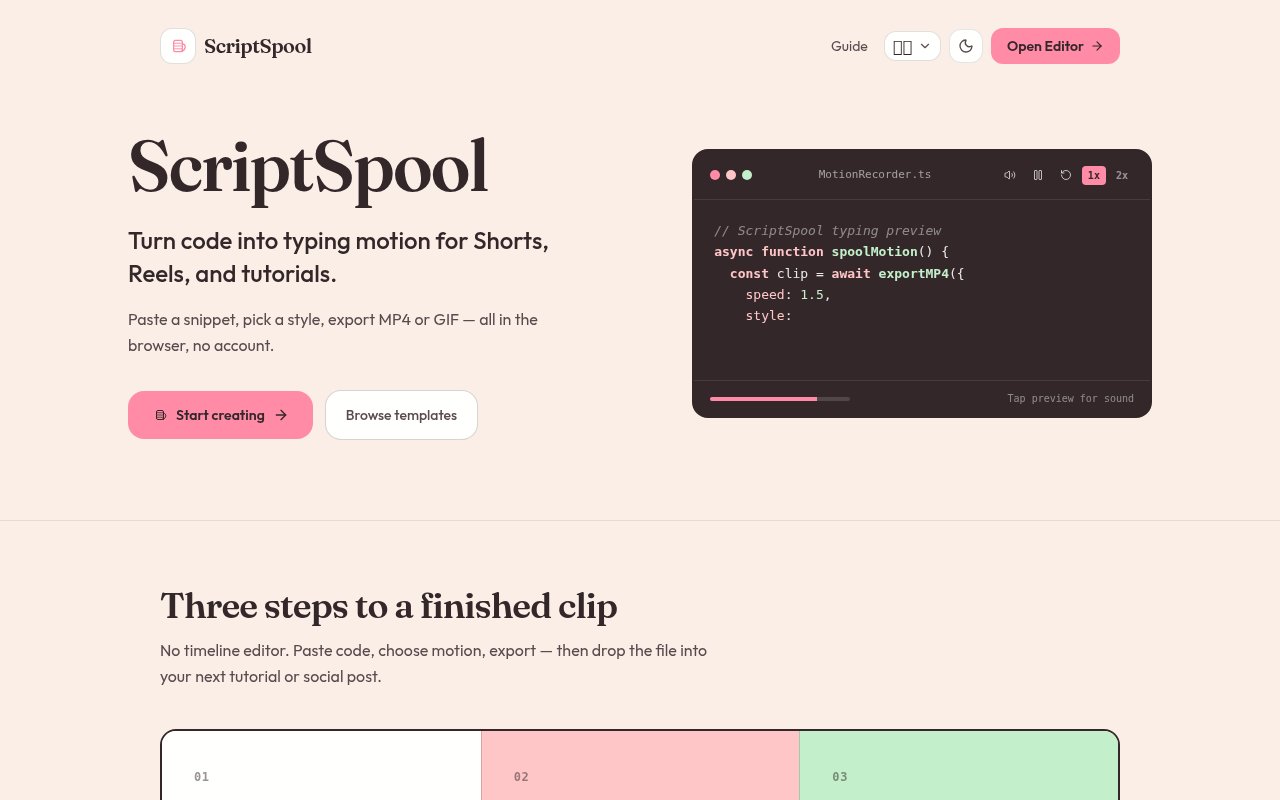
ScriptSpool is a free browser tool that turns a block of source code into either a high-resolution snippet image or a 60 frames per second typing animation exported as MP4 or GIF. Paste code, pick a theme and a window style, and a few seconds later you have a Retina-quality PNG for a tweet or a short video of the code being typed out for a tutorial, a slide deck or a LinkedIn post. It exists because static screenshots of code are dull, screen recordings of an editor are fiddly to make clean, and the popular snippet beautifiers mostly stop at still images. The site positions it as a Carbon alternative for the stills, with the motion export as the part those tools don't do.
Everything happens in the page. You paste code, drop a file or import from a raw URL, choose the language, and set tab titles if the snippet spans several files. Styling covers dark and light syntax themes, a gradient canvas background, font family, macOS or Windows style window controls, and typing speed at half, normal or double pace. Recording produces a smooth typing motion, either character by character or line by line, and the encoder writes an MP4 or GIF without freezing the tab. For stills there's a 2x or 3x DPI PNG, a vector SVG, or a copy straight to the clipboard. The editor itself runs on CodeMirror 6 with Lezer grammars, so you get bracket auto-close, auto-indent, search and replace and undo history rather than a plain text box.
It fits developers who publish, which is a wider group than it sounds. Educators making tutorials, engineers announcing a release on X or LinkedIn, technical writers dressing up documentation, and anyone presenting a pull request in a talk can use the diff highlighting, which marks added and removed lines with green and rose badges, alongside line spotlights and callout notes that point at the part of the snippet that matters. Longer snippets get some structure too. Multi-file window headers split a snippet into tabs with their own titles inside one frame, which suits a component and its test or a before and after, and the spotlight dims everything except the lines you choose, so a tutorial frame says where to look without an arrow drawn on afterwards.
The distinguishing choice is that ScriptSpool is entirely client-side. Syntax highlighting, image rendering and video encoding all run inside the browser, and no code is sent to a server, which makes it usable with proprietary snippets that couldn't go through a hosted service. There's no login and no ads. Setups can be saved as named snapshots, up to 50 of them, in the browser's local storage, and a share link compresses the code, tab titles, languages and theme into a short URL hash so a colleague opens the same snippet with the same styling.
Language coverage is broad for a tool this size. It includes TypeScript, JavaScript, Python, Rust, Go, C++, C#, Java, PHP, HTML, CSS, SQL, JSON, YAML, Bash, Dockerfile, Markdown, Swift, Kotlin, Ruby, Scala, R, Dart, Vue, Svelte, Astro, Elixir and GraphQL, with language support loaded lazily so the first paint stays fast. The theme choices are the ones developers already use in their editors, among them Vitesse Dark and Light, One Dark Pro, Dracula, Tokyo Night, Nord, Catppuccin Mocha and Latte, and GitHub Dark and Light.
The limits follow from the design. Because nothing is stored on a server, snapshots live only in the browser where you made them, and clearing site data removes them. There's no account, so there's no sync between machines beyond the share link. The video output is a typing animation of the snippet, not a recording of a running program, and the site is a single-page app whose documentation is one static overview page. It's the work of one developer, Septiyan Bintang Ramadhan Putra, published under the Pixzens umbrella, so support is informal and there's no published contact address. Against a screen recorder the trade is fidelity for cleanliness. A recording captures a real editor along with your tabs, notifications and typos, and needs trimming before it's fit to post. ScriptSpool renders exactly the code you pasted at the speed you chose with nothing else in frame, but it can't show a program running or a test suite passing.
Access is free in the plain sense. There's no paid tier, no account and no ads, and the site says outright that it's completely free to use. There's nothing to install either, since the whole application loads in the page. That makes it an easy tool to reach for in the gap between a dull screenshot and a full screen recording, and since nothing leaves the browser there's nothing to sign up for, nothing to pay for, and nothing to clean up afterwards.
Key Features
- 60FPS typing animation export to MP4 and GIF
- 2x and 3x DPI PNG and SVG export
- Fully client-side rendering and encoding
- 28 languages on a CodeMirror 6 editor
- Diff highlights, line spotlights and callouts
- Local snapshots and short share links
Pros & Cons
What we like
- Code never leaves the browser
- No login, no ads, no paid tier
- Video and still export from the same setup
- Editor themes developers already know
Room for improvement
- Snapshots live only in one browser's local storage
- No account, so nothing syncs between machines
- Animates typing only, not a running program
- Single-developer project with informal support
Frequently Asked Questions
What is ScriptSpool?
Is ScriptSpool free?
Is my code uploaded anywhere?
Which languages does it support?
Best For
Featured in
Alternatives to ScriptSpool
View all
Kevin Gabeci
Solo developer building web apps, cozy browser games, and AI creator toolkits.

SoloDevStack
A solo developer blog built on head-to-head tool comparisons, 580+ posts deep.

Codedex
A gamified, story-driven platform that teaches Python, web dev, and more like an RPG quest

Vibe Built
Building real apps with agentic AI. What worked, what broke, what shipped.
Our take
Tool Index Editorial · Oct 2026· 4.0/5
ScriptSpool turns source code into polished PNG or SVG stills and MP4 or GIF typing animations entirely in the browser. We found the combination of syntax themes, diff highlights, line spotlights, callouts, social canvas presets, and 30 or 60 FPS export unusually complete for a free tool. No account is required, and code is not uploaded for processing.
It produces a clean animation of pasted code, not evidence of a program actually running. Saved snapshots live in local browser storage, so clearing site data or moving machines loses them unless they are exported, and large high-frame-rate renders can take time. Those are fair limits for a focused, no-cost utility. Developers and educators who publish snippets should keep this one bookmarked.
Editorial opinion from the Tool Index team, written from the public product pages. Not a user review.
Reviews (0)
Badge builder
Add ScriptSpool to your website
Choose a badge style and size, preview it here, then copy the generated HTML. Badge images are self-contained SVGs and do not require an external script.

<a href="https://toolindex.net/tools/scriptspool?ref=badge" target="_blank" rel="noopener">
  <img src="https://toolindex.net/badge/scriptspool/medium.svg" alt="ScriptSpool - Listed on Tool Index" width="180" height="50" />
</a>How to use the badge
- 1. Pick the style, size, and theme that fit your layout.
- 2. Copy the generated HTML from the code block.
- 3. Paste it into your footer, homepage, or press page.
Standard badge available
The standard listing badge is available now. Score and circle badges are limited to tools currently ranked in the top 10 of a category.
Badge clicks return visitors to this profile with a referral tag so the source remains identifiable.
Related Tools
Kevin Gabeci
Solo developer building web apps, cozy browser games, and AI creator toolkits.

Coolify
Self-hostable, open source alternative to Heroku and Netlify

Warp
The modern terminal reimagined with AI and collaboration

Bolt.new
Prompt-to-deployed full-stack app inside the browser
Work on ScriptSpool? Request listing access or correction