
SignalPosts
Turn sales call transcripts into LinkedIn posts in each author's voice
Gallery
About SignalPosts
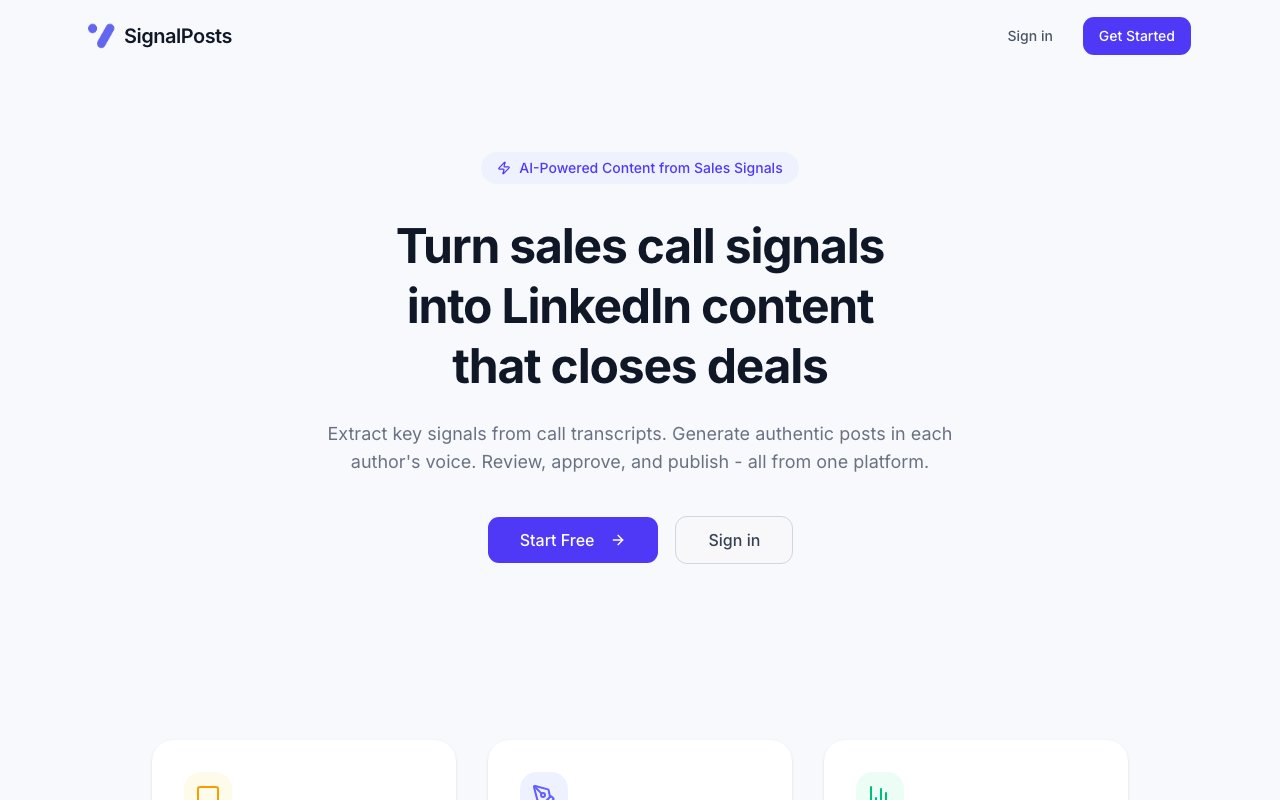
SignalPosts is a tool that turns sales call transcripts into LinkedIn content. The pitch on its homepage is simple, take the signals buried in your calls and publish posts that sound like the person whose name is on them. The problem it goes after is that sales conversations are full of usable material, the objections that keep coming up, the way a prospect describes a pain, the moment a deal clicked, yet almost none of it makes it out of the call. Reps know they should be posting on LinkedIn, but staring at a blank editor after a full day of calls is exactly the kind of task that never happens.
The workflow runs in three stages. First it extracts signals, automatically pulling key themes, objections, and insights out of your sales call transcripts, so the raw idea for a post comes from a real conversation rather than a blank page. Then it generates content, with AI writing LinkedIn posts matched to each author's voice, style, and content framework. Finally it moves into review and publish, a multi-role approval workflow where a team can review, edit, and schedule posts before they go live. The through-line is that the source material is grounded in something that actually happened on a call, which is what the product means by turning signals into content that closes deals. Each stage feeds the next, so a theme spotted in a transcript becomes a drafted post and then a scheduled item, and the work of going from a recorded conversation to a published update happens in one place rather than being scattered across a notes app, a chatbot, and the LinkedIn composer.
The voice-matching is the part that separates it from a generic prompt. Anyone can ask a chatbot for a LinkedIn post, and the result usually reads like a chatbot. SignalPosts aims to write in a specific author's voice and follow their content framework, so a post published under a rep's name reads like that rep rather than like a template everyone can recognize. When several people on a team are posting, that per-author styling is what keeps the feed from sounding like it all came from the same account.
The approval workflow points at a real problem for teams that do this at any scale. Letting sales reps post freely under the company banner makes marketing and leadership nervous, and rightly so. By putting a multi-role review step between drafting and publishing, SignalPosts lets a manager or a marketing owner check tone, claims, and timing before anything reaches the public feed. Posts can be reviewed, edited, and scheduled, so the person writing and the person approving don't have to be the same, and nothing goes out unseen. That separation of roles is what makes it usable beyond a single founder, since it gives a team a way to keep many people posting while one owner still signs off on what carries the company's name.
Who it's for is fairly clear from the framing. It fits sales teams, founders, and revenue functions that already run a lot of calls and want to convert that raw conversation into a steady presence on LinkedIn without hiring a ghostwriter or bolting on another content chore. It suits an organization where multiple people should be posting, each in their own voice, but where someone still needs to hold the line on quality and consistency. If you have recordings or transcripts piling up and a LinkedIn feed that's mostly silent, that's the gap it targets.
What makes it distinct is where it starts. Most social-content tools begin from a topic or a prompt, so you're still doing the hard part, deciding what to say. SignalPosts begins from the transcript, so the themes and objections that show up in real deals become the seeds for posts. That grounding is meant to make the output feel less like manufactured thought leadership and more like a rep sharing something they genuinely heard this week, which is usually what performs on LinkedIn in the first place.
On access, the site leads with a free start, so you can create an account and try the workflow without committing up front. Beyond that entry point the homepage doesn't spell out specific paid tiers or pricing, so the exact cost of heavier or team-wide use isn't published on the landing page at the time of writing. There's no list of named integrations on the page either, so exactly how transcripts get in, and which call tools it reads from, is something to confirm directly with the team. It's a young, focused product with a clear single job, taking the signal out of your sales calls and turning it into LinkedIn posts your team can actually stand behind.
Key Features
- Automatic signal extraction from transcripts
- Theme, objection, and insight detection
- Voice-matched post generation per author
- Author style and content framework matching
- Multi-role approval workflow
- Post review, editing, and scheduling
Pros & Cons
What we like
- Starts from real call transcripts, not a blank prompt
- Writes in each author's own voice, not a single template
- Approval workflow keeps posts on-brand before publishing
- Free entry point to try the workflow
Room for improvement
- Landing page doesn't publish specific paid pricing tiers
- No named integrations listed for getting transcripts in
- Narrow focus on LinkedIn and sales calls
- Younger product with a thin public site so far
Frequently Asked Questions
What is SignalPosts?
How does it work?
Who is SignalPosts for?
Is SignalPosts free?
Best For
Featured in
Alternatives to SignalPosts
HubSpot
All-in-one CRM and growth platform for marketing, sales, and service teams

Upscale B2B
Done-for-you cold email and AI outreach agency that books qualified B2B meetings on your calendar
Apollo.io
B2B prospecting database fused with a sales engagement platform

Prosp
AI LinkedIn outbound that personalizes messages, voice notes, and multi-account campaigns at scale
Reviews (13)
Pulled its weight from week one
Tried SignalPosts on a side project first, then rolled it out everywhere. Got real value out of multi-role approval workflow. It fits well for reviewing and scheduling rep posts before they publish. Glad I made the switch.
Recommended without reservation
Found SignalPosts on a Show HN thread and I am glad I clicked. Their take on free entry point to try the workflow is genuinely good. Worth it for what I get out of it.
Two months in, no regrets
Three months of SignalPosts later, here is what holds up. What stands out is how it handles theme, objection, and insight detection. Recommending it to people in a similar spot.
Worth a look
Three months of SignalPosts later, here is what holds up. Where it really wins is free entry point to try the workflow. Glad I made the switch.
Powerful once it clicks
SignalPosts has quietly become part of my daily flow. Performance has been steady even when I lean on it hard. The thing I keep coming back to is how reliable it is. One thing that bugs me is no named integrations listed for getting transcripts in.
Recommended without reservation
Came to SignalPosts after getting frustrated with what I had before. The core workflow is smooth once you are set up. Hard to imagine going back to my old setup.
Good, with a few caveats
Have been running SignalPosts for a while, here is where I land. Where it really wins is approval workflow keeps posts on-brand before publishing. The catch is landing page doesn't publish specific paid pricing tiers. Worth it for what I get out of it.
Two months in, no regrets
SignalPosts solves a real problem for me without making a fuss about it. What stands out is how it handles approval workflow keeps posts on-brand before publishing. The output quality holds up better than I expected. It fits well for repurposing common objections into thought-leadership content. It earns its place in my stack.
Solid daily driver
Came to SignalPosts after getting frustrated with what I had before. What stands out is how it handles starts from real call transcripts, not a blank prompt. Easy yes for anyone weighing the same trade offs.
Quietly excellent
Started using SignalPosts casually, now it is pinned in my dock. Where it really wins is voice-matched post generation per author. The core workflow is smooth once you are set up. Mostly using it for repurposing common objections into thought-leadership content. Worth it for what I get out of it.
Solid but not perfect
Started using SignalPosts casually, now it is pinned in my dock. The approval workflow keeps posts on-brand before publishing is more useful than I expected. It has shaved real time off my week. Found it works best for turning weekly sales calls into linkedin posts. One thing that bugs me is younger product with a thin public site so far. Worth it for what I get out of it.
Finally something that fits
Picked SignalPosts for the price, stayed for the quality. Got real value out of voice-matched post generation per author. It fits well for reviewing and scheduling rep posts before they publish. Worth it for what I get out of it.
Exactly what I needed
Picked SignalPosts for the price, stayed for the quality. Got real value out of writes in each author's own voice, not a single template. Recommending it to people in a similar spot.
Badge builder
Add SignalPosts to your website
Choose a badge style and size, preview it here, then copy the generated HTML. Badge images are self-contained SVGs and do not require an external script.

<a href="https://toolindex.net/tools/signalposts?ref=badge" target="_blank" rel="noopener">
  <img src="https://toolindex.net/badge/signalposts/medium.svg" alt="SignalPosts - Listed on Tool Index" width="180" height="50" />
</a>How to use the badge
- 1. Pick the style, size, and theme that fit your layout.
- 2. Copy the generated HTML from the code block.
- 3. Paste it into your footer, homepage, or press page.
Standard badge available
The standard listing badge is available now. Score and circle badges are limited to tools currently ranked in the top 10 of a category.
Badge clicks return visitors to this profile with a referral tag so the source remains identifiable.
Related Tools

Boilerroom
An all-in-one outbound sales platform for dialing, sequencing, and follow-up

Close
Inside-sales CRM with calling and email built in
Apollo.io
B2B prospecting database fused with a sales engagement platform
lemlist
Cold email and multichannel outreach with personalized images and video
Work on SignalPosts? Request listing access or correction