
Silent Fail
Dead man's switch monitoring that emails you when an n8n, Make, or Zapier workflow stops running
Gallery
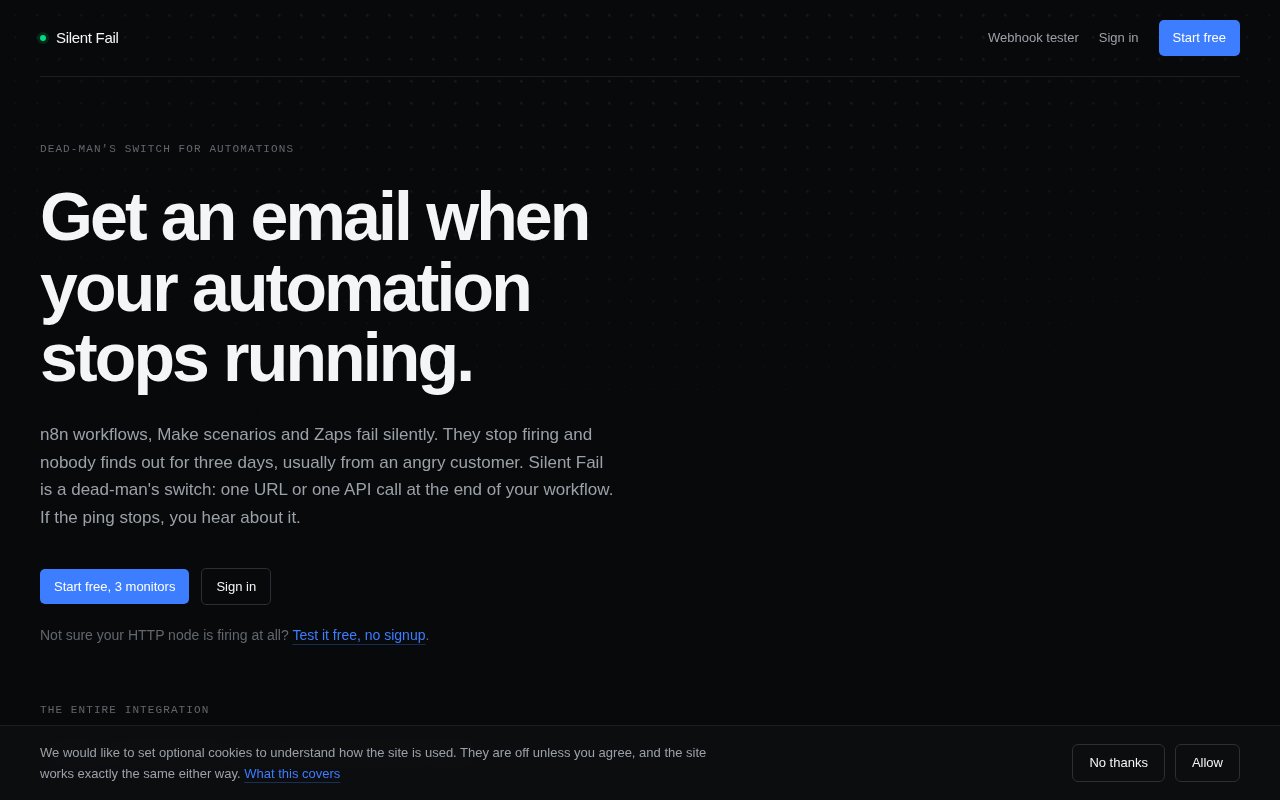
About Silent Fail
Silent Fail is a dead man's switch for automations. An n8n workflow that crashes throws an error you'll see. A workflow that simply stops running, because a trigger got disabled, a credential expired, or the server came back without it, produces nothing at all, and nothing is what you get told. Silent Fail watches for that absence. Your workflow pings a URL every time it finishes, and if the ping doesn't arrive when it should, you get one email.
The failure mode it targets is common with anything scheduled. Error handling in n8n, Make, and Zapier is good at catching a step that fails, but a workflow that never starts doesn't fail, it just doesn't happen. A daily report that stopped a fortnight ago, a sync job that lost its trigger, a cron entry that vanished in a server rebuild, all of them look identical to success from the outside, which is silence. The fix is old and simple, a heartbeat that someone else is counting, and that's the whole product. It's the pattern Healthchecks.io and Cronitor built businesses on, applied to the no-code stack.
Setup is three steps. Create a monitor with a name and the interval you expect, add the monitor's ping URL to the last HTTP node in the workflow, and leave it running. The public ping URL needs no authentication and accepts GET, POST, or HEAD, so anything that can make a web request can report in. Each monitor has a schedule, daily for instance, and a grace period, so a job that runs a few minutes late doesn't trip an alert. Monitors sit in one of three states, Up, Down, or Awaiting First Ping, and status is evaluated live rather than cached. A monitor that went overdue forty seconds ago already reads as down. The dashboard is where monitors get created and where API keys live, and each monitor has its own page showing the ping URL to copy.
The alert model is deliberately quiet. When a ping is missed, one email goes out. When pings resume, one all-clear follows, and that's it, no escalation ladders and no repeat nags. On the data side, the service records the arrival time, HTTP method, source IP, and user agent of each ping and never sees the workflow's own data. There's no OAuth and no stored credentials for other services, because it doesn't need to log into anything. Monitors that get switched off by a plan change still accept and record pings, they just stop alerting.
It works with n8n, Make, Zapier, cron jobs, or any HTTP-capable tool, with native n8n and Zapier integrations that let you pick the monitor from a dropdown instead of pasting URLs. Because the check is a plain request, the same monitor can watch a cron job on a server, a scheduled cloud function, or a script on a laptop. Putting the ping at the end of the workflow rather than the start also makes it a completion check. If a run starts and dies halfway, the ping never fires and the monitor goes down, so you learn about partial failures as well as missed ones. For anything programmatic there's an HTTP API behind account-wide bearer tokens created in the dashboard. It lists monitors, returns a single monitor with its live status, records a ping through an authenticated endpoint, and reports account details. Keys don't expire but can be revoked, a lost key is replaced rather than recovered, and asking for a monitor that belongs to someone else returns a 404 rather than a 403, so the API gives away nothing about what exists. Agencies get the same model per client workflow, a monitor each, with the monitor list filterable by name through the API so a check can be pulled per client.
It's built for two kinds of people. Individuals with a handful of automations that quietly do something important, and agencies running workflows for clients who'll notice the failure before the agency does. The site compares itself directly with Healthchecks.io and Cronitor, and the honest difference is scope. Those are broader monitoring products aimed at ops teams; Silent Fail is narrower, simpler to explain, and tuned to the no-code automation crowd. It's built and run by one person, and email is the only support channel, which is either a warning or a relief depending on how you feel about support portals.
Access is freemium and priced by monitor count rather than by features or seats. The Free plan is $0 for three monitors, Solo is $9 a month for 25, and Pro is $29 a month for unlimited monitors. The API is documented on the site alongside the privacy, terms, and comparison pages, and the comparison pages are the fastest way to see where the cut-off sits if you're already on one of the bigger services. The contact address is contact@silentfailapp.com.
Key Features
- Ping URL dead man's switch monitoring
- Native n8n and Zapier integrations
- Grace periods and live monitor status
- One alert email and one all-clear per outage
- HTTP API with bearer token keys
- Works with Make, cron, and any HTTP client
Pros & Cons
What we like
- Setup is one HTTP node at the end of a workflow
- Never touches workflow data or third-party credentials
- Quiet alerting, one email per outage event
- Free tier covers three monitors
Room for improvement
- Alerts are email only as far as the site describes
- No dashboards or metrics beyond monitor status
- Built and supported by a single developer
- Narrower than Healthchecks.io or Cronitor for ops teams
Frequently Asked Questions
What is Silent Fail?
Is Silent Fail free?
Does Silent Fail only work with n8n?
Does Silent Fail see my workflow data?
Best For
Featured in
Alternatives to Silent Fail
View all
Kevin Gabeci
Solo developer building web apps, cozy browser games, and AI creator toolkits.

SoloDevStack
A solo developer blog built on head-to-head tool comparisons, 580+ posts deep.

Codedex
A gamified, story-driven platform that teaches Python, web dev, and more like an RPG quest

Vibe Built
Building real apps with agentic AI. What worked, what broke, what shipped.
Our take
Tool Index Editorial · Sep 2026· 3.5/5
Silent Fail watches scheduled automations for the absence of an expected completion ping. A workflow calls a unique URL at the end of a successful run, and the service emails once when the deadline is missed and once when it recovers. It also offers supervised checks that compare a run's claim with independent evidence. Pricing is clear at free for three monitors, $9 a month for 25, and $29 a month for unlimited monitors plus 1,000 judged checks.
We like the narrow dead man's switch design and the fact that ordinary pings carry no workflow data or third party credentials. It works with n8n, Zapier, cron, or anything that can make an HTTP request. Alerts appear to be email only, and this is much lighter than a full observability platform. A single developer also runs the product. For important small automations, though, the setup and price are hard to fault.
Editorial opinion from the Tool Index team, written from the public product pages. Not a user review.
Reviews (0)
Badge builder
Add Silent Fail to your website
Choose a badge style and size, preview it here, then copy the generated HTML. Badge images are self-contained SVGs and do not require an external script.

<a href="https://toolindex.net/tools/silent-fail?ref=badge" target="_blank" rel="noopener">
  <img src="https://toolindex.net/badge/silent-fail/medium.svg" alt="Silent Fail - Listed on Tool Index" width="180" height="50" />
</a>How to use the badge
- 1. Pick the style, size, and theme that fit your layout.
- 2. Copy the generated HTML from the code block.
- 3. Paste it into your footer, homepage, or press page.
Standard badge available
The standard listing badge is available now. Score and circle badges are limited to tools currently ranked in the top 10 of a category.
Badge clicks return visitors to this profile with a referral tag so the source remains identifiable.
Related Tools
Kevin Gabeci
Solo developer building web apps, cozy browser games, and AI creator toolkits.

Coolify
Self-hostable, open source alternative to Heroku and Netlify

Warp
The modern terminal reimagined with AI and collaboration

Bolt.new
Prompt-to-deployed full-stack app inside the browser
Work on Silent Fail? Request listing access or correction