
Sim Screener
Add matching Apple device frames to Simulator screenshots and recordings
Gallery
About Sim Screener
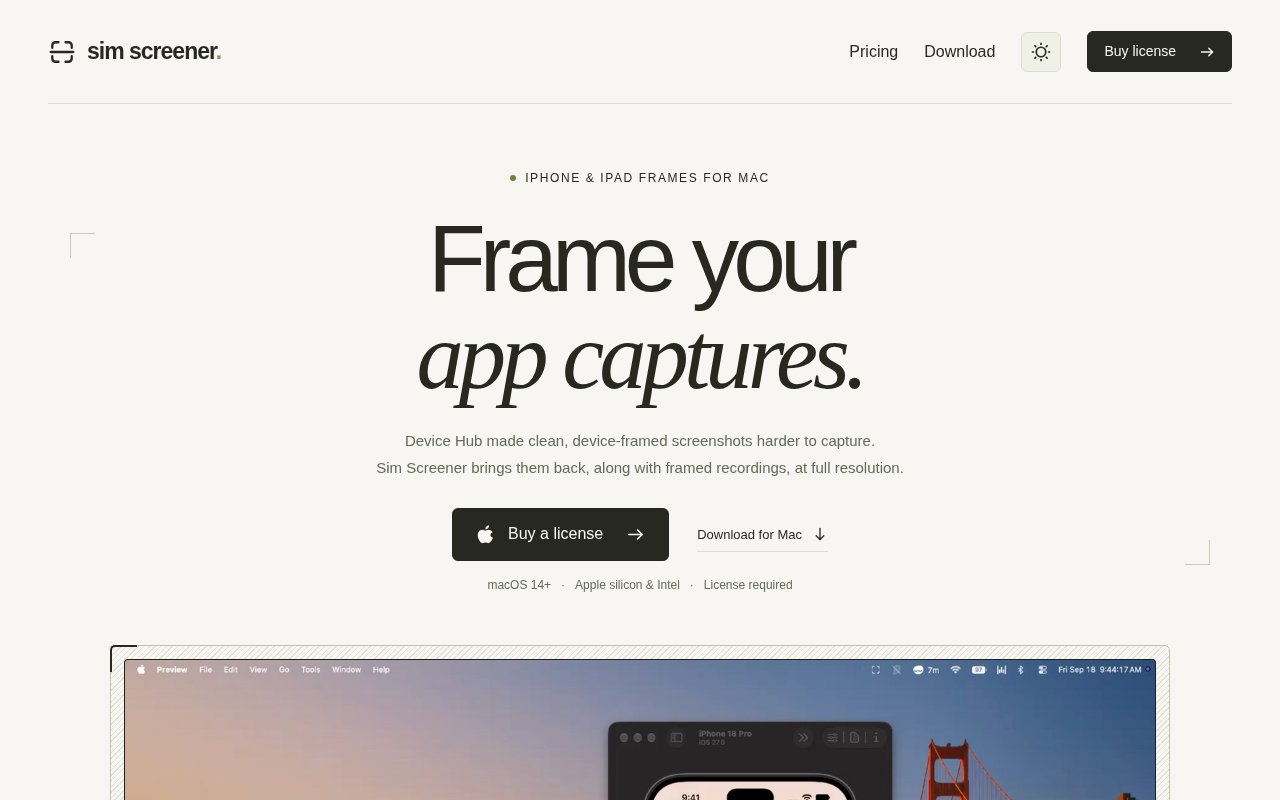
Sim Screener is a native Mac utility that turns screenshots and recordings from Apple's Simulator or Device Hub into device-framed exports. It watches the folder where captures are saved, detects new PNG and MP4 files, and matches each one to an included iPhone or iPad frame. The app was built to restore a simple presentation workflow that became harder after Device Hub changed how framed Simulator captures were handled. Instead of opening an image editor, finding the right bezel, and aligning the screen by hand, an iOS developer can keep capturing normally and let Sim Screener prepare an asset at the source resolution.
Setup starts with a capture folder and an export destination. While the app is running, it listens for new files in that folder and waits for a capture to finish writing before processing it. Device and orientation are matched from the capture dimensions and Simulator filename. The bundled library contains 122 original Apple frames covering recent iPhone and iPad families, with portrait and landscape artwork and selectable finishes. Sim Screener does not stretch an arbitrary image into a close fit. A capture has to match a supported device's native resolution, which protects the proportions and crispness of the frame but means unsupported sizes will not be processed as if they were valid.
Framed screenshots appear in a floating corner preview rather than forcing a full editor in front of the current work. From there, a user can switch the bezel finish, copy the image, save it, open it for editing in Preview, drag it into another app, or discard the working copy. Exports retain full resolution and can preserve transparency outside the device. Existing captures are supported too. They can be opened from the app or dragged into Settings, so the folder watcher is a convenience rather than the only route into the workflow. Originals remain untouched, and the local inbox keeps pending work available across app restarts until it is saved, shared, or moved to the Trash.
Recordings receive the same device treatment with formats suited to different destinations. A standard H.264 MP4 uses a black background and works well for broad playback. Transparent HEVC MOV and ProRes 4444 MOV exports are available for compatible editors and players when the frame needs to sit over another background. Sim Screener preserves the original timing, orientation, and mono or stereo audio while it composites the frame. Progress and cancellation are built into the export flow. This makes the app useful for product demos, App Store material, release notes, support clips, and social posts where a raw Simulator recording looks unfinished but a full video editor would add unnecessary work.
The focus is deliberately narrow. Sim Screener is not a general mockup studio, a screenshot localization system, or a screen recorder for physical devices. It is a companion to captures that already come from an iPhone or iPad Simulator at a supported resolution. That narrow scope is also what keeps the workflow quick. App developers can make a capture while testing, designers can collect consistent device-framed images for a launch page, and product teams can share a polished demo without rebuilding the frame for every update. Both Apple silicon and Intel Macs are supported, but macOS 14 or later is required, and there is no Windows or Linux version.
Capture processing stays on the Mac. The privacy policy says screenshots, recordings, frames, and capture history are never uploaded by the app, and the app contains no advertising, analytics, or crash-reporting SDKs. License activation sends a license key and a random activation identifier directly to Lemon Squeezy, while updates are delivered through signed Sparkle releases hosted on Cloudflare. License values are stored in the macOS Keychain, and the app permits up to seven days offline after a successful verification. Optional launch at login uses the standard macOS Login Items mechanism rather than installing a separate background service.
Sim Screener costs $19 as a one-time Mac app license. The purchase includes the full frame catalog, screenshot framing, and all recording export formats, with the final tax shown by Lemon Squeezy at checkout. There is no subscription or free tier, so it makes the most sense for people who produce Simulator captures often enough to value an automatic folder workflow. Buyers should confirm that their Mac runs macOS 14 or later and that their target Simulator devices are represented in the bundled catalog. Within those limits, the product replaces a repetitive compositing task with a quiet utility that stays close to the development loop and keeps source captures local.
Key Features
- Automatic device and orientation matching
- 122 original Apple device frames
- Full-resolution transparent screenshot exports
- MP4, HEVC, and ProRes video
- Floating quick-access capture tray
- Local on-device capture processing
Pros & Cons
What we like
- Removes manual frame alignment from Simulator captures
- Preserves originals and native capture resolution
- Handles still images and several video formats
- Uses a one-time purchase instead of a subscription
Room for improvement
- Requires macOS 14 or later
- Only processes supported native Simulator dimensions
- Focused on iPhone and iPad rather than other devices
- Has no free tier for occasional use
Frequently Asked Questions
What is Sim Screener?
Does Sim Screener upload captures?
Which recording formats are available?
How much does Sim Screener cost?
Best For
Featured in
Alternatives to Sim Screener
View all
Kevin Gabeci
Solo developer building web apps, cozy browser games, and AI creator toolkits.

SoloDevStack
A solo developer blog built on head-to-head tool comparisons, 580+ posts deep.

Codedex
A gamified, story-driven platform that teaches Python, web dev, and more like an RPG quest

Vibe Built
Building real apps with agentic AI. What worked, what broke, what shipped.
Our take
Tool Index Editorial · Sep 2026· 4.0/5
Sim Screener is a Mac utility that automatically adds matching iPhone or iPad frames to Simulator screenshots and recordings. It is for app developers, designers, and product teams that regularly turn raw captures into launch graphics or demo clips. We found a focused workflow with folder watching, automatic device matching, full-resolution exports, 122 bundled frames, and MP4 or transparent MOV options. It costs $19 once, with no subscription.
This holds up because it removes a repetitive compositing step without trying to become a full editor, and it keeps captures on the Mac. The tradeoff is equally clear. It requires macOS 14 or later, accepts only supported native capture dimensions, and covers Apple mobile devices rather than arbitrary mockups. Occasional users may not need it, but frequent Simulator users get a well-defined tool at a fair price.
Editorial opinion from the Tool Index team, written from the public product pages. Not a user review.
Reviews (0)
Badge builder
Add Sim Screener to your website
Choose a badge style and size, preview it here, then copy the generated HTML. Badge images are self-contained SVGs and do not require an external script.

<a href="https://toolindex.net/tools/sim-screener?ref=badge" target="_blank" rel="noopener">
  <img src="https://toolindex.net/badge/sim-screener/medium.svg" alt="Sim Screener - Listed on Tool Index" width="180" height="50" />
</a>How to use the badge
- 1. Pick the style, size, and theme that fit your layout.
- 2. Copy the generated HTML from the code block.
- 3. Paste it into your footer, homepage, or press page.
Standard badge available
The standard listing badge is available now. Score and circle badges are limited to tools currently ranked in the top 10 of a category.
Badge clicks return visitors to this profile with a referral tag so the source remains identifiable.
Related Tools
Kevin Gabeci
Solo developer building web apps, cozy browser games, and AI creator toolkits.

Coolify
Self-hostable, open source alternative to Heroku and Netlify

Warp
The modern terminal reimagined with AI and collaboration

Bolt.new
Prompt-to-deployed full-stack app inside the browser
Work on Sim Screener? Request listing access or correction