Skilldocs
Real time collaborative editor for markdown skills that agents use
Gallery
About Skilldocs
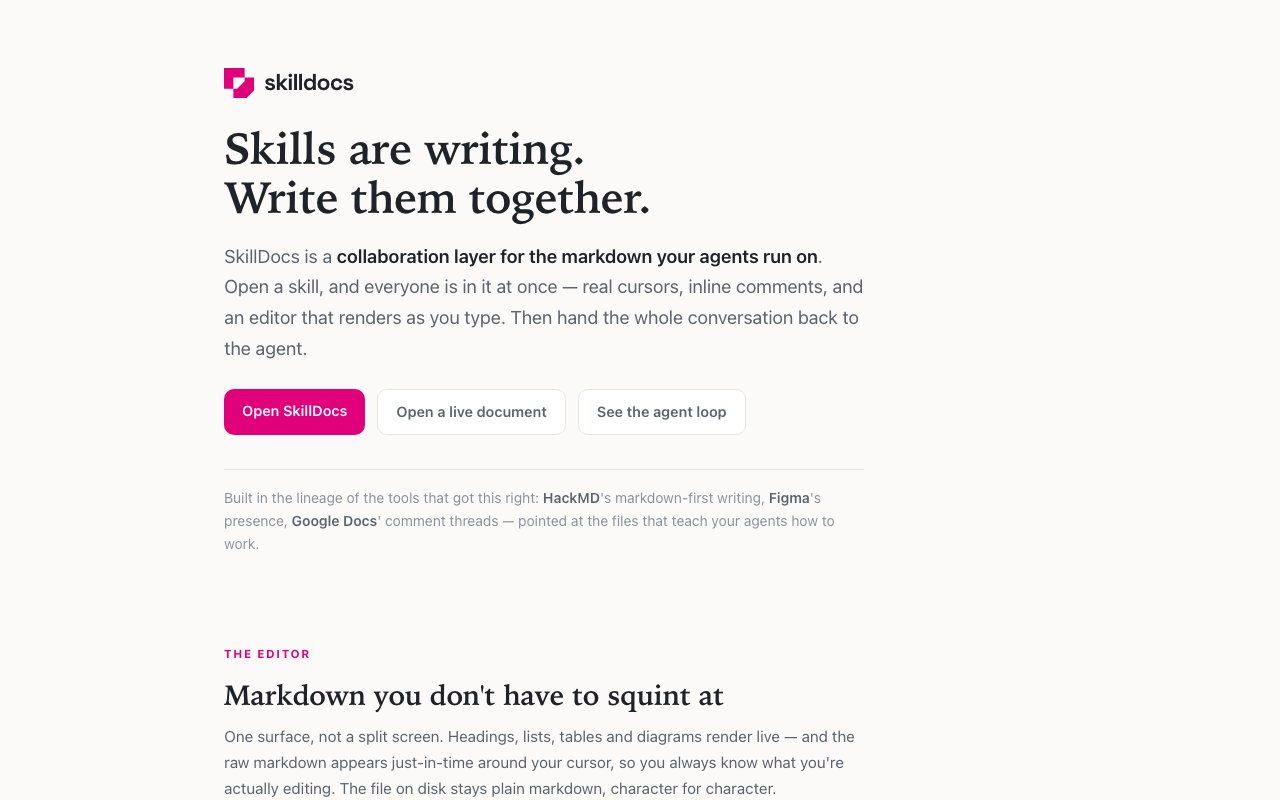
Skilldocs is a collaborative editor built for teams that write and maintain the markdown files AI agents consume. Think of it as Figma or Google Docs, but specifically for the skill definitions, system prompts, and instruction sets that tools like Claude Code, Claude, ChatGPT, and Codex read. Multiple people can edit the same document with live cursors showing names and colors in real time, leave threaded comments anchored to specific text passages, and then push the updated skill directly to the agent that uses it. The goal is to bring the collaborative workflow that designers and developers take for granted into the emerging space of agent instruction authoring.
The problem it addresses is that agents increasingly run off markdown instruction files, and those files need the same collaborative workflow that code and design have earned over the past decade. Right now most teams either pass files around via git with no real time visibility into who is editing what, or they draft in Google Docs and manually copy the result out to wherever the agent reads from. Neither gives you the combination of live multi person editing, persistent threaded feedback, and direct agent integration in one environment. Skilldocs tries to close that loop so the edit to agent update cycle is seamless rather than stitched together from three or four tools.
The editor renders markdown in real time while keeping raw syntax visible only around your cursor, so you see how the document will look without giving up access to the underlying markup when you need it. Headings, lists, tables, and Mermaid diagrams render in place as you type, but the file on disk stays plain markdown character for character. Section folding by heading structure helps navigate long skill documents, and multi cursor editing via standard keyboard shortcuts works across collaborators. The interface is one surface rather than a split preview pane, which keeps attention on the content rather than jumping between views.
Collaboration runs on CRDT technology for conflict free merging. Two people editing the same paragraph simultaneously do not overwrite each other or trigger a conflict dialog. You see their cursor position and selection in real time with names and colors, and a follow mode lets you observe another person viewport and document folds if you are reviewing their work or walking through an explanation together. This is the same multiplayer infrastructure that makes Figma feel seamless, applied to text documents.
Comments work differently than in a typical text editor. Instead of anchoring to line numbers that shift when someone edits above, comments attach to specific text phrases. If the document changes around a comment, the comment stays with the text it references. Threads can hold back and forth discussion, and you can export comments alongside the document in multiple formats: the clean document alone, the document with threads appended and anchored to their quoted context, or just the feedback. This structured export is designed for handing the whole conversation to an agent so it can read the feedback with context and know what to change.
The agent integration is the piece that separates Skilldocs from a general markdown editor. An MCP server provides tools for agents to push local skills up to the workspace, read documents and their comment threads, retrieve diffs against marked baseline versions, reply to or resolve feedback threads, and pull the collaborated text back down. Setup is one command and an API token. Claude Code can push a skill from your local editor, collaborate on it in Skilldocs with your team, and then read back the diff and comments directly. The agent closes the loop rather than requiring you to copy changes manually.
GitHub integration lets you connect a repository and browse every markdown skill in it, including private repos via personal access tokens. You can mark snapshots as baseline versions, view diffs between the current text and shipped versions, and update baselines when you merge to your repo. Local machine pushes appear alongside repository content and are marked distinctly, so you can organize skills by their source. The sidebar integrates documentation, custom groupings, and skills from both repos and local editors in one navigation surface.
Access control ranges from workspace only requiring Google sign in to public link sharing with optional edit restrictions. Teams on the same email domain share a workspace automatically, which reduces friction for onboarding. Skilldocs is currently in beta with pricing not yet published. If you are a team maintaining prompts, skill files, or instruction sets for AI agents and you want collaborative editing with real time feedback and a direct integration path back to the agent, this is the tool to try.
Key Features
- Real time multi cursor markdown editing
- CRDT based conflict free merging
- Comments anchored to text phrases
- MCP server for agent integration
- GitHub repo browsing and sync
- Version snapshots and diff viewing
Pros & Cons
What we like
- Purpose built for markdown skills that agents consume
- Live collaboration without conflict dialogs
- Comments survive document edits by anchoring to text
- Agent can push, read, diff, and pull updates via MCP
Room for improvement
- Still in beta with pricing not yet published
- Requires Google account to sign in
- Focused on markdown skills, not general documents
- Smaller user base than established editors
Frequently Asked Questions
What is Skilldocs?
Is Skilldocs free?
How does Skilldocs differ from Google Docs?
Can agents read documents from Skilldocs?
Best For
Featured in
Alternatives to Skilldocs
View all
Kevin Gabeci
Solo developer building web apps, cozy browser games, and AI creator toolkits.

SoloDevStack
A solo developer blog built on head-to-head tool comparisons, 580+ posts deep.

Codedex
A gamified, story-driven platform that teaches Python, web dev, and more like an RPG quest

Vibe Built
Building real apps with agentic AI. What worked, what broke, what shipped.
Reviews (0)
Badge builder
Add Skilldocs to your website
Choose a badge style and size, preview it here, then copy the generated HTML. Badge images are self-contained SVGs and do not require an external script.

<a href="https://toolindex.net/tools/skilldocs?ref=badge" target="_blank" rel="noopener">
  <img src="https://toolindex.net/badge/skilldocs/medium.svg" alt="Skilldocs - Listed on Tool Index" width="180" height="50" />
</a>How to use the badge
- 1. Pick the style, size, and theme that fit your layout.
- 2. Copy the generated HTML from the code block.
- 3. Paste it into your footer, homepage, or press page.
Standard badge available
The standard listing badge is available now. Score and circle badges are limited to tools currently ranked in the top 10 of a category.
Badge clicks return visitors to this profile with a referral tag so the source remains identifiable.
Related Tools
Kevin Gabeci
Solo developer building web apps, cozy browser games, and AI creator toolkits.

Coolify
Self-hostable, open source alternative to Heroku and Netlify

Warp
The modern terminal reimagined with AI and collaboration

Bolt.new
Prompt-to-deployed full-stack app inside the browser
Work on Skilldocs? Request listing access or correction