
Sleezr
Manage your hosts file across environments without opening a terminal
Gallery
About Sleezr
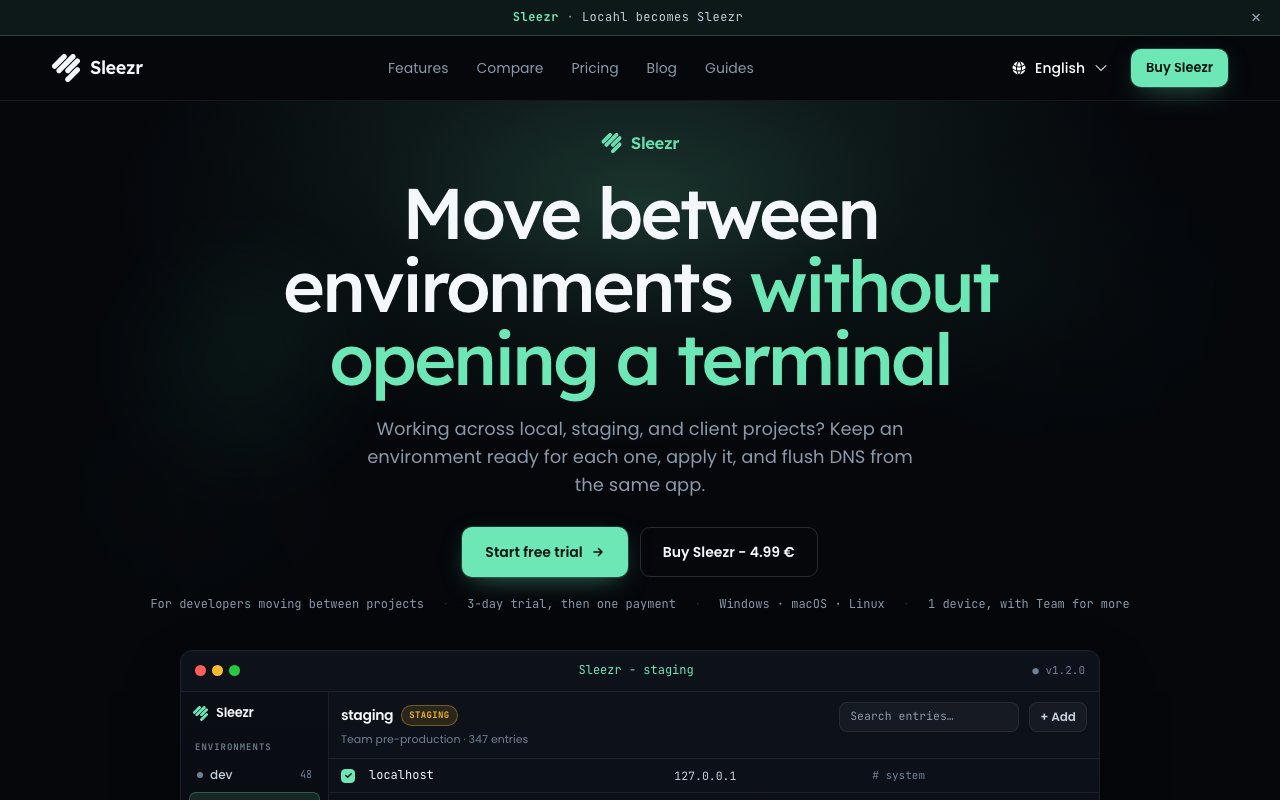
Sleezr is a visual editor for your hosts file, the small system file that maps hostnames to IP addresses on every machine. Developers touch it constantly, pointing a production domain at a staging server, testing DNS changes before they propagate, or forcing an app to talk to localhost. The standard way to do that is sudo, a terminal editor, hand-typed entries, and a manual DNS flush, repeated every time you switch projects. Sleezr replaces that ritual with a desktop app where hosts entries are things you can see, search, toggle, and organize instead of raw lines in a system file you're always slightly afraid of breaking, because one stray character there can quietly take a domain offline for your whole machine.
The core idea is environments. Instead of one ever-growing hosts file full of commented-out blocks from old projects, you create named environments, one per project or client, each holding its own set of host mappings. When you move from one project to another you apply the matching environment with a single click, and Sleezr flushes your DNS cache automatically so the change actually takes effect right away instead of lingering behind a cached lookup. That last part matters more than it sounds, because a forgotten flush is exactly the kind of thing that eats twenty minutes of debugging before you realize the mapping was fine all along.
The safety net is just as deliberate. Sleezr takes an automatic backup before every change it applies, so a bad edit is a restore away rather than a reconstruction job. It validates syntax as you work, which catches the malformed entry before it silently breaks name resolution. There's search for when a hosts file has grown large enough that scrolling stopped being an option, and JSON import and export so a set of mappings can be saved, versioned, or handed to someone else. That export path is the quiet team feature here, since a shared JSON file means everyone on a project can load the exact same local setup instead of comparing screenshots of terminal output.
It runs on Windows 10 or later, macOS 10.13 or later, and 64-bit Linux, which is worth underlining because most hosts file utilities are single-platform. If you work across machines, or your team is split between operating systems, the same tool and the same exported environments work everywhere. That also removes the little cognitive tax of remembering which flush command your current OS wants, since Sleezr handles the platform differences for you. The people it fits best are developers who hop between projects with different local setups, freelancers juggling several clients whose staging domains all need different mappings, and small teams that want local environments to be consistent instead of tribal knowledge. If your onboarding doc currently contains a block of hosts entries a new hire is supposed to paste in by hand, that's the exact workflow this replaces with an import and a click.
What makes it different is mostly restraint. Sleezr isn't trying to be a network suite or a DNS management platform. It does one small, genuinely annoying thing well, and it wraps the sharp edges, the accidental typo, the stale DNS cache, the lost backup, in defaults that assume you will eventually make the mistake everyone makes. The terminal workflow it replaces isn't hard, exactly. It's just error-prone, unsearchable, and different on every operating system, and those are precisely the papercuts a small focused tool can remove. There's a fair question of whether a developer who lives in the terminal needs this at all, and for some the answer will honestly be no. The pitch lands hardest on people who edit hosts entries often enough to resent the ceremony but not often enough to have it memorized, which describes more working developers than the terminal purists would admit.
The pricing is refreshingly simple. Sleezr costs 4.99 EUR as a one-time purchase with lifetime access, not a subscription, bought through a direct checkout on the website. Before you pay there's a 3-day free trial that doesn't ask for a credit card, which is enough time to load your real hosts file, set up an environment or two, and see whether the workflow sticks. At the price of a coffee it's an easy bet for anyone who edits their hosts file more than a few times a month, and the support address, hi@sleezr.com, is published right on the site if something doesn't behave. It's a young, narrow tool, but narrow is the point, and the one-time price means the decision doesn't need a meeting.
Key Features
- Visual hosts file editing
- Named per-project environments
- One-click apply with automatic DNS flush
- Automatic backups before every change
- Syntax validation and search
- JSON import and export
Pros & Cons
What we like
- One-time 4.99 EUR purchase, no subscription
- Cross-platform on Windows, macOS, and Linux
- Automatic backups make bad edits recoverable
- 3-day trial without a credit card
Room for improvement
- Narrow single-purpose scope
- No free tier beyond the short trial
- Terminal-comfortable devs may not feel the pain it solves
- Younger product with a small community
Frequently Asked Questions
What is Sleezr?
Is Sleezr free?
What platforms does Sleezr run on?
Who is Sleezr for?
Best For
Featured in
Alternatives to Sleezr

Kevin Gabeci
Solo developer building web apps, cozy browser games, and AI creator toolkits.

SoloDevStack
A solo developer blog built on head-to-head tool comparisons, 580+ posts deep.

Codedex
A gamified, story-driven platform that teaches Python, web dev, and more like an RPG quest

Vibe Built
Building real apps with agentic AI. What worked, what broke, what shipped.
Reviews (0)
Badge builder
Add Sleezr to your website
Choose a badge style and size, preview it here, then copy the generated HTML. Badge images are self-contained SVGs and do not require an external script.

<a href="https://toolindex.net/tools/sleezr?ref=badge" target="_blank" rel="noopener">
  <img src="https://toolindex.net/badge/sleezr/medium.svg" alt="Sleezr - Listed on Tool Index" width="180" height="50" />
</a>How to use the badge
- 1. Pick the style, size, and theme that fit your layout.
- 2. Copy the generated HTML from the code block.
- 3. Paste it into your footer, homepage, or press page.
Standard badge available
The standard listing badge is available now. Score and circle badges are limited to tools currently ranked in the top 10 of a category.
Badge clicks return visitors to this profile with a referral tag so the source remains identifiable.
Related Tools
Kevin Gabeci
Solo developer building web apps, cozy browser games, and AI creator toolkits.

Coolify
Self-hostable, open source alternative to Heroku and Netlify

Warp
The modern terminal reimagined with AI and collaboration

Bolt.new
Prompt-to-deployed full-stack app inside the browser
Work on Sleezr? Request listing access or correction