
smartly
Turn a plain English request into one context aware shell command and run it
Gallery
About smartly
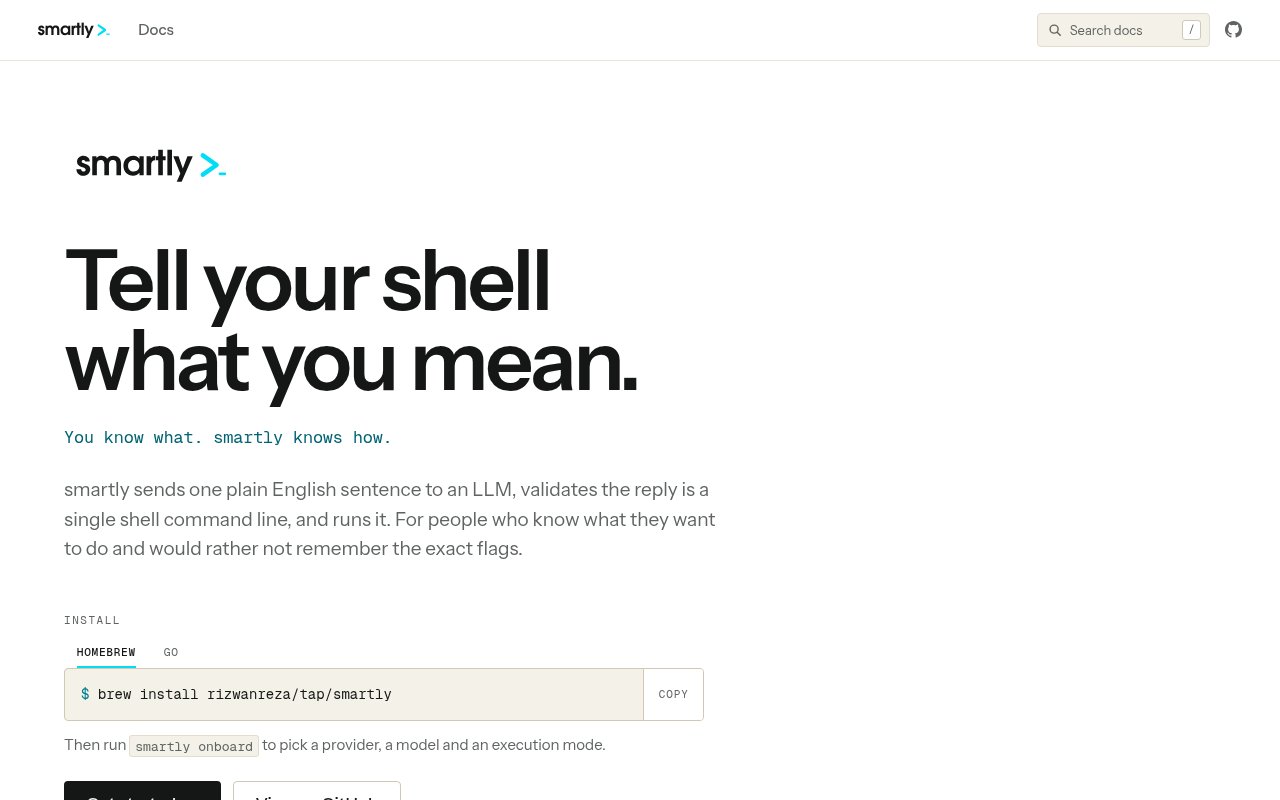
smartly is an open source command line tool that turns a plain English request into one executable shell command. A user describes the outcome they want, such as listing hidden files by size or showing recent changes in a repository, and smartly asks a language model for the corresponding command. It validates that the response contains a single command line and, by default, runs it immediately. The product is for people who understand the intended operation but don't want to look up a particular flag, pipeline, or variation between macOS and Linux every time.
The interface stays intentionally small. The normal form is the smartly command followed by a sentence. It can return simple utilities, pipelines, redirects, and commands joined with logical operators, but it rejects a multi step script. Before generating the answer, it can include a capped directory listing along with the current git branch, status, and worktrees. That local context helps a request about merged branches or every worktree resolve against the actual repository. Context can also be reduced or disabled when a user doesn't want directory details included in the model request.
Platform awareness handles a common source of copied command failures. smartly checks whether the machine has GNU or BSD versions of tools such as sed, date, and stat, then asks for syntax that matches the available userland. This is especially useful on a Mac with Homebrew utilities installed alongside system tools. Shell integration for Bash and Zsh lets generated commands such as cd or export affect the current shell, something a normal child process can't do. Without that integration, most commands still work, but state changes remain inside the subprocess.
Execution controls deserve attention because automatic running is the default, including when a generated command is destructive. The confirm mode shows every command and waits for approval. A confirm destructive mode uses a local classifier and asks whenever a command isn't recognized as safe, though the documentation calls this a best effort seatbelt rather than a sandbox. Dry run prints the command and executes nothing. Learn mode also avoids execution and explains each flag, argument, and pipe. These options make the tool useful for cautious review and shell learning, but users should configure them before experimenting on a machine where a wrong command could remove valuable work.
Provider choice is flexible. The Anthropic and OpenAI backends use the user's own API key. The OpenAI route also works with compatible endpoints, including local vLLM, Ollama, or LM Studio setups. Alternatively, smartly can call an existing logged in Claude or Codex command line session, letting someone use access attached to a Claude or ChatGPT subscription. The CLI based backends have tradeoffs and don't grant model tool access. An onboarding command walks through provider, model, execution, and context settings, shows the full configuration before saving, and doesn't write secret key values into the configuration file. Existing configuration is backed up before the onboarding flow writes a replacement.
smartly fits developers, system administrators, and experienced terminal users who often know the goal but forget exact syntax. It can help recall archive flags, assemble a git query, locate a process, or form a platform specific text replacement command. The learn option makes it useful for understanding a proposed command rather than merely copying it. It isn't a conversational coding agent, a general script generator, or a secure execution sandbox. One command may still contain pipes and chained operations with wide effects, and a model can produce something valid in shape but wrong in intent. The user remains responsible for reviewing what will run. Choosing a confirmation mode makes that review part of the normal interaction instead of an optional afterthought.
The project is available under the MIT license, with source in a public GitHub repository. Installation is supported through Homebrew or Go, and the website provides detailed documentation for setup, providers, context, shell integration, configuration, and safety. There is no fee charged by smartly itself, but an API based provider may bill for model calls and subscription based CLI access has its own terms. That combination makes it easy to inspect and adapt, while the explicit safety documentation is refreshingly candid about the risk of its default. The best first step is to choose confirm or dry run, then decide whether the convenience of immediate execution is appropriate.
Key Features
- Plain English command generation
- GNU and BSD awareness
- Directory and git context
- Configurable execution safeguards
- Flag by flag learn mode
- Multiple model provider backends
Pros & Cons
What we like
- Produces commands matched to the local userland
- Supports API keys and existing CLI sessions
- Explains commands without running them
- MIT licensed with public source
Room for improvement
- Runs generated commands automatically by default
- Safety classifier isn't a sandbox
- Model access may carry separate costs
- Limited to one command line per request
Frequently Asked Questions
What is smartly?
Is smartly free?
Does smartly run commands automatically?
Which AI providers does smartly support?
Best For
Featured in
Alternatives to smartly

Kevin Gabeci
Solo developer building web apps, cozy browser games, and AI creator toolkits.

SoloDevStack
A solo developer blog built on head-to-head tool comparisons, 580+ posts deep.

Codedex
A gamified, story-driven platform that teaches Python, web dev, and more like an RPG quest

Vibe Built
Building real apps with agentic AI. What worked, what broke, what shipped.
Reviews (0)
Badge builder
Add smartly to your website
Choose a badge style and size, preview it here, then copy the generated HTML. Badge images are self-contained SVGs and do not require an external script.

<a href="https://toolindex.net/tools/smartly?ref=badge" target="_blank" rel="noopener">
  <img src="https://toolindex.net/badge/smartly/medium.svg" alt="smartly - Listed on Tool Index" width="180" height="50" />
</a>How to use the badge
- 1. Pick the style, size, and theme that fit your layout.
- 2. Copy the generated HTML from the code block.
- 3. Paste it into your footer, homepage, or press page.
Standard badge available
The standard listing badge is available now. Score and circle badges are limited to tools currently ranked in the top 10 of a category.
Badge clicks return visitors to this profile with a referral tag so the source remains identifiable.
Related Tools
Kevin Gabeci
Solo developer building web apps, cozy browser games, and AI creator toolkits.

Coolify
Self-hostable, open source alternative to Heroku and Netlify

Warp
The modern terminal reimagined with AI and collaboration

Bolt.new
Prompt-to-deployed full-stack app inside the browser
Work on smartly? Request listing access or correction