
SpeechText.AI
Transcribe audio and video with domain-specific speech recognition
Gallery
About SpeechText.AI
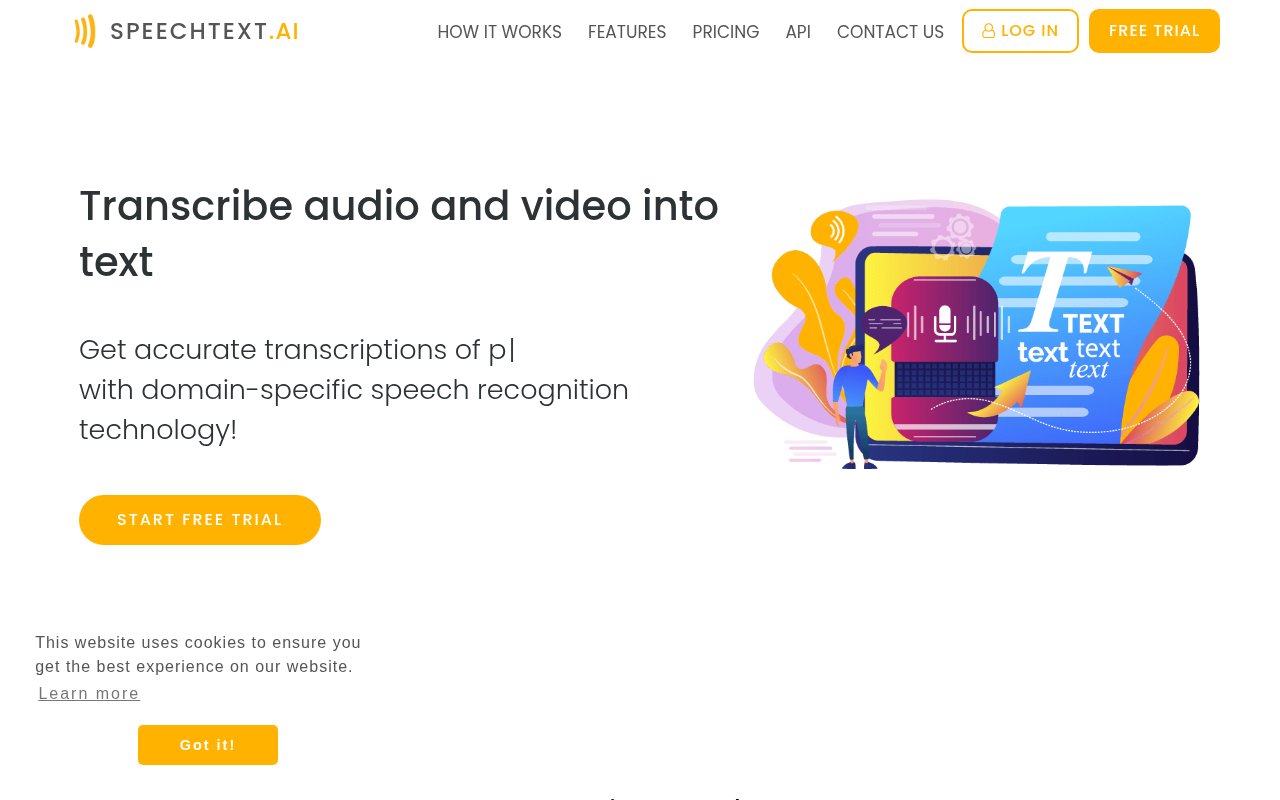
SpeechText.AI is an automated transcription service that turns uploaded audio and video into editable text. A user adds a recording, selects its language, chooses an industry domain and audio type, then starts a transcription task. The result can be reviewed in an online editor and exported for documents, captions, or further analysis. The service is designed for interviews, meetings, podcasts, lectures, call recordings, dictated material, and other files where replaying the entire source is slower than working from a searchable transcript.
The product supports more than 50 languages and accepts a notably broad range of media formats. Common choices such as MP3, WAV, FLAC, M4A, OGG, MP4, MOV, MKV, and AVI are covered, alongside professional dictation formats such as DSS and DCT. That reduces the need to convert a source file before submitting it. SpeechText.AI can add punctuation and casing, identify speakers where the selected workflow supports it, and preserve time information for transcript and subtitle use. The editor lets a reviewer search, correct, and verify the generated text before exporting it in formats that include plain text, documents, and subtitle files.
Domain selection is an important part of the workflow. Instead of sending every recording through one general model, users can choose a model intended for subject areas such as finance, healthcare, legal work, education, human resources, or customer support. This doesn't remove the need to check names, numbers, and specialist terms against the recording, especially with noise or overlapping voices. It does give teams a way to tune recognition toward the vocabulary they expect. SpeechText.AI is therefore a practical first-draft system rather than a substitute for accountable review when the transcript will become a clinical, legal, research, or business record.
Developers can use the REST API instead of the web dashboard. An application can upload binary media or point the service at a public URL, specify the language and file format, then poll for the completed result. The API documentation covers transcription and extractive audio summarization, and the service publishes examples for several common programming environments. API plans are separate monthly packages aimed at higher processing volumes, while a free key is available for non-commercial testing. This makes the platform suitable for both occasional manual transcription and products that need to automate batches of recorded material.
The site also provides a free online DSS and DS2 player. It opens supported professional dictation recordings locally in the browser without an audio upload or account. Review controls include a waveform, playback speeds from 0.5 to 2 times, short seeking jumps, bookmarks, keyboard shortcuts, and an A-B loop for repeating a difficult passage. Supported protected DS2 files can be opened with the correct password, though the player doesn't recover or bypass protection. It also doesn't export MP3 or provide foot-pedal and recorder-management features. Sending a recording to the separate AI transcription service is an explicit upload step, not something the local player does automatically.
SpeechText.AI says its main service uses encrypted connections, hosts physical servers in Europe, and is designed around GDPR requirements. Uploaded files and results can be removed from the account dashboard. Those safeguards are useful, but organizations handling patient, client, employee, or otherwise confidential speech still need to evaluate their own retention rules, permissions, and compliance duties. The no-upload claim applies to local playback in the DSS player, not to the hosted transcription workflow. That distinction is clearly described on the player page and matters when choosing between listening locally and requesting an AI draft.
The web transcription service uses pay-as-you-go packages rather than a recurring monthly fee. Published options start at $10 for 180 transcription minutes and rise through larger packages with higher file-size limits and access to domain-specific models. New users receive free trial minutes to test the service, but ongoing transcription requires purchased capacity, so this is best understood as a paid product with a trial rather than a permanent free tier. The API has its own subscription pricing for production use. Buyers should compare the package limits and model access that match their files, while anyone who only needs to hear a supported DSS or DS2 recording can continue using the separate browser player for free.
Key Features
- Multilingual audio transcription
- Domain-specific recognition models
- Interactive transcript editor
- Document and subtitle exports
- Speech recognition REST API
- Local DSS and DS2 player
Pros & Cons
What we like
- Accepts a broad range of audio and video formats
- Domain models target specialized professional vocabulary
- API supports automated transcription workflows
- Free DSS player keeps playback audio in the browser
Room for improvement
- Ongoing transcription requires prepaid minutes
- Domain models aren't included in the smallest package
- Sensitive transcripts still require human review
- API pricing is separate from web transcription packages
Frequently Asked Questions
What is SpeechText.AI?
Is SpeechText.AI free?
Can SpeechText.AI handle professional dictation files?
Does SpeechText.AI offer an API?
Best For
Featured in
Alternatives to SpeechText.AI
View all
Cartesia
Ultra-low-latency real-time text-to-speech powered by the Sonic model, built for live voice AI agents
ElevenLabs
The voice cloning and text-to-speech service everyone benchmarks against

Listnr
Ultra-realistic AI text-to-speech and voiceover platform with 1,000+ voices across 142+ languages
Resemble AI
Secure voice cloning, real-time text-to-speech, and speech-to-speech paired with deepfake detection and watermarking
Our take
Tool Index Editorial · Sep 2026· 3.5/5
SpeechText.AI is a hosted transcription service for audio and video, with multilingual recognition, speaker identification, domain-specific models, an online editor, subtitle exports, and a REST API. We found the broad format support and industry model selection useful for interviews, meetings, dictation, and application workflows. Web packages start at $10 for 180 minutes, while production API plans are separate and start at $49.
The service can produce a workable first draft and its free local DSS and DS2 player is a useful extra. Accuracy claims based on clear LibriSpeech audio don't guarantee names, numbers, overlapping speakers, or noisy specialist recordings, so consequential transcripts still need review. Main transcription files are uploaded to the service even though the separate player runs locally. Teams handling sensitive speech must assess retention and compliance for their own use.
Editorial opinion from the Tool Index team, written from the public product pages. Not a user review.
Reviews (0)
Badge builder
Add SpeechText.AI to your website
Choose a badge style and size, preview it here, then copy the generated HTML. Badge images are self-contained SVGs and do not require an external script.

<a href="https://toolindex.net/tools/speechtext?ref=badge" target="_blank" rel="noopener">
  <img src="https://toolindex.net/badge/speechtext/medium.svg" alt="SpeechText.AI - Listed on Tool Index" width="180" height="50" />
</a>How to use the badge
- 1. Pick the style, size, and theme that fit your layout.
- 2. Copy the generated HTML from the code block.
- 3. Paste it into your footer, homepage, or press page.
Standard badge available
The standard listing badge is available now. Score and circle badges are limited to tools currently ranked in the top 10 of a category.
Badge clicks return visitors to this profile with a referral tag so the source remains identifiable.
Related Tools

NexSub
Offline real time subtitle translation using local Whisper models for any video source
Listnr
Ultra-realistic AI text-to-speech and voiceover platform with 1,000+ voices across 142+ languages

List55
Voice transcription app that converts audio recordings into formatted text lists

WellSaid Labs
Enterprise text-to-speech with studio-quality AI voice avatars trained on consenting voice actors
Work on SpeechText.AI? Request listing access or correction