
Sprocket
Build, check, and run WDL bioinformatics workflows from a laptop to a cluster
Gallery
About Sprocket
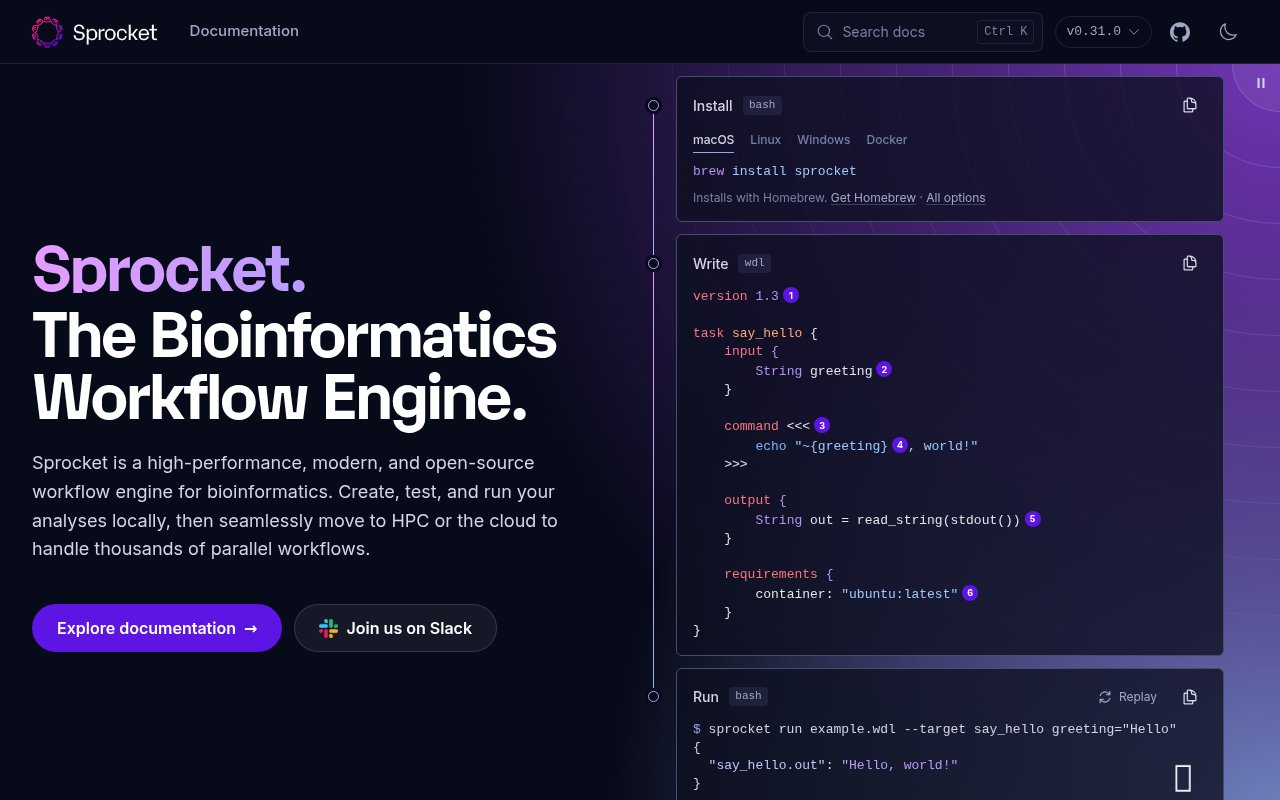
Sprocket is an open-source workflow engine and development toolkit for bioinformatics pipelines written in the Workflow Description Language, usually called WDL. It brings the tools for writing, checking, testing, and executing a workflow into one command line application. A researcher can build and debug an analysis on a laptop, then move the same WDL to high performance computing or a cloud execution service without rewriting the workflow around a different runner. The project is developed in the open by St. Jude Rust Labs and is written in Rust, with an emphasis on predictable diagnostics, performance, and a modern developer experience for teams whose analyses must remain readable and reproducible.
The development side goes beyond simply accepting a WDL file. Sprocket can check documents for validity, run additional lint rules, format a file or workspace, explain individual diagnostics, generate input templates, and validate supplied values before execution. Its messages point to the relevant source line and can suggest a concrete fix. Invalid documents exit with a nonzero status, which makes the same checks usable in continuous integration. A language server powers editor feedback, with a Visual Studio Code extension for diagnostics, syntax highlighting, and snippets, plus a Neovim integration. The project also provides a GitHub Action, so repositories can enforce selected lint rules on pull requests without assembling a separate toolchain.
For local execution, Sprocket runs WDL tasks through a Docker backend. That lets authors develop and troubleshoot the workflow on a workstation before submitting expensive or highly parallel jobs elsewhere. The command line can target a task or a whole workflow, create JSON or YAML input templates, and validate values supplied in files or directly on the command line. Each run gets a directory containing inputs, outputs, logs, and records for task attempts. A SQLite database preserves provenance, and an optional call cache can reuse successful work after a failure or during a rerun. Those records help a team understand which values and task attempts produced a result instead of relying on an informal shell history.
Scaling is configuration-driven. A sprocket.toml file can point execution at Slurm or LSF with Apptainer, or at a server that implements the Task Execution Service API. The engine can move inputs and outputs through Amazon S3, Azure Blob Storage, or Google Cloud Storage as the workflow requires. The project's stated performance target is more than 20,000 concurrent jobs, although the site labels the Slurm and LSF backends as experimental. An experimental Sprocket server adds a REST API for submitting runs. Supporting libraries expose WDL analysis to Python and Rust, which gives platform teams a way to build internal tooling around the same parser and validation behavior used by the command line. The project also includes documentation generation and experimental commands for testing a WDL workspace.
Sprocket is most relevant to bioinformatics developers, research computing teams, and platform engineers who have standardized on WDL or need a focused alternative to older WDL runners. It keeps authoring tools and execution behavior close together, so the document checked in an editor is interpreted by the same project that eventually runs it. Teams migrating from Cromwell or miniwdl get a dedicated migration guide, while new users can follow a guided tour and an adoption checklist. The project remains intentionally tied to WDL rather than trying to become a universal visual workflow builder. That focus is useful when WDL is already the lab or organization's shared language, but it narrows the audience for teams centered on Nextflow, Snakemake, CWL, or custom orchestration.
Sprocket is free and open source under both Apache 2.0 and MIT licenses. Prebuilt releases are available for supported platforms, with Homebrew packages for macOS and Linux, a Docker image, a Nix flake, and installation through Cargo when a matching binary isn't available. Windows users need a Bash environment because WDL command sections rely on Bash, and the documentation warns that a prebuilt Linux binary may not suit every distribution. There is no commercial tier or hosted plan presented on the site. The practical costs come from the compute, storage, containers, cluster administration, and engineering time behind the workflows. It is a substantial toolkit today, with the clearest caution attached to the experimental cluster backends and server API.
Key Features
- WDL validation linting and formatting
- Local Docker workflow execution
- Slurm LSF and TES backends
- Editor language server integrations
- Run provenance and call caching
- Python Rust and REST interfaces
Pros & Cons
What we like
- Covers WDL authoring and execution in one tool
- Produces precise diagnostics with suggested fixes
- Preserves inputs outputs logs and task attempts
- Offers several open-source installation routes
Room for improvement
- Focused on WDL rather than other workflow languages
- Cluster backends are still marked experimental
- Windows execution needs a Bash environment
- Prebuilt Linux binaries may not fit every distribution
Frequently Asked Questions
What is Sprocket?
Is Sprocket free?
Where can Sprocket run workflows?
Who is Sprocket for?
Best For
Featured in
Alternatives to Sprocket

Kevin Gabeci
Solo developer building web apps, cozy browser games, and AI creator toolkits.

SoloDevStack
A solo developer blog built on head-to-head tool comparisons, 580+ posts deep.

Codedex
A gamified, story-driven platform that teaches Python, web dev, and more like an RPG quest

Vibe Built
Building real apps with agentic AI. What worked, what broke, what shipped.
Our take
Tool Index Editorial · Oct 2026· 4.0/5
Sprocket is a serious open-source workbench for WDL bioinformatics workflows, covering linting, formatting, editor feedback, local Docker runs, and movement toward HPC or remote execution. We found the precise diagnostics and guided documentation especially strong. Run records, logs, provenance, and call caching address the less glamorous work of reproducing a failed analysis.
It is free under Apache 2.0 or MIT licensing, but operating it is not free of effort. Sprocket assumes comfort with WDL, containers, storage, and cluster configuration, and its cluster backends and REST server are still marked experimental. Teams committed to WDL have a capable option here. Teams using Nextflow, Snakemake, or a visual workflow system won't gain much from switching solely for the tooling.
Editorial opinion from the Tool Index team, written from the public product pages. Not a user review.
Reviews (0)
Badge builder
Add Sprocket to your website
Choose a badge style and size, preview it here, then copy the generated HTML. Badge images are self-contained SVGs and do not require an external script.

<a href="https://toolindex.net/tools/sprocket?ref=badge" target="_blank" rel="noopener">
  <img src="https://toolindex.net/badge/sprocket/medium.svg" alt="Sprocket - Listed on Tool Index" width="180" height="50" />
</a>How to use the badge
- 1. Pick the style, size, and theme that fit your layout.
- 2. Copy the generated HTML from the code block.
- 3. Paste it into your footer, homepage, or press page.
Standard badge available
The standard listing badge is available now. Score and circle badges are limited to tools currently ranked in the top 10 of a category.
Badge clicks return visitors to this profile with a referral tag so the source remains identifiable.
Related Tools
Kevin Gabeci
Solo developer building web apps, cozy browser games, and AI creator toolkits.

Coolify
Self-hostable, open source alternative to Heroku and Netlify

Warp
The modern terminal reimagined with AI and collaboration

Bolt.new
Prompt-to-deployed full-stack app inside the browser
Work on Sprocket? Request listing access or correction