
Streambench
Native macOS client for browsing, tailing, and managing Kafka and NATS JetStream
Gallery
About Streambench
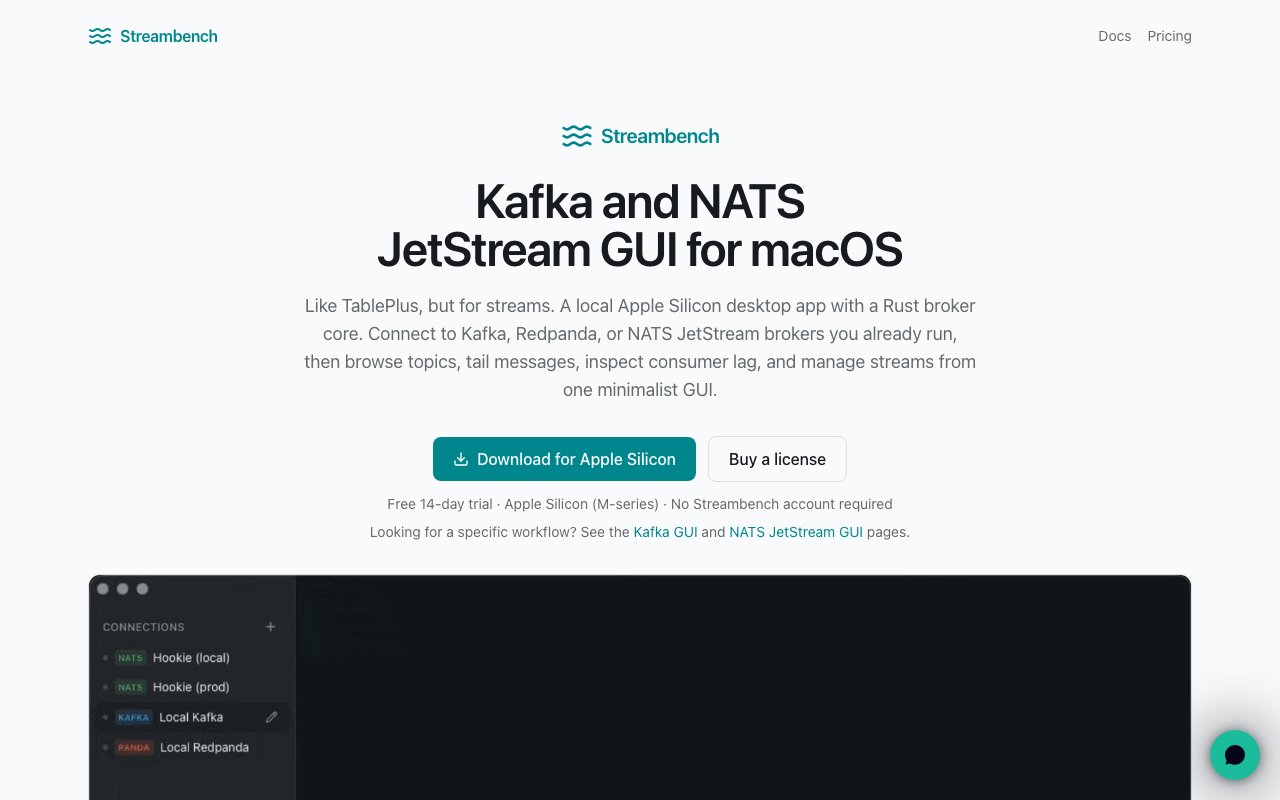
Streambench is a native macOS desktop app for working with message streaming platforms, covering Apache Kafka, Kafka-compatible brokers like Redpanda, and NATS JetStream. The site describes it as being like TablePlus, but for streams, and that comparison lands. It gives developers a proper graphical interface for browsing topics and streams, tailing messages in real time, inspecting consumer lag, and managing consumers and key value buckets, all in a local Apple Silicon app with a Rust core handling the broker communication.
The problem it solves is one anyone who runs streaming infrastructure knows well. Day-to-day Kafka or NATS work usually means living in the terminal, reconstructing CLI invocations from memory or docs for routine jobs like checking how far a consumer group has fallen behind, resetting offsets, or just looking at the last few messages on a topic. None of that is hard exactly, but all of it is friction, and it adds up across a working day. Streambench pulls those operations into a native Mac app so the common tasks become clicks instead of flag spelunking.
Architecturally, everything stays on your machine. The app connects directly to your brokers, credentials go into the macOS Keychain rather than any remote service, and connection profiles and file paths remain local. There's no Streambench account to create at all. The Rust broker core does the heavy lifting, including local text filtering that runs before messages ever cross into the UI layer, and on high-throughput topics it samples intelligently to keep the interface responsive rather than drowning it. Scrolling through large message histories uses virtualized rendering, so browsing a deep topic feels the same as browsing a shallow one. That local-first design also means there's nothing to deploy or babysit, no container running a web console somewhere, and nothing sitting between you and the broker except the app itself.
The feature set maps cleanly onto real daily work. You can tail messages live or page through history, and seeking is flexible, jumping by offset, sequence number, timestamp, or straight from the beginning. Timestamp seeking alone covers a whole class of incident work, where you know roughly when something went wrong and want to read the messages around that moment. Consumer lag inspection goes down to per-partition detail, showing committed offsets and high watermarks with live refreshing, and you can reset consumer group offsets without touching a CLI. Producing is covered too, with Kafka messages sent with custom keys, headers, and explicit partition assignments, and NATS publishes going to subjects with headers. Being able to target an explicit partition with specific headers makes it practical to reproduce awkward routing scenarios instead of firing generic test payloads and hoping. On the JetStream side it manages streams, consumers, and KV buckets alongside the core operations, and Kafka gets full topic, partition, and consumer group visibility.
The audience is developers and platform engineers who spend real hours with these systems, whether that's debugging a consumer that's fallen behind in production, poking at a local broker during development, or publishing test messages to verify a pipeline end to end. It's macOS only and built specifically for Apple Silicon, so Windows and Linux users are out of scope, but for Mac-based teams that constraint buys a genuinely native experience rather than a cross-platform compromise.
What makes it different from the usual options is mostly posture. The web-based Kafka UIs generally want to be deployed and managed as infrastructure themselves, and the CLI tools assume you enjoy flags. Streambench is a local utility you install once, with your secrets in the Keychain and no server component, which is a meaningfully smaller footprint for something you'll open dozens of times a day. Supporting Kafka and NATS JetStream in one tool is also convenient for shops that run both.
Pricing follows the classic indie Mac app model rather than SaaS. A license is a one-time purchase of 89 dollars, perpetual for the version you buy, with twelve months of updates included and activation on up to three Macs. There's a fourteen-day free trial to confirm it fits your workflow before paying, and checkout runs through Polar with global tax handled in the price. The perpetual license means the app keeps working after the update window ends, you simply stop receiving new versions, and the three-Mac activation comfortably covers a laptop plus a desk machine. For a tool you'd use every working day, paying once instead of renting is a refreshing arrangement, and the trial makes evaluating it risk free.
Key Features
- Live message tailing with local filtering
- Kafka Redpanda and NATS JetStream support
- Consumer lag monitoring dashboard
- Produce messages with keys and headers
- Reset consumer group offsets visually
- macOS Keychain credential storage
Pros & Cons
What we like
- Native Apple Silicon performance with a Rust backend
- One time purchase with no ongoing subscription
- Credentials stay local in macOS Keychain
- Virtualized scrolling handles large message volumes
Room for improvement
- macOS only, no Windows or Linux versions
- No free tier beyond the fourteen day trial
- Focused on a specific set of streaming platforms
- Smaller community compared to established CLI tools
Frequently Asked Questions
What is Streambench?
How much does Streambench cost?
Is Streambench secure?
Who is Streambench for?
Best For
Featured in
Alternatives to Streambench

Kevin Gabeci
Solo developer building web apps, cozy browser games, and AI creator toolkits.

SoloDevStack
A solo developer blog built on head-to-head tool comparisons, 580+ posts deep.

Codedex
A gamified, story-driven platform that teaches Python, web dev, and more like an RPG quest

Vibe Built
Building real apps with agentic AI. What worked, what broke, what shipped.
Reviews (0)
Badge builder
Add Streambench to your website
Choose a badge style and size, preview it here, then copy the generated HTML. Badge images are self-contained SVGs and do not require an external script.

<a href="https://toolindex.net/tools/streambench?ref=badge" target="_blank" rel="noopener">
  <img src="https://toolindex.net/badge/streambench/medium.svg" alt="Streambench - Listed on Tool Index" width="180" height="50" />
</a>How to use the badge
- 1. Pick the style, size, and theme that fit your layout.
- 2. Copy the generated HTML from the code block.
- 3. Paste it into your footer, homepage, or press page.
Standard badge available
The standard listing badge is available now. Score and circle badges are limited to tools currently ranked in the top 10 of a category.
Badge clicks return visitors to this profile with a referral tag so the source remains identifiable.
Related Tools
Kevin Gabeci
Solo developer building web apps, cozy browser games, and AI creator toolkits.

Coolify
Self-hostable, open source alternative to Heroku and Netlify

Warp
The modern terminal reimagined with AI and collaboration

Bolt.new
Prompt-to-deployed full-stack app inside the browser
Work on Streambench? Request listing access or correction