
Synthesia
Turn a script into a talking-head AI avatar video in 160+ languages, no camera or studio required
Gallery
About Synthesia
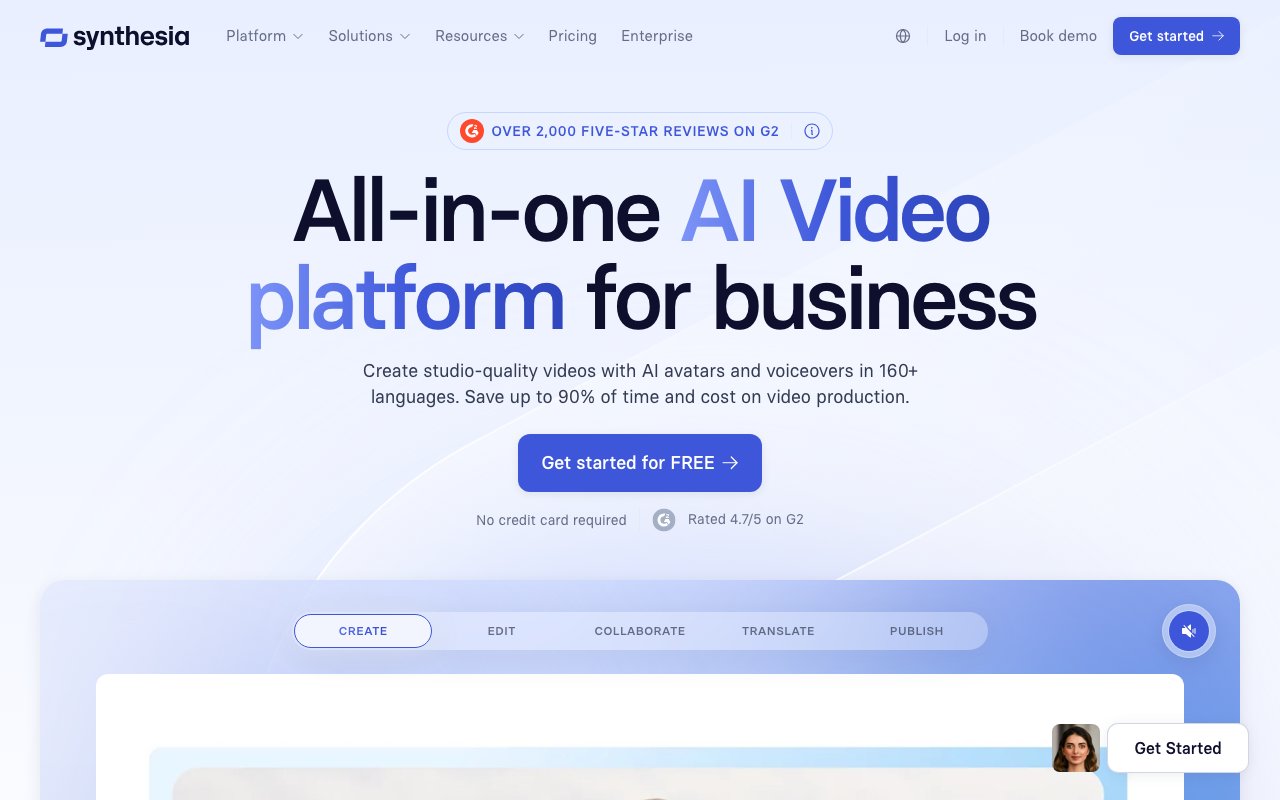
Synthesia is a platform that turns written scripts into professional videos using AI generated avatars and voices. The core promise is eliminating everything traditionally required for video production: cameras, studios, actors, editing software, and the specialized skills to use them. Instead, users type what they want said, select an avatar, and the platform generates a video that looks like a real person delivering the content. Over fifty thousand teams use it, primarily for training videos, internal communications, sales enablement, and customer facing educational content. The platform has become particularly valuable for organizations that need to produce video at scale but can't justify the cost and complexity of traditional production for every piece of content.
The mechanics are straightforward once you understand the workflow. Users write a script in the browser based editor, choose from over two hundred forty stock avatars that span different ages, ethnicities, and presentation styles, select a voice in any of one hundred sixty plus languages, and generate the video. The AI handles lip syncing, natural pauses, eye movement, and the subtle body movements that make avatars look less robotic. Templates speed up production for common formats like product walkthrough, onboarding module, or company announcement video. For organizations with specific needs, the platform supports creating personal avatars trained on footage of actual employees. This lets executives or subject matter experts appear in dozens of videos without physically recording each one, dramatically reducing the coordination and scheduling overhead that typically bottlenecks executive communication.
What sets Synthesia apart from basic text to speech tools is the production value and the ecosystem built around enterprise deployment. Videos can include screen recordings layered behind the avatar, branded backgrounds pulled from company templates, and multiple avatars in conversation format for more dynamic content. The platform handles one click translation into over one hundred sixty languages, maintaining lip sync accuracy across all versions. When the source script changes, all language versions update automatically, which solves a painful version control problem for global organizations maintaining training libraries in dozens of languages. Without this automation, updating a single training video across forty languages would require forty separate production cycles.
Enterprise features address the compliance and workflow requirements that determine whether tools actually get adopted at scale. Single sign on integrates with existing identity systems so teams don't need separate credentials. Workspaces let different departments maintain separate video libraries with appropriate access controls, ensuring marketing can't accidentally edit training content and vice versa. Brand kits ensure colors, fonts, logos, and outros stay consistent across all videos regardless of who creates them. Analytics track not just views but engagement metrics like completion rates and drop off points, helping L&D teams identify exactly where content loses attention so they can improve scripts or restructure delivery. SCORM export means videos can be packaged for learning management systems without manual reformatting, which matters for organizations where all training content must flow through a centralized LMS.
The security posture targets regulated industries where vendor certifications are procurement requirements rather than nice to haves. Synthesia holds SOC 2 Type II, GDPR, and ISO 42001 certifications. For healthcare, financial services, and government organizations, these certifications are table stakes for any vendor handling internal content. The platform also includes usage policies and moderation to prevent misuse of the avatar generation technology, a growing concern as synthetic media becomes more convincing and the potential for fraud or misinformation increases.
Pricing spans from free to enterprise with several tiers in between. The free tier provides twelve hundred credits per month, enough for roughly ten minutes of video, with access to nine avatars and basic features. The Starter plan at twenty nine dollars per month includes fourteen thousand five hundred credits annually across one hundred twenty five avatars, removes the Synthesia branding from videos, and adds collaboration features for small teams. Creator at eighty nine dollars per month expands to forty four thousand credits, one hundred eighty avatars, personal avatar creation, API access for programmatic video generation, and interactive video features. Enterprise pricing is custom and includes unlimited video minutes, unlimited personal avatars, dedicated customer success support, implementation services, and the full compliance and deployment options that large organizations require.
The platform has found its niche in use cases where video content has clear ROI but traditional production doesn't scale. Training departments that previously produced a handful of videos per year can now create and update content continuously without additional headcount. Sales teams can generate personalized video outreach without booking studio time or waiting weeks for production. Internal communications can shift from text memos to video updates without hiring videographers or depending on executive schedules. For these applications, Synthesia offers speed measured in minutes rather than weeks and costs measured in subscription fees rather than production budgets.
Key Features
- 240+ stock AI avatars plus custom and personal avatars from a photo or recording
- Text-to-video with synced voiceover in 160+ languages and 1,000+ voices
- One-click translation to localize a finished video into dozens of languages
- Pre-built templates, brand kits, and a slide-style scene editor
- Screen recording, AI script assistant, and media library built in
- Shared workspaces with real-time collaboration and an API on higher tiers
Pros & Cons
What we like
- Produces clean, consistent corporate videos far faster than filming
- Huge language and voice coverage makes localization trivial
- No camera, studio, or on-screen presenter needed
- Editor is approachable for non-video people on a marketing or HR team
Room for improvement
- Avatars still read slightly stiff and can land in the uncanny valley
- Voices sometimes mispronounce words, especially in non-English languages
- Outfit changes, gesture control, and deeper customization are largely Enterprise-only
- Paid plans cap monthly video minutes and charge for overages, so heavy use gets pricey
Frequently Asked Questions
What is Synthesia?
How much does Synthesia cost?
Who is Synthesia for?
Can Synthesia translate videos into other languages?
Best For
Featured in
Alternatives to Synthesia
View allHeyGen
Generate talking-head avatar videos in dozens of languages
InVideo AI
Turn a text prompt into a complete video with script, stock footage, AI voiceover, music, and captions

Speel
AI UGC video generator that makes realistic AI avatars hold and talk about your product for ads

Descript
AI video and podcast editor that lets you edit recordings by editing the transcript like a text document
Reviews (9)
Two months in, no regrets
Have been running Synthesia for a while, here is where I land. Got real value out of one-click translation to localize a finished video into dozens of languages. The output quality holds up better than I expected.
Exactly what I needed
Tried Synthesia on a side project first, then rolled it out everywhere. Their take on produces clean, consistent corporate videos far faster than filming is genuinely good. Support actually answered when I had a question, which surprised me. No regrets so far.
Pulled its weight from week one
Hadn't planned on switching, but Synthesia was hard to ignore. The editor is approachable for non-video people on a marketing or hr team is more useful than I expected. It just works, day after day, without surprises. It has been a fit for product explainers, demos, and how-to content. Would sign up again without thinking twice.
Onboarded the team in a day
Synthesia solves a real problem for me without making a fuss about it. Real selling point for me was screen recording, ai script assistant, and media library built in. The core workflow is smooth once you are set up. Recommending it to people in a similar spot.
Recommended without reservation
Synthesia has quietly become part of my daily flow. Their take on no camera, studio, or on-screen presenter needed is genuinely good. The defaults are sensible, so I was not fighting settings on day one. It has been a fit for internal comms and announcements without booking a studio. Glad I made the switch.
Three months in, mixed but positive
Have been running Synthesia for a while, here is where I land. Their take on shared workspaces with real-time collaboration and an api on higher tiers is genuinely good. The interface stays out of my way, which I appreciate. Mostly using it for employee training and onboarding videos at scale. It would be a five if not for voices sometimes mispronounce words, especially in non-english languages. Glad I made the switch.
Good, with a few caveats
Onboarded the whole team to Synthesia in an afternoon. Their take on one-click translation to localize a finished video into dozens of languages is genuinely good. It would be a five if not for avatars still read slightly stiff and can land in the uncanny valley.
Worth the price of admission
Almost a year on Synthesia now, no plans to leave. Got real value out of one-click translation to localize a finished video into dozens of languages. The defaults are sensible, so I was not fighting settings on day one. It fits well for internal comms and announcements without booking a studio. Easy yes for anyone weighing the same trade offs.
Solid daily driver
Almost a year on Synthesia now, no plans to leave. Real selling point for me was shared workspaces with real-time collaboration and an api on higher tiers.
Badge builder
Add Synthesia to your website
Choose a badge style and size, preview it here, then copy the generated HTML. Badge images are self-contained SVGs and do not require an external script.

<a href="https://toolindex.net/tools/synthesia?ref=badge" target="_blank" rel="noopener">
  <img src="https://toolindex.net/badge/synthesia/medium.svg" alt="Synthesia - Listed on Tool Index" width="180" height="50" />
</a>How to use the badge
- 1. Pick the style, size, and theme that fit your layout.
- 2. Copy the generated HTML from the code block.
- 3. Paste it into your footer, homepage, or press page.
Standard badge available
The standard listing badge is available now. Score and circle badges are limited to tools currently ranked in the top 10 of a category.
Badge clicks return visitors to this profile with a referral tag so the source remains identifiable.
Related Tools
Pika
Playful AI video generator known for fun effects and short clips

Vidu
AI video generator built around reference-to-video, keep characters, props and styles consistent across every clip
Luma Dream Machine
Fast, photoreal video generation from the team behind Genie 3D
Seedance
ByteDance's benchmark-leading AI video model that delivers cinematic, audio-synced clips at a fraction of rival pricing
Work on Synthesia? Request listing access or correction