InVideo AI
Turn a text prompt into a complete video with script, stock footage, AI voiceover, music, and captions
Gallery
About InVideo AI
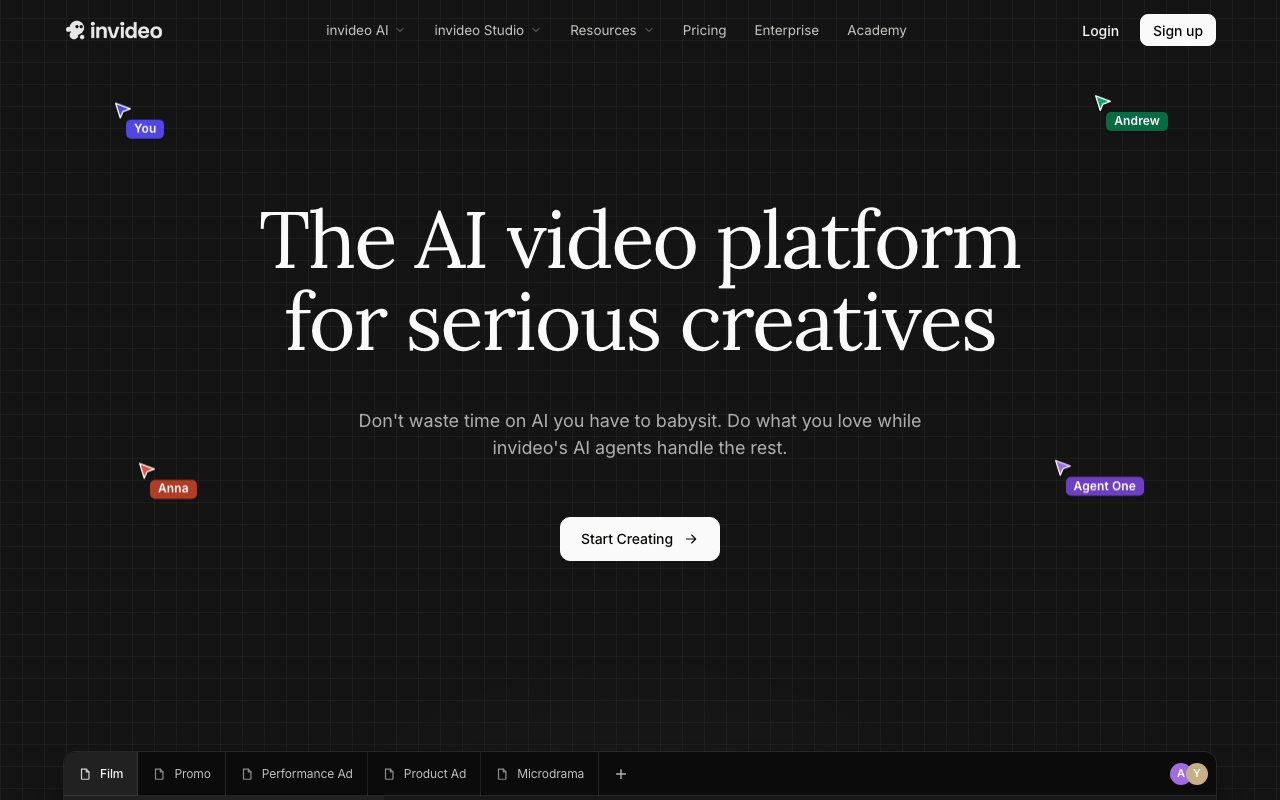
InVideo AI is a prompt-to-video platform that generates complete videos from text descriptions rather than requiring you to manually assemble clips on a timeline. You describe what you want in natural language, and the system produces a finished video with visuals, transitions, voiceover, and music already in place. The current version, built around what the company calls Agent One, can generate up to thirty minutes of video from a single prompt. Instead of dragging clips around in an editor, you refine the output by typing additional instructions that modify specific aspects of the video. This conversational approach to video editing represents a fundamentally different workflow than traditional tools like Premiere or DaVinci Resolve, where you spend hours manipulating individual frames, adjusting audio waveforms, and synchronizing elements manually. For people who need video content but lack editing expertise or time, this abstraction removes the steepest part of the learning curve.
The technical foundation combines multiple AI models from different providers rather than relying on a single proprietary system. InVideo integrates both OpenAI's Sora 2 and Google's VEO 3.1 for generative video capabilities, making it one of the few platforms offering access to both major providers at consumer price points rather than requiring separate subscriptions to each. Beyond raw generation, the editing toolkit includes several AI-powered features that address common post-production tasks. Relight lets you modify scene lighting after the fact, adjusting the mood and atmosphere without reshooting. Prop Swap replaces objects in footage without requiring new takes. AI Colorist applies film-grade color grading with minimal manual adjustment, bringing professional polish to amateur footage. The Money Shot feature targets product videos specifically, turning four to eight reference photos into multi-shot commercials that preserve your actual packaging and logo text rather than generating generic product imagery.
Multi-format export handles the platform fragmentation problem that plagues modern content distribution. InVideo outputs simultaneously in 16:9 for YouTube, 9:16 for TikTok and Instagram Reels, and 1:1 for Instagram feed posts without requiring separate production runs for each format. This automation matters because manually reformatting content for different platforms consumes significant time, especially when you need multiple videos per week across multiple channels. The sweet spot for InVideo is creators and small marketing teams who need three to ten videos per week but cannot justify hiring a dedicated editor or spending hours learning complex software. Social media managers, content marketers, course creators, and small business owners get the most value from the workflow. If you need polished video content regularly but lack the time or skill for traditional editing, the prompt-based approach removes much of the friction that makes video production intimidating.
Pricing splits into several tiers with a credit-based system underneath that governs access to different features and resources. The free plan offers ten AI minutes per week with 720p exports that include watermarks. It works for testing the platform and understanding its capabilities but not for publishing anything you want associated with your brand or business. Unlike several competitors that offer only time-limited trials, this free tier is permanent, giving you ongoing access to experiment even if you cannot currently justify a paid subscription. The Plus plan at $25 per month unlocks fifty AI minutes monthly, 1080p watermark-free exports, iStock library access for supplementing generated content with stock footage, and voice cloning capabilities for consistent narration across videos. That translates to roughly five to fifteen completed videos depending on length and how many iterations you need to reach a satisfactory result.
The Max plan at $60 per month increases the allocation to two hundred minutes, supporting twenty to sixty videos monthly for higher-volume operations like agencies or content teams producing daily output. The Generative plan at $120 per month provides eight hundred credits for teams with heavy generative model usage that exceeds what the lower tiers provide. One quirk of the credit system is that it separates AI minutes, iStock downloads, voiceover minutes, and voice-clone slots into distinct pools that do not roll over to the next billing cycle. You can exhaust one allocation while another sits unused, which requires some planning around your specific workflow and content mix. Credits consumed by generative models vary based on the model selected, video length, and output resolution, so complex projects with higher-quality settings consume credits faster than simple social clips. If you run out mid-cycle, one-time top-up packs are available for purchase to complete urgent projects without waiting for your allocation to reset. The platform runs entirely in the browser with no software installation required, and finished exports download directly to your machine for uploading wherever you publish.
Key Features
- Text prompt to full video generation with script, voiceover, and music
- Edit by typing plain-language commands instead of manual timeline work
- AI voiceovers in 50+ languages with selectable accents and voices
- 16M+ stock photos and videos from iStock, Storyblocks, and Shutterstock
- Export in multiple aspect ratios for YouTube, Instagram, and TikTok
- Auto-generated captions and large template library
Pros & Cons
What we like
- Very fast idea-to-video workflow for non-editors
- Command-based editing removes the timeline learning curve
- Huge built-in stock and template library
- Multi-language voiceover covers global audiences
Room for improvement
- Free plan caps exports at 720p and adds a watermark
- Credit system means heavy use pushes you toward higher paid tiers
- AI-picked stock footage can feel generic and need manual swaps
- Less precise control than a full editor like Premiere or DaVinci
Frequently Asked Questions
What is InVideo AI?
How much does InVideo AI cost?
Who is InVideo AI for?
Does InVideo AI use stock footage or generated video?
Best For
Featured in
Alternatives to InVideo AI

Synthesia
Turn a script into a talking-head AI avatar video in 160+ languages, no camera or studio required

Kapwing
Browser-based AI video editor for teams and creators, with auto-subtitles, text-to-video, and real-time collaboration

Opus Clip
AI clipper that turns long videos into short, captioned, ready-to-post viral shorts

Speel
AI UGC video generator that makes realistic AI avatars hold and talk about your product for ads
Reviews (14)
Decent with some rough edges
InVideo AI has quietly become part of my daily flow. Their take on very fast idea-to-video workflow for non-editors is genuinely good. The thing I keep coming back to is how reliable it is. One thing that bugs me is less precise control than a full editor like premiere or davinci. Worth the price for what I get out of it.
Bought it for one feature, stayed for ten
Almost a year on InVideo AI now, no plans to leave. Got real value out of text prompt to full video generation with script, voiceover, and music.
Best decision this quarter
Onboarded the whole team to InVideo AI in an afternoon. Real selling point for me was huge built-in stock and template library. Performance has been steady even when I lean on it hard. No regrets so far.
Quietly excellent
Almost a year on InVideo AI now, no plans to leave. Real selling point for me was huge built-in stock and template library. What stands out is how little babysitting it needs. Mostly using it for repurposing one idea into multiple platform formats. Hard to imagine going back to my old setup.
Solid but not perfect
Came to InVideo AI after getting frustrated with what I had before. Where it really wins is 16m+ stock photos and videos from istock, storyblocks, and shutterstock. The interface stays out of my way, which I appreciate. Mostly using it for marketing and product promo clips from a brief. It would be a five if not for ai-picked stock footage can feel generic and need manual swaps. Easy yes for anyone weighing the same trade offs.
Finally something that fits
Almost a year on InVideo AI now, no plans to leave. Where it really wins is edit by typing plain-language commands instead of manual timeline work. What stands out is how little babysitting it needs. Would sign up again without thinking twice.
Best decision this quarter
Started using InVideo AI casually, now it is pinned in my dock. The command-based editing removes the timeline learning curve is more useful than I expected. Found it works best for marketing and product promo clips from a brief. Glad I made the switch.
Solid daily driver
Three months of InVideo AI later, here is what holds up. It is the rare tool that got better the more I used it. Mostly using it for repurposing one idea into multiple platform formats. Worth the price for what I get out of it.
Genuinely impressed
Have been running InVideo AI for a while, here is where I land. What stands out is how it handles edit by typing plain-language commands instead of manual timeline work. The thing I keep coming back to is how reliable it is. Found it works best for explainer and educational videos from a script. Glad I made the switch.
Recommended without reservation
Came to InVideo AI after getting frustrated with what I had before. The core workflow is smooth once you are set up. Would sign up again without thinking twice.
Does the job, a few gripes
Hadn't planned on switching, but InVideo AI was hard to ignore. Real selling point for me was very fast idea-to-video workflow for non-editors. It fits well for faceless youtube and social media channels at scale. The catch is less precise control than a full editor like premiere or davinci. Would sign up again without thinking twice.
Exactly what I needed
Came to InVideo AI after getting frustrated with what I had before. I expected to churn off it in a week and I am still here. Nothing flashy, it simply pulls its weight every day. It has been a fit for marketing and product promo clips from a brief. Worth the price for what I get out of it.
Best decision this quarter
Onboarded the whole team to InVideo AI in an afternoon. Their take on edit by typing plain-language commands instead of manual timeline work is genuinely good. Would sign up again without thinking twice.
Worth the price of admission
Have been running InVideo AI for a while, here is where I land. Got real value out of export in multiple aspect ratios for youtube, instagram, and tiktok. I expected to churn off it in a week and I am still here. It has been a fit for faceless youtube and social media channels at scale.
Badge builder
Add InVideo AI to your website
Choose a badge style and size, preview it here, then copy the generated HTML. Badge images are self-contained SVGs and do not require an external script.

<a href="https://toolindex.net/tools/invideo-ai?ref=badge" target="_blank" rel="noopener">
  <img src="https://toolindex.net/badge/invideo-ai/medium.svg" alt="InVideo AI - Listed on Tool Index" width="180" height="50" />
</a>How to use the badge
- 1. Pick the style, size, and theme that fit your layout.
- 2. Copy the generated HTML from the code block.
- 3. Paste it into your footer, homepage, or press page.
Standard badge available
The standard listing badge is available now. Score and circle badges are limited to tools currently ranked in the top 10 of a category.
Badge clicks return visitors to this profile with a referral tag so the source remains identifiable.
Related Tools
Pika
Playful AI video generator known for fun effects and short clips

Vidu
AI video generator built around reference-to-video, keep characters, props and styles consistent across every clip
Luma Dream Machine
Fast, photoreal video generation from the team behind Genie 3D
Seedance
ByteDance's benchmark-leading AI video model that delivers cinematic, audio-synced clips at a fraction of rival pricing
Work on InVideo AI? Request listing access or correction