
Opus Clip
AI clipper that turns long videos into short, captioned, ready-to-post viral shorts
Gallery
About Opus Clip
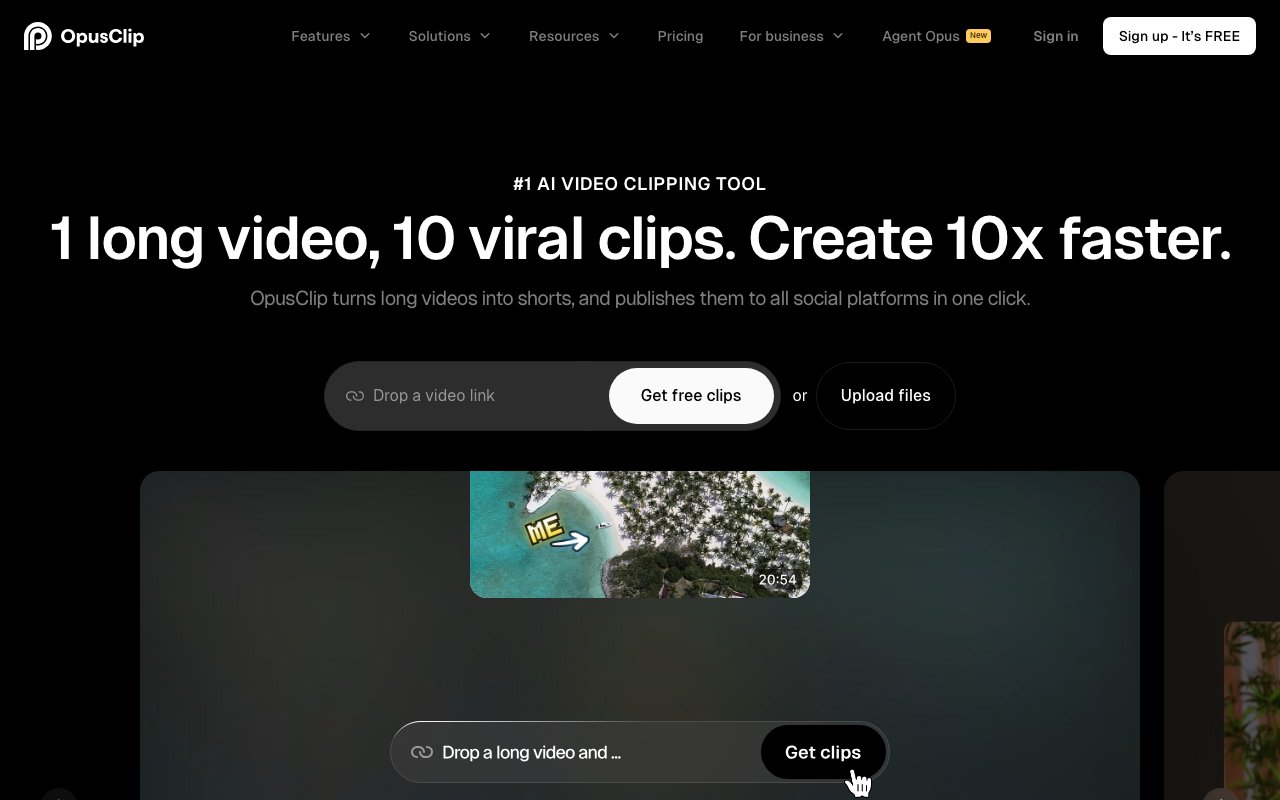
Opus Clip is an AI-powered video editor that takes long-form content and automatically cuts it into short clips optimized for social media. The platform handles the tedious work of finding engaging moments, resizing for different platforms, adding captions, and distributing across channels. If you've ever spent hours scrubbing through a podcast or webinar trying to find the three minutes worth posting to TikTok, this is the tool built to eliminate that process. Over 16 million creators and businesses have signed up, which speaks to how widespread the short-form content problem has become. The math is brutal without automation: a one-hour video might contain five or six strong clips, but finding them manually takes longer than the original recording.
The central feature is ClipAnything, an AI model that identifies compelling segments across different video genres. This matters because most competing tools only work well with talking-head podcasts where the visual content is static and the AI just needs to find interesting audio. Opus claims to handle vlogs, gaming content, sports highlights, interviews, explainer videos, and other formats where the visual action varies throughout. The AI looks for moments with high engagement potential, essentially predicting what would perform well as a standalone clip based on patterns from viral content. You upload a long video, and the system returns multiple short options ranked by their likely virality. Each clip includes a score and reasoning, so you can understand why the AI selected particular moments and make informed decisions about which ones to publish.
ReframeAnything solves the aspect ratio problem that plagues anyone repurposing content across platforms. Long-form content is usually shot in 16:9 landscape for YouTube, but TikTok, Reels, and Shorts all favor 9:16 vertical. Simply cropping the center would cut off speakers who move around the frame. The tool automatically resizes videos while keeping moving subjects centered using AI object tracking. It dynamically follows faces and action so you don't cut off the speaker's head when they shift positions or lose important visual elements that drift to the edges of the frame. For content with multiple speakers, the system handles switching focus as different people talk.
The automated captions claim over 97% accuracy and remain editable through a built-in interface, so you can fix any transcription mistakes before publishing. Captions aren't optional for short-form content anymore; platforms favor captioned videos algorithmically, and most viewers watch with sound off in feeds. Having captions generated automatically and baked into the video saves a separate step in the editing process. You can customize the caption styling to match your brand, choosing fonts, colors, and animation styles that align with your visual identity.
Multi-platform publishing lets you push finished clips to YouTube, TikTok, Instagram, and other social platforms simultaneously rather than uploading manually to each one. This isn't just convenience; it's consistency. When you're posting the same clip across multiple channels, having a single workflow ensures the caption timing, aspect ratio, and branding match everywhere. The scheduling features let you queue clips for optimal posting times without logging into each platform separately.
For teams and agencies, there are brand templates, workspace management features, and API access for automating workflows at scale. If you're running a content operation that produces dozens of long videos monthly, the API integration means you can pipe footage through Opus as part of a larger production pipeline. Editors can review AI-selected clips, approve or reject them, make refinements, and push to publication without switching between multiple tools. The collaborative features let multiple editors work within the same account with consistent branding applied automatically, which matters when you're managing content for multiple clients or brands.
Pricing starts with a free plan offering 60 minutes of monthly processing, enough to test the system on a few videos and evaluate whether the AI selections match your quality standards. There's a 7-day Pro trial with 90 minutes included for more extensive testing. Paid plans use a credit-based system with monthly and yearly options, scaling based on how much video you need to process. For creators who've been manually clipping content or paying editors to do it, the economics often make sense quickly. The value proposition is straightforward: you're trading monthly subscription costs for hours of editing time, and for anyone producing regular long-form content who needs short-form distribution, that math usually works out in Opus's favor.
Key Features
- ClipAnything AI moment detection across any video genre
- Virality Score from 0 to 100 on every clip
- Animated auto-captions with claimed 97 percent plus accuracy
- AI Reframe with object tracking for 9:16, 1:1, and 16:9
- AI B-Roll generation and brand templates
- Built-in social scheduler plus export to Premiere Pro and DaVinci Resolve XML
Pros & Cons
What we like
- Strong at finding postable moments in long recordings fast
- Captions and reframing are accurate enough to skip manual editing
- Free tier lets you test the full clipping flow before paying
- Scheduler and team workspace cover the whole repurposing workflow
Room for improvement
- Free plan watermarks clips and expires files after 3 days
- Credit model means heavy users hit minute caps quickly
- Virality Score is a prediction, not a guarantee of views
- Auto-picked clips still need review for awkward cuts or context
Frequently Asked Questions
What is Opus Clip?
Is Opus Clip free?
What is Opus Clip best for?
How does Opus Clip pick the best moments?
Best For
Featured in
Alternatives to Opus Clip
View allVid.AI
AI video editor that auto-cuts, captions, and turns long-form footage into short-form clips

Kapwing
Browser-based AI video editor for teams and creators, with auto-subtitles, text-to-video, and real-time collaboration
InVideo AI
Turn a text prompt into a complete video with script, stock footage, AI voiceover, music, and captions

Descript
AI video and podcast editor that lets you edit recordings by editing the transcript like a text document
Reviews (7)
Quietly excellent
Picked Opus Clip for the price, stayed for the quality. It does what it says, which is rarer than it should be. The defaults are sensible, so I was not fighting settings on day one. It has been a fit for mass-produce vertical shorts for tiktok, reels, and shorts. Hard to imagine going back to my old setup.
Two months in, no regrets
Tried Opus Clip on a side project first, then rolled it out everywhere. Where it really wins is strong at finding postable moments in long recordings fast. Mostly using it for cut livestream and webinar replays into highlight reels. Would sign up again without thinking twice.
The kind of tool you forget you are paying for
Tried Opus Clip on a side project first, then rolled it out everywhere. What stands out is how it handles ai b-roll generation and brand templates. Found it works best for mass-produce vertical shorts for tiktok, reels, and shorts. No regrets so far.
Recommended without reservation
Found Opus Clip on a Reddit thread and I am glad I clicked. Real selling point for me was captions and reframing are accurate enough to skip manual editing. It does what it says, which is rarer than it should be. Glad I made the switch.
Good, with a few caveats
Opus Clip has quietly become part of my daily flow. The scheduler and team workspace cover the whole repurposing workflow is more useful than I expected. Genuine strength is that it gets out of the way and lets me work. It has been a fit for cut livestream and webinar replays into highlight reels. One thing that bugs me is free plan watermarks clips and expires files after 3 days. It earns its place in my stack.
Quietly excellent
Almost a year on Opus Clip now, no plans to leave. The clipanything ai moment detection across any video genre is more useful than I expected. It slotted into my routine without much fuss. It has been a fit for repurpose podcasts and interviews into short clips. Glad I made the switch.
Exactly what I needed
Hadn't planned on switching, but Opus Clip was hard to ignore. What stands out is how it handles strong at finding postable moments in long recordings fast. It has been a fit for add captions and reframe footage without a manual editor. No regrets so far.
Badge builder
Add Opus Clip to your website
Choose a badge style and size, preview it here, then copy the generated HTML. Badge images are self-contained SVGs and do not require an external script.

<a href="https://toolindex.net/tools/opus-clip?ref=badge" target="_blank" rel="noopener">
  <img src="https://toolindex.net/badge/opus-clip/medium.svg" alt="Opus Clip - Listed on Tool Index" width="180" height="50" />
</a>How to use the badge
- 1. Pick the style, size, and theme that fit your layout.
- 2. Copy the generated HTML from the code block.
- 3. Paste it into your footer, homepage, or press page.
Standard badge available
The standard listing badge is available now. Score and circle badges are limited to tools currently ranked in the top 10 of a category.
Badge clicks return visitors to this profile with a referral tag so the source remains identifiable.
Related Tools
Pika
Playful AI video generator known for fun effects and short clips

Vidu
AI video generator built around reference-to-video, keep characters, props and styles consistent across every clip
Luma Dream Machine
Fast, photoreal video generation from the team behind Genie 3D
Seedance
ByteDance's benchmark-leading AI video model that delivers cinematic, audio-synced clips at a fraction of rival pricing
Work on Opus Clip? Request listing access or correction