Vid.AI
AI video editor that auto-cuts, captions, and turns long-form footage into short-form clips
Gallery
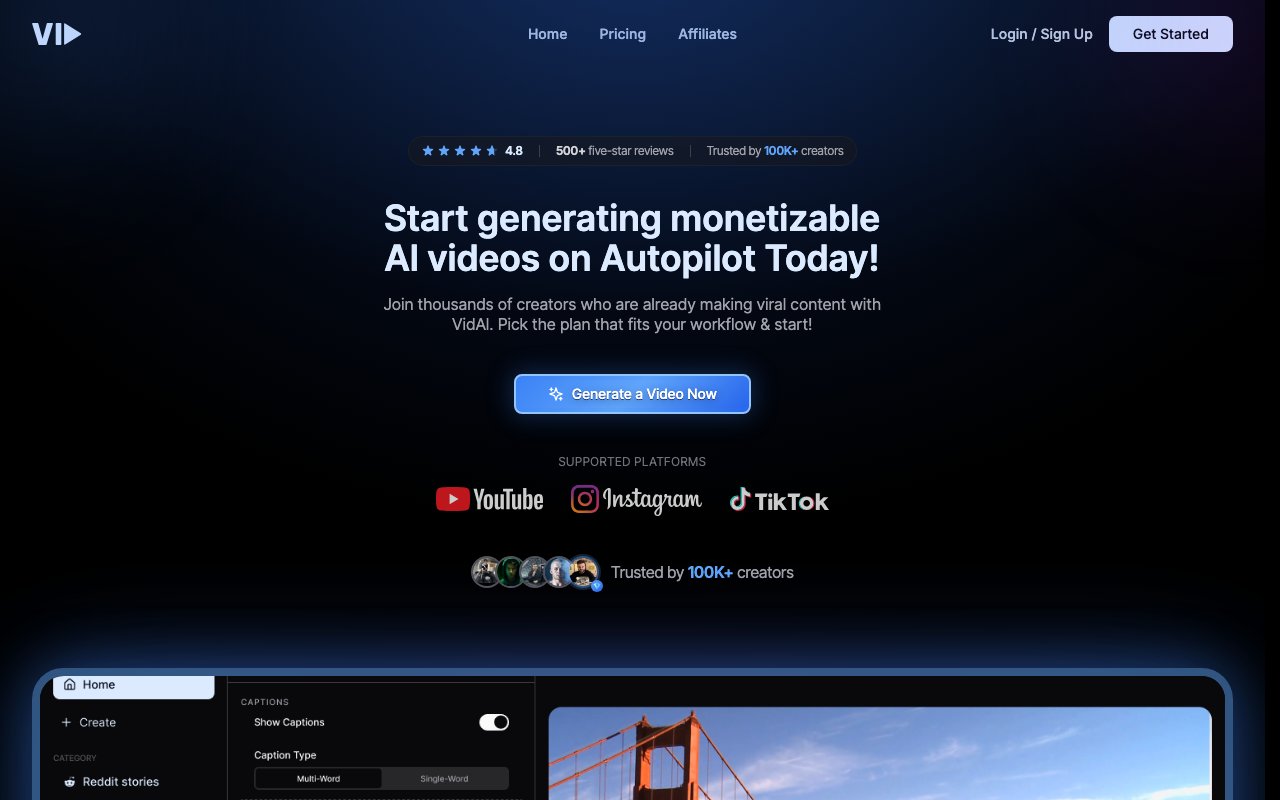
About Vid.AI
Key Features
- AI auto-editing with highlight detection
- Filler-word removal and intelligent cuts
- Multi-language captions and transcription
- Long-form to short-clip repurposing
- Industry-specific template library
- Real-time team collaboration
Pros & Cons
What we like
- Automates the tedious cutting and captioning steps of editing
- Repurposing long content into shorts fits how creators publish now
- Collaboration and templates suit teams shipping video at volume
Room for improvement
- Public homepage is a JS-heavy SPA that's hard to inspect, so details are thin
- No clearly published contact email or support channel was found
- Pricing around $67 a month comes from third-party listings, not a confirmed page
- Auto-edits and AI cuts still usually need a human review pass
Frequently Asked Questions
What does Vid.AI actually do?
Does Vid.AI have a free trial?
How much does Vid.AI cost?
Who is Vid.AI best for?
Will Vid.AI videos look unique?
Best For
Featured in
Alternatives to Vid.AI

Opus Clip
AI clipper that turns long videos into short, captioned, ready-to-post viral shorts

Kapwing
Browser-based AI video editor for teams and creators, with auto-subtitles, text-to-video, and real-time collaboration

Descript
AI video and podcast editor that lets you edit recordings by editing the transcript like a text document
InVideo AI
Turn a text prompt into a complete video with script, stock footage, AI voiceover, music, and captions
Our take
Tool Index Editorial · Jun 2026· 3.9/5
Vid.AI knows exactly what it is, a faceless short-form video factory that takes a prompt or script and returns a captioned, voiced, edited vertical ready for Shorts, TikTok, or Reels. Built by creators who ran faceless channels themselves, it collapses scripting, voiceover, copyright-safe footage, and captions into one app, and the bundled Storyblocks library solves a real legal headache. For anyone publishing shorts at volume, that's a genuine time-saver.
The friction is price and proof. The Pro plan runs $67 a month with no free trial, so you're paying before you can see if the output clears your bar, and the marketing site is an opaque single-page app that makes evaluation harder than it should be. The output also lands in the same stock-plus-voiceover template thousands of faceless channels use, so the tool won't differentiate you, your scripts will. Useful for high-volume faceless creators, an awkward fit for anyone wanting hands-on creative control.
Editorial opinion from the Tool Index team, written from the public product pages. Not a user review.
Reviews (7)
Finally something that fits
Skeptical at first because Vid.AI looked too simple. It's not. What stands out is how repurposing long content into shorts fits how creators publish now. Glad I made the switch.
Surprised how much we use this
The pitch for Vid.AI sounded too good to be true. Mostly true. Genuine strength: repurposing long content into shorts fits how creators publish now. Got real value out of filler-word removal and intelligent cuts. It fits well for podcasters turning episodes into clips for distribution. Would buy again without thinking twice.
Pulled its weight from week one
Hadn't planned on switching, but Vid.AI was hard to ignore. The thing I keep coming back to: repurposing long content into shorts fits how creators publish now. Got real value out of AI auto-editing with highlight detection. Mostly using it for marketers producing captioned social video at scale. Still recommending it to people in similar setups.
Pros
- Automates the tedious cutting and captioning steps of editing
Onboarded the team in a day
Tried Vid.AI on a side project first. The biggest win has been collaboration and templates suit teams shipping video at volume. The multi-language captions and transcription is more useful than I expected. It fits well for marketers producing captioned social video at scale. One thing that bugs me: no clearly published contact email or support channel was found. Easy yes for anyone weighing the same trade-offs.
The kind of tool you forget you're paying for
Been using Vid.AI for a few weeks now. The thing I keep coming back to: automates the tedious cutting and captioning steps of editing. Easy yes for anyone weighing the same trade-offs.
Pros
- Repurposing long content into shorts fits how creators publish now
Surprised how much we use this
Vid.AI isn't perfect but it's the best I've used in this category. The thing I keep coming back to: collaboration and templates suit teams shipping video at volume. Worth calling out the multi-language captions and transcription too. Worth the price for what I get out of it.
Pros
- Collaboration and templates suit teams shipping video at volume
- Automates the tedious cutting and captioning steps of editing
Cons
- No clearly published contact email or support channel was found
Genuinely impressed
Took a few weeks for Vid.AI to click, then it stuck. What stands out is how repurposing long content into shorts fits how creators publish now. Industry-specific template library works the way you'd hope. Would buy again without thinking twice.
Pros
- Repurposing long content into shorts fits how creators publish now
Badge builder
Add Vid.AI to your website
Choose a badge style and size, preview it here, then copy the generated HTML. Badge images are self-contained SVGs and do not require an external script.

<a href="https://toolindex.net/tools/vid-ai?ref=badge" target="_blank" rel="noopener">
  <img src="https://toolindex.net/badge/vid-ai/medium.svg" alt="Vid.AI - Listed on Tool Index" width="180" height="50" />
</a>How to use the badge
- 1. Pick the style, size, and theme that fit your layout.
- 2. Copy the generated HTML from the code block.
- 3. Paste it into your footer, homepage, or press page.
Score badge available
Vid.AI qualifies for the score and circle badges based on its current top-10 positionin Video.
Badge clicks return visitors to this profile with a referral tag so the source remains identifiable.
Related Tools

Apatero AI
The creator studio for AI image, video, audio, 3D, and avatars, now at apatero.ai.
LocalClip
Local-first AI video clipper for Mac that turns long videos into vertical clips

Melodex
Turn your idea into an AI-generated music video
Apatero Studio
Creator studio for AI image, video, audio, 3D, and avatars. Every model worth using, in one workspace.
Work on Vid.AI? Request listing access or correction