
Termique
Manage SSH hosts, terminals, files, and encrypted credentials across devices
Gallery
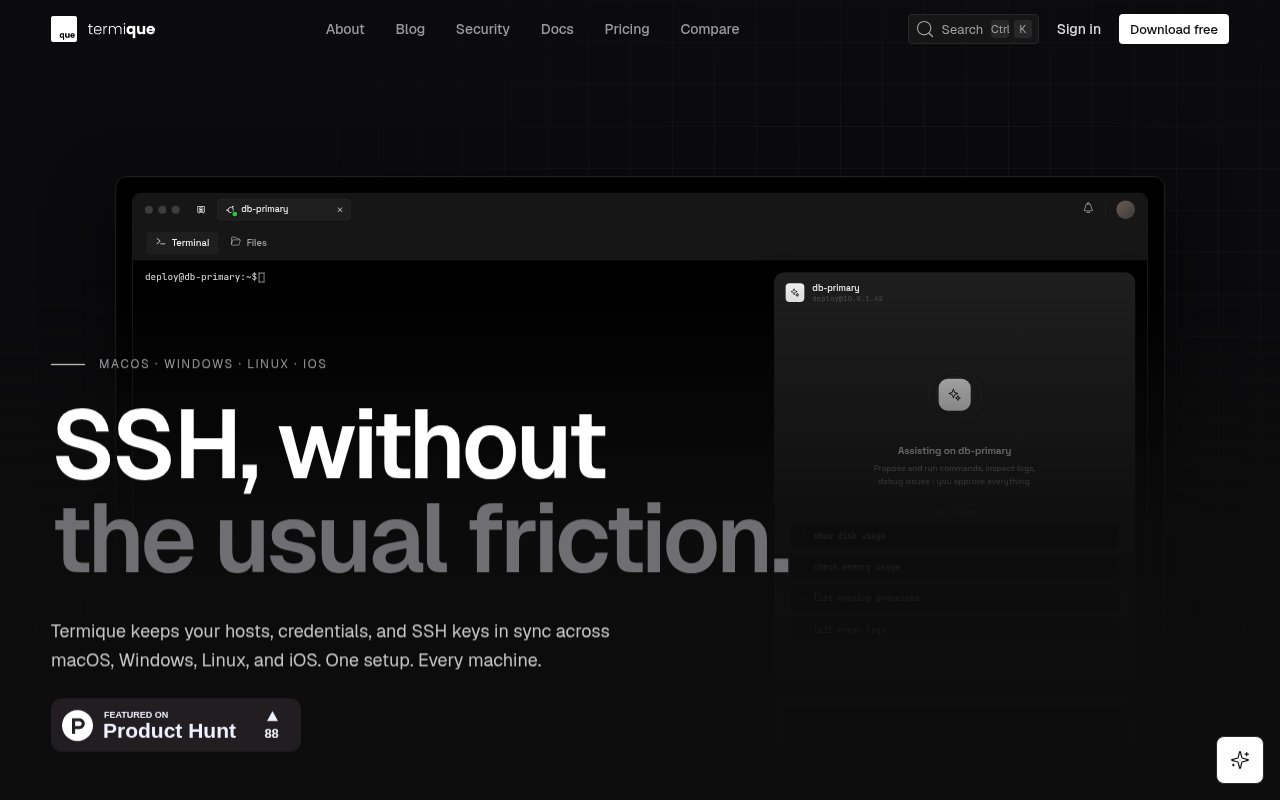
About Termique
Termique is a cross-platform SSH client and server manager that brings terminal sessions, host organization, credentials, SSH keys, SFTP, port forwarding, monitoring, snippets, and an AI assistant into one application. It is available across macOS, Windows, Linux, iOS, and Android, so a server configured on one device can be reached from another without rebuilding the host list by hand. The product is aimed at developers, system administrators, consultants, and operations teams that manage more than a few remote machines and want a friendlier layer around standard SSH work.
The central workspace keeps multiple PTY sessions in tabs instead of opening a separate window for each host. Servers can be arranged in groups and viewed with status information, while an integrated key store exposes algorithms and fingerprints for review. SFTP file transfers and port forwarding are included, so common maintenance jobs do not require a second client. Saved command snippets can be reused across sessions, and monitoring surfaces CPU, memory, and disk information. Termique stores hosts, groups, and snippets in a local SQLite database and provides export from settings, which gives users a way to leave with their configuration if the service is no longer available.
Credential handling is the defining product choice. Termique says SSH passwords and passphrases are encrypted locally with AES-GCM using a key derived from the user's master password through PBKDF2. The master password is never transmitted, and the server receives ciphertext rather than plaintext credentials. Private key material is held in the platform credential store, using macOS Keychain, Windows Credential Manager, or libsecret on Linux. Decrypted key material exists only in local memory when needed. The tradeoff is intentional and important. There is no master password recovery path, so forgetting it means the vendor cannot unlock the encrypted vault for the user.
Termique also states that terminal activity remains outside its service. Commands, session data, and connection metadata stay between the device and the remote host, with no telemetry on what happens inside a terminal. End-to-end encrypted cloud sync covers the configuration needed across devices, while app preferences and snippet libraries can travel with the account. This design still asks users to trust the implementation and protect their master password, device, and remote server accounts. It does, however, separate synchronization from plaintext credential access in a way that is clearly explained on the product site.
The built-in AI assistant is scoped to the active server. A user can ask for help in plain language, then inspect the suggested command before anything runs. The free plan includes 15 hosted AI prompts per day, while Pro raises that allowance to 100 and adds AI memory. This review-first behavior makes the assistant more appropriate for infrastructure work than an interface that silently executes generated shell commands. It remains an aid rather than a substitute for knowing what a command will change, particularly on production systems. Users who do not want AI can still use the rest of the SSH, file, forwarding, and monitoring workflow.
Pricing starts with a meaningful free tier. It supports up to three hosts and ten snippets, with unlimited terminal sessions, multi-tab use, SSH key management, SFTP, port forwarding, server monitoring, encrypted cloud sync, and the daily AI allowance. Pro costs $5 per month when billed monthly and removes the host and snippet limits. It also adds 100 hosted AI prompts per day, AI memory, host sharing with up to five teammates, and command audit logs. Additional teammates are listed at $3.99 per month each. A single subscription covers the supported devices, making the upgrade mainly about scale, collaboration, and auditing rather than unlocking basic SSH access.
Termique is built with Tauri rather than Electron and presents itself as a native desktop and mobile client. The breadth is useful, but it also means buyers should check the maturity of the particular platform they rely on and test workflows such as key import before moving critical access. Windows users with PuTTY keys need to convert the PPK format to OpenSSH, and teams that require serial consoles, X11 servers, or a complete Unix environment may still need another tool. The free host limit is also easy to reach. For the intended job, though, Termique combines a practical SSH client with clear local encryption boundaries, useful file and tunnel tools, cross-device organization, and a modestly priced team path.
Key Features
- Multi-tab PTY sessions
- End-to-end encrypted sync
- Integrated SFTP file transfers
- Port forwarding and monitoring
- Host-aware AI command suggestions
- Team sharing and audit logs
Pros & Cons
What we like
- Covers desktop and mobile SSH workflows
- Keeps master passwords away from the server
- Includes useful core features on the free tier
- Shows generated commands before they run
Room for improvement
- Free plan is limited to three hosts
- Forgotten master passwords cannot be recovered
- PuTTY keys require a one-time conversion
- Specialized terminal features may need another tool
Frequently Asked Questions
What is Termique?
Can Termique read stored SSH credentials?
Is Termique free?
Does Termique's AI run commands automatically?
Best For
Featured in
Alternatives to Termique
View all
Kevin Gabeci
Solo developer building web apps, cozy browser games, and AI creator toolkits.

SoloDevStack
A solo developer blog built on head-to-head tool comparisons, 580+ posts deep.

Codedex
A gamified, story-driven platform that teaches Python, web dev, and more like an RPG quest

Vibe Built
Building real apps with agentic AI. What worked, what broke, what shipped.
Our take
Tool Index Editorial · Sep 2026· 4.0/5
Termique is a cross-platform SSH manager with terminal tabs, SFTP, key storage, port forwarding, monitoring, encrypted sync, and host-aware command suggestions. It fits developers and small operations teams that want one client across desktop and mobile. The free plan includes the core workflow for three hosts. Pro costs $5 per month and adds unlimited hosts, sharing, audit logs, longer history, and more hosted AI use.
The public security explanation is specific about what stays local and what reaches the server as ciphertext, and generated commands are shown before execution. The free tier is genuinely usable. Still, a forgotten master password cannot be recovered, private keys and remote access deserve independent review, and the product is built by one person. Advanced terminal specialists may also miss features from a dedicated client.
Editorial opinion from the Tool Index team, written from the public product pages. Not a user review.
Reviews (0)
Badge builder
Add Termique to your website
Choose a badge style and size, preview it here, then copy the generated HTML. Badge images are self-contained SVGs and do not require an external script.

<a href="https://toolindex.net/tools/termique?ref=badge" target="_blank" rel="noopener">
  <img src="https://toolindex.net/badge/termique/medium.svg" alt="Termique - Listed on Tool Index" width="180" height="50" />
</a>How to use the badge
- 1. Pick the style, size, and theme that fit your layout.
- 2. Copy the generated HTML from the code block.
- 3. Paste it into your footer, homepage, or press page.
Standard badge available
The standard listing badge is available now. Score and circle badges are limited to tools currently ranked in the top 10 of a category.
Badge clicks return visitors to this profile with a referral tag so the source remains identifiable.
Related Tools
Kevin Gabeci
Solo developer building web apps, cozy browser games, and AI creator toolkits.

Coolify
Self-hostable, open source alternative to Heroku and Netlify

Warp
The modern terminal reimagined with AI and collaboration

Bolt.new
Prompt-to-deployed full-stack app inside the browser
Work on Termique? Request listing access or correction