
tinyjs
Build 6 MB desktop apps for Mac, Windows, and Linux with a JavaScript backend and the system webview
Gallery
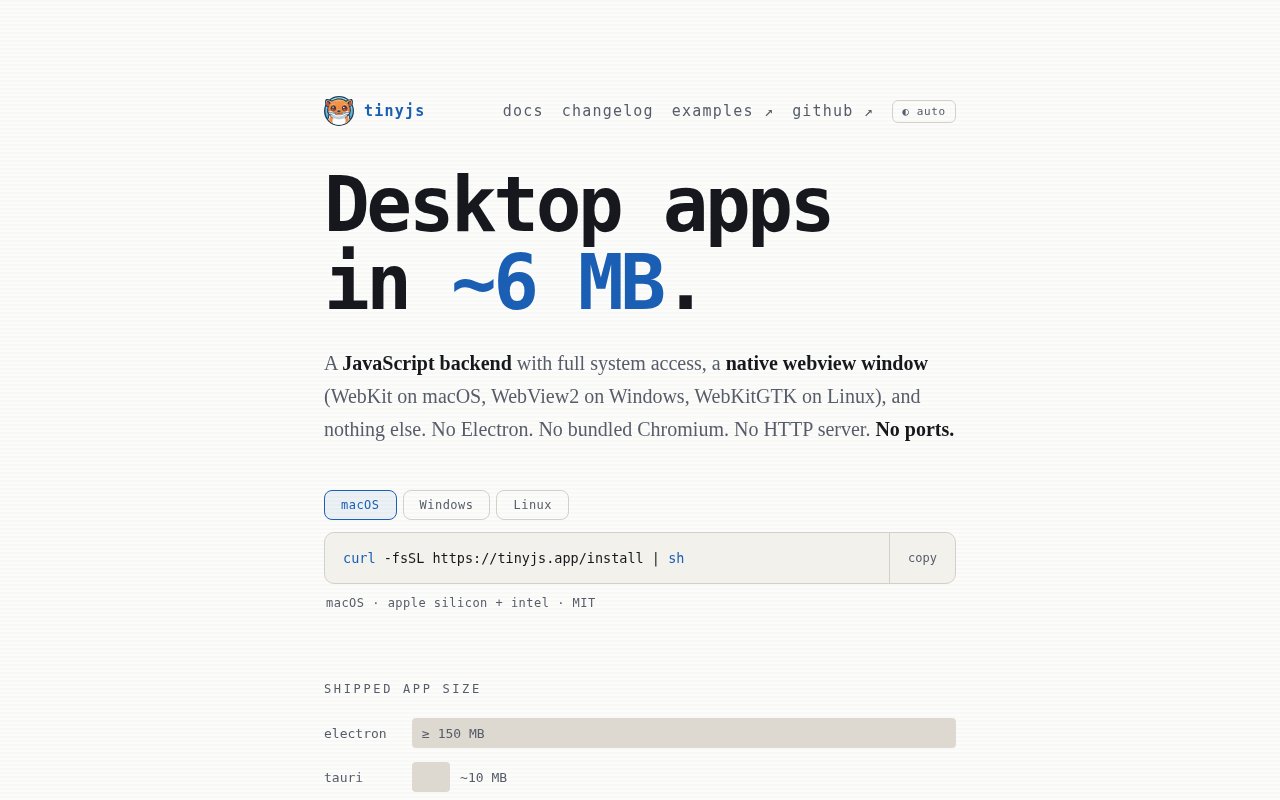
About tinyjs
tinyjs is a framework and runtime for building desktop applications in JavaScript without shipping a browser. The site's own description is the clearest one, a JavaScript backend with full system access, a native webview window, and nothing else. The result is an app bundle of around 6 MB on every platform, compared with 150 MB or more for an Electron app that has to carry Chromium along with it, and you write both halves of the app in the language you already use. The site calls it small apps on Win, Mac, and Linux, and the examples bear that out.
The problem is familiar to anyone who has shipped a small utility with Electron. The app might be a few hundred lines, but the download is enormous, memory use is high, startup is slow, and users notice all three. Tauri fixes the size by moving the backend to Rust, which means learning Rust and maintaining two languages in one project. tinyjs keeps the whole stack in JavaScript and still gets the small bundle by using the webview the operating system already has, so the only thing you ship is your code and a small runtime.
Under the hood the backend runs on txiki.js, a small runtime that bundles QuickJS, libuv, SQLite, and WebAssembly support. The window is the platform webview, WebKit on macOS, WebView2 on Windows, and WebKitGTK on Linux. Backend and frontend talk over a Unix socket rather than an HTTP port, so there's no local server to expose, no port collisions, and nothing for another process on the machine to connect to. The backend exposes files, sockets, subprocesses, FFI, SQLite, fetch, WebSocket, and wasm, which covers most of what a desktop utility needs, from reading a config directory to calling into a native library. SQLite being built in means a small app gets a real database without a native module compile step, and FFI means the rare case that needs a platform call doesn't force a rewrite in another language. The frontend can be plain HTML, CSS, and JavaScript, or a Vite template for React, Vue, Svelte, or Solid with TypeScript, so an existing web UI can usually move over as is.
The workflow is a CLI. An install script sets it up on macOS and Linux with one curl command, with a PowerShell variant for Windows. tinyjs new creates a project, tinyjs dev runs it with hot reload, tinyjs build packages a signed bundle, and tinyjs publish ships updates with sha256 verification so an app can update itself safely. Hot reload during development keeps the web-style feedback loop, which is much of why people put up with Electron in the first place. The examples repository shows what it can do in practice, with amp, an audio player with visualisers, MIDI, and tracker module support, Nib, a Markdown editor with export, Platter, an album-focused music interface, a World Clock menu bar app, Tiny Deck, a demonstration of the APIs, and shelf, an installer and manager for the example apps.
It's for JavaScript developers who want to ship native-feeling desktop tools, menu bar apps, internal utilities, or small products without the weight of Electron or a second language. It's also a good fit for people who already use Vite and a component framework and want the desktop wrapper to stay out of the way, and for anyone who cares about download size because their users are on slow connections or company laptops with tight disk quotas. Teams that ship one app to all three platforms will want to weigh the beta status of Windows and Linux against the time they'd save.
Compared with the alternatives, the site publishes an honest table. Electron bundles Chromium and a Node.js backend at 150 MB plus. Tauri uses the system webview with a Rust backend at around 10 MB. Neutralino is page-only at around 3 MB and communicates over a localhost websocket. tinyjs sits at around 6 MB with a JavaScript backend and no ports. The main caveat is platform maturity. macOS is marked stable and is the primary platform, while Windows 10 and 11 and Linux on x86_64 and arm64 are in beta, and it's a smaller community than the two big names, so you'll find fewer answers on the web when something goes wrong. The backend is also txiki.js rather than Node.js, so packages that lean on Node internals need checking before you count on them, and rendering differences between the three platform webviews are yours to test.
tinyjs is open source under the MIT license, with the runtime, CLI, and examples on GitHub under tarwin/tinyjsapp and releases published there. There's no paid tier, hosted service, or license fee, and the docs and changelog live on the site. Releases and the changelog give a sense of cadence before you commit, which matters for a young framework. The site doesn't publish a contact email, so questions and bug reports go through the GitHub repositories, and the quickest evaluation is to run the install script, create a project with tinyjs new, and check the bundle size after tinyjs build.
Key Features
- JavaScript backend on txiki.js with QuickJS
- System webview, no bundled Chromium
- Around 6 MB per app bundle
- Files, sockets, subprocesses, FFI, and SQLite APIs
- Vite templates for React, Vue, Svelte, and Solid
- Signed builds and sha256-verified updates
Pros & Cons
What we like
- Whole stack stays in JavaScript, no Rust required
- Bundles a fraction of the size of Electron
- No HTTP port, backend talks over a Unix socket
- MIT licensed with example apps to learn from
Room for improvement
- Windows and Linux support are still in beta
- Smaller community than Electron or Tauri
- Rendering depends on each platform's webview
- Backend is txiki.js, not Node.js, so some packages need checking
Frequently Asked Questions
What is tinyjs?
Is tinyjs free?
Which platforms does tinyjs support?
How is tinyjs different from Tauri?
Best For
Featured in
Alternatives to tinyjs
View all
Kevin Gabeci
Solo developer building web apps, cozy browser games, and AI creator toolkits.

SoloDevStack
A solo developer blog built on head-to-head tool comparisons, 580+ posts deep.

Codedex
A gamified, story-driven platform that teaches Python, web dev, and more like an RPG quest

Vibe Built
Building real apps with agentic AI. What worked, what broke, what shipped.
Our take
Tool Index Editorial · Sep 2026· 3.5/5
tinyjs builds desktop apps with a JavaScript backend and the operating system webview instead of bundling Chromium. The result is a claimed bundle around 6 MB, with files, processes, sockets, SQLite, FFI, native menus, and common web frontends available from one project. It is MIT licensed and aimed at JavaScript developers shipping compact utilities for Mac, Windows, and Linux.
We like the no port RPC design and the unusually concrete examples. The active changelog also shows recent security fixes rather than hiding them. The tradeoff is ecosystem size and compatibility. The backend isn't Node.js, so packages that depend on Node internals need testing, and each platform webview can render differently. The current material and downloads are strongest on macOS, so cross platform teams should prove their full build and update path early.
Editorial opinion from the Tool Index team, written from the public product pages. Not a user review.
Reviews (0)
Badge builder
Add tinyjs to your website
Choose a badge style and size, preview it here, then copy the generated HTML. Badge images are self-contained SVGs and do not require an external script.

<a href="https://toolindex.net/tools/tinyjs?ref=badge" target="_blank" rel="noopener">
  <img src="https://toolindex.net/badge/tinyjs/medium.svg" alt="tinyjs - Listed on Tool Index" width="180" height="50" />
</a>How to use the badge
- 1. Pick the style, size, and theme that fit your layout.
- 2. Copy the generated HTML from the code block.
- 3. Paste it into your footer, homepage, or press page.
Standard badge available
The standard listing badge is available now. Score and circle badges are limited to tools currently ranked in the top 10 of a category.
Badge clicks return visitors to this profile with a referral tag so the source remains identifiable.
Related Tools
Kevin Gabeci
Solo developer building web apps, cozy browser games, and AI creator toolkits.

Coolify
Self-hostable, open source alternative to Heroku and Netlify

Warp
The modern terminal reimagined with AI and collaboration

Bolt.new
Prompt-to-deployed full-stack app inside the browser
Work on tinyjs? Request listing access or correction