
Toolblip
Use hundreds of focused developer and utility tools in the browser
Gallery
About Toolblip
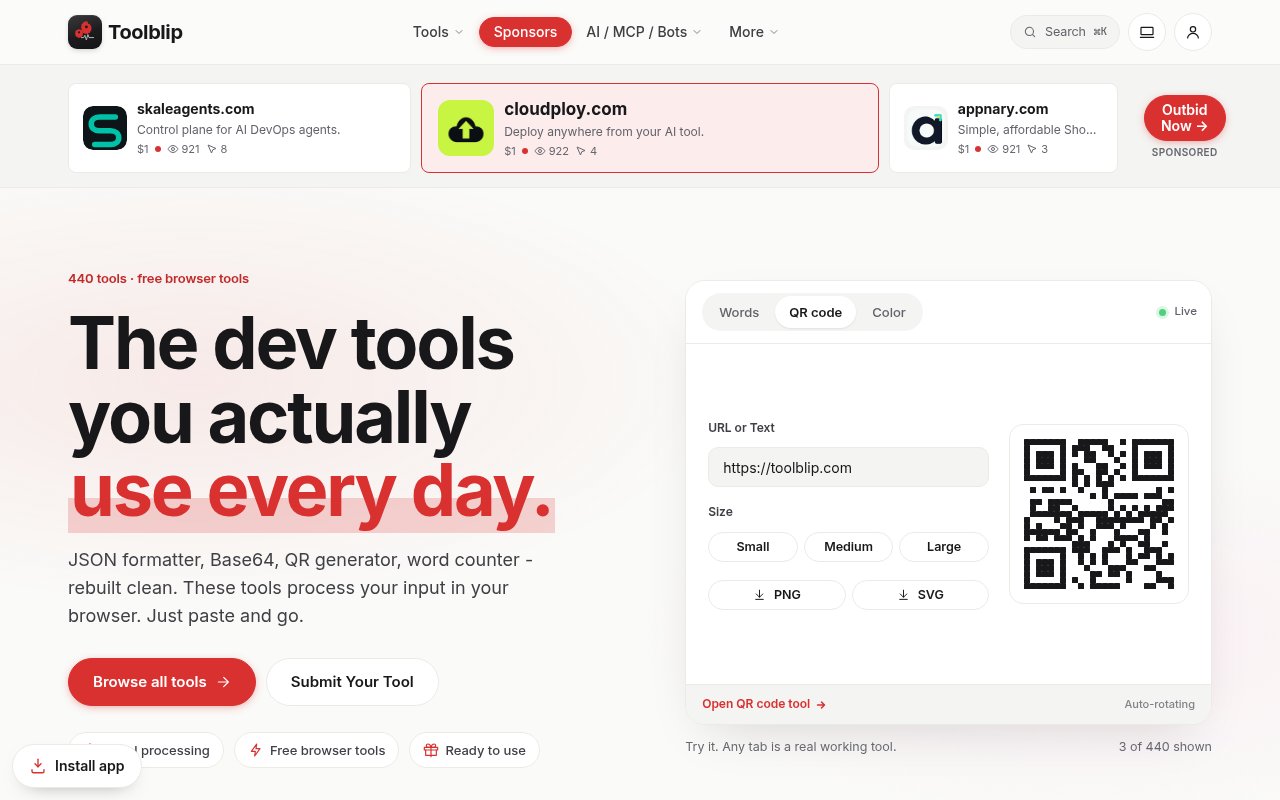
Toolblip is a large collection of focused browser tools for developers, writers, designers, marketers, and anyone who needs to transform or inspect a small piece of data. The catalog contains 440 tools across 14 categories, with familiar jobs such as formatting JSON, decoding Base64, generating QR codes, counting words, resizing images, calculating percentages, and converting units. Most tools work without an account and process the input in the current browser tab. That makes the site a practical replacement for a folder full of unrelated utility pages when the task is too small to justify installing an application or writing a script.
The basic interaction stays consistent across the collection. A user opens the relevant page, pastes or enters data, adjusts the controls that matter, and copies or downloads the result. Developer utilities cover areas such as JSON formatting, regular expression testing, UUID generation, JWT decoding, code comparison, cron expression parsing, URL encoding, hash generation, and subnet calculations. Text tools handle counts, case conversion, reading time, punctuation, statistics, and placeholder copy. Conversion, color, image, SEO, PDF, math, network, document, encoder, and video sections extend the same pattern to more visual or specialized jobs.
Many of the most useful pages expose enough detail to support real work without pretending to be larger applications. The JSON formatter can indent or minify input and returns a parser error for invalid JSON. The regular expression tester uses JavaScript patterns, flags, highlighted matches, and capture groups. The JWT decoder shows header and payload data plus date claim status, while clearly noting that decoding doesn't verify a signature, issuer, or audience. A password generator can enforce selected character groups, and a UUID page can create version 4 values with case and hyphen controls. The Markdown converter includes a sanitized preview, while the cron parser explains a standard five-field expression and shows upcoming local run times. Image pages can resize, crop, compress, remove a background, or convert formats, often with previews and file information before download. PDF tools cover tasks such as merging, rearranging, deleting, annotating, signing, and watermarking pages.
Local processing is an important part of Toolblip's appeal, but the site describes it carefully. JSON, Base64, QR, and word tools are among those that process entered content in the browser, and many local pages respond as the user types or clicks. The broader service doesn't claim that every feature is entirely offline. Accounts and some features use online services, and a few tools naturally need network access, such as DNS lookups or fetching a public post through an online embedding service. Buyers handling sensitive material should check the behavior and privacy note on the particular page instead of assuming one privacy model applies to all 440 tools.
The collection works well for engineers cleaning an API response, checking a configuration value, generating test identifiers, or comparing snippets during a debugging session. Designers can build palettes, inspect contrast, crop images, and prepare social graphics. Writers and marketing teams can count text, preview search metadata, create banners, or calculate reading time. There are also straightforward utilities for occasional tasks, from time zone conversion to bill splitting. Individual pages state practical boundaries where relevant. The video tools cap source size and duration, the JWT page separates decoding from verification, and the currency converter identifies its rates as fixed demonstration values. Because each page has one primary job, Toolblip is easiest to use when someone already knows the transformation they need and wants a quick answer rather than a connected workflow with projects, shared history, and team administration.
What distinguishes Toolblip is breadth paired with a low-friction interface. A searchable index and category counts make the catalog navigable despite its size, while individual pages usually provide a concise explanation, controls, a result, and copy or download actions. The browser-first model can also be faster than uploading a file to a general web service for a minor edit. Access is freemium. The core browser tools are free and can be used without signing up, while the site says optional accounts and paid features are available. It doesn't present the collection as one uniform offline package, so users should expect capabilities and limits to vary by tool, especially for files, network requests, and features that depend on online services.
Key Features
- 440 focused browser tools
- Fourteen searchable tool categories
- Local processing for many tools
- No-account core utilities
- Copy and download outputs
- Developer, image, and PDF tools
Pros & Cons
What we like
- Covers many routine tasks in one catalog
- Most tools work without an account
- Many inputs stay in the browser tab
- Focused pages keep simple jobs quick
Room for improvement
- Processing behavior varies between individual tools
- Some features depend on online services
- The large catalog can include overlapping utilities
- Optional paid feature details aren't centralized
Frequently Asked Questions
What is Toolblip?
Is Toolblip free?
Does Toolblip upload my input?
Who is Toolblip for?
Best For
Featured in
Alternatives to Toolblip

Kevin Gabeci
Solo developer building web apps, cozy browser games, and AI creator toolkits.

SoloDevStack
A solo developer blog built on head-to-head tool comparisons, 580+ posts deep.

Codedex
A gamified, story-driven platform that teaches Python, web dev, and more like an RPG quest

Vibe Built
Building real apps with agentic AI. What worked, what broke, what shipped.
Reviews (0)
Badge builder
Add Toolblip to your website
Choose a badge style and size, preview it here, then copy the generated HTML. Badge images are self-contained SVGs and do not require an external script.

<a href="https://toolindex.net/tools/toolblip?ref=badge" target="_blank" rel="noopener">
  <img src="https://toolindex.net/badge/toolblip/medium.svg" alt="Toolblip - Listed on Tool Index" width="180" height="50" />
</a>How to use the badge
- 1. Pick the style, size, and theme that fit your layout.
- 2. Copy the generated HTML from the code block.
- 3. Paste it into your footer, homepage, or press page.
Standard badge available
The standard listing badge is available now. Score and circle badges are limited to tools currently ranked in the top 10 of a category.
Badge clicks return visitors to this profile with a referral tag so the source remains identifiable.
Related Tools
Kevin Gabeci
Solo developer building web apps, cozy browser games, and AI creator toolkits.

Coolify
Self-hostable, open source alternative to Heroku and Netlify

Warp
The modern terminal reimagined with AI and collaboration

Bolt.new
Prompt-to-deployed full-stack app inside the browser
Work on Toolblip? Request listing access or correction