
Uplink
Give agents a terminal path from localhost to a public app and custom domain
Gallery
About Uplink
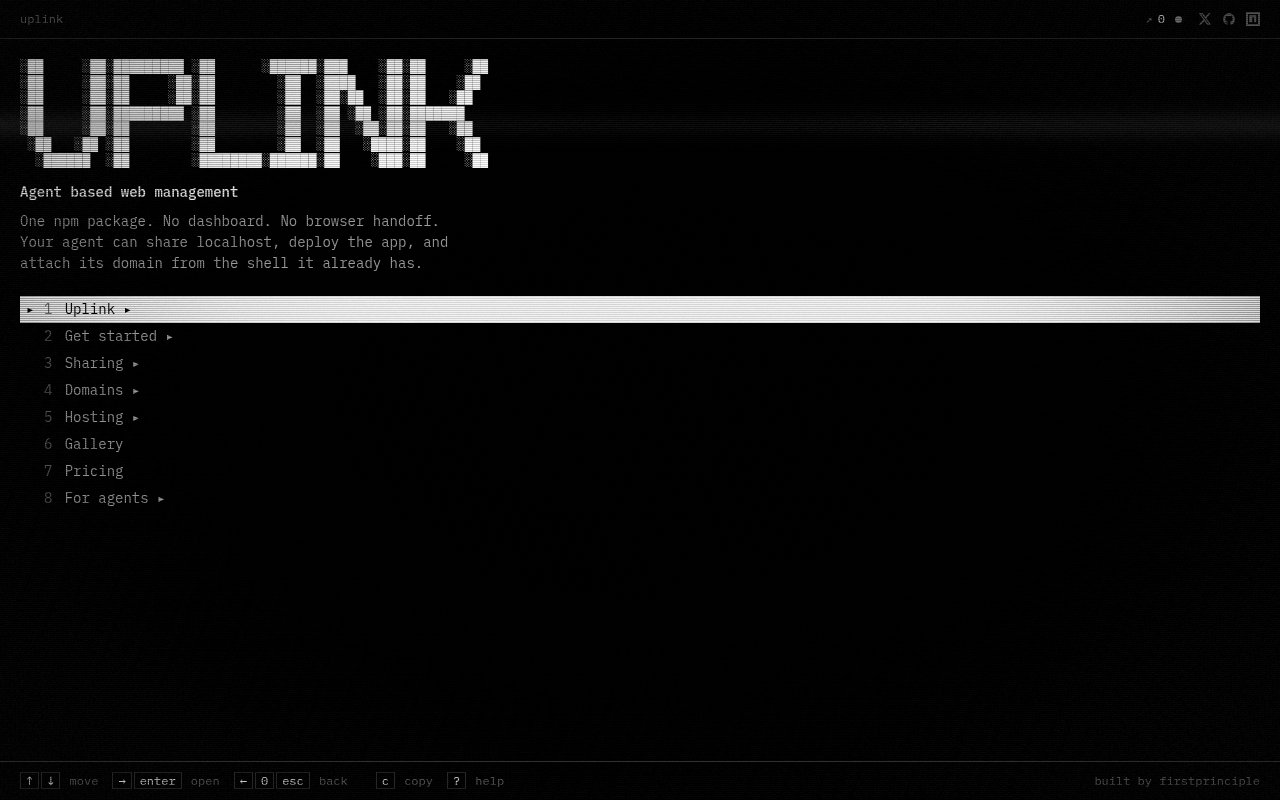
Uplink is a command line tool for sharing a local web app, deploying it, and attaching a domain without leaving the terminal. It packages those jobs into one npm command so a developer or coding agent can move from a service running on localhost to something another person can open. There is no dashboard to navigate and no browser handoff in the main workflow. That makes it especially relevant when an agent is doing the work, since the same shell that starts an app can also expose it, inspect it, and manage where it lives. It can be installed globally through npm or run directly with npx, so trying the command doesn't require adding a project dependency.
The first part of the product is a public HTTPS tunnel. Point Uplink at any local port and it returns a temporary address under x.uplink.spot. Guest access is created automatically, so a quick preview doesn't require an account or an authentication detour. A guest can keep one tunnel active for 24 hours, which is enough for a review link, a webhook test, or a short demo. Once the tunnel exists, the CLI can list it, report statistics, stop it, or manage an alias. That also makes it possible to check the state of a tunnel before an automated test or share its address with another step in a development workflow. The useful idea isn't just tunneling by itself. It's that every step can be expressed as a stable command that another program can call and understand.
Uplink also covers lightweight hosting. It can set up and deploy Next.js, Vite, and static projects, then list an app, inspect its status and logs, or remove it from the same interface. Setup accepts the project path and an application name, which makes the action explicit in a scripted run. A developer doesn't have to switch from a local sharing tool to a separate deployment panel when a prototype is ready to persist. Email verification unlocks those hosted features while preserving a tunnel created as a guest. The result is a fairly direct path from local experiment to deployed application, with fewer context changes during a coding session.
Domain handling is the other substantial piece. Uplink provides one inventory for domains spread across GoDaddy, Cloudflare, Hostinger, Namecheap, DreamHost, and cPanel based hosts. The cPanel route covers shared hosting services that expose compatible access, so the domain view isn't limited to modern developer platforms. It can connect a supported provider, search or list domains, attach a hostname to a hosted app, and verify the DNS setup. That is useful for an agent that has finished building a site but would otherwise need a human to click through a registrar. It is also handy for developers whose domains are scattered among providers and who would rather work through one predictable interface.
The CLI has been shaped around automation rather than merely wrapping a human interface. JSON mode keeps structured results on standard output while sending logs and errors elsewhere. Stable exit codes distinguish usage, authentication, network, and server failures. Those details let an agent tell the difference between a malformed command, expired credentials, a connection problem, and a service error without scraping prose. Tokens can be read from standard input instead of appearing in the process arguments, and commands are available in noninteractive forms. Humans still get an interactive menu, but agents using Cursor, Claude Code, Codex, Windsurf, or another shell based workflow can operate it without pretending to be a browser user.
This focus makes Uplink a good fit for developers who regularly need to show work in progress, test callbacks against a local server, or let a coding agent ship a small web project. It is narrower than a full cloud platform and deliberately avoids a graphical control plane. That simplicity is part of the appeal when the task is straightforward, though teams that depend on visual project administration or broad framework support may still want their existing hosting service. The public repository and MIT licensed CLI also make the command contract visible, even though the hosted tunnel and deployment service remains the product behind it. Its small public community and focused framework list are worth weighing if it would become critical infrastructure.
Access is freemium. Guest and email login are free, while Pro is listed at $9 per month. Guest access includes one active tunnel for 24 hours, and aliases and custom domains depend on the account plan. The site doesn't present a large matrix of quotas, so buyers with heavier deployment or traffic needs should confirm the current limits before standardizing on it. Free access is still enough to see whether an agent can create and manage a tunnel reliably before a team pays for persistent naming. For quick agent driven previews and small app deployments, the low setup burden is the clearest reason to try it.
Key Features
- Public HTTPS localhost tunnels
- Agent friendly JSON output
- Next.js and Vite deployment
- Cross-provider domain inventory
- Custom hostname attachment
- Noninteractive token authentication
Pros & Cons
What we like
- Works entirely from the terminal
- Guest tunnels need no signup
- Combines previews, hosting, and domains
- Structured output suits coding agents
Room for improvement
- Guest tunnels expire after 24 hours
- No graphical management dashboard
- Hosting targets a limited framework set
- Aliases and custom domains depend on plan
Frequently Asked Questions
What is Uplink?
Can Uplink work without a browser?
Is Uplink free?
What can Uplink deploy?
Best For
Featured in
Alternatives to Uplink
View all
Kevin Gabeci
Solo developer building web apps, cozy browser games, and AI creator toolkits.

SoloDevStack
A solo developer blog built on head-to-head tool comparisons, 580+ posts deep.

Codedex
A gamified, story-driven platform that teaches Python, web dev, and more like an RPG quest

Vibe Built
Building real apps with agentic AI. What worked, what broke, what shipped.
Our take
Tool Index Editorial · Sep 2026· 3.0/5
Uplink presents a terminal based route for an agent to share localhost, deploy an app, and attach a domain without handing work to a browser dashboard. We like the shape of that workflow for coding agents because one npm package can keep the whole path in the shell.
The captured public page was mostly an interactive menu and did not expose current pricing, usage limits, supported deployment targets, or operational guarantees. A command line only control surface will also be a poor fit for teams that want visual administration. The concept is useful, but we would test reliability and account boundaries before making it part of a delivery pipeline.
Editorial opinion from the Tool Index team, written from the public product pages. Not a user review.
Reviews (0)
Badge builder
Add Uplink to your website
Choose a badge style and size, preview it here, then copy the generated HTML. Badge images are self-contained SVGs and do not require an external script.

<a href="https://toolindex.net/tools/uplink?ref=badge" target="_blank" rel="noopener">
  <img src="https://toolindex.net/badge/uplink/medium.svg" alt="Uplink - Listed on Tool Index" width="180" height="50" />
</a>How to use the badge
- 1. Pick the style, size, and theme that fit your layout.
- 2. Copy the generated HTML from the code block.
- 3. Paste it into your footer, homepage, or press page.
Standard badge available
The standard listing badge is available now. Score and circle badges are limited to tools currently ranked in the top 10 of a category.
Badge clicks return visitors to this profile with a referral tag so the source remains identifiable.
Related Tools
Kevin Gabeci
Solo developer building web apps, cozy browser games, and AI creator toolkits.

Coolify
Self-hostable, open source alternative to Heroku and Netlify

Warp
The modern terminal reimagined with AI and collaboration

Bolt.new
Prompt-to-deployed full-stack app inside the browser
Work on Uplink? Request listing access or correction