use-fs
React hook for the File System Access API and the origin private file system
Gallery
About use-fs
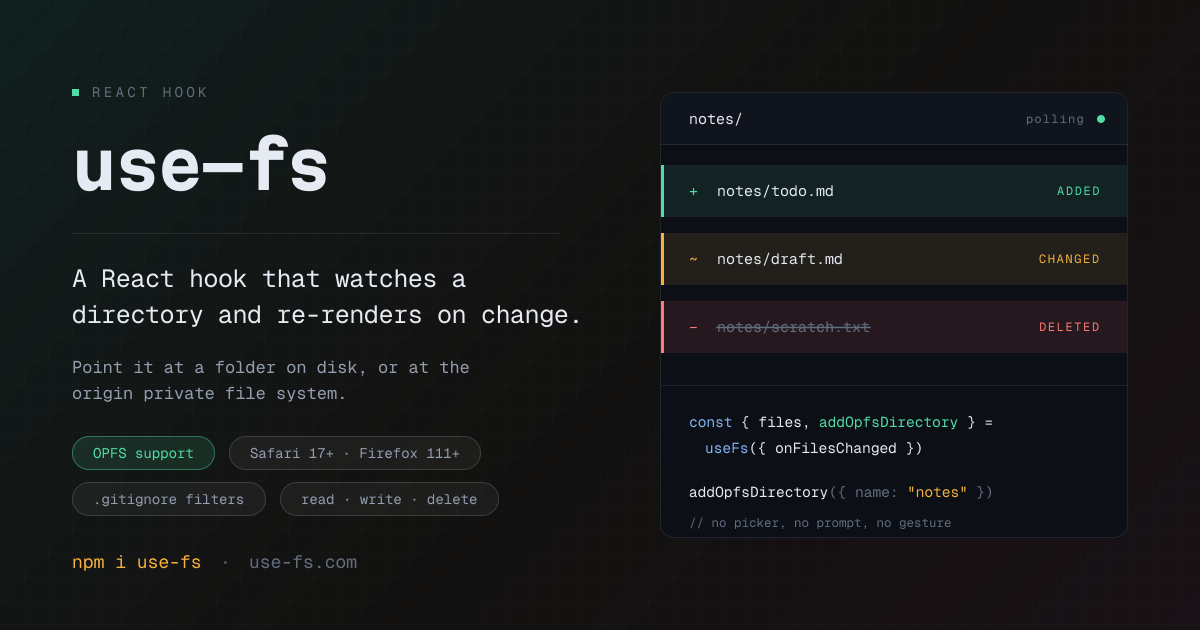
use-fs is a React hook that puts a real folder behind your component state. You point useFs() at a directory the user picks off their disk, or at the browser's own private storage, and the hook hands your component a map of every file inside it. When a file is added, edited, or deleted, the component re-renders. There's no upload step, no server round trip, and no second file dialog to nag the user with. The files your app is reading are the same files their editor has open.
The problem it solves is that the File System Access API is powerful and awkward at the same time. Handles, permission prompts, recursive walks, and change detection are all left to you, and most apps end up writing the same fragile directory-crawling code. use-fs wraps that into one hook with a documented scan loop, so what you write is React state rather than filesystem plumbing. The same hook also covers the origin private file system, which is a very different API in the spec but the same shape once it's behind a directory handle.
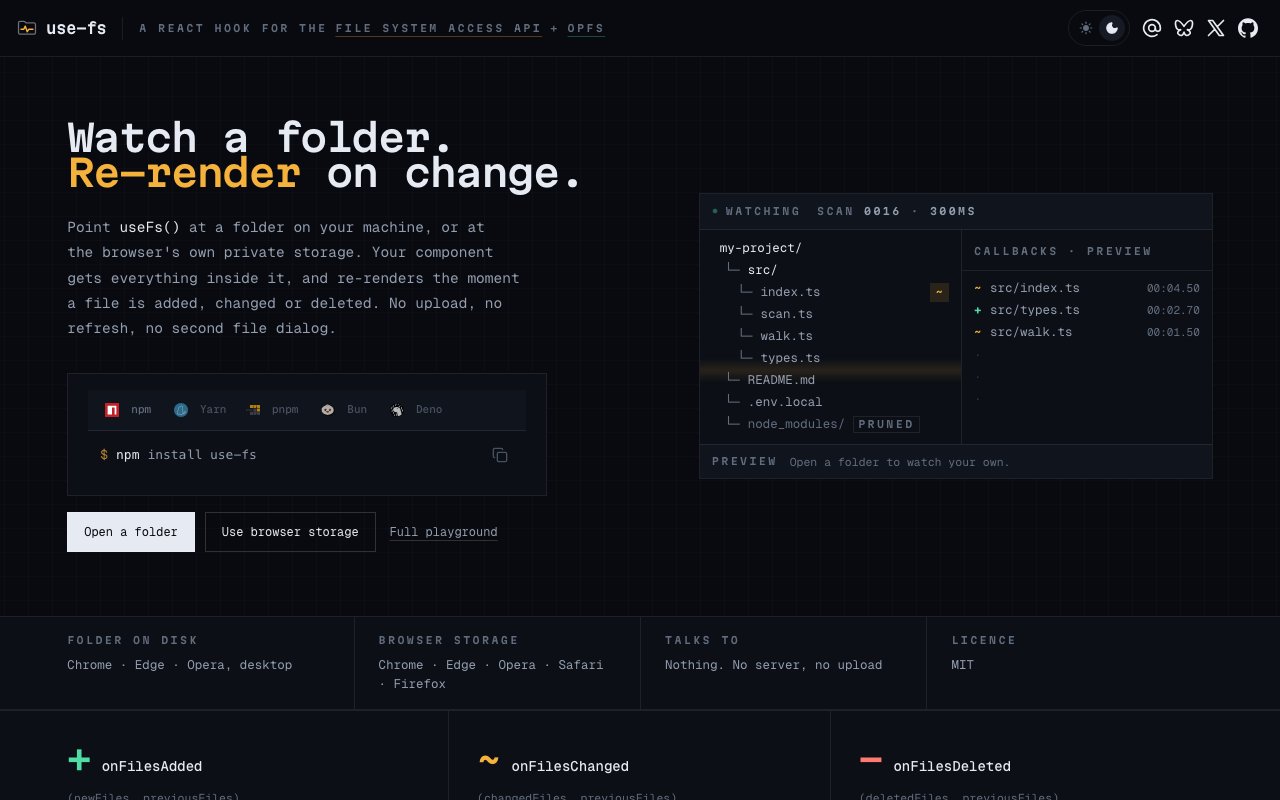
A scan runs every 300 milliseconds by default and happens in three steps. It walks the tree breadth-first with a bounded number of directories open at once, and filters run first, so a filter that rejects a directory prunes the whole subtree and node_modules never gets enumerated at all. Every discovered file gets stat'd before anything is read, and contents are re-read only when lastModified or size actually moved, which means polling a large tree that isn't changing costs no content I/O. Then added, changed, and deleted files are resolved against the previous scan. Rendered state is coalesced by a debounce interval while callbacks fire immediately, so a burst of writes doesn't turn into a burst of renders.
Failure handling is more careful than most hobby wrappers. Scans never throw. If a directory can't be enumerated because permission was revoked or the folder moved, the hook keeps its last known contents instead of reporting every file in it as deleted, and it surfaces the reason through an error value you can read. Three callbacks cover the lifecycle, one for files added, one for files changed, and one for files deleted. The delete callback still hands you the last known contents of the file, so you can archive it, undo it, or write it back. Each callback also receives the previous file map alongside the change set, which makes diffing against the last known state straightforward instead of something you have to track yourself.
Two stores sit behind the same hook. The first is a folder on disk, which needs the directory picker, so it only opens from a user gesture and asks for a write permission prompt. That path works in desktop Chrome, Edge, and Opera. The second is the origin private file system, a real directory tree scoped to your origin that the user never sees and that survives reloads. It asks for nothing, so it can mount inside an effect, and it works in Chrome, Edge, Opera, Safari 17 and later, and Firefox 111 and later. Both are a FileSystemDirectoryHandle underneath, which means the same files map, the same filters, and the same writeFile work against either one, and you can watch both at once.
The API surface is fully documented on the site. State covers the files map, the underlying handles, the watched roots, processing and polling flags, browser and OPFS support checks, and the most recent recoverable error. Actions cover opening the picker, mounting OPFS storage, adding a handle you already hold, removing a root, forcing a scan, driving the polling loop by hand, writing files with missing parents created for you, creating and deleting files and directories, re-requesting permission, and clearing everything. Options tune the filters, poll interval, debounce, batch size, concurrency, read or write mode, and whether polling starts on its own. Helpers like walkDirectory, scanDirectories, toContentMap, and createFilter are exported too, and the default commonFilters set prunes build output, drops OS scratch files, and honours every .gitignore in the tree.
It suits anyone building a browser-based editor, a local-first note or code tool, a playground, or a diffing and review interface that should read real project files rather than pasted text. Installation is one npm install use-fs, with copy-paste commands for Yarn, pnpm, Bun, and Deno on the homepage, and there's a live playground on the site that watches a folder in front of you, shows the file contents, and streams the add and delete events as each scan resolves, so you can judge it before writing any code. The library is MIT licensed, published on npm, and developed in the open on GitHub. The honest limits are browser reach and lifetime, since disk access needs a Chromium-based desktop browser and ends when the tab closes.
Key Features
- Single React hook for disk and OPFS
- Polling scan with added, changed, deleted callbacks
- Composable filters that honour .gitignore
- Stat-first scanning to avoid needless reads
- Read and write helpers for files and directories
- Live playground and full API reference
Pros & Cons
What we like
- Turns a watched folder into ordinary React state
- Nothing is uploaded, everything runs in the tab
- Scans never throw and surface recoverable errors
- MIT licensed and installable from npm
Room for improvement
- Disk folder access needs a Chromium-based desktop browser
- Polling-based, so changes appear on the next scan
- Access ends when the tab closes
- Narrow focus, React only
Frequently Asked Questions
What is use-fs?
Is use-fs free?
Which browsers does it work in?
Does it upload my files anywhere?
Best For
Featured in
Alternatives to use-fs
View all
Kevin Gabeci
Solo developer building web apps, cozy browser games, and AI creator toolkits.

SoloDevStack
A solo developer blog built on head-to-head tool comparisons, 580+ posts deep.

Codedex
A gamified, story-driven platform that teaches Python, web dev, and more like an RPG quest

Vibe Built
Building real apps with agentic AI. What worked, what broke, what shipped.
Our take
Tool Index Editorial · Oct 2026· 4.0/5
use-fs turns a disk folder or browser private file system into React state, with callbacks for added, changed, and deleted files. We found excellent public documentation for its scan order, filters, stat based reads, error behavior, write helpers, and live playground. It is MIT licensed, available through npm, and does not upload watched files to a server.
The design is narrow and honest. Real disk access works only in supported desktop Chromium browsers, permission starts with a user gesture, and polling means changes arrive on the next scan rather than through a native watcher. It is React only and not suited to very large trees without careful filtering. For browser editors, local first tools, and prototypes that fit those boundaries, use-fs removes a meaningful amount of awkward API plumbing.
Editorial opinion from the Tool Index team, written from the public product pages. Not a user review.
Reviews (0)
Badge builder
Add use-fs to your website
Choose a badge style and size, preview it here, then copy the generated HTML. Badge images are self-contained SVGs and do not require an external script.

<a href="https://toolindex.net/tools/use-fs?ref=badge" target="_blank" rel="noopener">
  <img src="https://toolindex.net/badge/use-fs/medium.svg" alt="use-fs - Listed on Tool Index" width="180" height="50" />
</a>How to use the badge
- 1. Pick the style, size, and theme that fit your layout.
- 2. Copy the generated HTML from the code block.
- 3. Paste it into your footer, homepage, or press page.
Standard badge available
The standard listing badge is available now. Score and circle badges are limited to tools currently ranked in the top 10 of a category.
Badge clicks return visitors to this profile with a referral tag so the source remains identifiable.
Related Tools
Kevin Gabeci
Solo developer building web apps, cozy browser games, and AI creator toolkits.

Coolify
Self-hostable, open source alternative to Heroku and Netlify

Warp
The modern terminal reimagined with AI and collaboration

Bolt.new
Prompt-to-deployed full-stack app inside the browser
Work on use-fs? Request listing access or correction