
Viaduct
Maintain C4 architecture models that teams and coding agents can read
Gallery
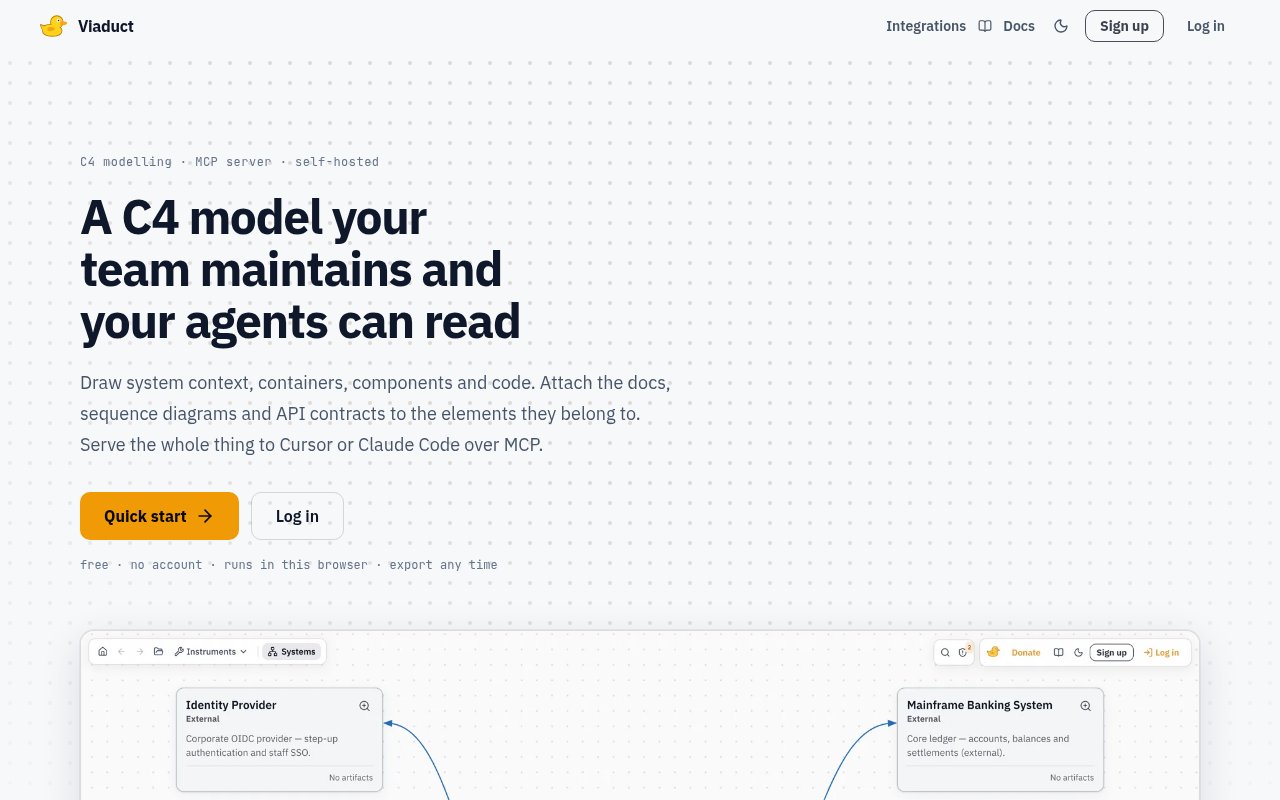
About Viaduct
Viaduct is a browser-based C4 modeling tool that keeps software architecture, supporting documentation, interaction flows, and API contracts in one structured model. Teams can map system context, containers, components, and selected code details, then move through those four C4 levels without maintaining a separate drawing for each view. An element exists once and appears wherever it belongs, so a renamed service or changed relationship is reflected across the model. The same architecture can be read by people in the visual editor and by coding agents through a hosted Model Context Protocol server.
Each element can hold the information a developer needs to understand or change it. Viaduct supports Markdown pages, PlantUML sequence diagrams, entity relationship schemas, endpoint definitions, and relationships between modeled elements. API endpoints are stored in OpenAPI form, with typed parameters, headers, request bodies, and responses. A team can import an existing OpenAPI specification onto a container or export the container's contracts back to a file. Magic flows reuse elements and connections to show an ordered request path across the canvas, including stages that occur in parallel. A flow can generate a sequence diagram without requiring the same interaction to be drawn twice. Documentation can embed stored sequences and endpoints, so it continues to render the current artifact instead of preserving a stale screenshot.
The hosted MCP server gives Cursor, Claude Code, Claude Desktop, and other MCP clients access to the live model. A personal token can let an agent search projects, read elements and documentation, or write new elements, connections, endpoints, and documents when the user has edit rights. Change sets make agent work more controlled. Each one is tied to a pinned model version and records intent, scope, constraints, acceptance criteria, and an optional base code reference. An agent receives an implementation bundle for that fixed revision and can report commits against individual criteria. Status moves from draft through implementation to done based on evidence rather than a manual completion claim. The bundle is scoped to the relevant model diff, contracts, neighboring elements, flows, and documentation.
Viaduct suits software architects, platform teams, technical leads, and engineering groups that use C4 or want a more structured alternative to general diagramming. It is useful when architecture reviews, onboarding, incident work, and agent-assisted implementation all need the same source of context. Real-time collaboration shows active users and supports shared projects, while share links can grant view or edit access. Figma frames can also be connected to architecture components, allowing a change set to refer to design states and named style values. A built-in assistant can propose short descriptions, name unfinished flow steps, and review the model for missing or suspicious relationships, but suggestions are never applied automatically.
The product's strongest distinction is that the canvas is a navigable data model rather than a collection of pictures. Contracts, docs, flows, and model elements can be exported and consumed by other tools, which makes the architecture useful beyond a meeting. Viaduct also exposes a versioned REST API and signed webhooks for project changes. Individual elements can be exported with their children, relationships, documentation, and PlantUML artifacts, while whole models move through JSON. It doesn't automatically prove that the model matches production, replace observability, or remove the need for engineering judgment. Teams still have to keep descriptions and relationships current, decide what level of detail is valuable, and avoid putting secrets into architecture context that may be passed to an AI client.
Viaduct is currently free, with all four C4 levels, collaboration, MCP access, and change sets included. Anyone can draw locally in the browser without an account, and the model stays on that device. An account adds cloud projects, cross-device access, collaboration, the hosted MCP server, and a monthly allowance for the built-in assistant. Cloud data and backups are stored on servers in the Netherlands, and projects can be exported as JSON at any time. There is no trial deadline or paid feature plan on the site. The product accepts donations, but donating doesn't unlock additional capabilities. That makes it easy to evaluate, while teams with formal procurement or strict deployment requirements may still need to confirm its service terms and hosting fit.
Key Features
- Four-level C4 architecture modeling
- Markdown and PlantUML attachments
- OpenAPI contract import and export
- Hosted MCP server for agents
- Evidence-linked architecture change sets
- Real-time team collaboration
Pros & Cons
What we like
- Keeps architecture artifacts attached to one model
- Lets coding agents read and update live context
- Supports local browser use without an account
- Includes collaboration and MCP access for free
Room for improvement
- Model accuracy still depends on human maintenance
- Cloud projects are hosted only in the EU
- Assistant use has a monthly allowance
- Change sets and MCP require an account
Frequently Asked Questions
What is Viaduct?
Is Viaduct free?
Do I need an account to use Viaduct?
How do AI coding agents use Viaduct?
Best For
Featured in
Alternatives to Viaduct
View all
Kevin Gabeci
Solo developer building web apps, cozy browser games, and AI creator toolkits.

SoloDevStack
A solo developer blog built on head-to-head tool comparisons, 580+ posts deep.

Codedex
A gamified, story-driven platform that teaches Python, web dev, and more like an RPG quest

Vibe Built
Building real apps with agentic AI. What worked, what broke, what shipped.
Our take
Tool Index Editorial · Sep 2026· 4.0/5
Viaduct is a browser-based C4 modeling tool that attaches Markdown, sequence diagrams, ER schemas, API contracts, and relationships to one navigable architecture model. It is for software teams that want diagrams useful to both people and coding agents. Local browser use is free with no account, and the site says collaboration, cloud projects, MCP access, and change sets are also free after sign-in.
The structured model is the main strength. Elements can appear across C4 levels without becoming separate drawings, while MCP and version-pinned change sets give agents scoped context. The limitation is organizational, not graphical. Viaduct cannot prove the model matches production, so teams must keep it current and avoid feeding secrets into agent context. Cloud use also means accepting EU hosting and a monthly assistant allowance.
Editorial opinion from the Tool Index team, written from the public product pages. Not a user review.
Reviews (0)
Badge builder
Add Viaduct to your website
Choose a badge style and size, preview it here, then copy the generated HTML. Badge images are self-contained SVGs and do not require an external script.

<a href="https://toolindex.net/tools/viaduct?ref=badge" target="_blank" rel="noopener">
  <img src="https://toolindex.net/badge/viaduct/medium.svg" alt="Viaduct - Listed on Tool Index" width="180" height="50" />
</a>How to use the badge
- 1. Pick the style, size, and theme that fit your layout.
- 2. Copy the generated HTML from the code block.
- 3. Paste it into your footer, homepage, or press page.
Standard badge available
The standard listing badge is available now. Score and circle badges are limited to tools currently ranked in the top 10 of a category.
Badge clicks return visitors to this profile with a referral tag so the source remains identifiable.
Related Tools
Kevin Gabeci
Solo developer building web apps, cozy browser games, and AI creator toolkits.

Coolify
Self-hostable, open source alternative to Heroku and Netlify

Warp
The modern terminal reimagined with AI and collaboration

Bolt.new
Prompt-to-deployed full-stack app inside the browser
Work on Viaduct? Request listing access or correction