VocalCode
Push-to-talk voice dictation for AI coding agents with fully local speech recognition
Gallery
About VocalCode
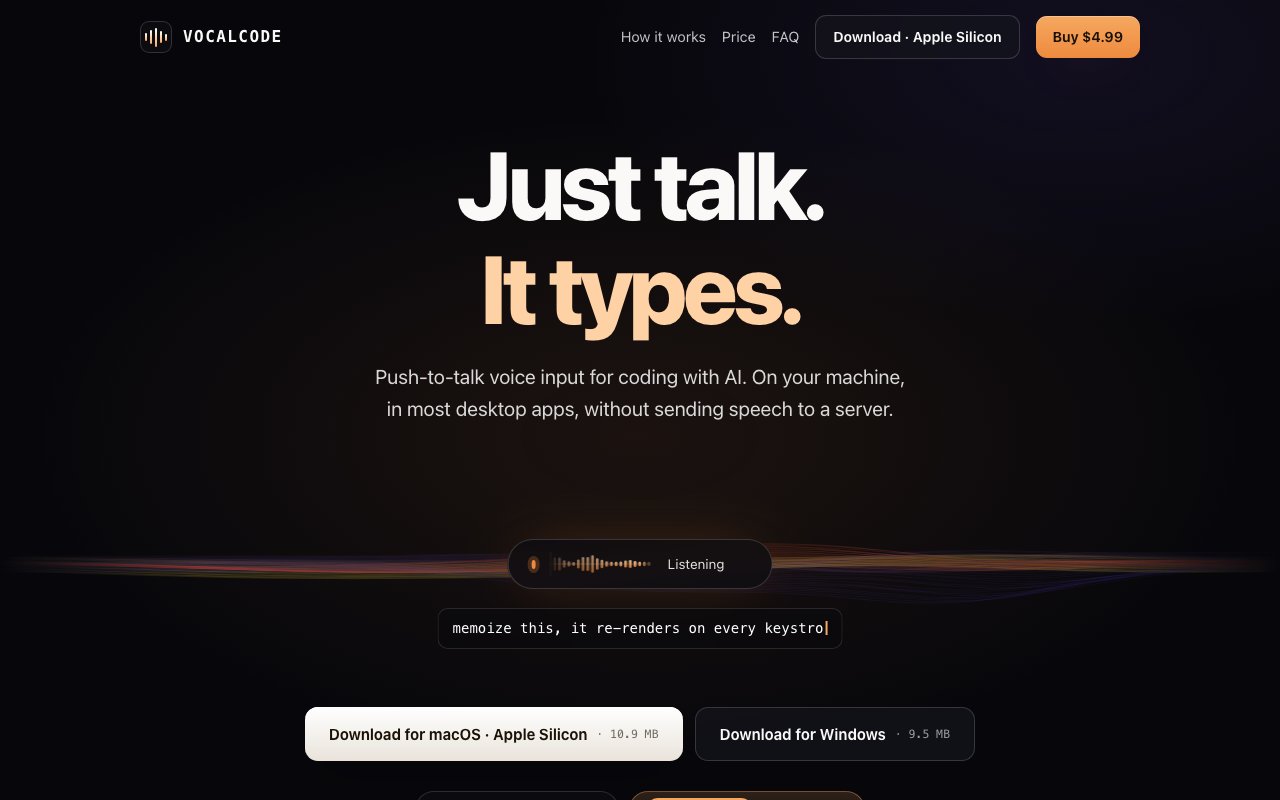
VocalCode is a push-to-talk dictation app for people who want to talk to their computer without their voice ever leaving it. You hold a key, speak, and the recognized text is inserted directly into whatever text field is active, whether that's an editor, a terminal, a chat window, or a code review tool. There's no dictation window to switch to and no box to copy text out of, the words simply land at your cursor. All of the speech recognition happens on your own machine, which is the trait that separates it from most dictation products, where audio is streamed to a cloud service by default.
The timing makes sense. AI coding assistants have turned programming into a running conversation, and the prompt box has quietly become one of the most used text fields on a developer's screen. Typing long conversational prompts to an agent all day is slower and more tiring than just saying them. Cloud dictation fixes the typing but introduces a new problem, since your spoken thoughts get uploaded to somebody else's servers. Built-in system dictation stays closer to home but tends to interrupt your flow with its own interface. VocalCode's answer is a small background utility that waits for its hotkey, transcribes on your CPU, drops the text wherever you're working, and gets out of the way.
Recognition runs entirely on-device. The app downloads a model during setup, and once that's done recognition works with the wifi off. Language support is organized by model rather than one catch-all system. Mandarin Chinese gets a dedicated bilingual Paraformer model, Korean and Japanese each get their own dedicated on-device models, and 25 European languages share a single auto-detecting Parakeet model that's currently in preview, which adds up to 26 supported language routes. Cantonese, Thai, and Vietnamese aren't supported. The developer is upfront that responsiveness varies with your hardware, the length of the audio, and the language and model in play, which is the honest tradeoff of decoding speech locally instead of on a data center GPU.
The hotkey system is more flexible than most dictation tools bother to be. You can bind push-to-talk to keyboard keys and mouse buttons, keep several bindings active at the same time, and rebind all of them in Settings. On Windows the mouse forward button works alongside customizable keys, and on macOS the defaults include the right Option key, F13, and the mouse forward button. For a developer mid-session, that means starting a dictation without moving either hand from where it already is, which is exactly the kind of small friction removal that decides whether a tool gets used daily or forgotten.
Platform support covers Windows 10 and 11 on 64-bit systems and macOS 11 or later on Apple silicon only. On macOS it needs the Microphone, Accessibility, and Input Monitoring permissions to listen and to type on your behalf. The limitations are documented rather than buried. On Windows it can't inject text into applications running with higher administrator privileges, and password fields and certain apps reject synthetic input by design. Recognition is offline, but the product isn't entirely disconnected, since initial setup, activation, and a periodic license recheck at least every 30 days need a connection. Even then, the site is specific that speech audio stays on your computer, and the only things transmitted are device fingerprints and license keys for validation and updates.
It's built for developers who spend their day prompting AI coding tools and would rather speak those prompts than type them, and it works just as well as a general dictation layer for anyone who wants faster text entry across desktop apps without a cloud dependency. What makes it different is the combination of scope and posture. It does one thing, push-to-talk transcription into the active field, and it does it with a privacy stance most competitors can't match because their recognition lives on a server. That narrow focus also means it isn't a voice command system and won't control your apps for you, it transcribes what you say and nothing more.
The pricing reads like a utility rather than a service. There's a 30-day free trial with full feature access and no credit card required, and after that a one-time purchase of $4.99 plus applicable tax. The license covers up to three devices and includes free updates within the current major version. No subscription appears anywhere in the picture, which fits a tool designed to sit quietly in the background, do its one job well, and never ask for attention again.
Key Features
- On-device speech recognition with no audio uploads
- Push-to-talk hotkey for hands-free text entry
- Support for 25 European languages and Mandarin
- Rebindable keyboard and mouse button triggers
- Works offline after initial model download
- License covers up to three devices
Pros & Cons
What we like
- Privacy-first with all processing on your machine
- One-time purchase with no subscription fees
- Works seamlessly in the background of any application
- Multilingual support with auto-detection
Room for improvement
- macOS only at the time of writing
- Accuracy depends on your CPU and ambient noise
- No cloud backup means model must be redownloaded on new devices
- Focused narrowly on dictation rather than voice commands
Frequently Asked Questions
What is VocalCode?
Is VocalCode free?
What languages does VocalCode support?
Does VocalCode require an internet connection?
Best For
Featured in
Alternatives to VocalCode

Kevin Gabeci
Solo developer building web apps, cozy browser games, and AI creator toolkits.

SoloDevStack
A solo developer blog built on head-to-head tool comparisons, 580+ posts deep.

Codedex
A gamified, story-driven platform that teaches Python, web dev, and more like an RPG quest

Vibe Built
Building real apps with agentic AI. What worked, what broke, what shipped.
Reviews (0)
Badge builder
Add VocalCode to your website
Choose a badge style and size, preview it here, then copy the generated HTML. Badge images are self-contained SVGs and do not require an external script.

<a href="https://toolindex.net/tools/vocalcode?ref=badge" target="_blank" rel="noopener">
  <img src="https://toolindex.net/badge/vocalcode/medium.svg" alt="VocalCode - Listed on Tool Index" width="180" height="50" />
</a>How to use the badge
- 1. Pick the style, size, and theme that fit your layout.
- 2. Copy the generated HTML from the code block.
- 3. Paste it into your footer, homepage, or press page.
Standard badge available
The standard listing badge is available now. Score and circle badges are limited to tools currently ranked in the top 10 of a category.
Badge clicks return visitors to this profile with a referral tag so the source remains identifiable.
Related Tools
Kevin Gabeci
Solo developer building web apps, cozy browser games, and AI creator toolkits.

Coolify
Self-hostable, open source alternative to Heroku and Netlify

Warp
The modern terminal reimagined with AI and collaboration

Bolt.new
Prompt-to-deployed full-stack app inside the browser
Work on VocalCode? Request listing access or correction