
WatermarkRemoverAI
AI watermark removal for images and video, free in the browser with no signup
Gallery
About WatermarkRemoverAI
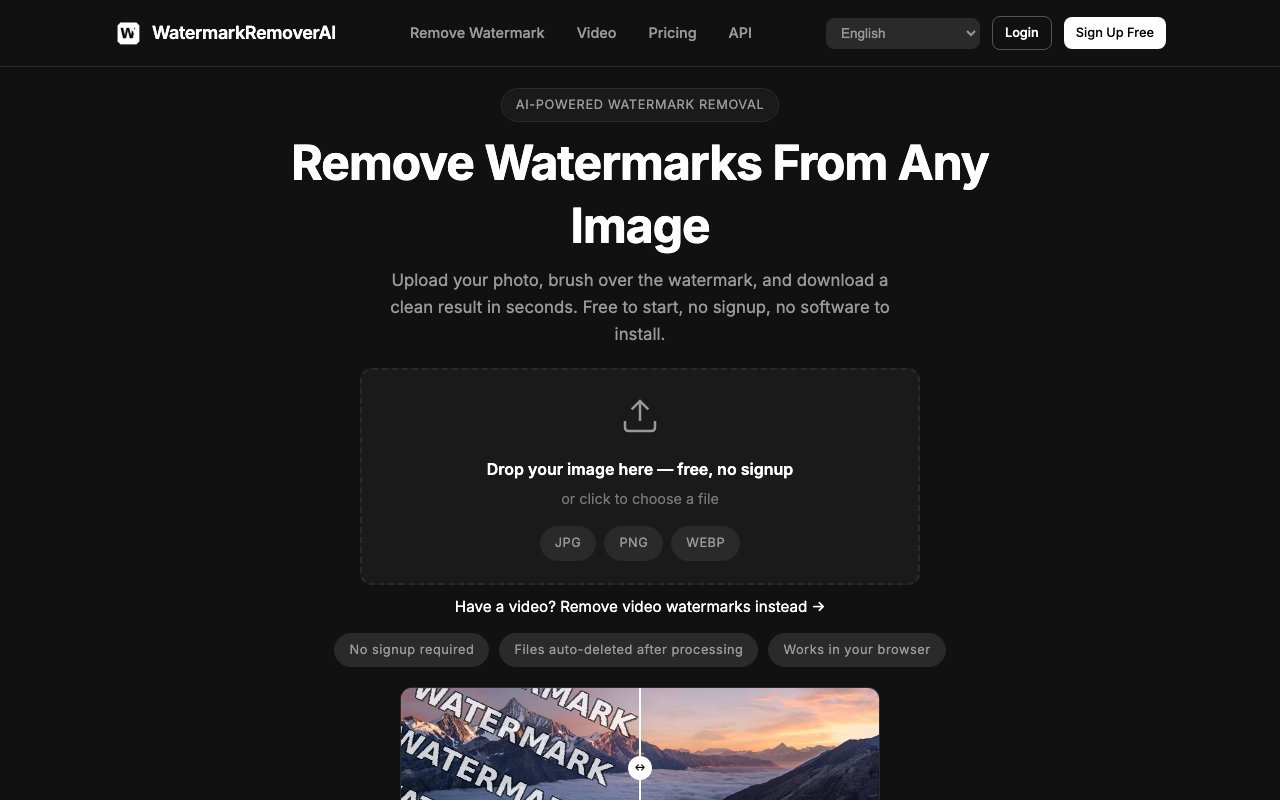
WatermarkRemoverAI is a browser tool that removes watermarks from images using AI inpainting. The flow is about as short as it gets. You upload a photo, brush over the mark you want gone, and download a clean result in seconds. There's no signup for the free tier, which means you can test it against your own awkward image before deciding whether it's worth anything to you, and that's a meaningful detail in a category where the standard move is to make you register, watch the preview look great, and only discover the catch at the download step.
The brush is the whole interaction model and it's a sensible choice. Rather than trying to detect every mark automatically and guessing wrong, it asks you to point at the thing you want removed and then reconstructs what should sit behind it. That keeps you in control of the edit, which matters when a mark overlaps a face or sits across a busy background where an automatic detector would either miss it or eat something you wanted to keep.
It covers more ground than the name suggests. Beyond image watermarks there are tools for video watermark removal, bulk processing across multiple images at once, text and caption removal, logo and brand mark removal, date and timestamp stamps from old camera photos, and general object and people removal. There are also platform-specific paths for things like TikTok clips, Sora output and PDFs, which are really the same engine pointed at the marks those sources tend to leave behind. The object and people removal is the tell that the underlying model is a general inpainting system rather than a watermark-specific one, since erasing a logo and erasing a stranger from a holiday photo are the same operation as far as the model is concerned.
For developers there's an API on the top plan, and its shape is worth knowing before you build against it. It's a two-request pattern, you submit a file and get back a job ID, then poll that ID for the result. That's asynchronous by design rather than a single blocking call, so anything you write around it needs to handle the polling loop and the wait. Paired with bulk processing, it's the path for anyone cleaning product catalogs or large image sets instead of one-off photos.
Pricing is freemium with an unusually honest free tier. Free gives you a handful of images per day at standard resolution, capped around one megapixel, with no account required and no watermark stamped onto your result, which is a trap plenty of competitors in this category fall into. Basic works out to roughly $69 a year and lifts the caps to unlimited removals with full-resolution downloads, a priority queue, no ads and access to video removal. Pro is roughly $149 a year and adds 4x AI upscale with HD export, batch processing and API access. If subscriptions annoy you, one-time credit packs start at $4.99 for 15 images and run up through $12.99 for 60 and $29.99 for 200, and the credits don't expire. Note that the headline monthly figures are annual billing divided out, so paying month to month costs more. The paid tiers buy more than raw volume. Basic clears the resolution ceiling for full-resolution downloads, drops you into a priority queue, removes ads, and unlocks video watermark removal, which the free tier doesn't cover at all. Pro stacks the 4x AI upscale and HD export on top, plus batch processing and the API. Paid plans also keep your history private. API pricing is handled separately from the plan table and pointed at its own developer documentation rather than listed inline, so budget for that as a separate question if you're building on it.
On data handling, files are deleted automatically within 48 hours of processing, and the site notes that Pro accounts operate under separate terms shown in account settings. The service is operated by VPS.org, LLC, with copyright held by Muddy Holdings LLC, and support runs through support@watermarkremoverai.com with a physical mailing address published on the contact page. That's more corporate detail than most tools in this niche bother to publish.
On the rights question, the terms are explicit and worth reading before you upload anything. The site says you may use it on images you own or have rights to, on stock photos you've purchased licenses for, on your own watermarks over your own originals, and for educational or research purposes. It says you must not use it to remove watermarks from copyrighted content you don't own or have rights to, to infringe others' intellectual property, or to create derivative works from protected content without authorization. The tool doesn't and can't check any of that for you, so the responsibility sits entirely with the person uploading.
Key Features
- Brush-to-remove watermark editing
- Video watermark removal
- Bulk and batch image processing
- Developer API with job polling
- Object, text and timestamp removal
- 4x AI upscale with HD export
Pros & Cons
What we like
- Free tier runs in the browser with no signup or account
- No watermark stamped onto free-tier results
- One-time credit packs avoid a subscription and don't expire
- Handles video and PDFs, not only still images
Room for improvement
- Free tier caps output around one megapixel
- API access requires the top Pro plan
- Headline monthly prices assume annual billing up front
- Terms place responsibility for image rights entirely on the user
Frequently Asked Questions
What is WatermarkRemoverAI?
Is WatermarkRemoverAI free?
Does it have an API?
What images am I allowed to upload?
Best For
Featured in
Alternatives to WatermarkRemoverAI
View all
Reviews (12)
Good, with a few caveats
Three months of WatermarkRemoverAI later, here is what holds up. Their take on 4x ai upscale with hd export is genuinely good. What stands out is how little babysitting it needs. It fits well for removing your own mark from an original photo. It would be a five if not for terms place responsibility for image rights entirely on the user.
Exactly what I needed
WatermarkRemoverAI has quietly become part of my daily flow. Their take on 4x ai upscale with hd export is genuinely good. It handles the boring parts so I can focus on the work that matters. No regrets so far.
Pulled its weight from week one
Found WatermarkRemoverAI on a Show HN thread and I am glad I clicked. Got real value out of handles video and pdfs, not only still images. What stands out is how little babysitting it needs. Found it works best for stripping date stamps from old camera photos. Would sign up again without thinking twice.
Pulled its weight from week one
Have been running WatermarkRemoverAI for a while, here is where I land. Got real value out of brush-to-remove watermark editing.
Genuinely impressed
Hadn't planned on switching, but WatermarkRemoverAI was hard to ignore. Their take on developer api with job polling is genuinely good. No regrets so far.
Decent with some rough edges
Tried WatermarkRemoverAI on a side project first, then rolled it out everywhere. Their take on object, text and timestamp removal is genuinely good. Setup was painless and I was productive the same day. Mostly using it for clearing a watermark from stock art you licensed. It would be a five if not for api access requires the top pro plan. Glad I made the switch.
Quietly excellent
Tried WatermarkRemoverAI on a side project first, then rolled it out everywhere. Their take on video watermark removal is genuinely good. It slotted into my routine without much fuss. It fits well for batch-cleaning a product image catalog through the api. Easy yes for anyone weighing the same trade offs.
Finally something that fits
Tried WatermarkRemoverAI on a side project first, then rolled it out everywhere. Where it really wins is brush-to-remove watermark editing. It fits well for clearing a watermark from stock art you licensed. Easy yes for anyone weighing the same trade offs.
Does the job, a few gripes
Picked WatermarkRemoverAI for the price, stayed for the quality. What stands out is how little babysitting it needs. It does what it says, which is rarer than it should be. The catch is api access requires the top pro plan. It earns its place in my stack.
Recommended without reservation
Hadn't planned on switching, but WatermarkRemoverAI was hard to ignore. Their take on no watermark stamped onto free-tier results is genuinely good. It slotted into my routine without much fuss. Found it works best for batch-cleaning a product image catalog through the api. Glad I made the switch.
Pulled its weight from week one
WatermarkRemoverAI solves a real problem for me without making a fuss about it. The output quality holds up better than I expected. It fits well for clearing a watermark from stock art you licensed. It earns its place in my stack.
Finally something that fits
Three months of WatermarkRemoverAI later, here is what holds up. It just works, day after day, without surprises.
Badge builder
Add WatermarkRemoverAI to your website
Choose a badge style and size, preview it here, then copy the generated HTML. Badge images are self-contained SVGs and do not require an external script.

<a href="https://toolindex.net/tools/watermarkremoverai?ref=badge" target="_blank" rel="noopener">
  <img src="https://toolindex.net/badge/watermarkremoverai/medium.svg" alt="WatermarkRemoverAI - Listed on Tool Index" width="180" height="50" />
</a>How to use the badge
- 1. Pick the style, size, and theme that fit your layout.
- 2. Copy the generated HTML from the code block.
- 3. Paste it into your footer, homepage, or press page.
Standard badge available
The standard listing badge is available now. Score and circle badges are limited to tools currently ranked in the top 10 of a category.
Badge clicks return visitors to this profile with a referral tag so the source remains identifiable.
Related Tools

Apatero AI
The creator studio for AI image, video, audio, 3D, and avatars, now at apatero.ai.
Kevin Gabeci Toolkits
Seven AI toolkits for writing books, making music, cutting video, and building agents.

Warp
The modern terminal reimagined with AI and collaboration

Bolt.new
Prompt-to-deployed full-stack app inside the browser
Work on WatermarkRemoverAI? Request listing access or correction