ZestSSH
A private cross-platform SSH client with monitoring, automation, and encrypted sync
Gallery
About ZestSSH
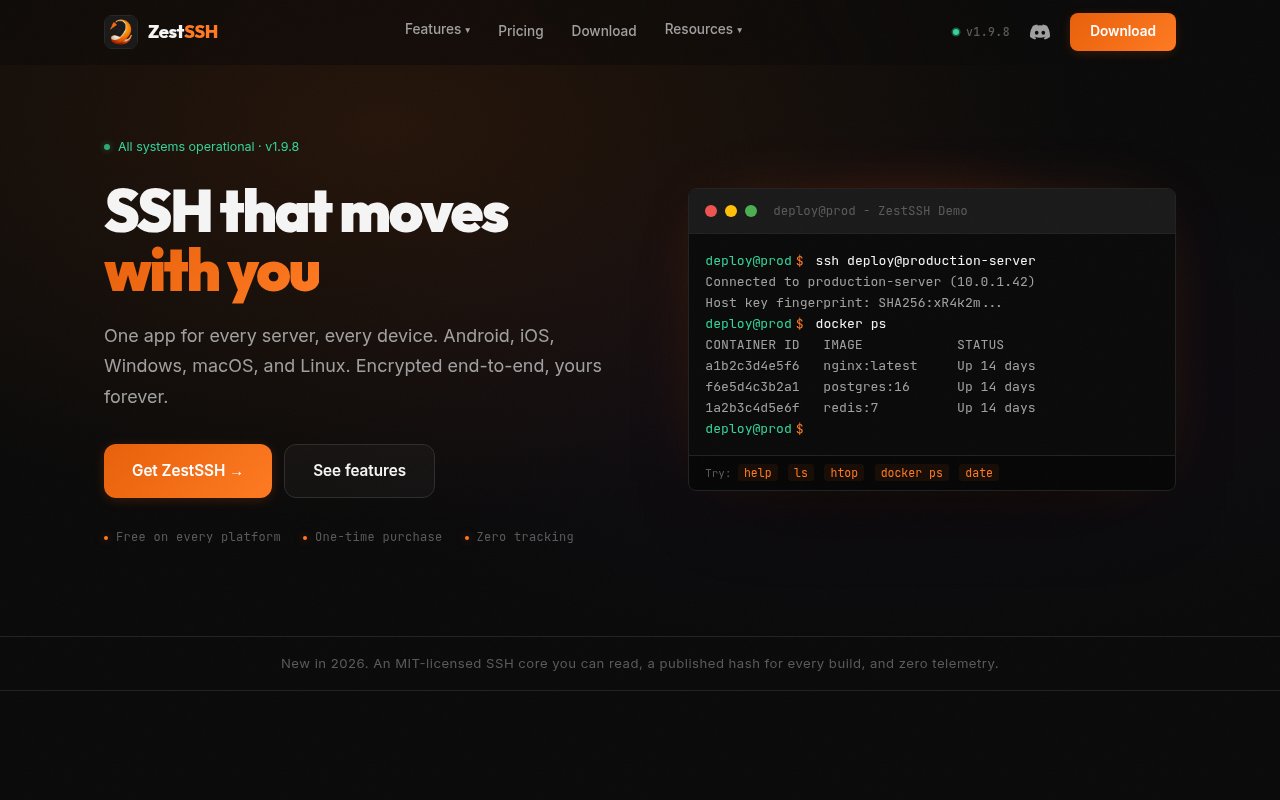
ZestSSH is a modern SSH client for Android, iOS, Windows, macOS, and Linux. It gives administrators and developers one app for reaching servers from a phone, tablet, or desktop, with saved connections and a consistent interface on each platform. The free edition includes SSH, Telnet, Mosh, and a local shell, along with an SFTP file browser and unlimited saved connections. It is designed for people whose terminal work moves between devices and networks, not only for someone sitting at one configured workstation. The product also takes a clear privacy position. It reports no analytics, crash reports, or telemetry, works without an account on one device, and publishes a hash for every build.
Beyond the terminal, ZestSSH organizes common operational work around each saved host. Server Monitor shows live CPU, memory, disk, load average, and latency with health coloring, so a user can check a machine before or during a session. Its Networks feature can choose a different address, port, jump-host route, or identity for the same host based on Wi-Fi, subnet, or cellular context. That removes the need to duplicate an internal and external version of a connection just because the route changes. The SFTP browser handles file access beside terminal sessions. Paid users can add split terminals, widgets, transcripts, port forwarding, jump hosts, API key authentication, unlimited command snippets, and all available terminal themes.
Automation is another part of the paid Squeezed edition. ZestSSH can run commands through its automation engine, workflows, and batch execution, and it can be invoked from Tasker, Apple Shortcuts, or a user's own scripts through its URL scheme. This makes it useful for repeatable jobs that still belong close to an SSH client, such as running a known maintenance command or applying the same action across a group of hosts. The free tier remains capable for ordinary interactive access, although it limits concurrent sessions to four on desktop and two on mobile. Squeezed removes that cap. Key generation, OpenSSH certificates, hardware keys, and PIN or biometric locking are included even in the free edition, so basic credential handling is not reserved for paying users.
Connection data can stay entirely on one device, or it can sync across several. ZestSSH encrypts data on the device before it leaves, using AES-256-GCM for authenticated encryption and Argon2id for deriving a key from the master password. A one-time recovery key and automatic backups are included. The same end-to-end, zero-knowledge design applies regardless of where encrypted blobs are stored. Users can bring WebDAV, an S3-compatible bucket, Google Drive, or a self-hosted ZestSSH server at no charge. Those who don't want to operate storage can buy Juiced, which places the encrypted data in hosted ZestSSH Cloud. Sync is offline-first, so the app keeps working without connectivity and reconciles when it can connect again.
The product fits individual developers, system administrators, DevOps practitioners, and people managing home labs or remote infrastructure. Cross-platform support is particularly useful when an urgent check may start on a phone and continue on a desktop. Networks helps users who reach the same server differently at home, at work, or on cellular data. Server Monitor provides a quick overview without requiring a separate dashboard for a small collection of machines, while SFTP and snippets cover routine tasks around a shell session. ZestSSH is less compelling for an organization seeking a centralized enterprise access platform with shared policy administration. Its strongest case is a private personal client that can grow from simple interactive access into monitoring, encrypted sync, and local automation.
Pricing is freemium with permanent licenses instead of recurring app subscriptions. Free costs nothing, requires no account, includes lifetime product updates, and allows unlimited saved connections within its concurrent session caps. Squeezed is a one-time $9.99 purchase that unlocks unlimited sessions, the automation engine, forwarding, jump hosts, split terminal, widgets, transcripts, expanded snippets, and other advanced controls. Sync to storage the user provides remains free on every tier. Juiced costs $24.99 once for hosted ZestSSH Cloud and can sit on top of Free or Squeezed. A combined Squeezed and Juiced purchase costs $29.99. This split is easy to reason about. Users pay for the advanced app, hosted storage, both, or neither, and every choice keeps the same client-side encryption.
Key Features
- Cross-platform SSH terminal
- SFTP file browser
- Live server resource monitoring
- Context-aware connection networks
- End-to-end encrypted sync
- Command automation workflows
Pros & Cons
What we like
- Runs across all major desktop and mobile platforms
- Offers a capable free tier without an account
- Encrypts sync data before it leaves the device
- Uses one-time purchases with lifetime updates
Room for improvement
- Free tier caps concurrent terminal sessions
- Automation and port forwarding require Squeezed
- Free sync requires storage the user manages
- Hosted sync is a separate one-time purchase
Frequently Asked Questions
What is ZestSSH?
Is ZestSSH free?
Does ZestSSH require its cloud service for sync?
How does ZestSSH protect synced data?
Best For
Featured in
Alternatives to ZestSSH
View all
Kevin Gabeci
Solo developer building web apps, cozy browser games, and AI creator toolkits.

SoloDevStack
A solo developer blog built on head-to-head tool comparisons, 580+ posts deep.

Codedex
A gamified, story-driven platform that teaches Python, web dev, and more like an RPG quest

Vibe Built
Building real apps with agentic AI. What worked, what broke, what shipped.
Our take
Tool Index Editorial · Sep 2026· 4.0/5
ZestSSH is a cross platform SSH client with SFTP, server monitoring, network aware routes, automation, and encrypted sync. We found unusually straightforward pricing and privacy terms. The free app supports unlimited saved hosts, four desktop sessions, two mobile sessions, and sync through storage the user provides. Squeezed is $9.99 once, hosted sync is $24.99 once, and the combined purchase is $29.99.
The split makes sense, and support for Android, iOS, Windows, macOS, and Linux is a real advantage. Advanced forwarding, jump hosts, and automation require the paid app, while free sync asks the user to maintain WebDAV, S3, Drive, or a server. It is not a centralized enterprise access system, but for an individual operator the capable free tier, one time licenses, and zero telemetry stance are excellent.
Editorial opinion from the Tool Index team, written from the public product pages. Not a user review.
Reviews (0)
Badge builder
Add ZestSSH to your website
Choose a badge style and size, preview it here, then copy the generated HTML. Badge images are self-contained SVGs and do not require an external script.

<a href="https://toolindex.net/tools/zestssh?ref=badge" target="_blank" rel="noopener">
  <img src="https://toolindex.net/badge/zestssh/medium.svg" alt="ZestSSH - Listed on Tool Index" width="180" height="50" />
</a>How to use the badge
- 1. Pick the style, size, and theme that fit your layout.
- 2. Copy the generated HTML from the code block.
- 3. Paste it into your footer, homepage, or press page.
Standard badge available
The standard listing badge is available now. Score and circle badges are limited to tools currently ranked in the top 10 of a category.
Badge clicks return visitors to this profile with a referral tag so the source remains identifiable.
Related Tools
Kevin Gabeci
Solo developer building web apps, cozy browser games, and AI creator toolkits.

Coolify
Self-hostable, open source alternative to Heroku and Netlify

Warp
The modern terminal reimagined with AI and collaboration

Bolt.new
Prompt-to-deployed full-stack app inside the browser
Work on ZestSSH? Request listing access or correction