
1 Bit Pixel
Pixel art and animation studio for iPad and Mac with a retro terminal interface
Gallery
About 1 Bit Pixel
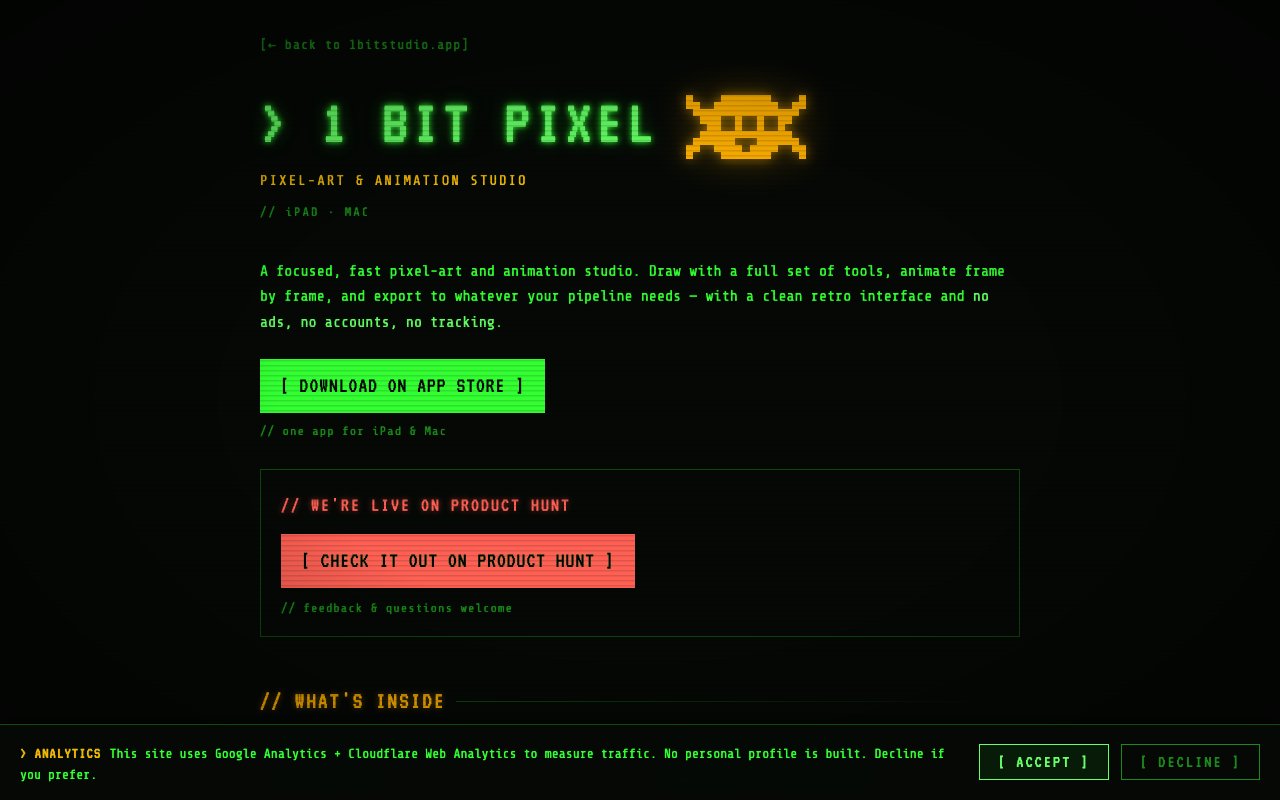
1 Bit Pixel is a pixel art and animation app for iPad and Mac, built as a native application with a retro terminal look that carries through the whole interface. It's the flagship release from 1 Bit Studio, a small shop whose other apps follow the same stripped-back philosophy. The pitch is a focused drawing environment with no accounts to create, no ads, and no tracking, which is a different posture from the browser-based pixel editors that ask you to sign in before you can put down a single pixel. The studio's other releases follow the same pattern, with encrypted notes, a private journal, and a local-only macOS data monitor, all built native and all sold outright.
The drawing side is deeper than the minimal presentation suggests. There are 22 drawing and shape tools covering pencils, erasers, fills, shapes, and brush variants, unlimited layers and groups, and 19 blend modes. Alpha locking and clipping masks are there for the kind of shading work that's painful without them, and a symmetry mode handles mirrored sprites. Palette management includes palette swapping, so you can recolor an entire sprite by switching the palette rather than repainting it. Tileset support with auto-tiling is built in, which matters if you're drawing level art rather than single characters. On iPad, Apple Pencil is supported with pressure and tilt. None of it is hidden behind a tier, since there's one purchase and the whole toolset comes with it. Symmetry, alpha locking, and clipping masks together cover most of what separates a quick doodle from finished sprite work.
Animation is handled with a frame-by-frame timeline rather than a bolted-on afterthought. You get onion skinning to see neighboring frames while you draw, tags for marking out named sequences inside a longer timeline, linked cels so a shared frame updates everywhere it appears, and motion tweening for the movements you don't want to hand-draw. That's enough to build a walk cycle, an idle loop, and an attack animation in the same document and keep them organized. Frame tags in particular make a long timeline usable, because the alternative is remembering which frame range belongs to which action.
Getting work out is where the app spends real effort. The export list covers PNG, GIF, APNG, MP4, sprite sheets with accompanying JSON, frame sequences, SVG, CSS, ICO, HEIC, TGA, QOI, Aseprite, and layered PSD. Import handles PNG, GIF, WebP, TGA, QOI, APNG, and layered Aseprite and PSD files. The Aseprite and PSD support in both directions is the practical detail, since it means the app can slot into an existing pipeline instead of demanding you move everything into it. Sprite sheet plus JSON is the format most 2D engines want, so game work goes straight from the canvas into a project. The CSS and SVG exports look like the odd ones out until you picture a pixel icon dropped straight into a web page with no raster round trip.
It lands in a gap that's been open for a while. Serious pixel work has traditionally meant a desktop editor, while tablets got simplified apps that couldn't handle layers, tilesets, or a real animation timeline. 1 Bit Pixel is a universal app, so the same purchase runs natively on both an iPad with a Pencil and a Mac with a mouse, and iCloud keeps a document consistent as you move between them. Sketching sprites on a couch and then finishing the tileset at a desk is a single workflow rather than an export and reimport ritual.
It suits pixel artists, indie game developers, and animators who want to work on a tablet without giving up desktop capability, and iCloud sync keeps a document consistent between iPad and Mac. The interface ships in 10 languages, and illustrated how-to guides on the site walk through every tool in those same languages, which is more documentation than most apps at this size bother with. The app itself is tiny at 5.3 MB, and the developer states that no personal information is collected. The illustrated how-to guides cover every tool, which is unusually thorough for an app this size and this new.
Pricing follows the studio's stated stance, which is pay once with no subscriptions. It's $9.99 on the App Store as a one-time purchase with no in-app purchases, it works on iPadOS 17 or later and macOS 14 or later, and it supports Family Sharing for up to six people. The main caveats are the obvious ones for a product like this, since there's no Windows, Linux, or web version, and the app launched in 2026 under a single developer, so the community around it is still forming. If you want a capable pixel editor you buy once and own, on hardware you already have, the trade is straightforward. The interface ships in 10 languages and the app asks for nothing beyond what a drawing tool needs, which fits a studio that treats collecting no data as a feature rather than a policy line.
Key Features
- 22 drawing and shape tools
- Unlimited layers with 19 blend modes
- Frame timeline with onion skin
- Tileset support with auto-tiling
- Aseprite and layered PSD import export
- iCloud sync across iPad and Mac
Pros & Cons
What we like
- One-time $9.99 purchase with no subscription
- Native on both iPad and Mac with iCloud sync
- Wide export list including Aseprite and layered PSD
- No ads, accounts, or tracking
Room for improvement
- Apple platforms only, with no Windows, Linux, or web version
- Requires iPadOS 17 or macOS 14 or later
- Launched in 2026, so the community is still small
- No free trial listed on the App Store
Frequently Asked Questions
What is 1 Bit Pixel?
How much does 1 Bit Pixel cost?
Can it open Aseprite or Photoshop files?
Who is 1 Bit Pixel for?
Best For
Featured in
Alternatives to 1 Bit Pixel
View all
Framer
Visual website builder that lets designers ship production-grade marketing sites with real CMS, SEO controls, and code components.

Tailwind CSS
Rapidly build custom designs without leaving your HTML

Apatero Studio
Creator studio for AI image, video, audio, 3D, and avatars. Every model worth using, in one workspace.

Pixel Painters
Unlimited graphic design subscriptions built only for churches and ministries
Our take
Tool Index Editorial · Oct 2026· 3.5/5
1 Bit Pixel is a native pixel art and frame animation studio for iPad and Mac. It targets sprite artists and indie game developers with 22 drawing tools, unlimited layers, blend modes, onion skinning, linked cels, tilesets, palette swapping, and Apple Pencil support. Its export list is particularly strong, covering GIF, MP4, sprite sheets with JSON, Aseprite, layered PSD, SVG, and several image formats.
We found the pipeline support more compelling than the retro interface. Round-trip Aseprite and PSD files plus sprite-sheet metadata should let the app join existing game workflows rather than trap work inside its own format. The public page does not show the App Store price or offer a browser trial, so we could not judge value against established editors from the captured evidence. It is also limited to Apple platforms, and a feature list cannot tell us how well the timeline and large documents perform. The scope looks serious, but Windows and Linux artists are excluded entirely.
Editorial opinion from the Tool Index team, written from the public product pages. Not a user review.
Reviews (0)
Badge builder
Add 1 Bit Pixel to your website
Choose a badge style and size, preview it here, then copy the generated HTML. Badge images are self-contained SVGs and do not require an external script.

<a href="https://toolindex.net/tools/1bitstudio?ref=badge" target="_blank" rel="noopener">
  <img src="https://toolindex.net/badge/1bitstudio/medium.svg" alt="1 Bit Pixel - Listed on Tool Index" width="180" height="50" />
</a>How to use the badge
- 1. Pick the style, size, and theme that fit your layout.
- 2. Copy the generated HTML from the code block.
- 3. Paste it into your footer, homepage, or press page.
Standard badge available
The standard listing badge is available now. Score and circle badges are limited to tools currently ranked in the top 10 of a category.
Badge clicks return visitors to this profile with a referral tag so the source remains identifiable.
Related Tools
Apatero Studio
Creator studio for AI image, video, audio, 3D, and avatars. Every model worth using, in one workspace.
Tailwind CSS
Rapidly build custom designs without leaving your HTML

Figma
Collaborative interface design tool

Marvel
Lightweight prototyping platform for turning images and screens into clickable mobile and web prototypes.
Work on 1 Bit Pixel? Request listing access or correction