
Ketchup
Chrome extension that summarizes any YouTube video straight from the thumbnail
Gallery
About Ketchup
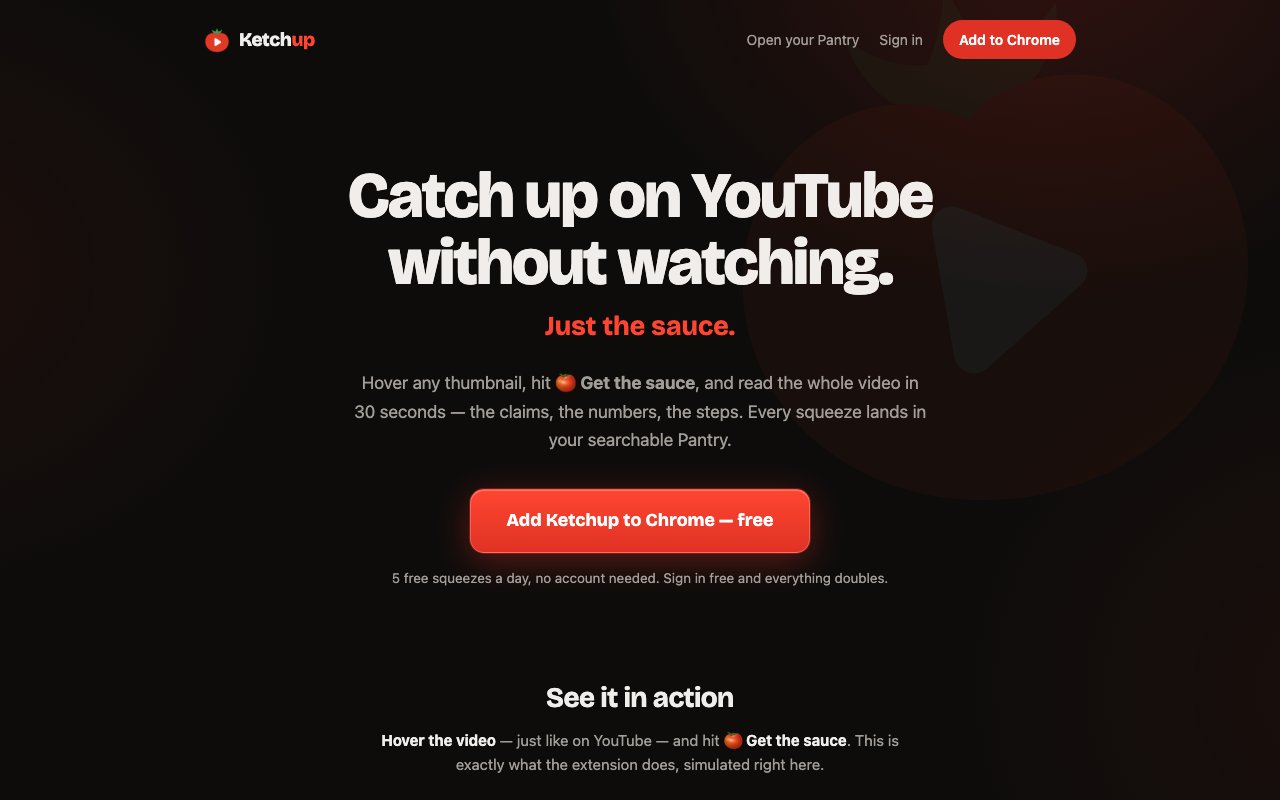
Ketchup is a Chrome extension that summarizes a YouTube video from the thumbnail, before you ever open it. Hover any video card on the homepage, in search results, or in your subscriptions feed, click the chip that appears in the bottom right corner of the card, and a few seconds later you're reading the substance of the video instead of watching it.
The argument the site makes is blunt and hard to disagree with. A forty minute video often carries about four minutes of actual substance, and watch time is the price the algorithm wants in exchange. Sometimes you're in a meeting. Sometimes you're curious but not curious enough to give up half an hour. Ketchup pulls the information out and skips the performance, which reframes the question from what should I watch to is this even worth my time.
One good decision the team made is letting you test the thing before installing it. The landing page carries a simulated video card that behaves exactly like the real extension does on YouTube, and clicking it runs a genuine summary of a real video right there in the browser with no install and no sign-up. That removes the usual leap of faith where you add an extension, grant it permissions on a site you use daily, and only then find out whether the output is any good.
What comes back is structured rather than a paragraph of vague description. Each summary opens with a thesis, the core argument of the video in a sentence or two. Then come numbered key points that carry the actual claims and reasoning, not just topic labels. Any concrete figures the speaker cited get pulled out separately, so a business breakdown surfaces its dollar amounts and a study recap surfaces its percentages. A short list of recommended actions follows where the video is instructional. Finally there's a verdict on whether the video is worth watching in full, and the site is explicit that skip is a perfectly good answer.
Every summary you generate lands in a personal library the product calls the Pantry, which is searchable and permanent. Over time that turns into a text archive of everything you decided not to sit through, which is arguably more useful than a watch history since you can actually grep it later. There's also a shared cache at work, so a video that anyone has already summarized comes back instantly and doesn't count against your daily allowance. The site publishes a browsable set of already summarized videos too, so you can see the exact output format before installing anything.
The likely user is someone whose curiosity outruns their available hours. That covers people who subscribe to far more channels than they can keep up with, anyone doing competitive or market research where the useful part of a video is a handful of claims, students working through lecture recordings, and professionals who want the takeaways from a conference talk they were never going to sit through. It's a poor fit if you watch YouTube for entertainment, and the product doesn't pretend otherwise.
It runs on transcripts, which sets the boundary of what it can do. Videos without captions can't be processed, and the extension is upfront about that by showing a no-caption state on the chip before you spend a credit, so you never waste one on a video it can't read. In practice most popular content has captions. It works well on lectures, podcast episodes, tutorials, business breakdowns, and news commentary, and less well on anything where the visuals carry the meaning, which is why the verdict will sometimes tell you to go watch it properly.
The closest comparisons are YouTube's own AI summaries and the pile of summarizer extensions already in the store. Ketchup differs on where it sits in the flow. Most tools summarize a video you've already clicked into, which means the decision to spend attention has already been made. Ketchup works one step earlier at the thumbnail, on the feed and search pages, so it answers the filtering question rather than the recap question. The other difference is that the free tier needs no sign-up at all, which is rare for anything running a language model on your behalf.
The whole interface leans hard into the condiment metaphor, so a summary is a squeeze, the library is the Pantry, and the paid tiers are Extra Sauce and Sauce Boss. It's playful to the point of being slightly confusing on first read, though the underlying mechanics are simple enough that the vocabulary stops mattering within a minute of use.
Pricing is freemium and unusually generous at the bottom. Without an account you get five summaries a day, capped at twenty five a month. Signing in with Google is free and doubles both numbers to ten a day and fifty a month, and gives you the Pantry. Extra Sauce costs $4.99 a month for a hundred a day and 2,500 a month, and Sauce Boss costs $14.99 a month for three hundred a day and 6,000 a month, which the site frames as research tool territory rather than casual browsing. Already summarized videos never count against any of those limits. It's built by Really Random Studio and available on the Chrome Web Store.
Key Features
- One-click summaries from the YouTube thumbnail
- Structured output with thesis and key points
- Extracted numbers and recommended actions
- Worth-watching verdict on every summary
- Searchable Pantry library of past summaries
- Shared cache so repeat videos are free
Pros & Cons
What we like
- Works before you open the video, not after
- Free tier needs no account at all
- Summaries carry real claims instead of vague topic labels
- Already summarized videos never count against your quota
Room for improvement
- Only works on videos that have captions
- Chrome and Chromium browsers only
- Weak fit for visual content where watching is the point
- Free daily allowance is small for heavy research use
Frequently Asked Questions
What is Ketchup?
Is Ketchup free?
Does it work on every video?
How is it different from other YouTube summarizers?
Best For
Featured in
Alternatives to Ketchup
View all
CalendHub
Smart scheduling and calendar management for teams
Kevin Gabeci Toolkits
Seven AI toolkits for writing books, making music, cutting video, and building agents.

Eased Into AI
Learn AI from zero. No jargon, no hype, just steps that work.

Fix It Gently
Calm, plain-English fixes for everyday tech problems.
Our take
Tool Index Editorial · Oct 2026· 3.5/5
Ketchup summarizes a YouTube video from its thumbnail, returning key claims, numbers, steps, and a watch or skip verdict before the viewer opens it. We like that the site offers a working simulation and a searchable library rather than only describing the extension. Five summaries a day are free without an account, sign-in raises that to ten, and paid plans start at $4.99 a month.
The placement in the browsing flow is genuinely useful for research and crowded subscription feeds. It still depends on available captions, and any summary can miss tone, demonstrations, or visual evidence that matters. It is also limited to Chrome compatible browsers. Ketchup is strongest as a triage layer, not a replacement for watching source material when accuracy or visual context is important.
Editorial opinion from the Tool Index team, written from the public product pages. Not a user review.
Reviews (0)
Badge builder
Add Ketchup to your website
Choose a badge style and size, preview it here, then copy the generated HTML. Badge images are self-contained SVGs and do not require an external script.

<a href="https://toolindex.net/tools/addketchup?ref=badge" target="_blank" rel="noopener">
  <img src="https://toolindex.net/badge/addketchup/medium.svg" alt="Ketchup - Listed on Tool Index" width="180" height="50" />
</a>How to use the badge
- 1. Pick the style, size, and theme that fit your layout.
- 2. Copy the generated HTML from the code block.
- 3. Paste it into your footer, homepage, or press page.
Standard badge available
The standard listing badge is available now. Score and circle badges are limited to tools currently ranked in the top 10 of a category.
Badge clicks return visitors to this profile with a referral tag so the source remains identifiable.
Related Tools

Confluence
Atlassian's long-running team wiki that anchors many enterprise knowledge stacks
Asana
Project management for teams that live in projects, tasks and dependencies
Kevin Gabeci Toolkits
Seven AI toolkits for writing books, making music, cutting video, and building agents.

Logseq
An open-source outliner notes app where every bullet is a first-class block
Work on Ketchup? Request listing access or correction