
Fix It Gently
Calm, plain-English fixes for everyday tech problems.
Gallery


About Fix It Gently
Fix It Gently is a consumer tech troubleshooting blog with an unusual editorial stance. The adverb in the name is the product. Most troubleshooting content is written as though the reader is comfortable opening a terminal, and most readers arriving at "why is my laptop dead" are not comfortable at all.
Every post is ordered from the safest fix to the most drastic, in plain English, with no assumption that you know what any of the settings do.
Look at the titles. Calmly. Without Losing Your Work. Without Breaking Anything. Without a Cleaner App. The qualifiers are the whole editorial position.
What The Site Actually Covers
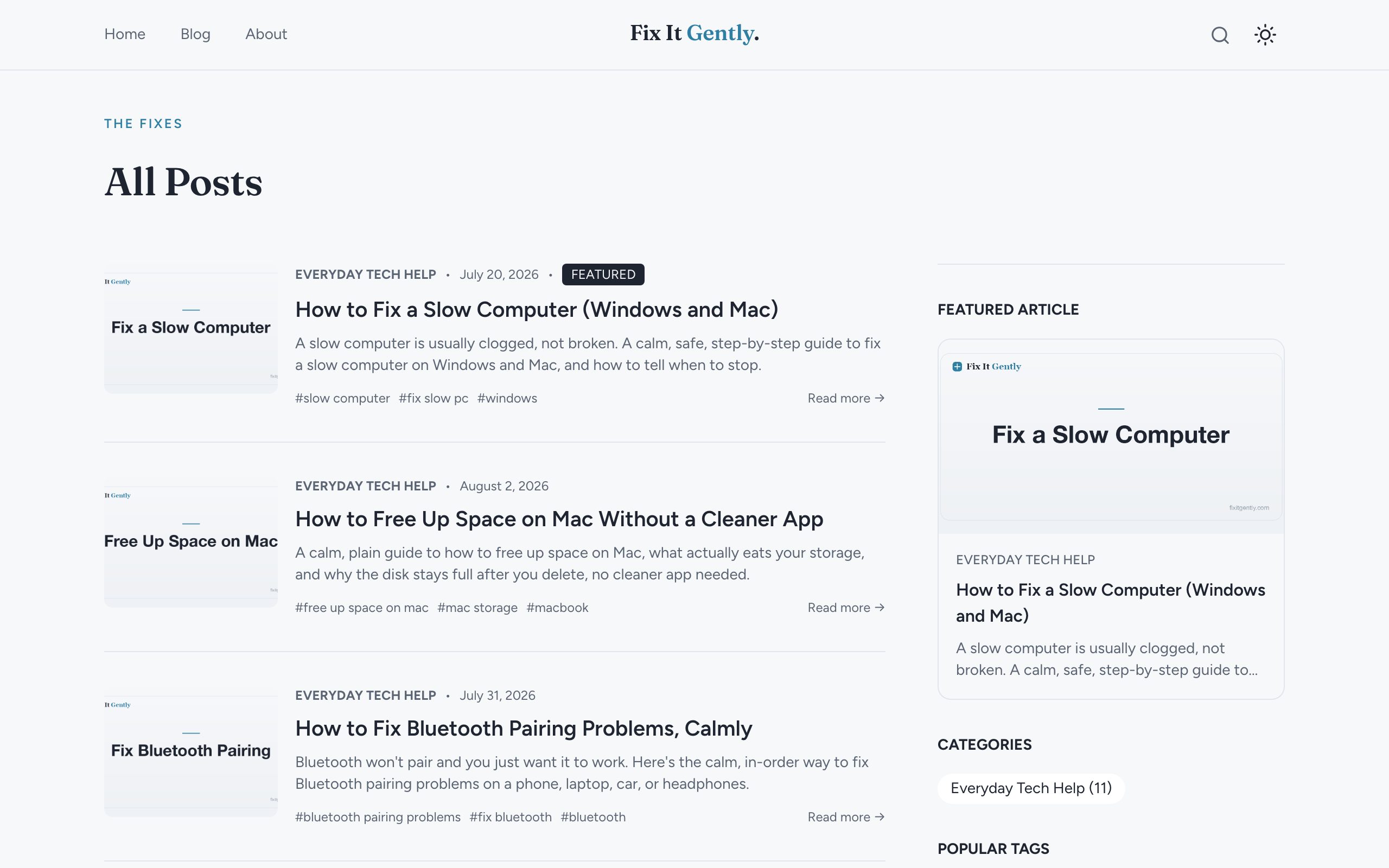
Thirteen posts under an Everyday Tech Help category, split across the four things that actually go wrong for normal people. Slow devices, dead devices, storage, and network.
On speed, there is "How to Fix a Slow Computer (Windows and Mac)," "How to Speed Up Windows 11 Without Breaking Anything," and "Why Is My Phone So Slow? Calm Fixes for iPhone and Android." Each one covers both major platforms rather than making you find the right variant.
On dead or dying hardware, "Laptop Won't Turn On? Calm Fixes for Windows and Mac," "How to Fix a Frozen Computer Without Losing Your Work," and "Phone Won't Charge? Start With the Charging Port." That last title is good advice compressed into a headline, since a lint-blocked port is a genuinely common cause and costs nothing to check.
Storage And Network
"How to Free Up Space on Mac Without a Cleaner App" is the post that best shows the site's independence. The obvious monetisation move in that slot is an affiliate link to a cleaner utility, and the post argues against the whole category instead.
"How to Free Up Storage on iPhone and Android, Calmly" does the same job for phones.
The network cluster covers "Why Is My WiFi So Slow?", "WiFi Keeps Disconnecting? Fix It Step by Step," "Printer Won't Connect to Wi-Fi? Calm, Ordered Fixes," and "How to Fix Bluetooth Pairing Problems, Calmly." Printers and Bluetooth pairing are the two most rage-inducing items in consumer tech and both get patient, ordered treatment.
"Why Is My Phone Battery Draining So Fast? Real Fixes" rounds it out.
The Format
Posts run long for the genre, roughly 2,000 to 2,900 words. That length is not padding. Covering Windows and Mac, or iPhone and Android, in a single post takes room, and the payoff is that you do not have to work out which version of the problem you have before you start reading.
The ordering discipline is consistent. Safe and reversible first, invasive last. For a reader who is anxious about making things worse, that ordering is the actual value.
Who It Is For
Non-technical people with a broken device and no interest in becoming technical. That is the entire target and the site does not drift from it.
People helping a parent or relative remotely. The step ordering makes these usable as a script over the phone, which is a real use case that most troubleshooting content handles badly.
Anyone who has searched a tech problem and landed on a forum thread from 2019 with fourteen contradictory answers and no indication which one is safe.
It is not for IT professionals or anyone wanting deep diagnostics. There is no registry editing and no command line, on purpose.
Language Coverage
Published in twelve languages with indexed paths for Spanish, French, German, Japanese, Korean, Chinese, Portuguese, Hebrew, Hindi, Indonesian, and Vietnamese alongside English.
For consumer tech help, that matters more than for most niches. Troubleshooting in a second language while stressed about a broken device is genuinely harder.
Reading It Cold
You do not read this site cold, you arrive at it with a specific problem. Search the symptom and start at the top of the post.
The one worth reading before you need it is "How to Fix a Frozen Computer Without Losing Your Work," because the useful moves there are the ones you want to already know when it happens.
Where It Falls Short
Thirteen posts covers the common problems and leaves plenty uncovered. If your issue is not one of the four clusters, it is not here yet.
The deliberate refusal to go deep means genuinely broken hardware will send you elsewhere. The site can rule things out calmly, but it cannot diagnose a failed logic board.
This niche is also heavily exposed to search engines answering the question directly on the results page, which makes the long careful version harder to find than it deserves to be.
Key Features
- Step by step tech troubleshooting guides
- Plain English with no jargon assumed
- Screenshot based visual instructions
- Calm and reassuring writing tone
- Coverage of common everyday problems
- One step at a time approach
Pros & Cons
What we like
- Explanations assume zero technical background
- Tone is calm and never condescending
- Guides break complex fixes into small steps
- Focuses on problems regular people actually have
Room for improvement
- No advanced or developer level content
- Single author limits topic coverage
- Newer site with growing article archive
- No video tutorials yet
Frequently Asked Questions
What is Fix It Gently?
Who is Fix It Gently for?
What kind of problems does Fix It Gently cover?
Is Fix It Gently free?
Best For
Featured in
Alternatives to Fix It Gently
View all
Kinodesk
Local screen sharing optimized for high refresh rate streaming on capable hardware

FileLever
Preview folder syncs, backups, archives, and storage cleanup before changing files

Stash
Native Mac notes app with local-first Markdown storage and Git sync

PermitSnag
Monitors permit and campsite booking systems for cancellations and alerts you within minutes
Our take
Tool Index Editorial · Jul 2026· 4.2/5
Fix It Gently solves a real problem in consumer tech help, which is that nearly all of it is written for people who are already comfortable. The adverb in the name is the product.
Look at the titles and the editorial position is right there. Calmly. Without Losing Your Work. Without Breaking Anything. Without a Cleaner App. Fixes are ordered safest and most reversible first, invasive last, which for a reader afraid of making things worse is the actual value being delivered.
The coverage splits cleanly across the four things that break for normal people. Speed, dead hardware, storage and network. Each post covers both platforms rather than making you find the right variant first, which is why they run 2,000 to 2,900 words. "Phone Won't Charge? Start With the Charging Port" compresses genuinely good advice into a headline, since a lint-blocked port is common and costs nothing to check.
The post that earns the site its trust is "How to Free Up Space on Mac Without a Cleaner App." That slot is where an affiliate link to a cleaner utility normally goes, and the post argues against the entire category instead. Once you have seen a site decline the obvious monetisation, the rest of its advice reads differently.
The printer and Bluetooth posts deserve mention simply because those two are the most rage-inducing items in consumer technology and both get patient, ordered treatment rather than a shrug.
Limits are honest ones. Thirteen posts leaves plenty uncovered, and the deliberate refusal to go deep means genuinely failed hardware sends you elsewhere. It can rule things out calmly. It cannot diagnose a dead logic board.
Editorial opinion from the Tool Index team, written from the public product pages. Not a user review.
Reviews (0)
Badge builder
Add Fix It Gently to your website
Choose a badge style and size, preview it here, then copy the generated HTML. Badge images are self-contained SVGs and do not require an external script.

<a href="https://toolindex.net/tools/fixitgently?ref=badge" target="_blank" rel="noopener">
  <img src="https://toolindex.net/badge/fixitgently/medium.svg" alt="Fix It Gently - Listed on Tool Index" width="180" height="50" />
</a>How to use the badge
- 1. Pick the style, size, and theme that fit your layout.
- 2. Copy the generated HTML from the code block.
- 3. Paste it into your footer, homepage, or press page.
Score badge available
Fix It Gently qualifies for the score and circle badges based on its current top-10 positionin Mobile.
Badge clicks return visitors to this profile with a referral tag so the source remains identifiable.
Related Tools

Confluence
Atlassian's long-running team wiki that anchors many enterprise knowledge stacks
Asana
Project management for teams that live in projects, tasks and dependencies
Kevin Gabeci Toolkits
Seven AI toolkits for writing books, making music, cutting video, and building agents.

Sleep Suivour
Track your sleep, improve your rest
Work on Fix It Gently? Request listing access or correction