
Agenteam
Turns the coding agent CLIs you already run into floating characters on your Mac desktop
Gallery
About Agenteam
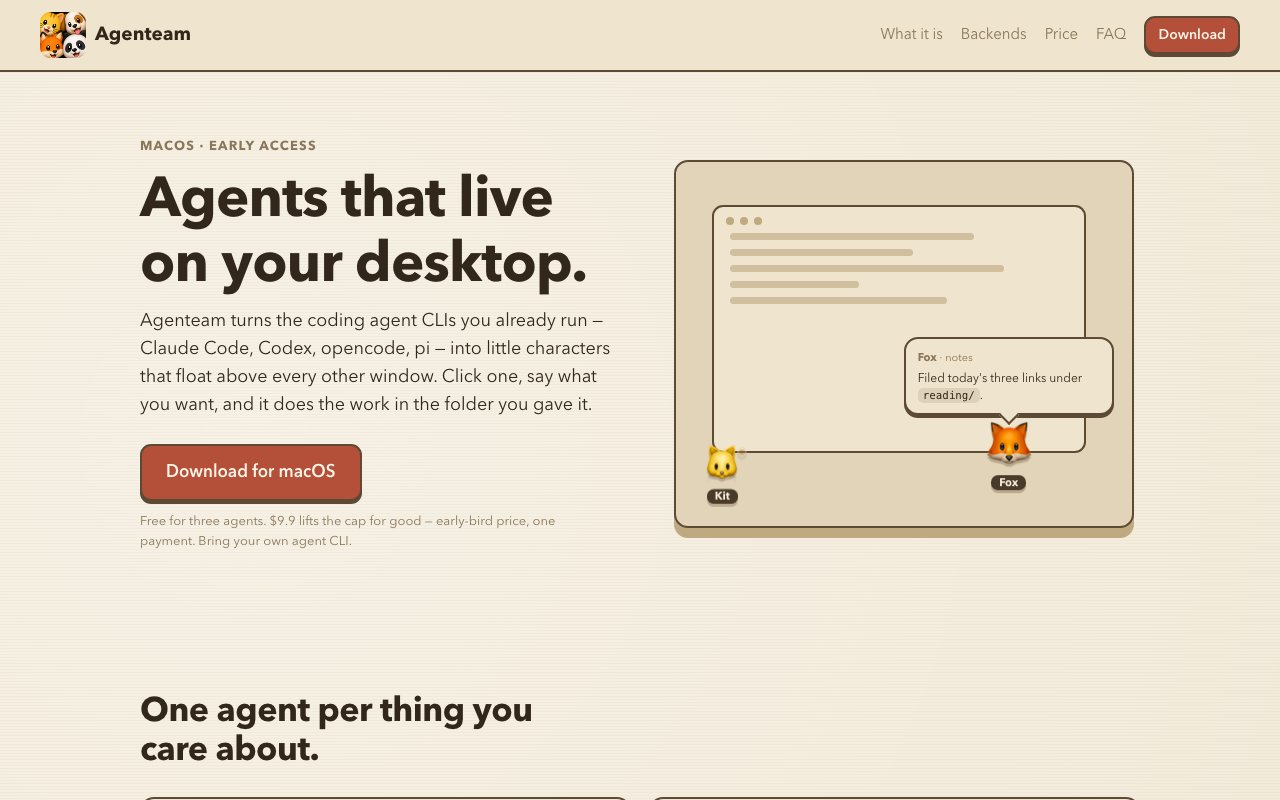
Agenteam is a macOS app that takes the coding agent command line tools you already have installed and gives each one a body on your desktop. Claude Code, Codex, opencode and pi become little characters that float above every other window. Click one and a chat balloon opens beside it, on whichever side of the screen has room, and you tell it what you want in the same way you would in a terminal. It does the work inside the folder you gave it, then reports back in the balloon.
The problem it's solving is small but real. Agent CLIs are good, and they're also invisible. They live in a terminal tab you have to go find, they lose their thread when you close the window, and running three of them for three different jobs means three tabs you keep confusing. Agenteam's answer is to stop treating an agent as a session and start treating it as a thing that exists. There's no window to hunt for and no tab to switch to, because the agent is already on top of whatever you're doing. The character sitting on your desktop is also a reminder that something is running, which is a mild but genuine benefit over a process buried three windows deep.
Each agent gets one workspace, either a folder of its own or a repo you point it at, and the file tree sits next to the conversation so whatever it just wrote is one click away. The model here is one agent per thing you care about, so you might keep one in your notes, one in a repo and one watching something else, each with its own scope and its own history. Agents also keep their memory, since each holds a single long conversation that survives restarts, and the desktop balloon and the main window are two views onto the same thread rather than separate chats. That continuity is the practical difference from a terminal session, where closing the window usually means starting the explanation over.
Agents can schedule themselves. Ask for something every morning at nine and the agent writes itself a routine, runs on that schedule, tells you what happened afterwards, and can be switched off in the same place you set it up. That's the closest the app gets to autonomy, and it stays deliberately visible rather than running quietly in the background where you'd forget about it. Permissions are set per agent, with a choice between asking before it acts, planning only, or never asking, and the app warns you if you point an agent at your entire home folder instead of a scoped workspace.
What makes it different from most agent products is that it doesn't sell you inference. Agenteam runs no model and resells no tokens. It drives the CLI you've already installed and paid for as a long-lived process on your own Mac, so whatever signs you in at the terminal, a subscription or an API key, is what the app uses, and it adds no account of its own. Conversations, settings and transcripts sit in the app's own folder on your machine. Whatever the CLI you picked sends upstream is between you and that CLI, which is a narrower privacy claim than most apps make and a more accurate one. The licensing works the same way, since the key is verified with the developer once and checked locally after that, so the app keeps working offline and doesn't call home again.
It suits developers who already live in a coding agent CLI and want several of them running against different projects without drowning in terminal tabs. The requirements are honest about the boundaries, since you need one of the four supported CLIs working in your terminal first, and the app is Apple silicon and Intel Macs on a recent macOS with no Windows or Linux build yet. It lives in the menu bar rather than the Dock, so it stays out of the way when you aren't using it. The app itself is closed source, described by its author as a closed-source app that drives open tools, and what you download is the built, signed and notarised binary. Support is a direct email address on the site, which early on reaches the person who wrote the thing rather than a ticket queue.
Pricing is unusually simple. The free version is the whole app with a cap of three agents, all four backends, routines, workspaces, themes and every update, with no account, no clock and no trial that expires. The reasoning given is that three is enough to find out whether you want a fourth. Lifting the cap costs a one-time early-bird payment of $9.9, which covers as many agents as you like on up to three Macs at a time, with slots you can release from Settings when you retire a machine. The licence is checked once and then verified locally from then on, so it works offline and doesn't phone home. The site says that price is an early-access number and will rise once things settle.
Key Features
- Floating desktop agents above all windows
- One workspace folder or repo per agent
- File tree beside the conversation
- Self-written scheduled routines
- Persistent memory across restarts
- Per-agent permission modes
Pros & Cons
What we like
- Uses the agent CLI and subscription you already pay for
- Free tier is the full app rather than a timed trial
- Transcripts and settings stay on your own machine
- One-time payment instead of another subscription
Room for improvement
- macOS only, with no Windows or Linux build yet
- Requires a supported agent CLI already installed and working
- Early access, so some backends are newer than others
- Closed source, unlike the CLIs it drives
Frequently Asked Questions
What is Agenteam?
Do I need an API key?
Is Agenteam free?
Can an agent touch the rest of my computer?
Best For
Featured in
Alternatives to Agenteam
View all
Stack AI
No-code platform for building and deploying enterprise AI agents and workflows on a visual canvas

Almanac
A hosted, source-cited wiki that turns your files into context your AI agents can use

Demi AI
Demi helps busy professionals eliminate repetitive admin work across their favorite tools.
Vapi
Build voice AI agents that take and place phone calls
Our take
Tool Index Editorial · Oct 2026· 3.5/5
Agenteam turns installed coding agent CLIs into persistent floating characters on a Mac desktop. Each agent gets a workspace, file tree, long-running conversation, and optional routines, making it useful for developers who manage several repositories or recurring agent tasks. The free app supports three agents with no account. A $9.90 early-access purchase removes the cap for good and covers three Macs, though users still bring and pay for their own agent CLI access.
We found the one-agent-per-workspace model easy to grasp, and local transcripts plus explicit permission modes are the right defaults for a wrapper around powerful CLIs. Scheduled routines and persistent threads add real utility beyond the playful characters. It is still macOS-only early access, some backends are newer than others, and a desktop mascot does not remove the need to supervise file permissions and autonomous changes. The product is inexpensive and distinctive, but its durability will depend on keeping pace with several fast-changing command-line tools.
Editorial opinion from the Tool Index team, written from the public product pages. Not a user review.
Reviews (0)
Badge builder
Add Agenteam to your website
Choose a badge style and size, preview it here, then copy the generated HTML. Badge images are self-contained SVGs and do not require an external script.

<a href="https://toolindex.net/tools/agenteam?ref=badge" target="_blank" rel="noopener">
  <img src="https://toolindex.net/badge/agenteam/medium.svg" alt="Agenteam - Listed on Tool Index" width="180" height="50" />
</a>How to use the badge
- 1. Pick the style, size, and theme that fit your layout.
- 2. Copy the generated HTML from the code block.
- 3. Paste it into your footer, homepage, or press page.
Standard badge available
The standard listing badge is available now. Score and circle badges are limited to tools currently ranked in the top 10 of a category.
Badge clicks return visitors to this profile with a referral tag so the source remains identifiable.
Related Tools

OpenBenchmarks
Public, externally validated benchmarks that help agents pick SaaS APIs
Almanac
A hosted, source-cited wiki that turns your files into context your AI agents can use

Wizard
Self-extending Rust terminal AI agent that works with any model

Chariot
Elastic cloud infrastructure for deploying and scaling AI agent fleets with persistent storage
Work on Agenteam? Request listing access or correction